Should you choose Crazy Egg or Lucky Orange?
Both conversion rate optimization (CRO) tools let you analyze user behavior on your site through heatmaps and session recordings, collect feedback via on-page surveys, and engage customers with popups.
Crazy Egg is the better pick for businesses of all sizes, from startups to enterprises, who want to consolidate A/B testing with web and behavior analytics and feedback features within the same platform.
Lucky Orange is the better choice if you need field-level form analytics and live chat and are already using a third-party A/B testing platform.
Crazy Egg vs. Lucky Orange: A Quick Snapshot
How do Crazy Egg and Lucky Orange compare? Here’s a quick overview of the key differences.
| Feature | Crazy Egg | Lucky Orange |
|---|---|---|
| Heatmaps | ✅ 5 map types (Click, Scroll, Confetti, Overlay, List) ✅ Per-click segmentation ✅ Side-by-side comparison ✅ Free Instant Heatmaps | ✅ 3 map types (click, scroll, move) ✅ Renders clicks on dynamic/SPA elements live ⚠️ No per-click segmentation or side-by-side |
| Session recordings | ✅ Wider auto-tag set (rage/dead clicks, u-turns, errors, checkout) ✅ Tag filters become playlists ✅ 6–24 month retention | ✅ Full playback, similar controls + event timeline ⚠️ Narrower auto-tags (build the rest yourself) ⚠️ 60-day base storage (up to 12 mo) |
| Conversion analytics & funnels | ✅ Standalone Conversion Analytics + funnels ✅ Retroactive across full history ✅ Ad-pixel, custom event, and value tracking | ✅ Events + funnels + Visit Value ✅ Auto Shopify funnel ⚠️No standalone conversion report ⚠️ Funnel lookback capped by storage (60–365 days) |
| Web analytics & live view | ✅ Standalone dashboard ✅ Imports your GA4 reports ✅ Astro Map + Live Activity (real-time) ⚠️ Read-only, no chat | ✅ Real-time traffic/pages/device dashboard ✅ Live Visitor View you can chat into ⚠️ GA4 event bridge only (no traffic import) |
| Surveys & on-site messaging | ✅ Surveys: 9 question types, 50+ templates, branching, free ✅ Popup CTAs with per-CTA conversion tracking | ✅ Surveys: 4 types, each response links to a recording ✅ Announcements (Sticker + Lightbox) ❌ No survey branching or templates |
| AI analysis | ✅ Automatic across every report type ✅ JSON export + MCP connector for any AI tool ✅ Included on paid plans ✅ Tasks: guided optimization reports (early access) | ✅ Conversational Discovery AI ✅ Crawls site code for answers ⚠️ Paid add-on |
| A/B testing, personalization, & error tracking | ✅ Native A/B testing (visual editor, URL redirect, Multi-Arm Bandit) ✅ Personalized web experiences ✅ Error tracking: stack traces + linked recordings | ❌ No native A/B testing ❌ No error tracking |
| Form analytics & live chat | ❌ No native form analytics ❌ No live chat | ✅ Field-level form analytics (drop-off, time/field, device) ✅ Real-time live chat + routing |
| Pricing | ✅ Free-forever plan ✅ $29–$599/mo, billed on tracked pageviews ⚠️ Annual billing only ⚠️ A/B testing needs Plus ($99/mo) | ✅ All features bundled per plan ✅ $32–$839/mo, billed on sessions ⚠️ AI add-on costs extra ⚠️ No free plan on its pricing page |
What Each Tool Bundles That the Other Doesn’t
Before we look at how Crazy Egg and Lucky Orange compare across the key shared features, here are each tool’s unique capabilities.
Only in Crazy Egg:
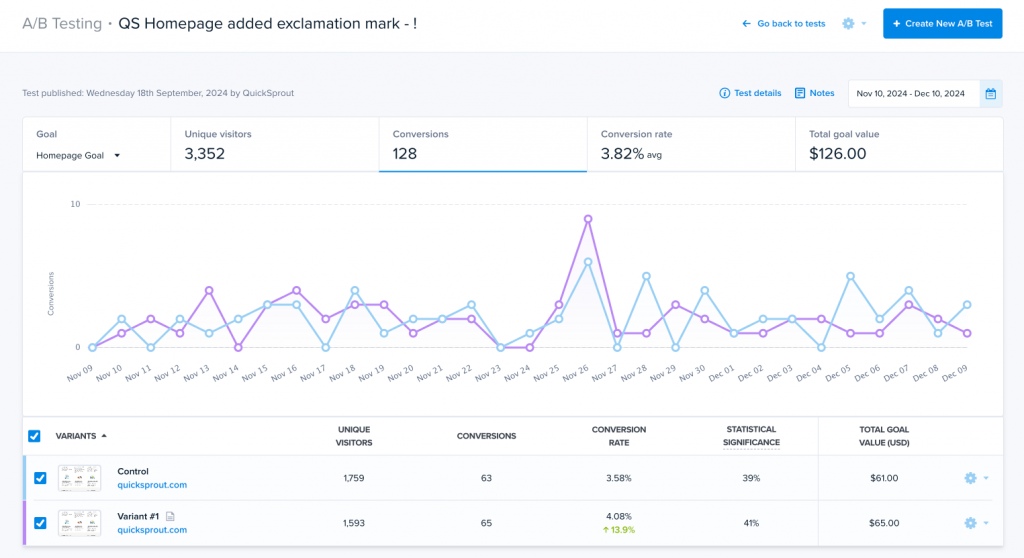
- A/B testing. You can create variants in-app without coding and run regular split or Multi-Arm Bandit tests. Crazy Egg generates a heatmap and recordings for each variant and sends variant data to GA4. Lucky Orange has no native A/B testing, so you need a separate tool like AB Tasty.
- Personalization. Create page variants tailored to specific audience needs and route relevant traffic to them. For example, different pages for different geo locations. Lucky Orange’s closest feature is targeted Announcements. So, overlays on the existing page, not different page versions.
- Error tracking. Crazy Egg automatically detects JavaScript errors, gives you the full stack trace along with device and browser details, and links directly to a recording of the error happening.
Only in Lucky Orange:
- Live chat. A real-time, two-way chat channel with message routing, so you can answer visitor queries and support them mid-session.
- Form analytics. Field-level analytics showing the drop-off point, time spent per field, repeat entries, and device breakdown. Crazy Egg has no native form analytics, so you can only watch form abandonment in session recordings.
Feature Breakdown: Crazy Egg vs. Lucky Orange
1. Heatmaps
Crazy Egg gives you more map types and deeper click segmentation, while Lucky Orange heatmaps are better for tracking user engagement with dynamic page elements.
Crazy Egg
Crazy Egg offers five heatmap types, each answering a different question:
- Click Map: where visitors click most.
- Scroll Map: how far down the page they get before exiting and which page sections hold attention.
- Confetti Map: how different segments (17+) engage with the page, represented by color-coded dots. For example, a different color for a different traffic source or UTM campaign.
- Overlay Map: how many visitors click each clickable webpage element.
- List Map: how many visitors click on different page elements, including dynamic ones.
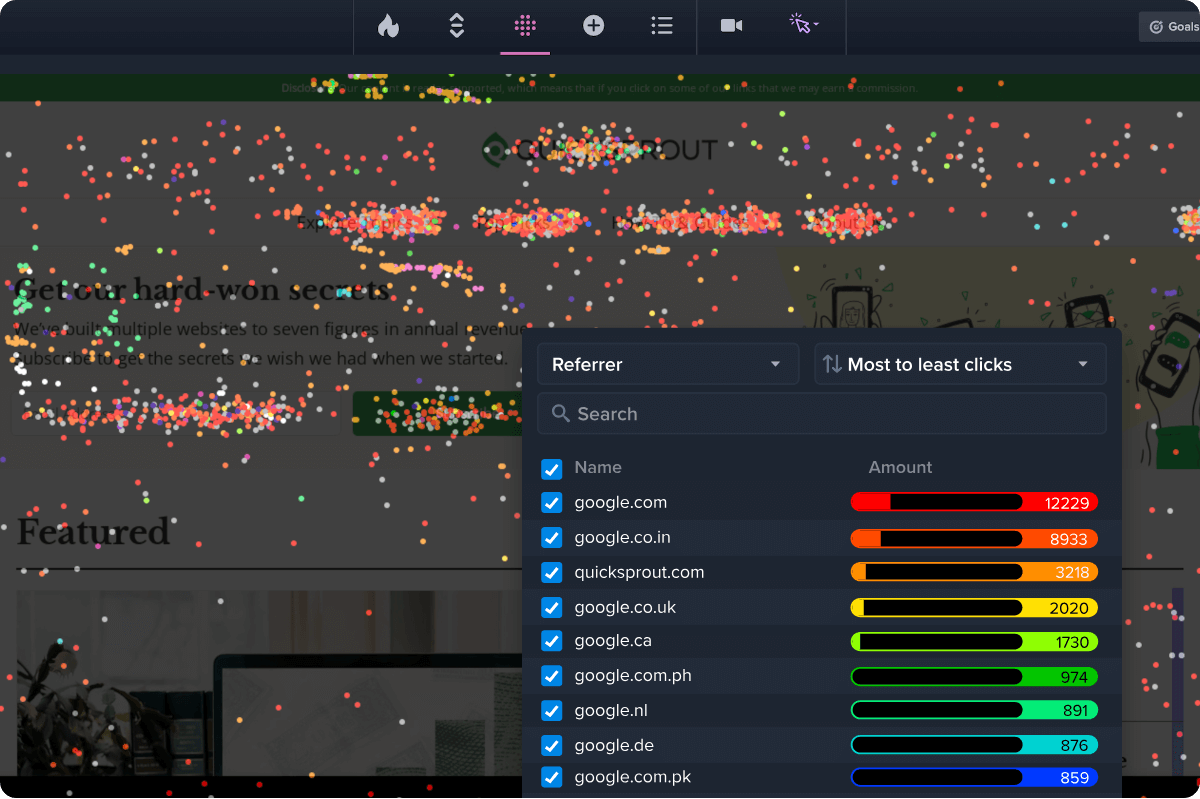
In addition to Confetti maps, you can compare engagement patterns across segments by displaying two heatmaps side by side.
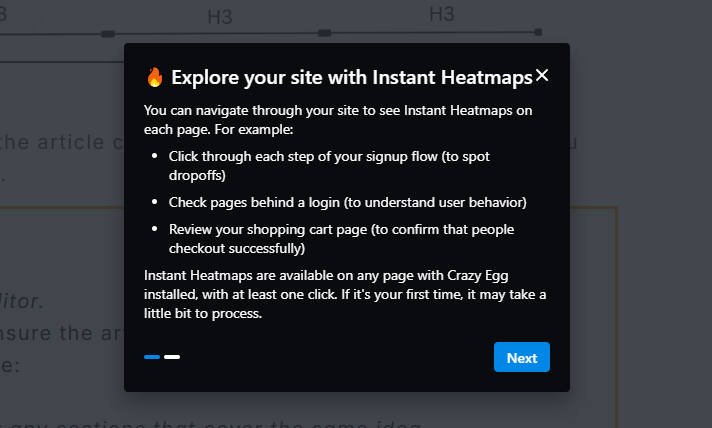
Finally, Crazy Egg offers Instant Heatmaps, which generate automatically for every page you visit as you browse. The feature is free to use and gives you a quick overview of user engagement before you dig deeper into individual pages.
Lucky Orange
Lucky Orange offers only three map types: click, scroll, and move, the latter of which shows you cursor position while they navigate the page.

There’s no confetti-style per-click segmentation heatmap, and you can’t compare them side by side, so the only way to compare behavior between segments is to toggle between segments or open the tool in two different windows.
Its real strength is dynamic heatmaps that render clicks directly on interactive elements like pop-ups, dropdowns, sliders, and carousels, and on pages built with React, AJAX, or single-page frameworks.

Crazy Egg also lets you track user engagement with interactive elements and analyze them in the List report, but you can’t visualize it as a heatmap.
2. Session recordings
Both tools capture and auto-tag full session recordings. Crazy Egg auto-tags a wider range of signals out of the box and retains recordings longer.
Crazy Egg
Crazy Egg records mouse movement, clicks, scrolls, and navigation, and masks sensitive fields before anything leaves the browser to protect visitor privacy.
Recordings get tagged automatically for rage clicks, dead clicks, u-turns, JavaScript errors, slow page loads, and inactivity, plus e-commerce moments like add-to-cart, checkout start, and checkout complete.
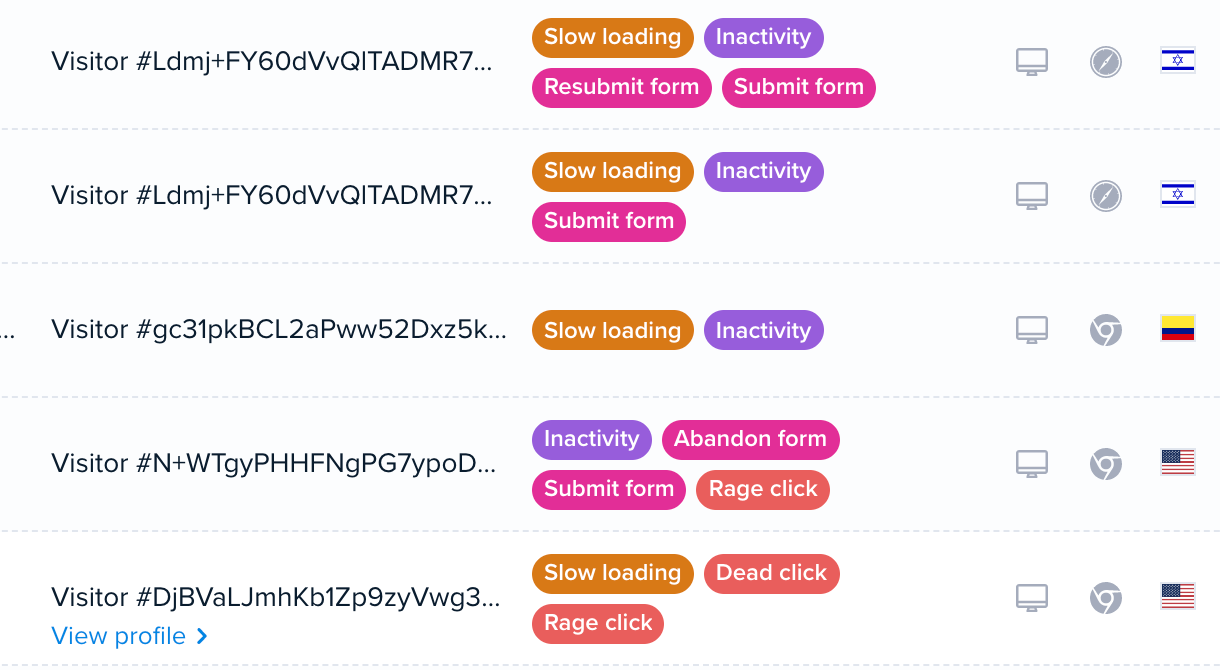
Thanks to the tags (and segmentation), you can quickly find specific sessions. For example, you watch all mobile sessions where users show frustration signals, like rage clicks, on a particular page.
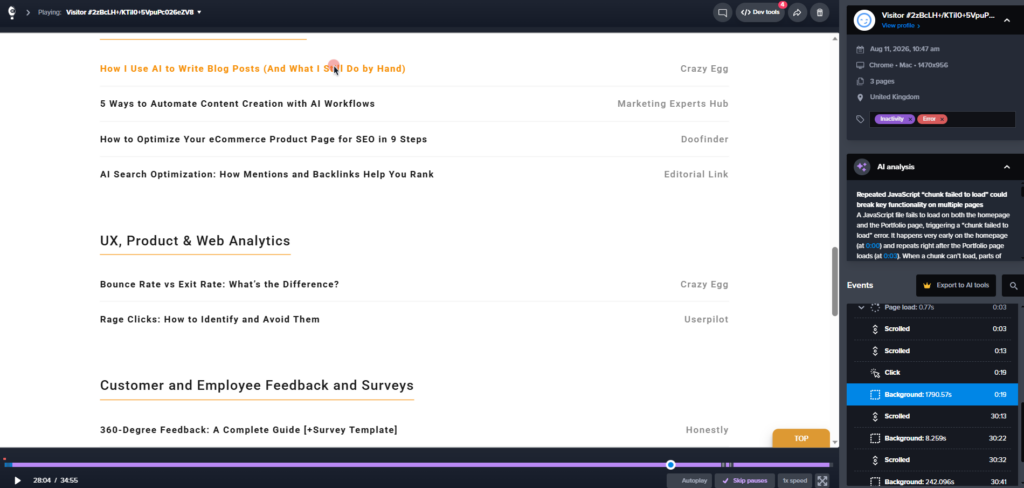
Crazy Egg gives you granular playback control. You adjust the speed, auto-skip inactivity, queue recordings to autoplay back to back, and open browser dev tools to inspect the page as the session runs.
The dashboard also features a playback and event timeline (page visits, tab switches, friction events, etc), session metadata (date, browser, OS, etc.), and AI analysis.
Lucky Orange
Lucky Orange offers comparable session recording capabilities to Crazy Egg. It records full user sessions, masks sensitive data, automatically tags sessions, and offers similar user interface and playback controls.
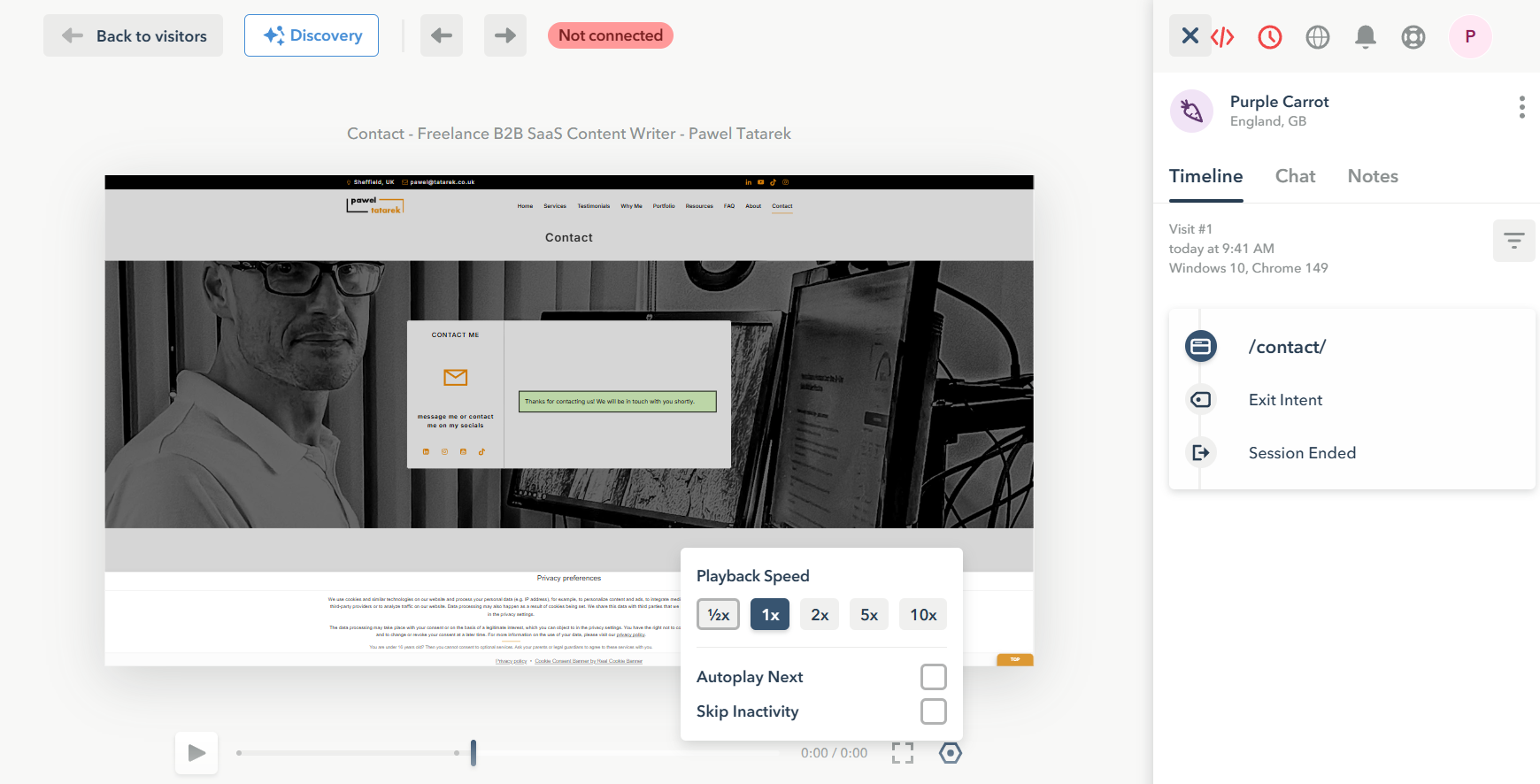
The key difference is the breadth of tags. Lucky Orange detects rage clicks, element clicks, and e-commerce events like product views and cart adds out of the box. To tag other events, you first need to build them yourself (no-code within the tool, via API, or via integrations).
Just like in Crazy Egg, you can use the tags and segments to filter sessions.
Another difference is in data retention: Lucky Orange stores recordings for 60 days by default, and you can upgrade it to 12 months. Crazy Egg stores recordings for 6-24 months, depending on your plan.
3. Conversion analytics and funnels
Both tools show where visitors convert and where they drop off, but Crazy Egg splits this into two connected features and makes the funnel side retroactive.
Crazy Egg
Crazy Egg offers two features for tracking conversions: Conversion Analytics and Conversion Funnels.
Conversion Analytics is a free feature that tracks high-value events like CTA clicks or form submissions. You can group several triggers into a single event, track custom events, and ad-pixel conversions from Google, Meta, and TikTok.
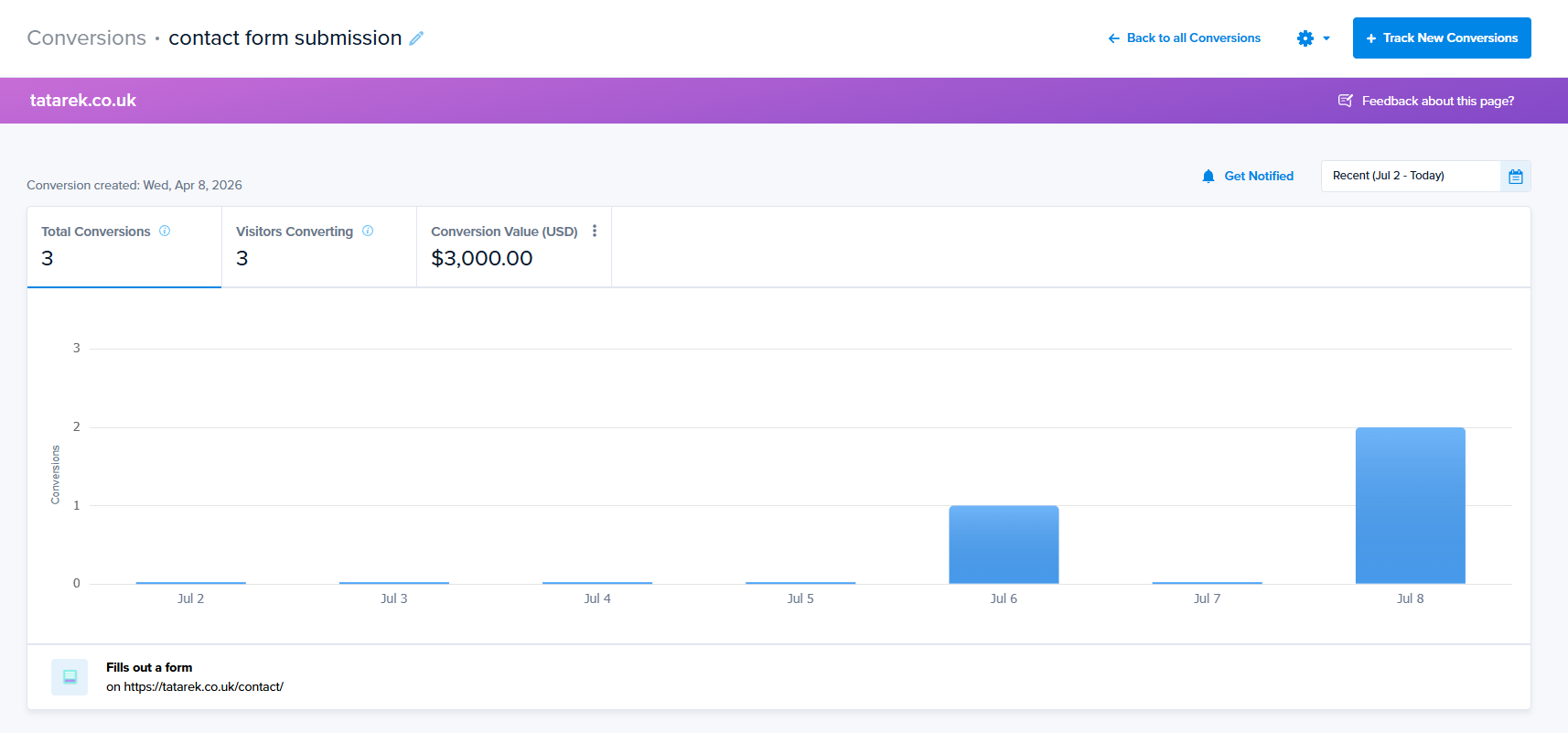
Crazy Egg lets you assign monetary value to each conversion event to monitor their impact on revenue.
Conversion Funnels show how customers progress through the conversion journey step by step. You pick events to track, arrange them in the correct order, and Crazy Egg visualizes them as a bar chart with conversion data for each step. And links them to relevant recordings so you can understand why visitors dropped off.
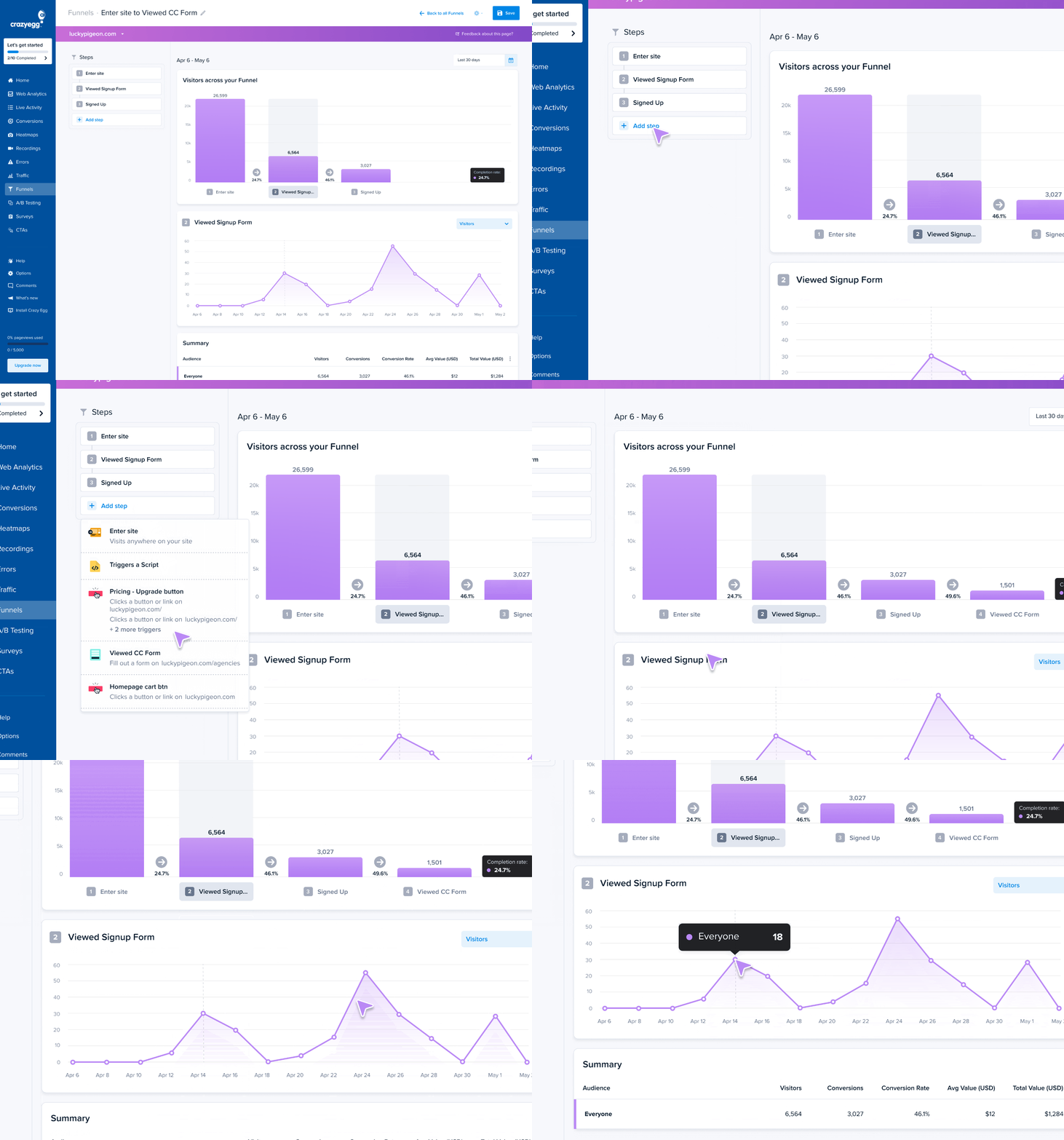
Crazy Egg’s funnels are retroactive. If you edit a funnel by adding or removing a step, Crazy Egg rebuilds the funnel based on historical data (as long as that event was already being tracked).
Lucky Orange
Lucky Orange Funnels cover the same basics: define conversion events, chain them into ordered, multi-step funnels, and click any step to watch recordings of the visitors who dropped off. And you can tag each action with a real dollar amount for e-commerce or a lead-scoring value.
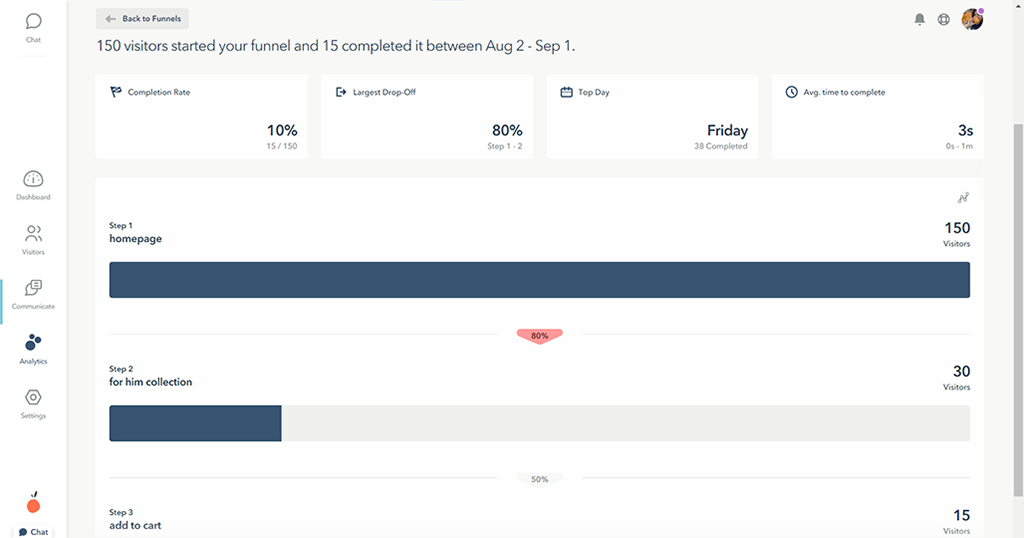
Its funnels are retroactive, too, but only within your data-storage window: 60 days on most plans, up to 365. So you can’t reach back across your full history the way Crazy Egg can.
For Shopify users, Lucky Orange builds a basic Product viewed > Cart Item Added > Ordered funnel automatically. Something you’d have to set up manually in Crazy Egg.
4. Web analytics and live view
Both tools give you a real-time traffic dashboard, a live view of who’s on the site now, and a GA4 integration. Lucky Orange collects the data only via its tracking script, while Crazy Egg can also import it from GA4.
Crazy Egg
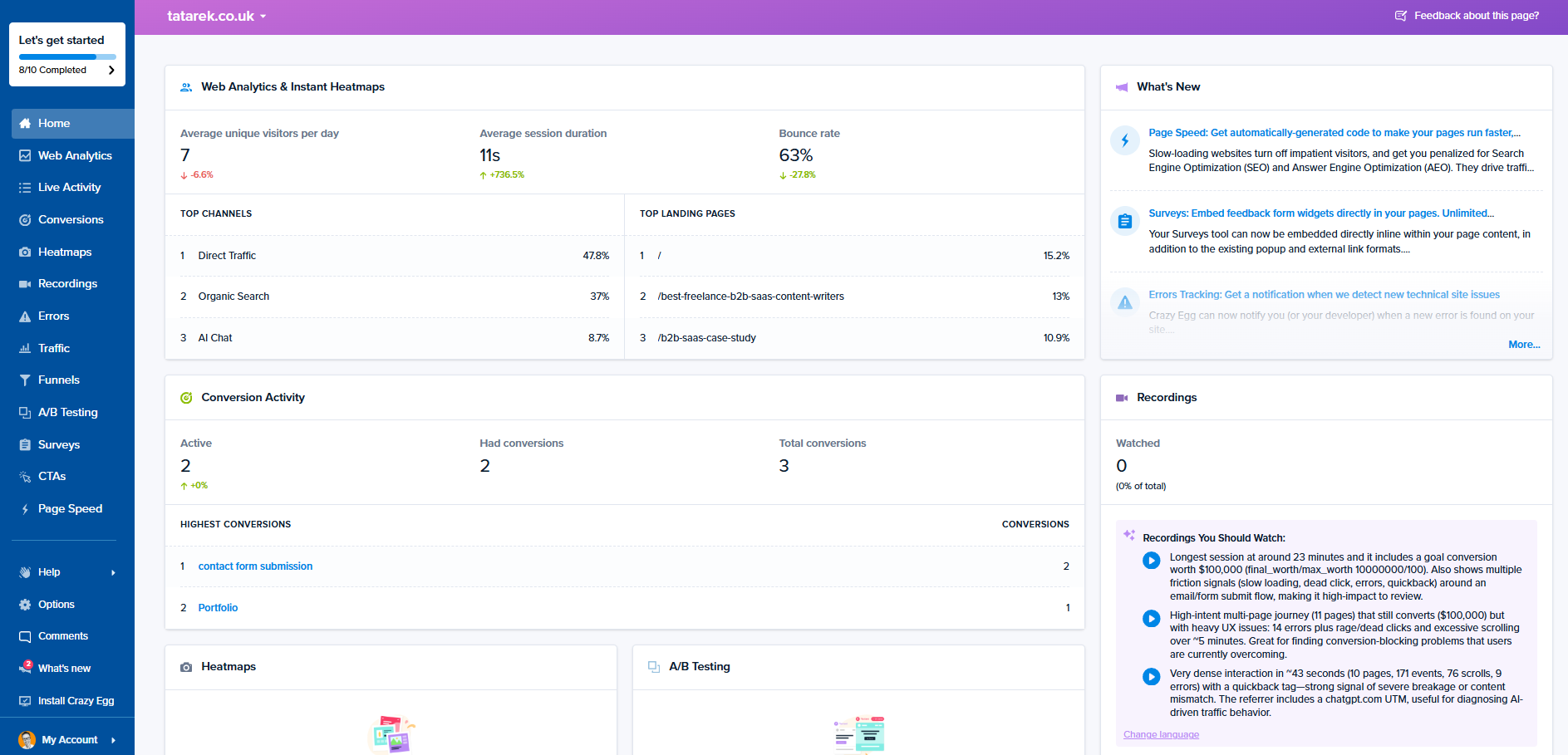
Crazy Egg Web Analytics covers eight core metrics like pageviews, unique visitors, sessions, or bounce rates in a user-friendly dashboard.
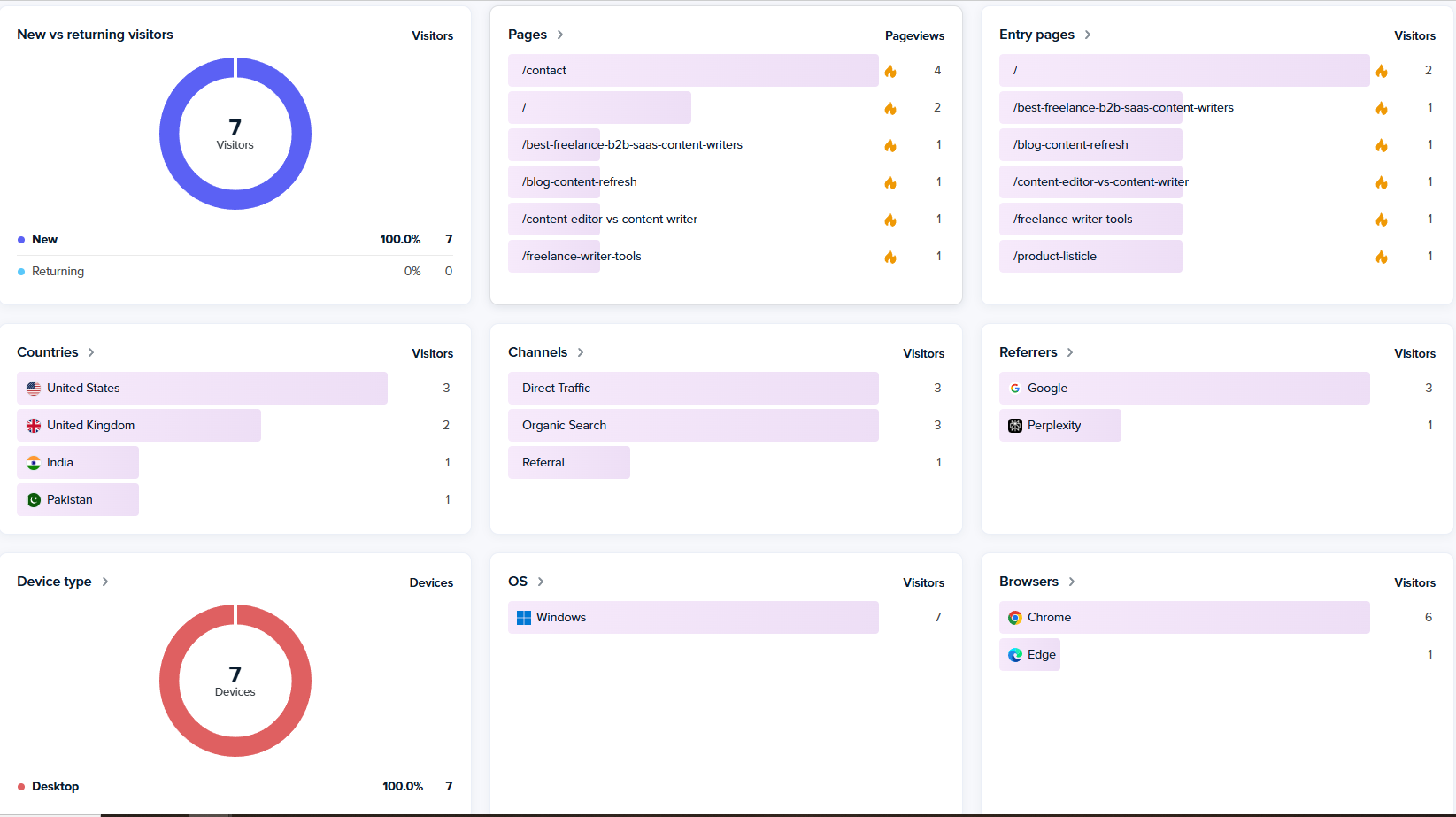
Crazy Egg can track traffic directly via its tracking script, or you can connect it to GA4 and import your data and events.
The Astro Map shows current visitors as figures on the pages they’re viewing, with traffic sources and live actions like clicks, conversions, and errors. Clicking any visitor reveals their country, device, referrer, and recent activity.
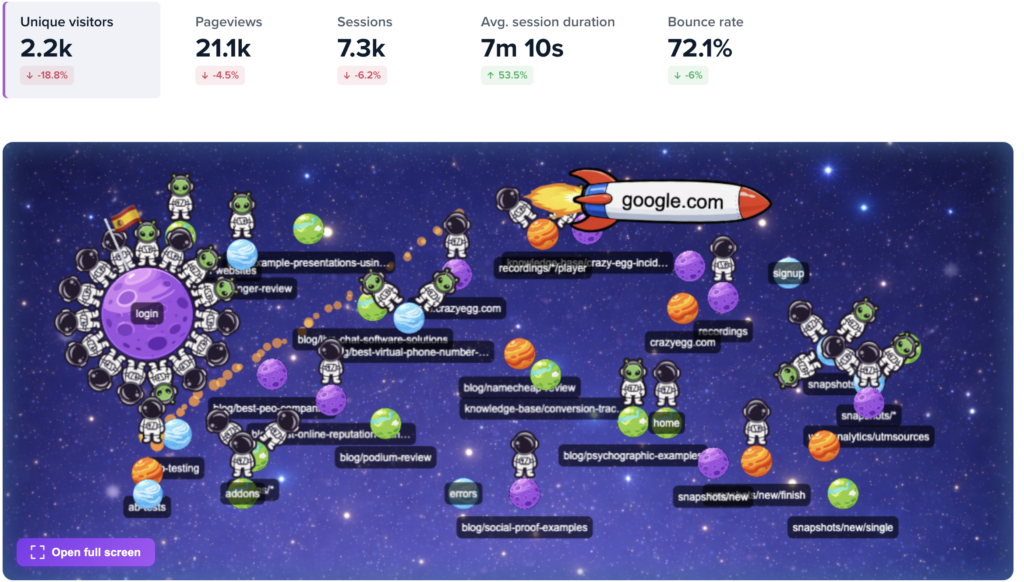
This is in addition to the Live Activity dashboard, which shows a list of events as they happen.
Lucky Orange
Lucky Orange gives you an analytics dashboard covering real-time traffic, pages, sources, and devices, plus per-page insights like traffic, bounces, device breakdown, and top click targets.
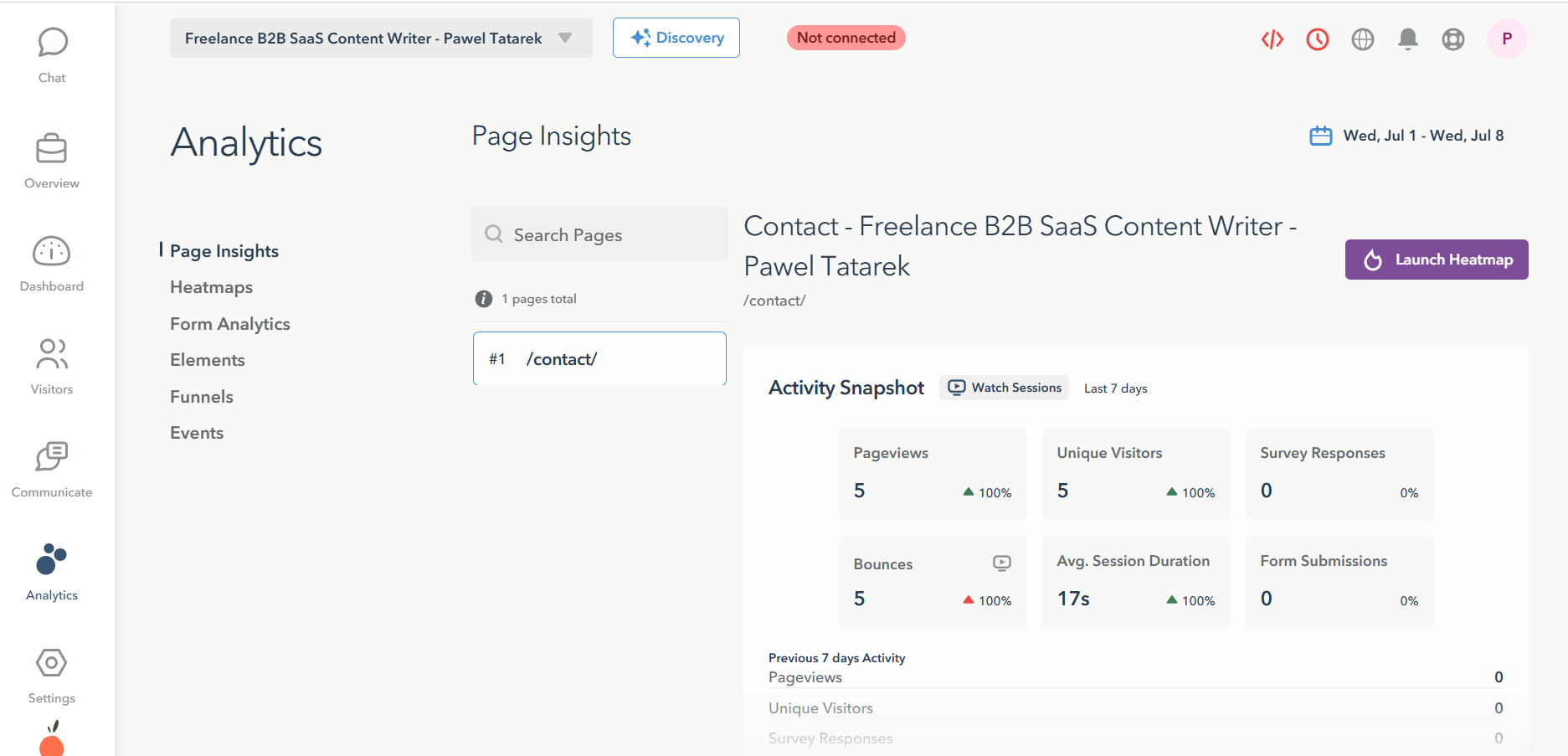
From any metric, you can jump to the matching recordings and heatmaps in one click, just like in Crazy Egg.
It connects to GA4 too, but it doesn’t pull your GA4 traffic reports into its dashboard the way Crazy Egg’s connector does, so the data flows in via its tracking script only. You are also limited by the storage windows (60-365 days).
Its real-time view goes further on interaction. Because it bundles Live Chat, the Live Visitor View lets you watch active visitors and jump straight into a conversation, say, when someone is rage-clicking on your checkout page. Watching and messaging happen in the same place.
5. Surveys
Both tools run on-site surveys with multiple triggers, but Crazy Egg brings more question types, templates, and branching.
Crazy Egg
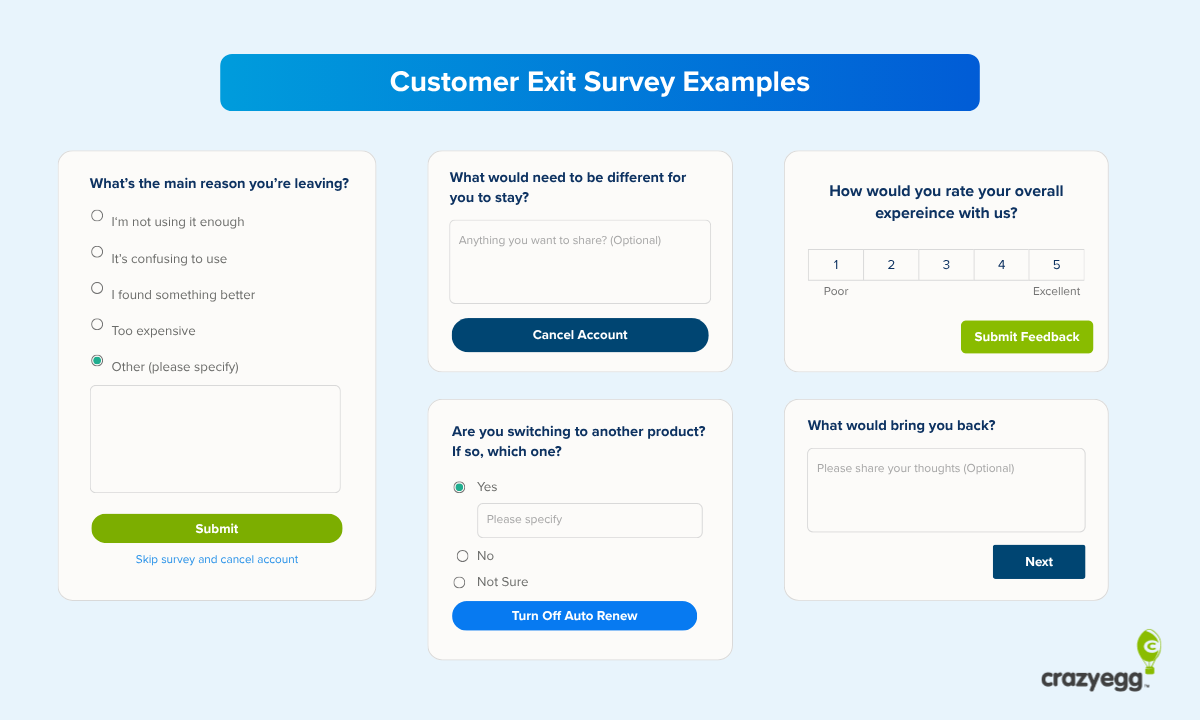
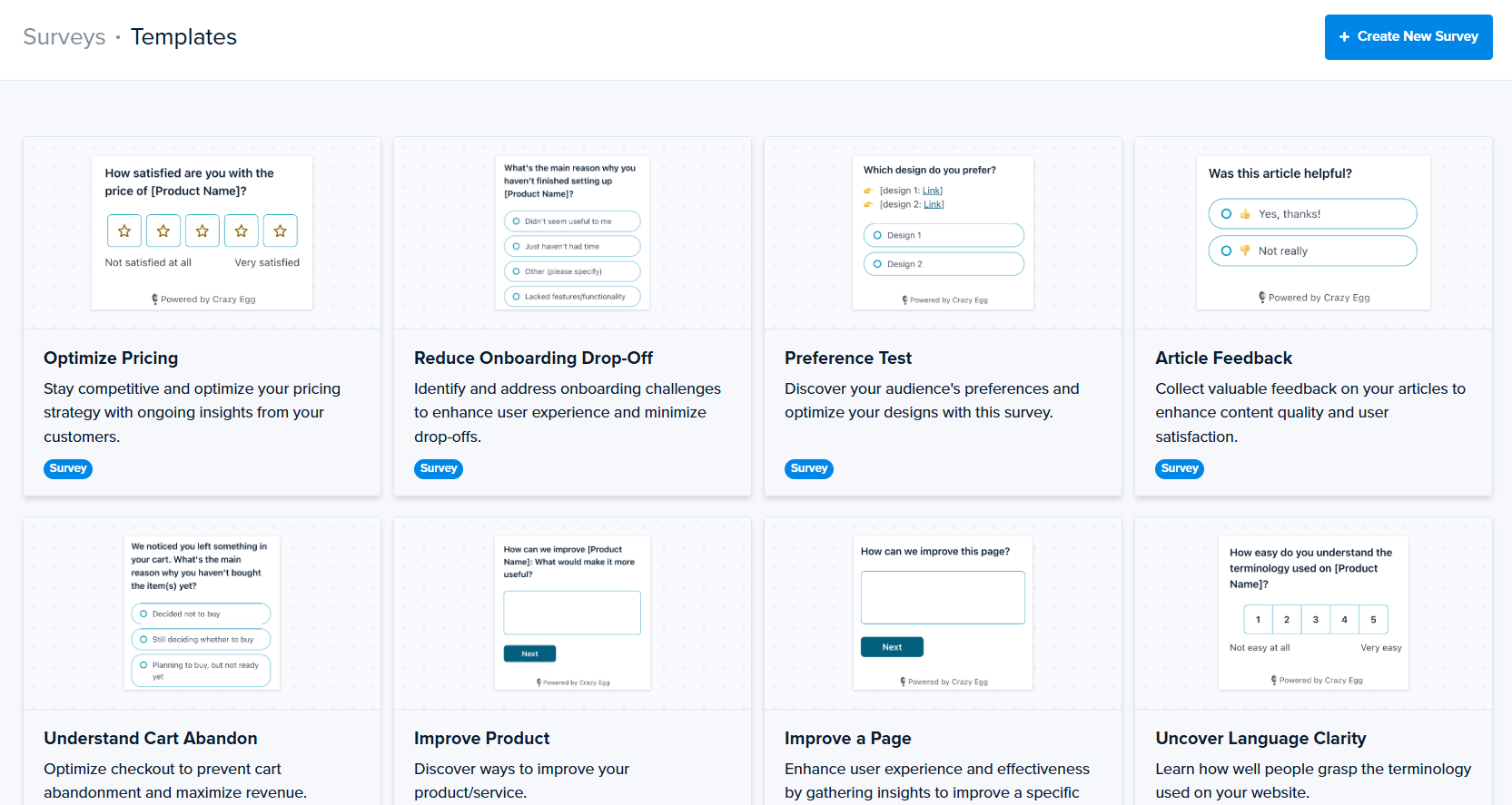
Crazy Egg surveys run on any page or as a shareable link, with nine question types to choose from, including multiple choice, star and numeric ratings, emoji, NPS, and open text.
You can start from one of the 50+ templates or build from scratch in a visual editor, and trigger by page URL, device, traffic source, scroll depth, or click behavior.
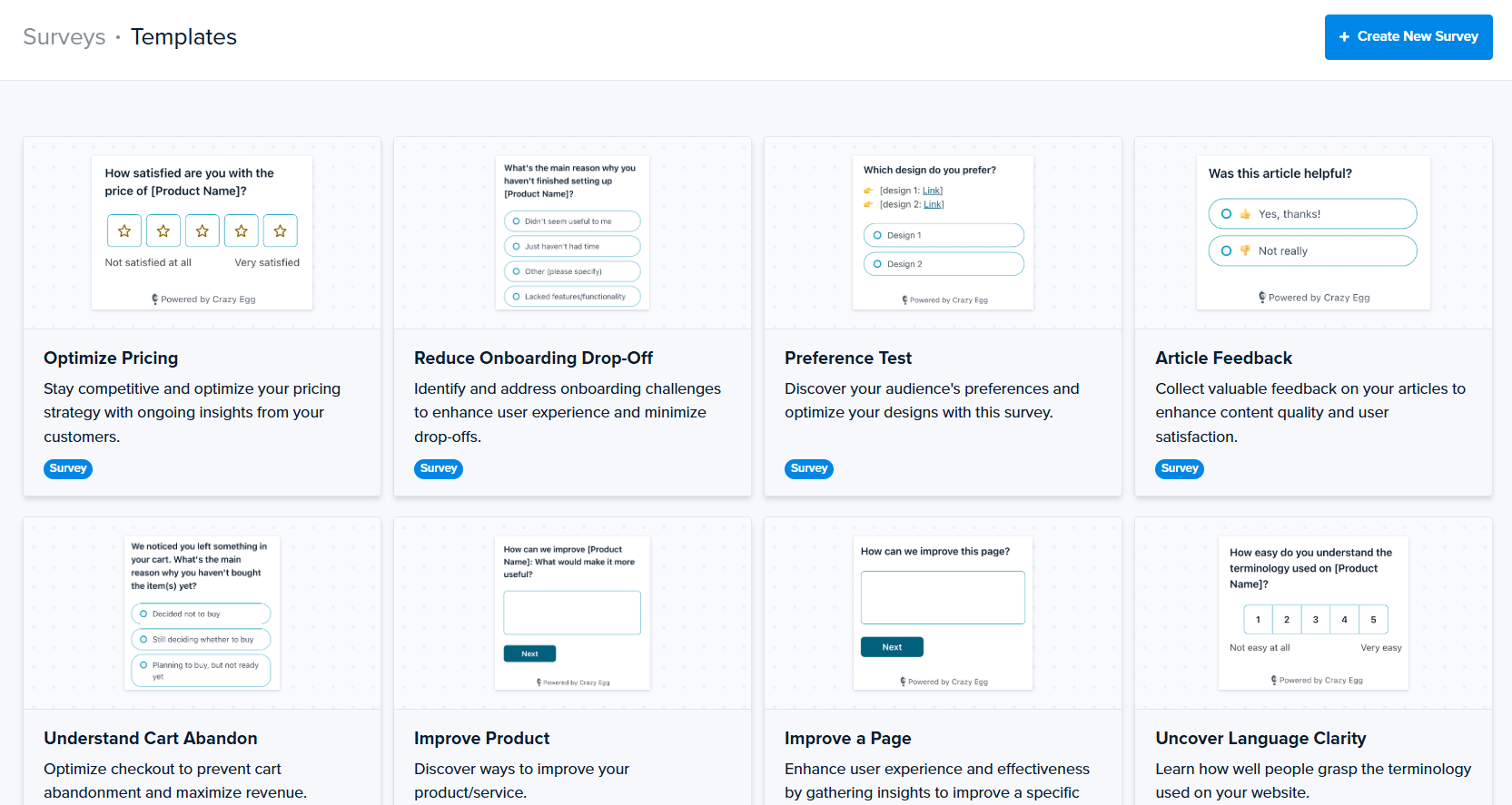
Unlike Lucky Orange, Crazy Egg supports conditional branching for complex multi-question surveys in which follow-up questions depend on the previous answers.
Lucky Orange
Lucky Orange supports multi-question surveys with four question types: multiple choice, star rating, thumbs up or down, and open-ended.
Similar to Crazy Egg, you can trigger any survey by exit intent, time on page, scroll depth, URL, device, or traffic source.
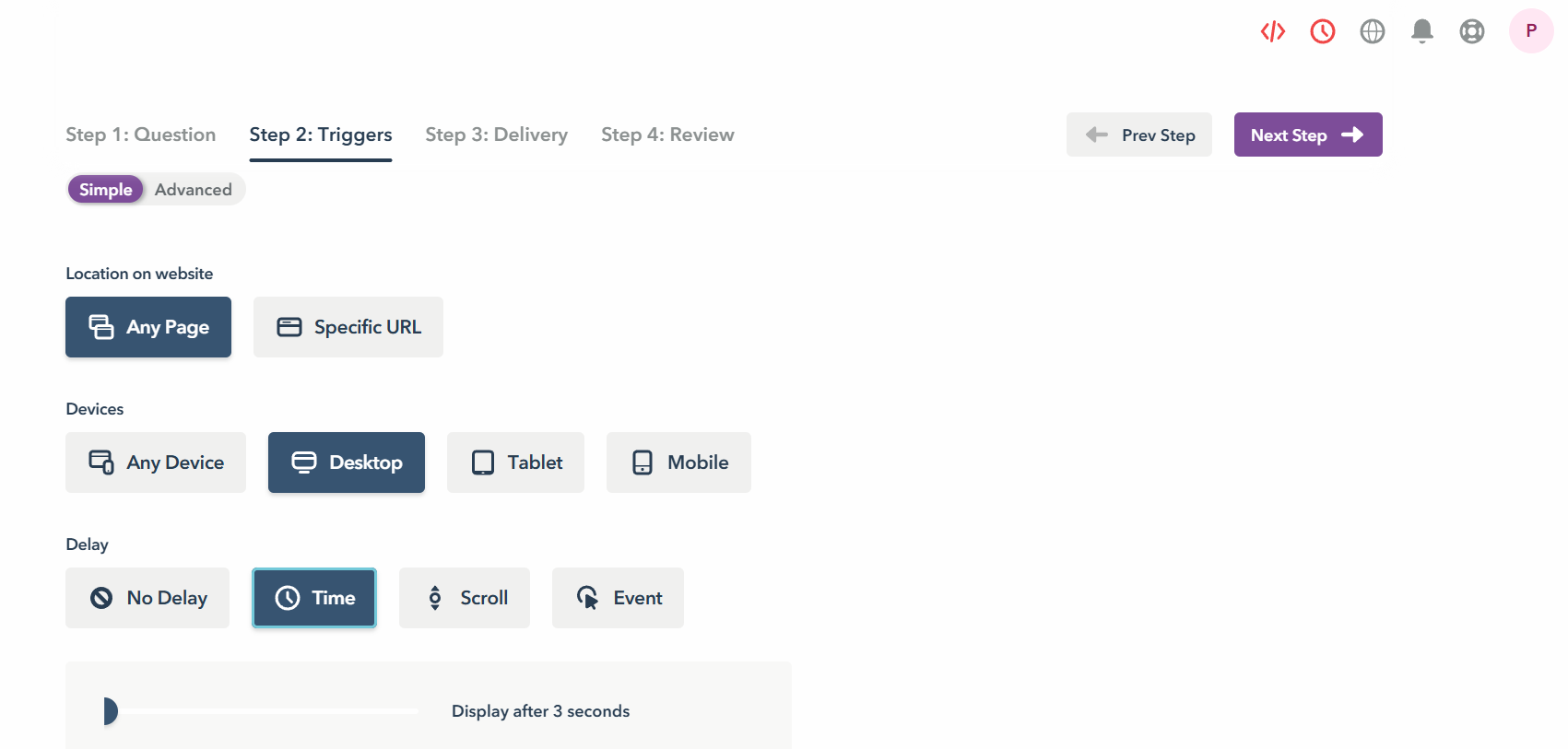
The survey builder is easy to use, but it isn’t as intuitive as in Crazy Egg. For example, if you want to change the color patterns, you can’t do it directly through the builder but have to do it through Chat Settings. And there’s no template library, so you either start from zero or duplicate previous surveys.
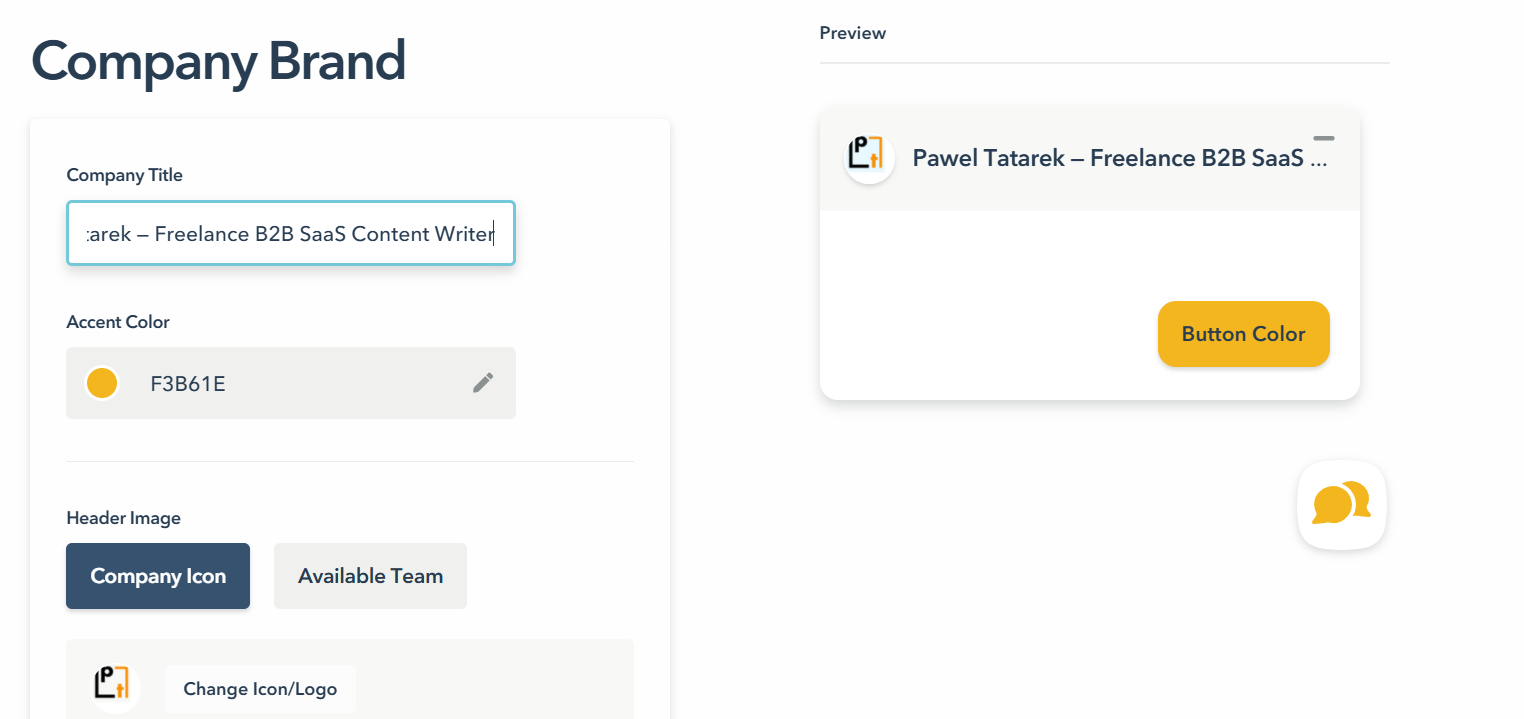
Just like in Crazy Egg, every response links straight to that visitor’s session recording, so you can watch what they did before and after submitting the survey.
6. Popups
Both tools run targeted on-site messages with similar triggers, and both report per-message stats like views, clicks, and response rate. Crazy Egg offers more types and allows more design customization.
Crazy Egg
Crazy Egg’s Popup CTAs let you build banners, popups, and sticky bars and target them by page URL, referral source, device, or behavior. For example, you could show them only to desktop visitors who visit a specific page and stay on it for 30 seconds or scroll past the fold.
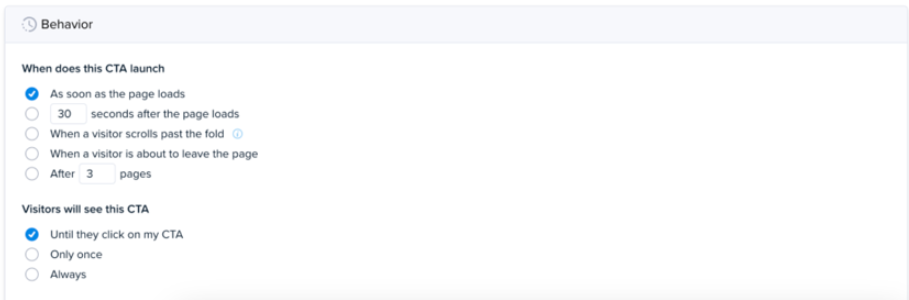
You also control display frequency (always, once, or until clicked), design, placement, and orientation.
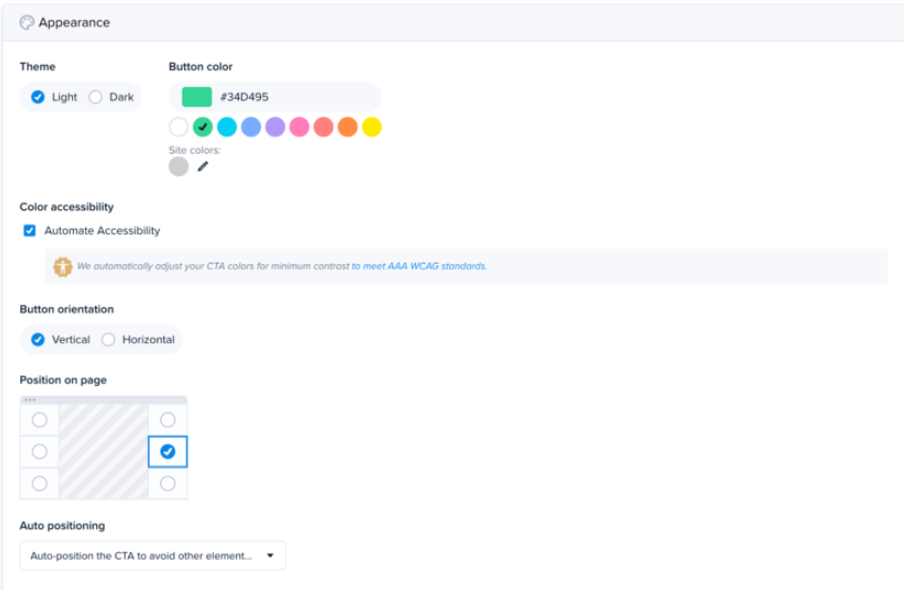
Each CTA tracks its own click and conversion rate, so you know which message drives action.
Lucky Orange
Lucky Orange Announcements come in two shapes: a small, unobtrusive Sticker in a corner, and a full-screen Lightbox.
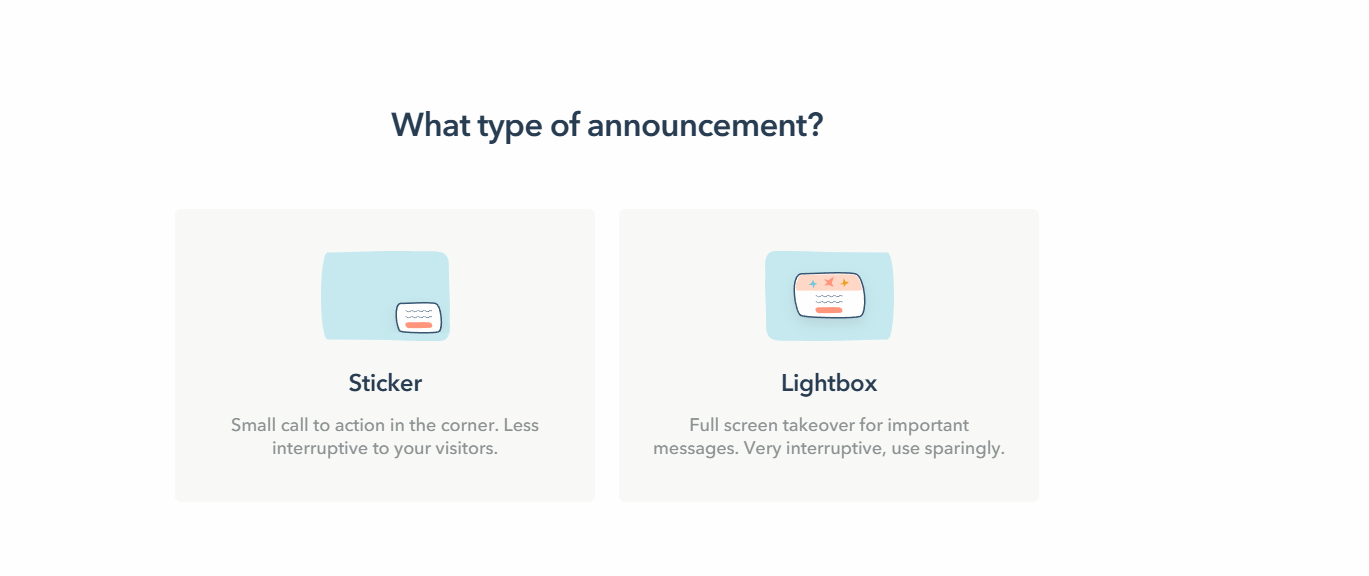
You get advanced audience targeting and triggering options. Just like in Crazy Egg, you can show them on specific pages, to specific segments, and trigger by time delay, scroll depth, or events. And analyze their performance after launch from a dedicated dashboard.
Announcements tie into recordings (Crazy Egg does it, too), so you jump straight in to watch how users interact with them.
The visual builder allows design customization, but it’s limited compared to Crazy Egg. Just like in surveys, you do it via chat settings. Minor, but it does affect the ease of use.
And you don’t get features like automatic repositioning to avoid obscuring other elements and color pattern adjustment for accessibility.
7. AI analysis
Crazy Egg bakes AI analysis into the reports and also connects your data to outside AI tools. Lucky Orange gives you an AI chat assistant you can ask questions.
Crazy Egg
Crazy Egg’s AI runs automatically across all the key reports:
- Heatmaps: Reads your click, scroll, and bounce data, detects behavioral patterns, and writes plain-English recommendations.
- Session recordings: Automatically flags the 3–5 most insightful recordings, each with a written pre-watch summary (what happens, any errors, behavioral observations, and a suggested next step).
- Surveys: Analyzes open-text responses, identifies sentiment, surfaces recurring themes and trends across responses, and auto-generates charts from the results.
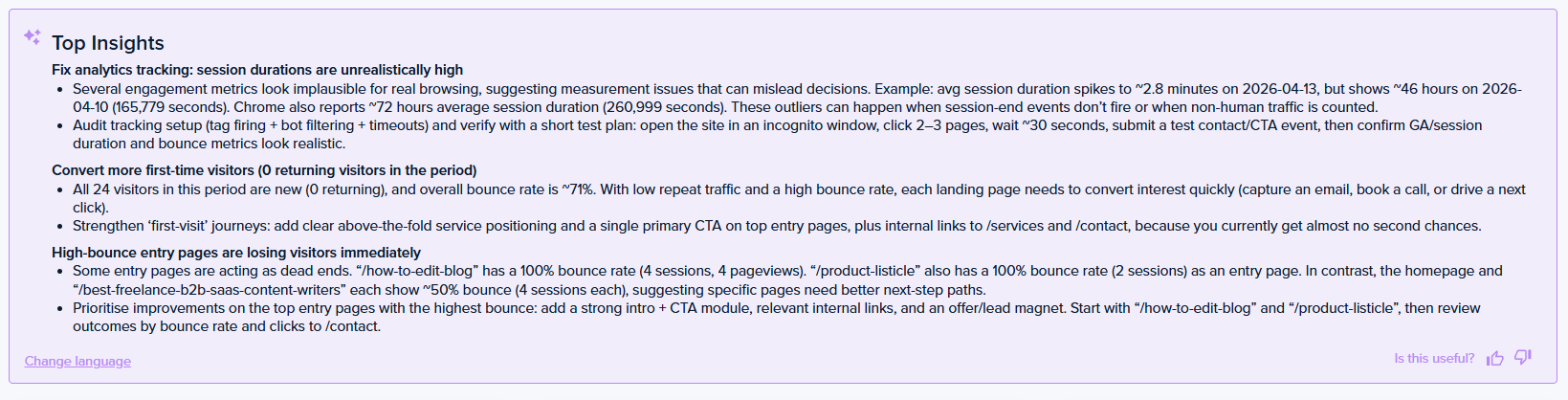
- Web analytics: “Top Insights” automatically surfaces notable patterns and anomalies, say underperforming referral channels or device/browser issues, explains each, and suggests a follow-up action.
On higher plans, you can also export heatmaps, recordings, and web analytics as JSON for use in Claude, ChatGPT, Gemini, or any other chatbot.
The MCP server removes even the export step: connect Claude or ChatGPT to your Crazy Egg account and ask about your heatmaps, recordings, and analytics without leaving the chat. Or run custom agentic workflows.
Finally, Crazy Egg has recently launched Tasks (available in early access): a guided workflow that sets up the right reports, reads the results, and produces an executive-ready PDF with findings, recommendations, and drafted page changes.

Lucky Orange
Lucky Orange’s Discovery AI is a conversational assistant.
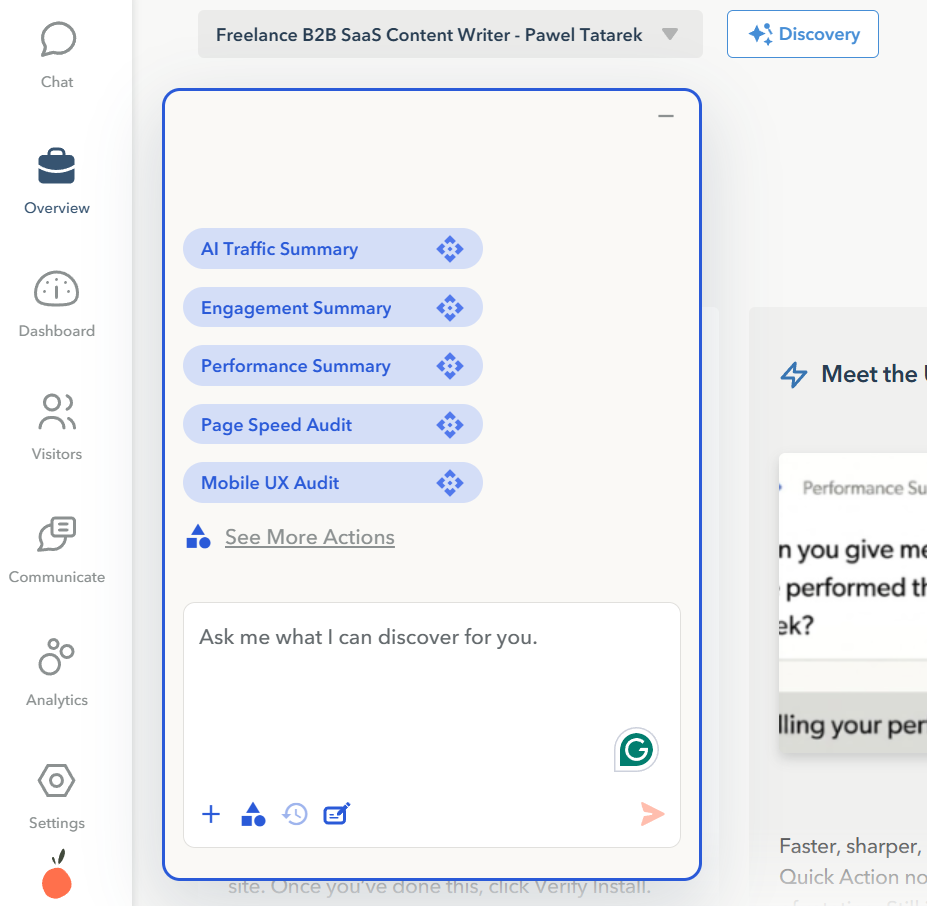
You ask it a question, and it answers against your live behavioral data and links each finding to the supporting heatmap, funnel, or recording.
It crawls your site’s code so answers reflect what’s actually on the page.
In contrast to Crazy Egg, Lucky Orange doesn’t bundle the AI functionality into its plans by default — you buy it as an add-on.
So the main difference between the two tools is what happens outside the app.
Lucky Orange pitches Discovery AI as the alternative to pasting data into a chatbot. Crazy Egg covers that with its automatic analysis, then adds the export and MCP routes for teams that don’t want to rely on the vendor’s built-in LLM.
8. Security and data handling
Both tools protect visitor data at the point of capture. The differences show up in the account-governance layer.
Crazy Egg
Crazy Egg never records passwords, credit card fields, or form entries. It also masks on-screen text and anonymizes IP addresses.
Crazy Egg is GDPR and CCPA compliant, with a Data Processing Agreement available. It encrypts your data and doesn’t sell it or track visitors across sites.
For teams that manage access centrally, role-based access control comes with every plan. The Enterprise plan adds SAML Single Sign-On and a Compliance Audit Log, so you can see who viewed what and when.
Lucky Orange
Lucky Orange masks keystrokes by default and it’s GDPR- and CCPA-compliant in its privacy statement.
And that’s where its published compliance ends: the site has no trust center and provides no information about SSO or audit log controls at any tier.
These aren’t necessary for small teams but vital for enterprise.
9. Support
Crazy Egg’s US-based priority support kicks in on the Plus plan and above, and agencies get priority handling whatever plan they’re on. Enterprise adds live training and guided onboarding.
Lucky Orange runs its support through a Help Center and offers a 15-minute demo before you sign up. It doesn’t publish per-plan support commitments.
Pricing Breakdown: Which Has the Best Value?
| Crazy Egg | Lucky Orange | |
|---|---|---|
| Free plan | Free forever (Web Analytics, Surveys, Instant Heatmaps, Conversion Analytics) | 7-day free trial with every feature and Discovery AI included; no free plan on its pricing page |
| Entry paid plan | Starter $29/mo (5,000 tracked pageviews) | Build $32/mo (3,500 sessions) |
| Mid plan | Plus $99/mo (adds A/B testing, errors, CTAs, 150,000 tracked pageviews) | Expand $199/mo (from 50,000 sessions) |
| Top plans | Pro $249, Enterprise $599 (500,000 & 1M tracked pageviews, respectively) | Scale $839, Enterprise custom |
| Billed on | Tracked pageviews | Monthly sessions |
| AI | Included on paid plans | Paid add-on |
Overall, Crazy Egg offers more competitive pricing than Lucky Orange.
Crazy Egg’s $99 Plus tier is a cheaper route to A/B testing than paying for a third-party experimentation suite on top of Lucky Orange.
Lucky Orange’s strength is bundling: every plan carries every feature, form analytics and live chat included (Discovery AI is the one add-on).
An important note: Crazy Egg bills based on tracked pageviews, which means you pay only for traffic to pages you’re actively monitoring. Lucky Orange bills based on monthly sessions, so that’s all website traffic. Based on that, you get more for your buck from Crazy Egg.
Final Verdict: Is Crazy Egg or Lucky Orange Right for You?
Lucky Orange makes more sense if you run a form-heavy or Shopify store and want field-level form analytics, live chat, and a conversational AI assistant, and you don’t need built-in experimentation.
Choose Crazy Egg if you want a comprehensive website optimization and analytics tool with enterprise-level data protection and security features that lets you monitor what people do on your website, collect feedback, run A/B tests, and analyze data in external AI tools.
If Crazy Egg sounds like a better fit, you can try it for 30 days for free. Start your trial now!