Can’t decide which is better for your team, Crazy Egg or Optimizely?
Crazy Egg is a better choice if you need an all-in-one website optimization platform with heatmaps, session recordings, A/B testing, surveys, error tracking, funnels, web analytics, and pop-up CTAs — all in one subscription.
Optimizely is a better option if you need multivariate and server-side experimentation or warehouse-native analytics. It also makes sense if you’re already in their ecosystem of content management and commerce tools, or don’t mind paying for third-party heatmap and session recording tools.
Crazy Egg vs. Optimizely: A Quick Snapshot
Short on time? This table gives you a quick overview of what you need to know.
| Feature | Crazy Egg | Optimizely |
|---|---|---|
| Experimentation | ✅ A/B and split-URL testing with Multi-Arm Bandit ✅ Auto-generated heatmaps and recordings per variant ❌ No multivariate, multi-page, or server-side testing | ✅ A/B + multivariate + multi-page + split-URL + A/A tests ✅ Pre-built test templates and mutually exclusive groups ✅ Separate Feature Experimentation product for server-side flags |
| Analytics & reporting | ✅ Free Web Analytics with GA4 Connector ✅ Free Conversion Analytics ✅ Retroactive Conversion Funnels ✅ Live activity feed | ✅ Experiment results in-product ✅ Warehouse-native Analytics with multi-touch attribution and customer journey paths ⚠️ Analytics is a separately-priced product ⚠️ Customer is responsible for warehouse modeling |
| Behavioral insights & voice of customer | ✅ 5 heatmap types plus free Instant Heatmaps ✅ Native session recordings with auto-tagging ✅ Free unlimited surveys ✅ Native JavaScript error tracking | ❌ No native heatmaps, session replays, surveys, or error tracking ⚠️ Heatmap Analysis agent works only with external heatmap images ⚠️ Sessions accessible only via 3rd party connectors |
| On-site CTAs & personalization | ✅ Native Pop-Up CTAs (banners, popups, sticky bars) ✅ No-code builder with behavioral targeting | ❌ No bundled CTA builder ⚠️ Personalization is a separately-purchased product ✅ Deeper targeting: behavioral, predicted intent, category affinity |
| AI capabilities | ✅ AI Top Insights across heatmaps, recordings, surveys, analytics ✅ AI Export to ChatGPT, Gemini, or any other AI tool ✅ MCP server included with your account ✅ Tasks: guided optimization with executive-ready reports (early access) | ✅ Opal — AI-powered agent orchestration platform ✅ Pre-built marketing agents (GA4 reports, content generation, experiment planning) ⚠️ MCP servers and agents require Opal enabled — 200 free credits/month, then a custom plan |
| Beyond experimentation & analytics | ❌ Doesn’t compete here | ✅ Headless CMS, DAM, Content Marketing Platform ✅ Customer Data Platform, B2B/B2C Commerce, Web Recommendations |
| Pricing | ✅ Free plan ✅ $29 / $99 / $249 / $599 per month, self-serve ✅ 30-day free trial on paid plans | ❌ No free tier ⚠️ Quote-only across all products ⚠️ Vendr: experimentation contracts $50-80K/year mid-market, $200K+ enterprise |
Crazy Egg is the all-in-one option for marketers running website optimization daily. Optimizely is a full digital experience platform where experimentation & analytics are two pieces of a much wider enterprise suite.
Feature Breakdown: Crazy Egg vs. Optimizely
All the Crazy Egg features below are included in one subscription. Optimizely, in contrast, offers multiple products, each requiring a custom plan. The covered features fall into one of three categories: Web Experimentation, Analytics, or Personalization.
1. Experimentation
Crazy Egg’s A/B testing is built into the platform and integrates with analytics features, like heatmaps and recordings. Optimizely’s Web Experimentation is a standalone product with more advanced capabilities.
Crazy Egg
Crazy Egg’s A/B testing offers a visual editor that lets you create different design variants without developer help, or send traffic to two different page version URLs (split-URL testing).
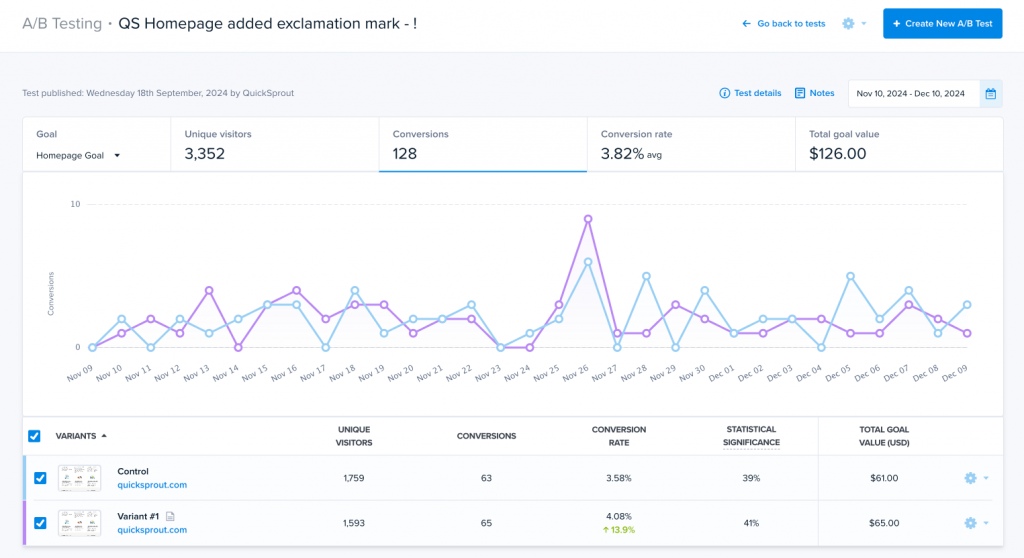
You get two test types: regular A/B tests, where you split traffic equally for the test duration, or Multi-Arm Bandit (MAB) tests that push more traffic toward the winning variant.
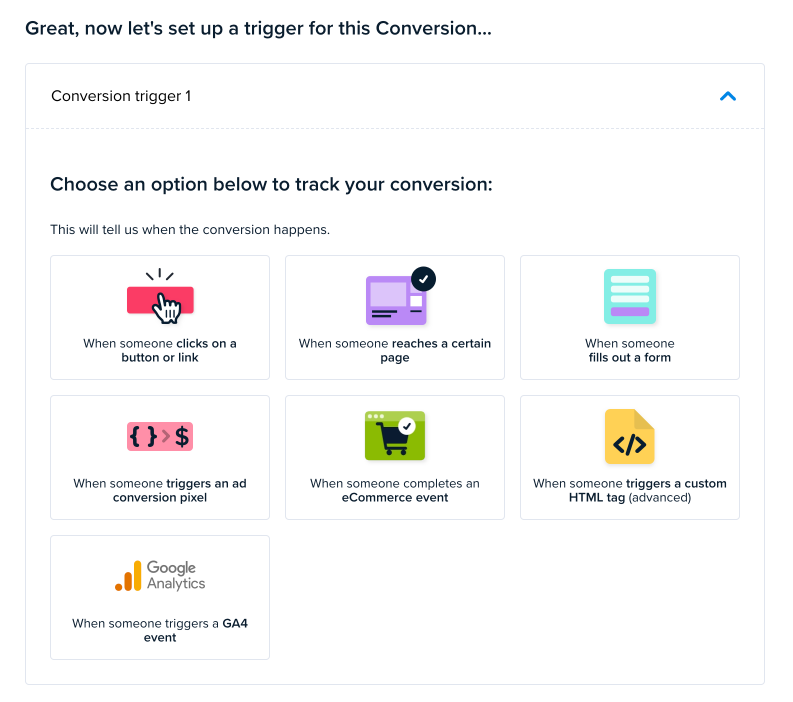
Crazy Egg allows you to choose from clicks, page visits, form submissions, custom scripts, ad pixel events (Google, Meta, and TikTok), and e-commerce platform events.
Every test you launch automatically generates a heatmap and session recordings for each variant. So you can understand why a particular variant wins.
Optimizely
Optimizely’s Web Experimentation is a standalone product with a broader feature set.
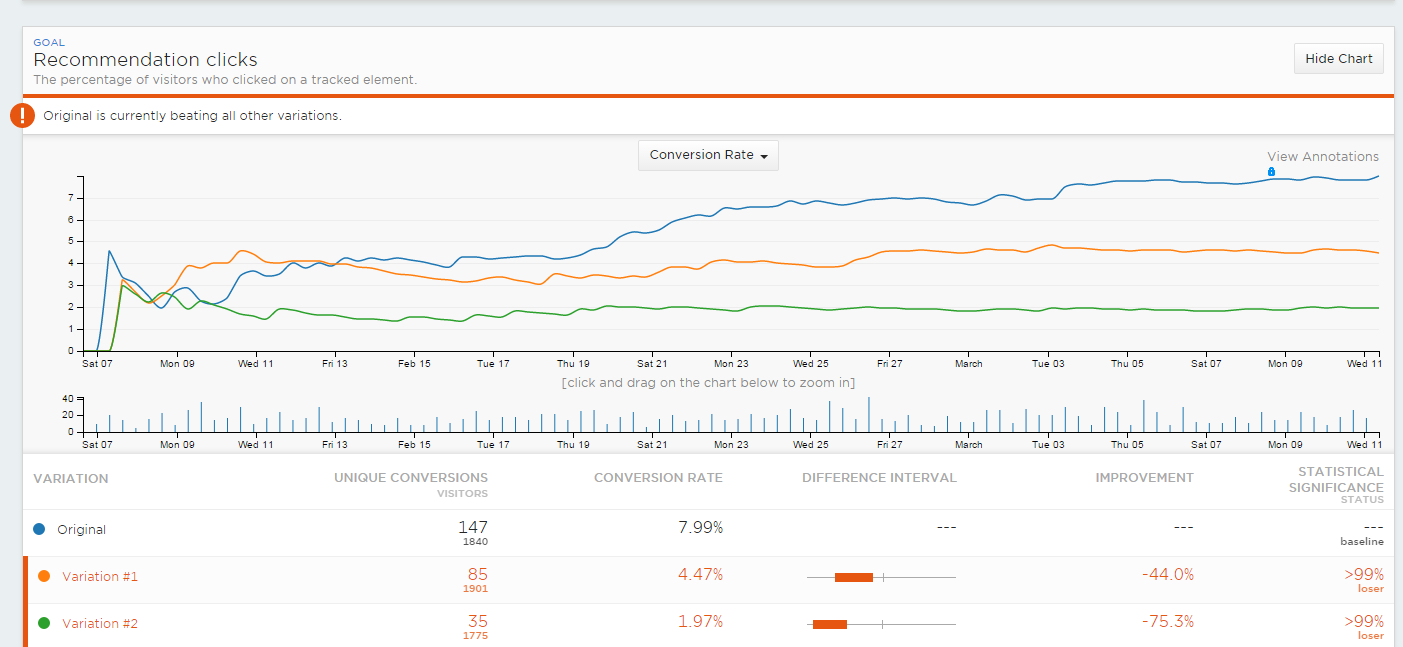
In addition to regular A/B tests and Multi-Armed Bandit tests, it supports:
- Multivariate tests: Test multiple variables at once.
- Multi-page funnel tests: Test the same design change, like a CTA box, across multiple pages
- A/A tests: Check if your tracking, targeting, or randomization works, so bugs don’t contaminate real experiment results.
- Contextual Multi-Arm Bandits: Routes different audiences to different winning variations.
Optimizely’s metric model goes further than goal conversions. Alongside the click, page, form, and custom events, Optimizely supports bounce rate, exit rate, overall revenue, and ratio metrics with custom numerator/denominator formulas (e.g., orders per visitor).
In addition to a visual editor, Optimizely has a library of pre-built test templates to make running experiments on common UI patterns, like banners, pop-ups, or countdown timers, easier.
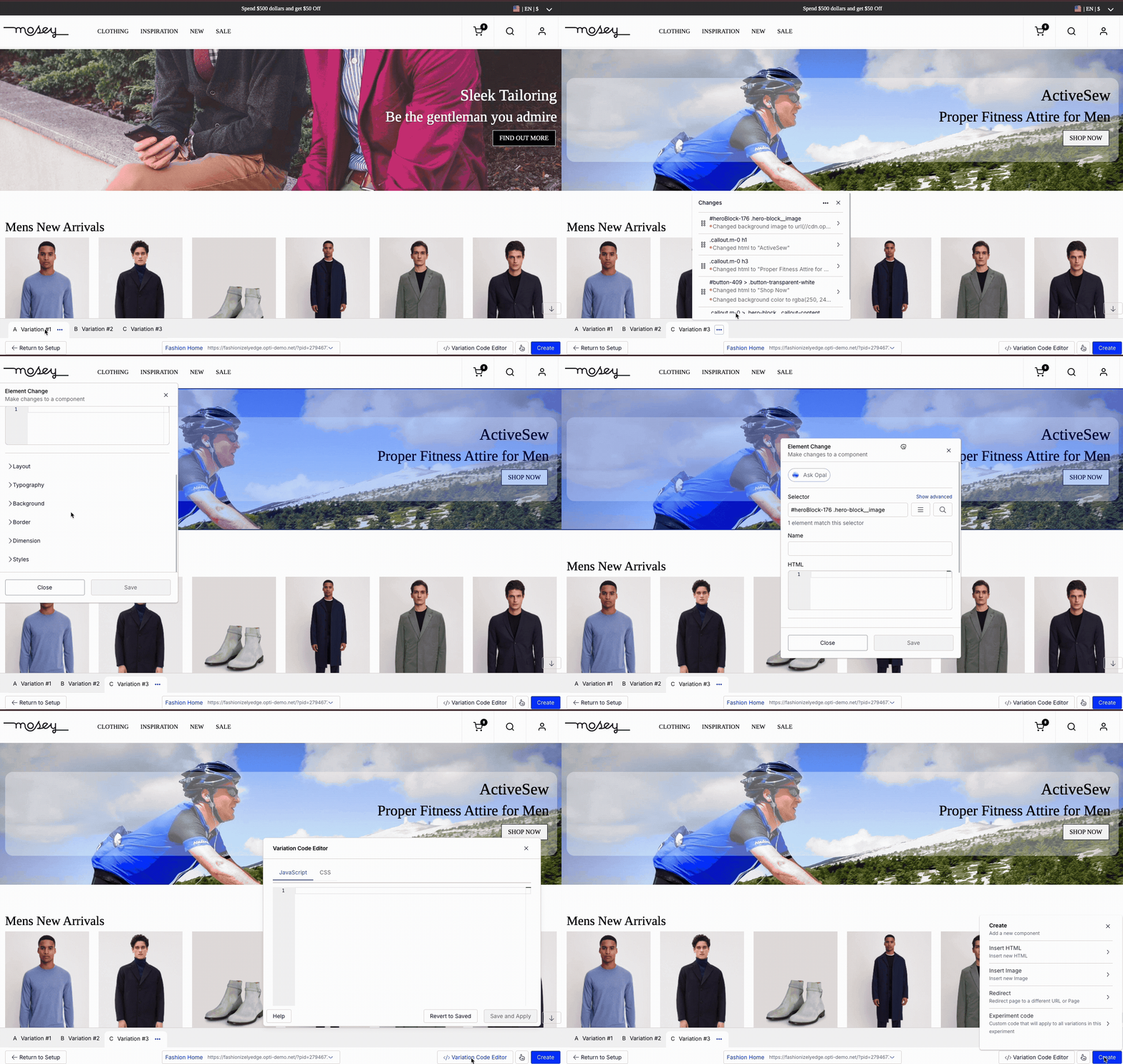
Optimizely also supports mutually exclusive experiments, allowing teams to run multiple tests on the same page without conflicts. This is only useful for websites with enough traffic to get adequate sample sizes for each variant.
2. Analytics & Reporting
Crazy Egg packages Web Analytics, Conversion Analytics, and Conversion Funnels under one roof. Optimizely has no web analytics and splits its analytics capabilities between Web Experimentation and separately-priced warehouse-native Analytics.
Crazy Egg
Crazy Egg packages analytics into three layers.
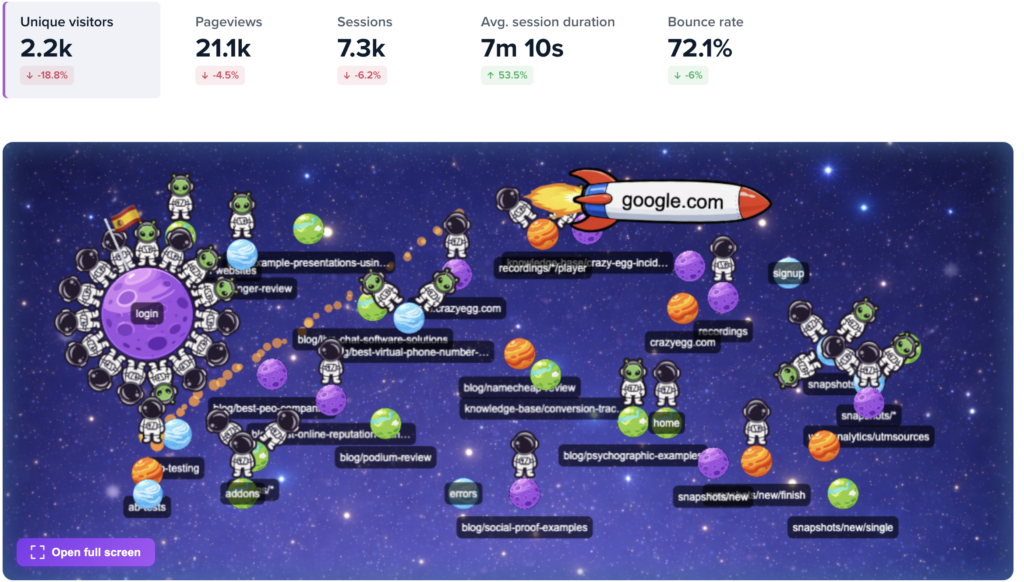
The free Web Analytics gives you a dashboard with eight core metrics, like unique visitors, pageviews, sessions, average session duration, bounce rate, and more. And the Astro Map gives a visual representation of where your visitors are currently on your website.
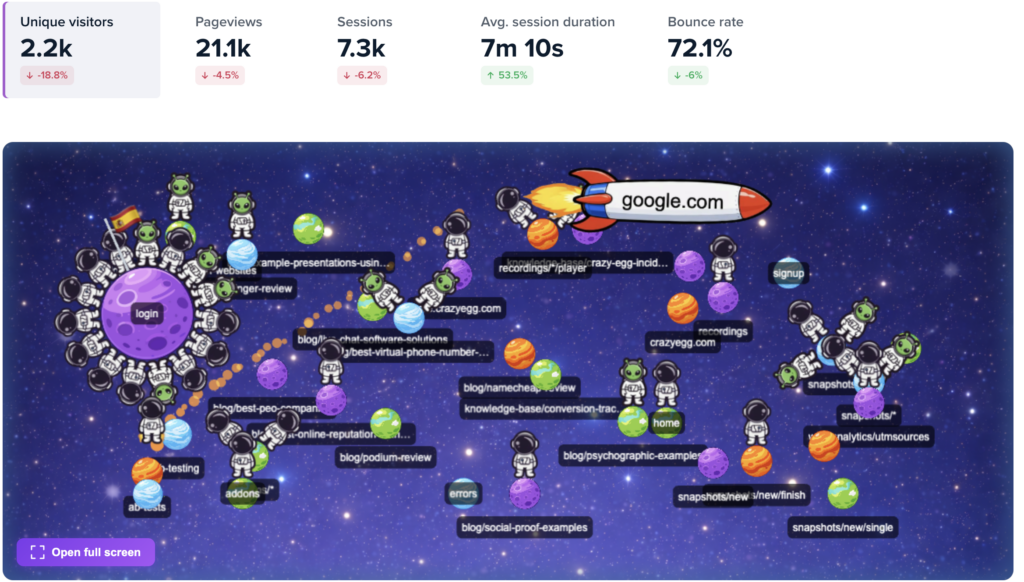
You get the data by installing Crazy Egg’s tracking script or through its GA4 connector. So you get the granular Google Analytics data in a user-friendly interface.
The GA4 integration also means you can apply your existing segments in A/B tests or to filter heatmaps and session recordings. Or analyze web traffic data for each A/B test variant in GA4.
Conversion Analytics is another free feature. It allows you to track clicks, page views, form submissions, ad pixel events, or custom scripts as conversion goals.
Thanks to the server-side conversion tracking API, which records conversions straight from your backend, ad blockers and blocked client-side tags don’t skew the results.
Conversion Funnels visualize the customer journey through the funnel along with drop-off and conversion data for each stage. They’re retroactive, so when you edit a step, historical event data repopulates automatically.
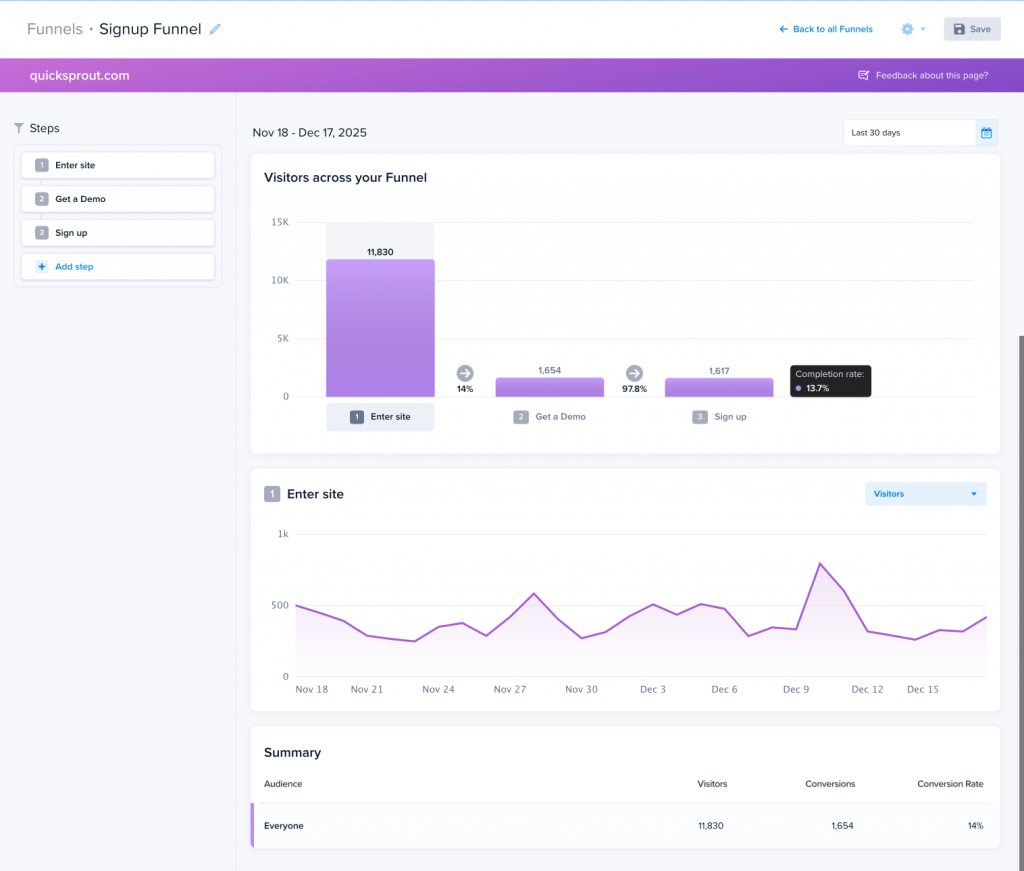
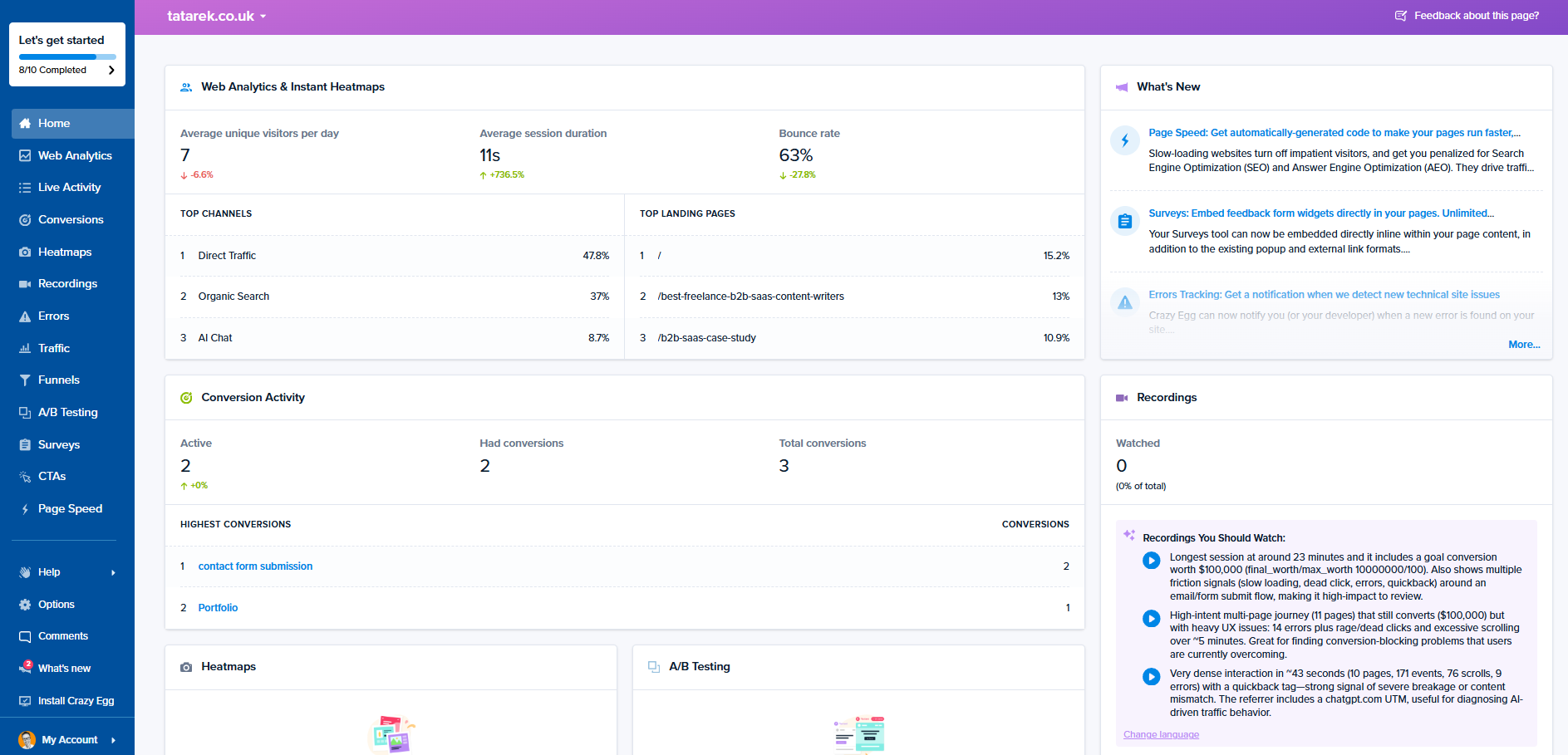
There’s also a live activity feed for real-time visitor monitoring.
Optimizely
Optimizely splits analytics across two places: experiment results inside Web Experimentation itself and a separate warehouse-native Optimizely Analytics product.
In addition to Funnels, Optimizely Analytics gives you:
- Customer journey and path tracking, including multi-touch attribution across sessions and channels.
- Cohort segmentation and period-over-period analysis.
- The ability to tie test results to revenue inside Snowflake, BigQuery, Redshift, or Databricks.
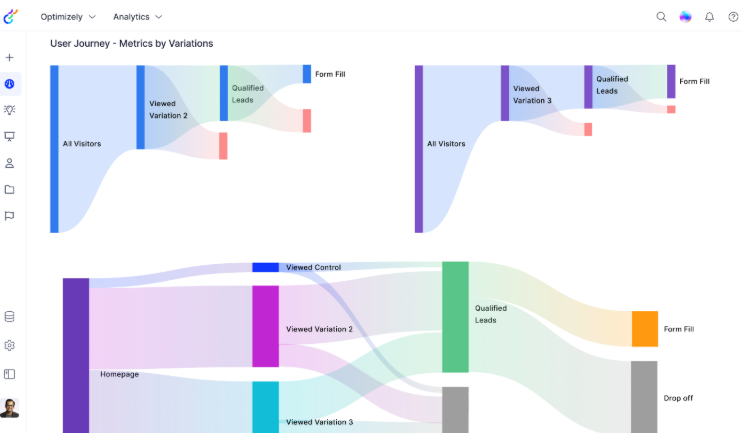
Two limits to keep in mind:
- Optimizely Analytics is a separate paid contract, not bundled with Web Experimentation.
- You’re responsible for warehouse set-up and maintenance. So that’s extra cost and a more complex implementation.
And you still need GA4 to track web traffic. The Optimizely GA4 integration lets you use GA4 segments and custom events for experiments and analyze the results in GA4, but Optimizely has no Web Analytics equivalent.
3. Behavioral Insights & Voice of Customer
Crazy Egg enables user behavior analysis via heatmaps and session recordings, and customer feedback collection through on-page surveys. Optimizely has none of these features natively, so you need a third-party tool for each use case.
Heatmaps
Crazy Egg ships five heatmap types in one report:
- Click Maps show where visitors click.
- Scroll Maps track scroll depth and dwell time.
- Confetti Maps show individual clicks color-coded by 20 attributes. For example, traffic source, device, UTM, new versus returning, and more.
- Overlay Maps show per-element click counts and percentages.
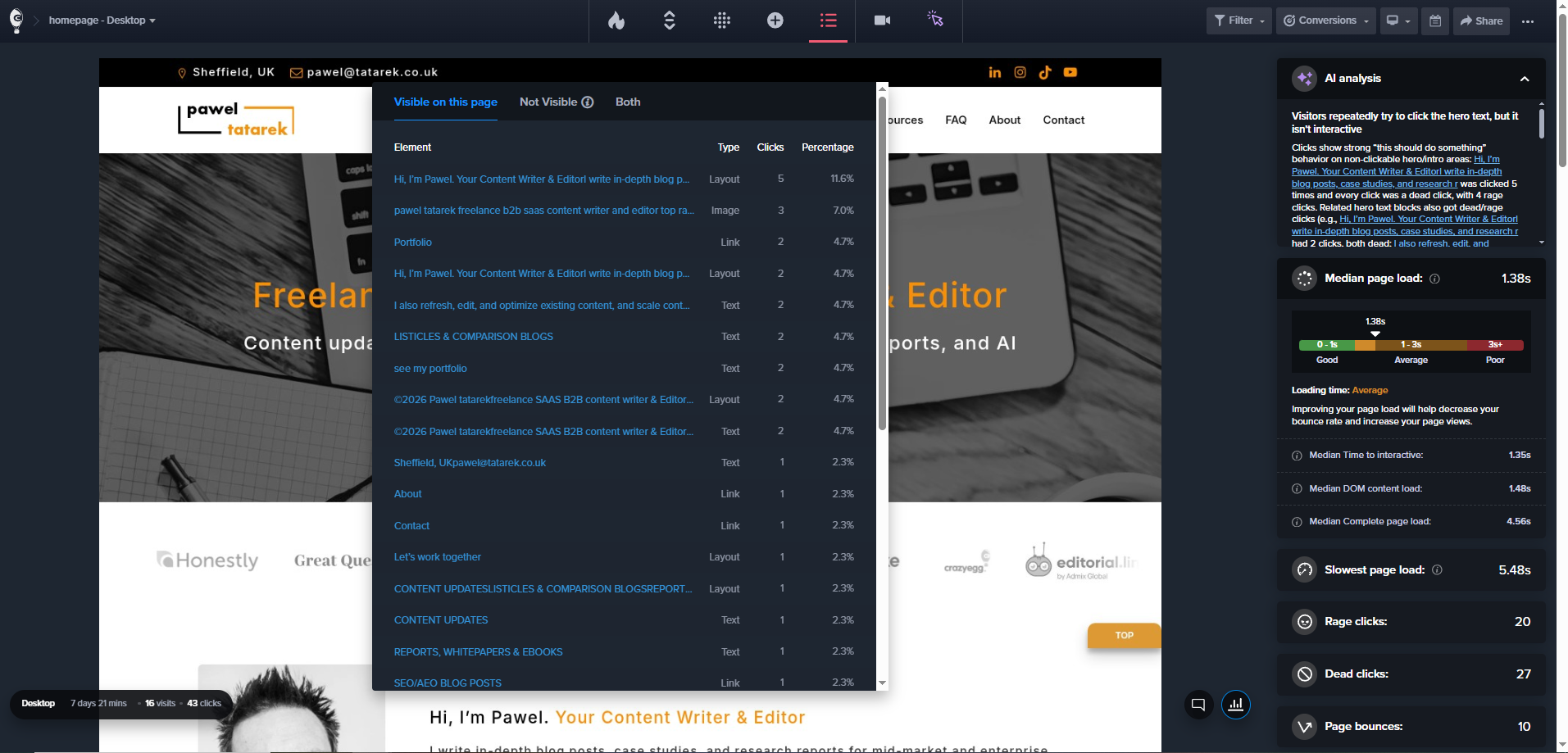
- List Maps give a numerical breakdown of all clicks per element.
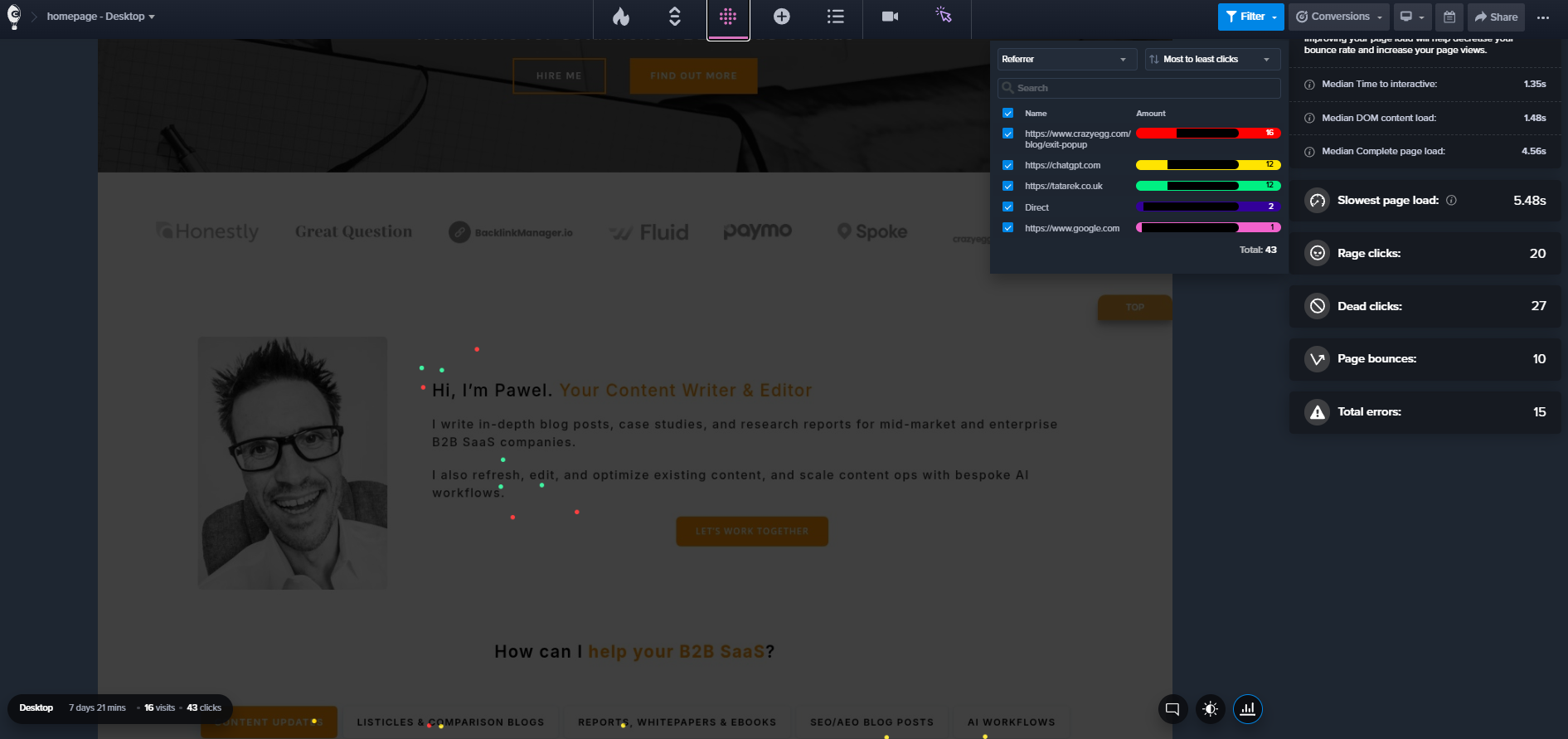
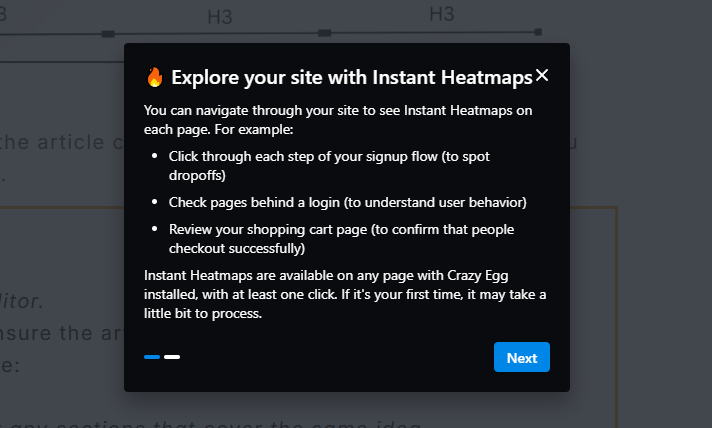
There are also free Instant Heatmaps auto-generated on every page.
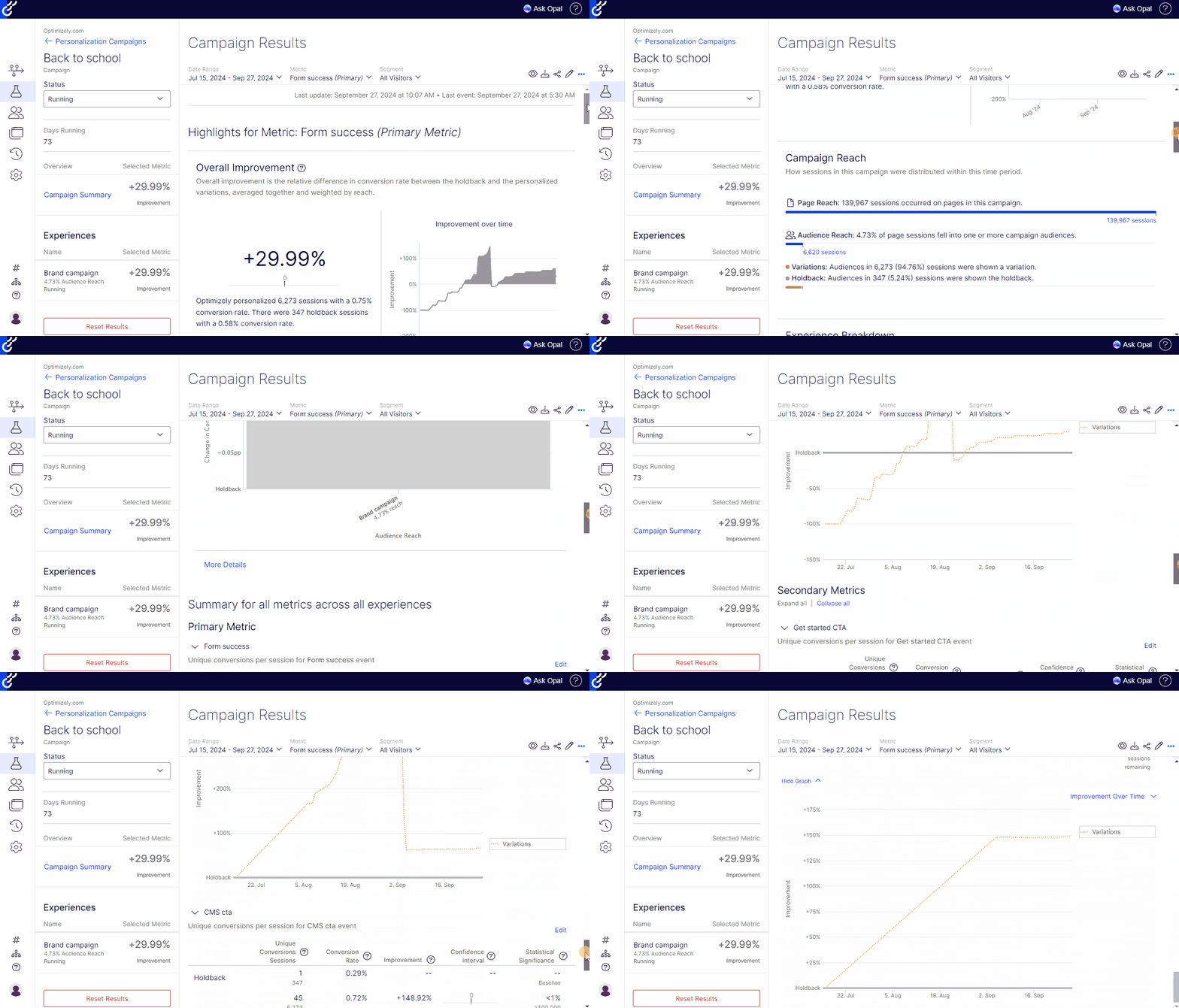
Optimizely has no native heatmap product.
But it has a Heatmap Analysis agent inside its Opal AI tool, which interprets heatmap images and URLs from other tools, like Hotjar, Microsoft Clarity, or Contentsquare, and suggests test ideas.
Session Recordings
Crazy Egg automatically records user sessions and tags them with 13+ event types:
- Behavioral (errors, rage clicks, slow loading, etc.)
- E-commerce (add to cart, checkout start, etc.)
- Form (Submit form, abandon form, etc.)
- Account (Sign-up, Login)
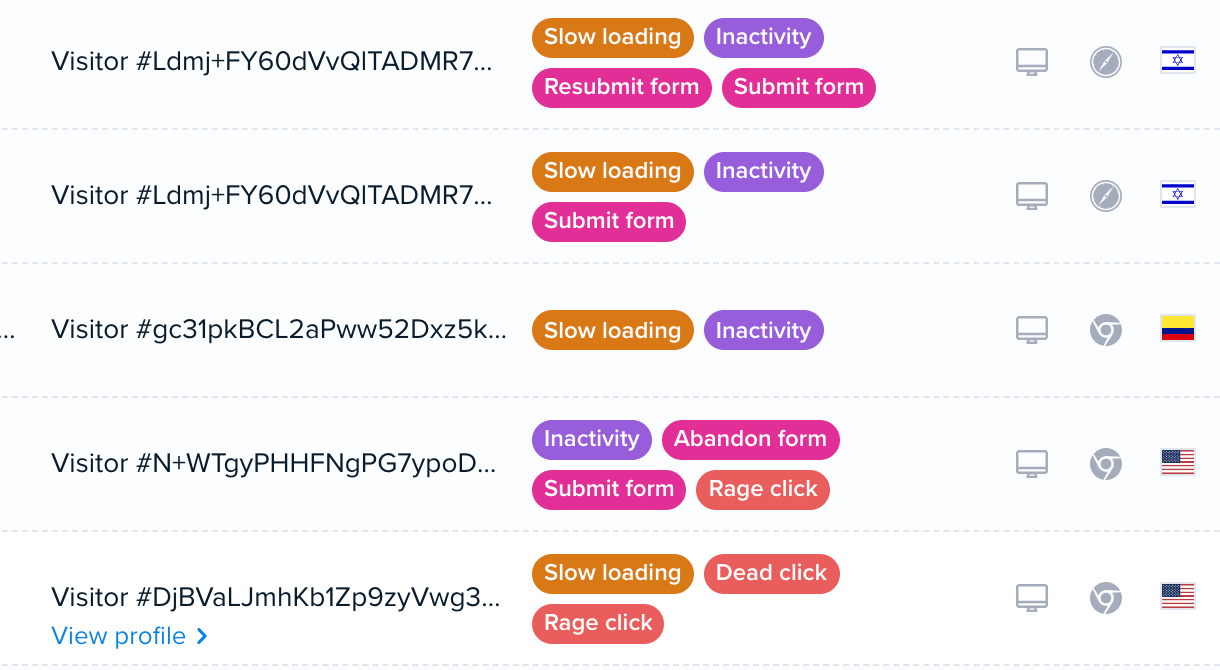
The automatic tags combined with filters, segmentation, and integrations with heatmaps and GA4 let you quickly find relevant sessions to watch.
Recordings, just like heatmaps, auto-generate for every A/B test variant, so you can dig deeper into test results to uncover the why behind the numbers.
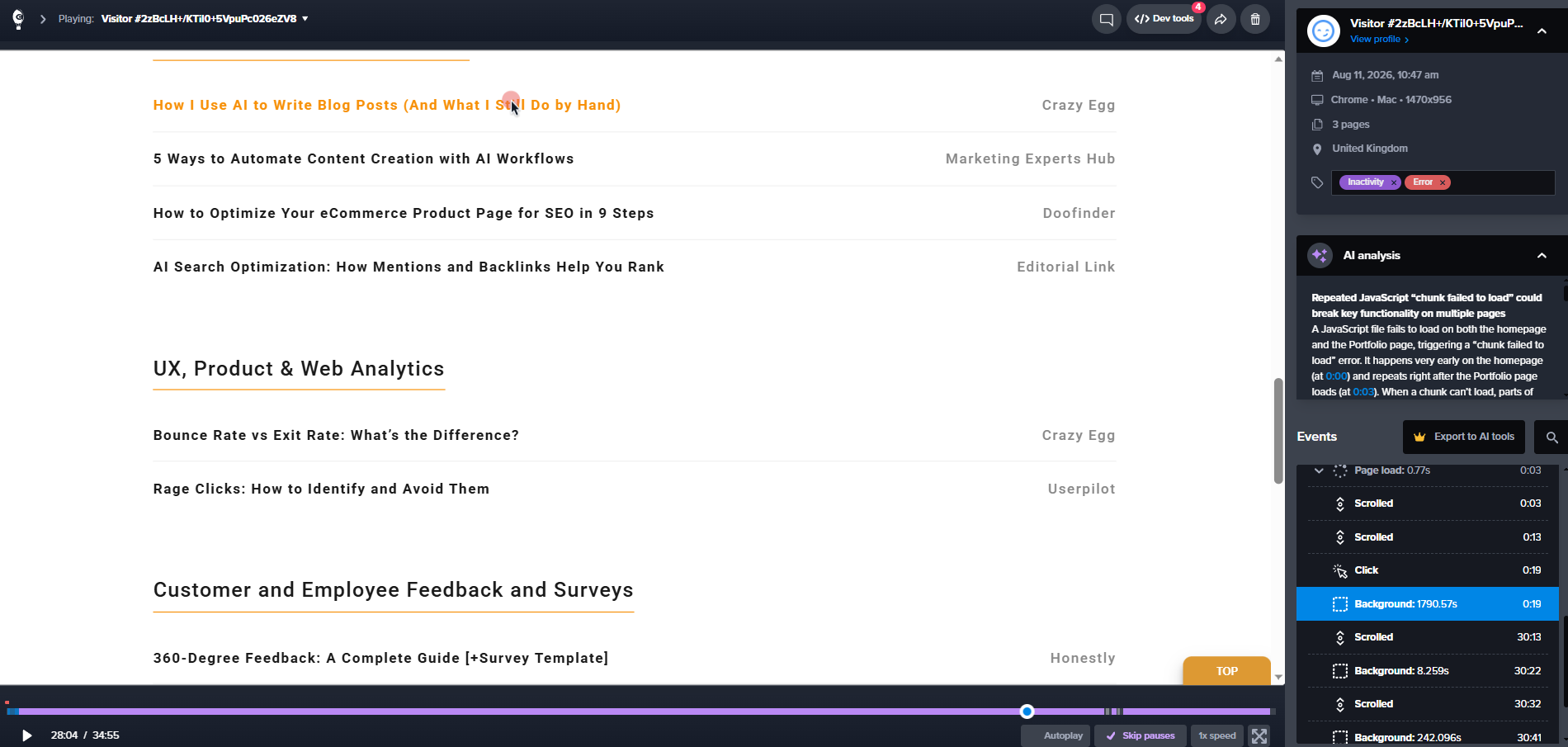
Optimizely has no native session recording product. Sessions show up only through the third-party integrations in Opal.
Surveys
Crazy Egg’s surveys are free and come with unlimited responses.
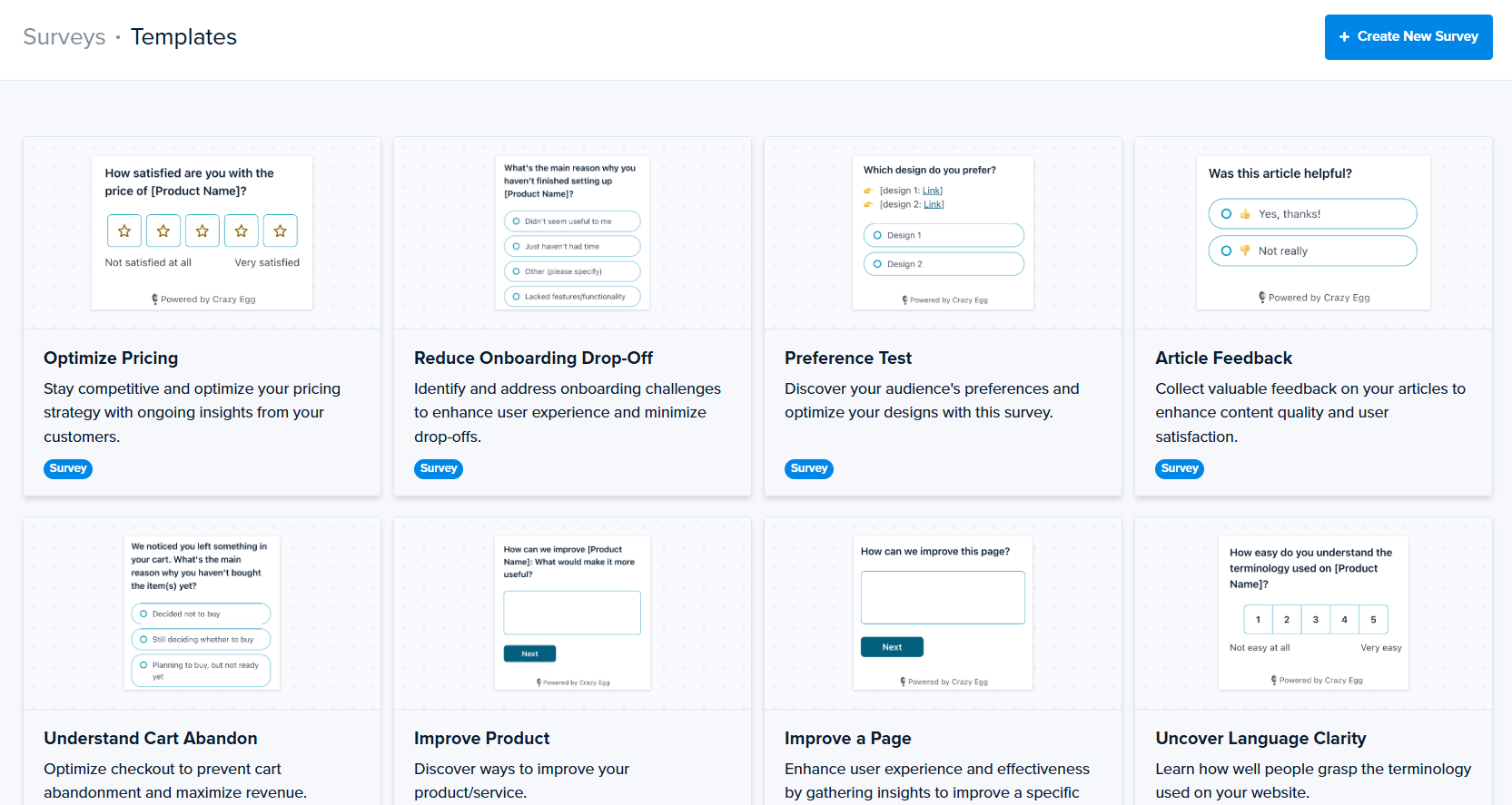
There are 50+ templates, so you don’t have to create them from scratch, and fire them from different triggers, including behavioral ones, like exit intent, scroll depth, or click.
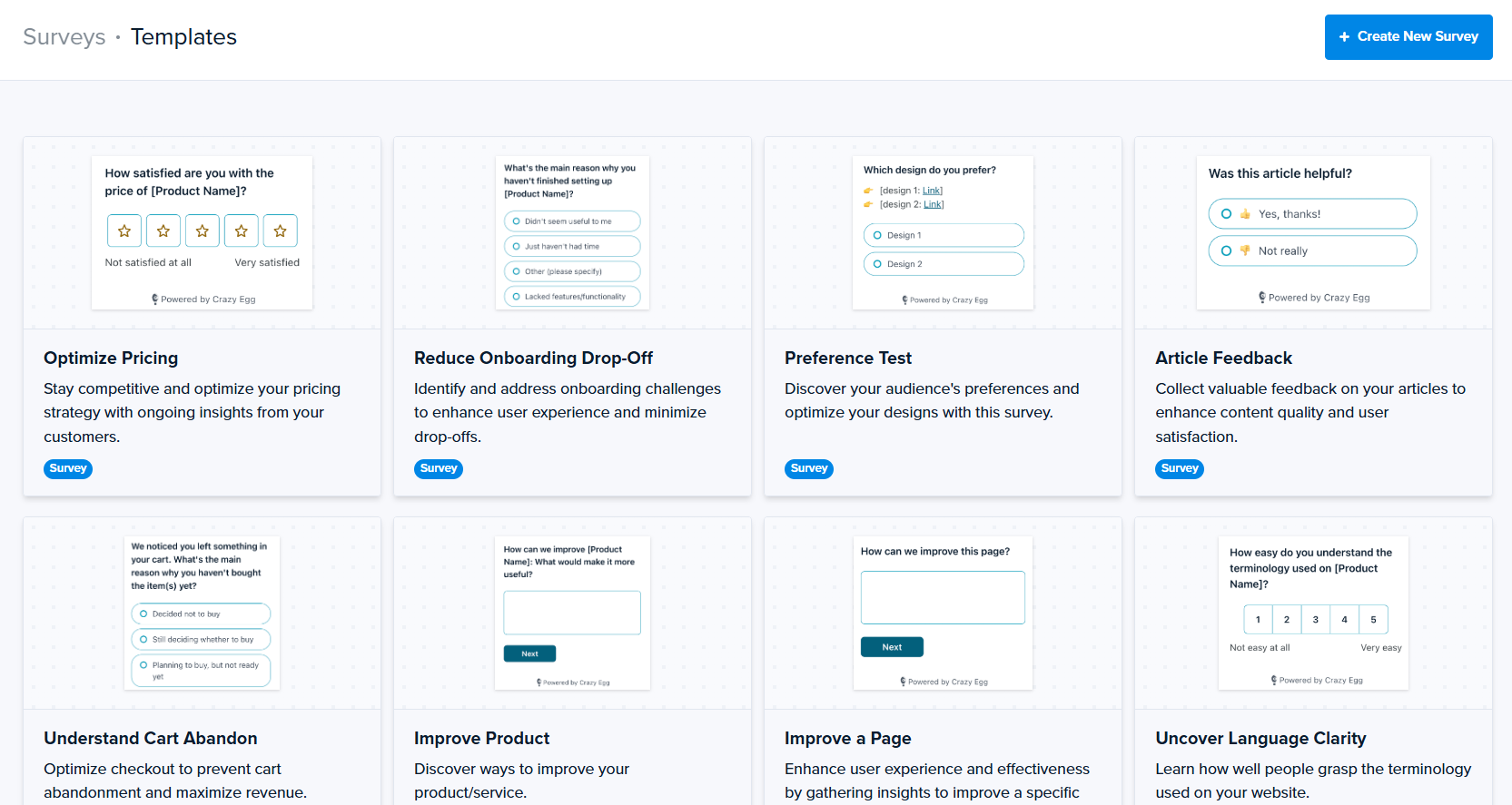
Thanks to conditional branching, you can customize the question sequences for different user segments.
Finally, every survey response links to the matching session recording, which lets you see what the respondent was doing during the session when the answer was recorded. For example, to understand why they rated the experience negatively.
Optimizely has no native surveys, but it integrates with third-party survey tools like Qualaroo.
JavaScript Error Tracking
Crazy Egg’s error tracking auto-detects JavaScript errors with a full stack trace, device and browser info, and a direct link to the recording where the visitor hit the error.
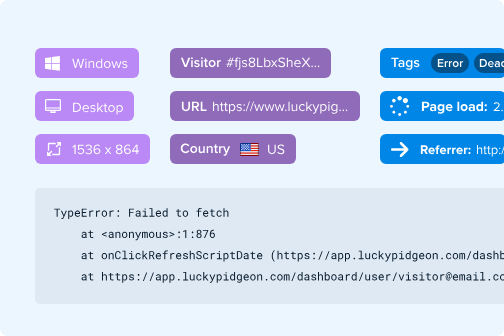
Optimizely has no such capability natively.
4. On-Site CTAs & Personalization
Crazy Egg users can build and trigger on-page banners, pop-ups, and sticky buttons to engage users. Optimizely puts equivalent functionality inside its separate Personalization product (with deeper audience targeting).
Crazy Egg
The Pop-Up CTA feature allows you to build buttons, pop-ups, and sticky bars. For example, to offer additional guidance, announce a promotion, or nudge visitors towards the conversion on your landing page.
You build them with the no-code builder and target by page URL, referral source, device, or visitor behavior.
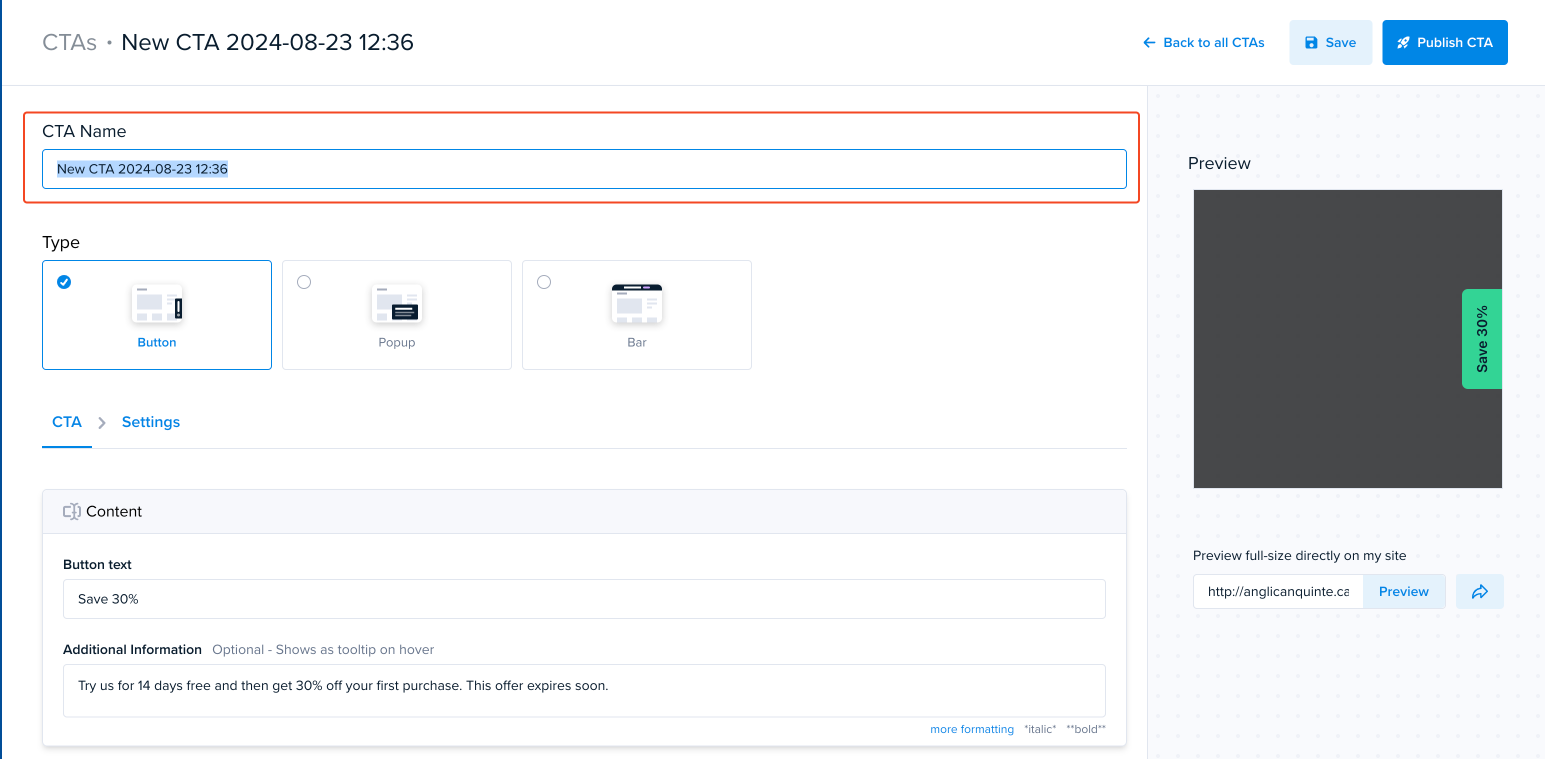
The pop-up frequency settings include every visit, once per visitor, or when someone clicks. And you can track click-through and conversion rates in Funnels and Conversion Analytics.
Personalization goes further than pop-ups. It uses A/B test targeting to tailor the full page design to unique user segment needs. For example, you could use it to show different page versions to new and returning visitors.
Optimizely
Building and triggering targeted pop-ups in Optimizely requires Personalization, another product on top of Web Experimentation and Analytics.
If you’re happy to pay yet another subscription and invest resources in implementation, you get advanced targeting and personalization features:
- Behavioral targeting based on past tracked actions (“viewed pricing 2+ times in 7 days”).
- Category affinity — show offers based on browsing history.
- Symmetric messaging — match website content to a visitor’s incoming ad or email campaign.
- Predicted intent targeting — powered by machine learning, predicts what content the user is interested in based on keywords.
- Loyalty tier promotion with audience-specific incentives.
5. AI Capabilities
Crazy Egg’s AI offers automatic plain-English insights across heatmaps, recordings, surveys, and analytics, plus AI-ready exports and an MCP connector. Optimizely’s Opal is an agent orchestration platform with pre-built agents, workflow chaining, and two MCP servers — all metered through a credit system.
Crazy Egg
Crazy Egg’s AI reads the raw behavior data you get from its tools and turns it into actionable insights.
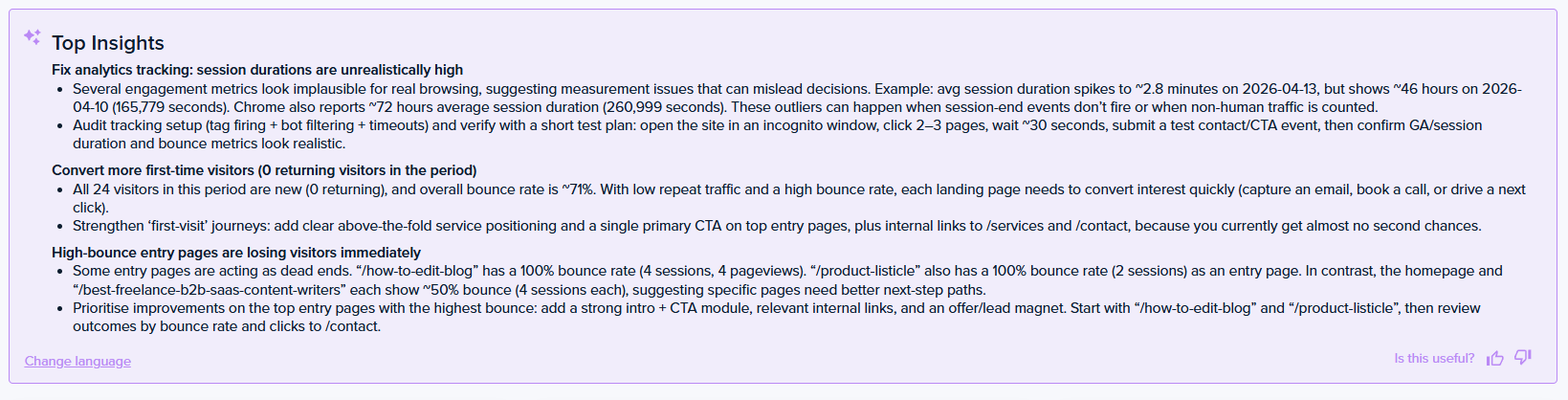
Its AI features include:
- AI Top Insights — automatic summaries running across heatmaps, recordings, surveys, and web analytics.
- AI flagging on session recordings — surfaces the most insightful sessions automatically.
- AI sentiment analysis — reads sentiment on open-text survey responses.
- AI Export — export heatmap, session recording, and web analytics data in an AI-ready format for ChatGPT, Gemini, Claude, or any other AI tool.
- MCP server — connects Crazy Egg with Claude, ChatGPT, and other assistants, where you can query the data and run agentic workflows.
There’s also Tasks, available in early access. You choose an optimization goal, and it takes care of the process: configures the right reports, connects your Google Analytics, reads the results, then delivers an executive-ready PDF with findings, recommendations, and drafted page changes.

Optimizely
Optimizely has invested heavily in agent orchestration and even renamed its product line around the idea (Agentic CMS, Agentic Experimentation, Agent Platform).
Opal, the layer behind the branding, is a drag-and-drop agent orchestration platform that sits on top of the entire Optimizely suite (depending on which products you purchase).
For example, if you have Web Experimentation and Analytics, the pre-built agents include:
- GA4 Report Generation
- Experiment Ideation, Planning, Review & Summary
- AI Variation Development & Summary (plain language descriptions of the changes)
- Heatmap Analysis
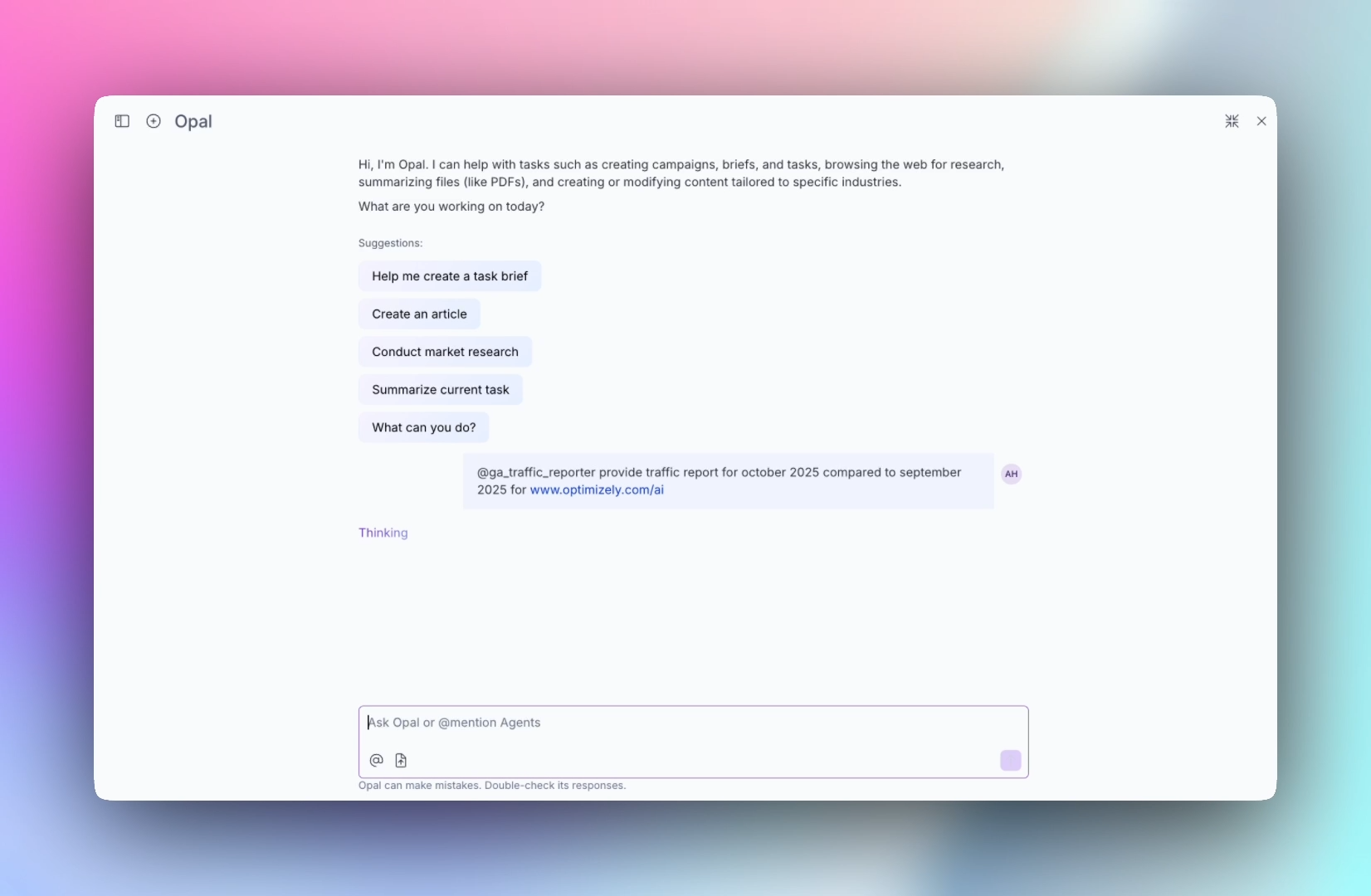
You can chain the workflows (sequential, parallel, with loops and branching) and trigger them via chat, webhook, or schedule.
There are also two MCP servers — one for Experimentation, one for Analytics — connecting Claude, Cursor, and other AI clients to your experiment and analytics data.
Opal runs on credits: each instance gets 200 complimentary credits a month through the end of 2026, and the heavier agents — an Experiment Program Health Review, say — cost 190 credits per run. So, the free allowance covers roughly one deep analysis a month.
6. What Optimizely Offers Beyond Analytics & Experimentation
Optimizely is a full content marketing and digital experience platform. In addition to the analytics, personalization, and experimentation tools, it offers six other products:
- Content Management System (CMS) — headless CMS with embedded DAM, AI translation, semantic search, and edge delivery.
- Content Marketing Platform (CMP) — calendars, briefs, approvals, and AI tagging for content production teams.
- Digital Asset Management (DAM) — centralized asset libraries with brand governance.
- Optimizely Data Platform (ODP) — real-time CDP with 60+ one-click integrations across web, mobile, email, and push.
- Commerce — full B2B and B2C ecommerce platforms with 200+ payment gateways.
- Web Recommendations — product-recommendations engine.
Each of these requires a separate subscription, and this section is only relevant if you’re consolidating CMS, DAM, CDP, commerce, and experimentation into one vendor.
Crazy Egg doesn’t compete in any of these categories. It’s just a different kind of product.
7. Security and Data Handling
Optimizely carries a longer certification list. Crazy Egg covers the procurement basics and adds privacy defaults specific to behavioral data.
Crazy Egg
Crazy Egg is GDPR- and CCPA-compliant, offers a Data Processing Agreement, encrypts data, and doesn’t sell it or track visitors across sites. Its session recordings don’t capture any passwords, credit card details, or form entries. It masks on-screen text and offers IP anonymization.
Role-based access control comes with every plan, and Enterprise adds SAML Single Sign-On plus a Compliance Audit Log that records who accessed what.
Optimizely
Optimizely’s Web and Feature Experimentation services carry ISO 27001, ISO 27017, ISO 27018, SOC 2 Type 2, and QSA-audited PCI DSS certifications, and the company offers a GDPR-ready DPA and complies with the EU-U.S. Data Privacy Framework.
Customers can choose EU or US data residency, and SAML 2.0 Single Sign-On is available on select packages.
8. Support
Crazy Egg
US-based priority support comes with the Plus plan and above, and agencies get priority handling on any plan.
Enterprise customers also get live training and guided onboarding, so the rollout doesn’t hinge on one internal champion.
Optimizely
Optimizely’s baseline support is strong: the Standard tier runs 24/7/365 through the portal and email, with a 30-minute initial response objective for most severe issues.
Phone access, a 15-minute Severity 1 response, and a designated support engineer sit in Premium Support, which you can purchase separately. Even on Premium, a Technical Account Manager is a credit-based add-on.
Pricing Breakdown: Which Has the Best Value?
| Aspect | Crazy Egg | Optimizely |
|---|---|---|
| Published pricing | $29 / $99 / $249 / $599 per month, billed annually — every plan priced on the pricing page. | Quote-only across all products; Vendr lists experimentation contracts at $50-80K/year for mid-market deployments; median contract value $81,447 a year. |
| Implementation | One tracking script — data starts flowing the same day. | $50-200K+ in professional services, depending on complexity (Vendr). |
| Contract terms | Self-serve, annual billing. | Two-to-three-year commitments are standard and unlock 10–25% discounts; renewal contracts often carry 3–7% annual price escalators (Vendr). |
| Cost model | One subscription covers the whole platform. | Multiple separate contracts (Web Experimentation, Feature Experimentation, Personalization, Analytics, ODP, CMS, and DAM are all priced separately). |
| Free trial | A 30-day trial on any paid plan. | A trial page exists but publishes no duration or scope; arranged through a sales rep. |
Crazy Egg’s top plan — Enterprise, at $599 a month — covers experimentation, heatmaps, session recordings, surveys, error tracking, and web analytics in one contract, with the price on the website.
Matching that behavioral coverage on the Optimizely side means an experimentation contract that Vendr lists at $50K-$80K a year for mid-market deployments, plus third-party tools for the heatmaps, recordings, and surveys Optimizely doesn’t build.
Typical contract terms run two to three years, and renewals often carry 3–7% annual price escalators.
On top of that, consider setup and implementation costs, which, according to Vendr’s data, run at $50K-$200K+, depending on complexity.
The initial spend makes leaving hard. Once you spend six figures to implement the tool, switching is harder to justify. So you need to be 100% sure that the platform satisfies all your current and future needs.
Final Verdict: Is Crazy Egg or Optimizely Right for You?
Choose Crazy Egg if you want experimentation, behavioral insight, and personalization working from one subscription with transparent pricing — whether you’re validating a first landing page or standardizing optimization across a portfolio of enterprise sites.
Choose Optimizely if your roadmap needs multivariate and server-side testing, feature flags, warehouse-native analytics, or the wider suite — CMS, commerce, CDP — and you have the budget to fund the implementation and multi-year commitment that come with them.
If Crazy Egg sounds like the closer fit, talk to Sales about your enterprise rollout. And in the meantime, start a 30-day free trial and see your own visitor data today.