Should you choose Crazy Egg or Microsoft Clarity?
Crazy Egg is the better pick if you need heatmaps with deep segmentation, A/B testing, surveys, error tracking, and conversion analytics in one platform.
Microsoft Clarity is a solid free option for basic heatmaps and session recordings.
So, both show you what visitors do on your site. The difference is what happens next —Crazy Egg gives you the tools to act on what you find.
Crazy Egg vs. Microsoft Clarity: A Quick Snapshot
Short on time? Here’s what you need to know.
| Feature | Crazy Egg | Microsoft Clarity |
|---|---|---|
| Heatmaps | ✅ 5 map types, including confetti maps for per-click segmentation ✅ 20+ audience filters (conversion status, UTM, device, custom variables) ✅ Free Instant Heatmaps across all pages | ✅ 5 map types, including attention maps for engagement depth ✅ Multiple segment filters plus GA4 segment import ⚠️ No per-click segmentation — no confetti map equivalent |
| Session Recordings | ✅ Auto-tagged with behavioral, ecommerce, and form events ✅ Linked to error tracking for visual debugging ✅ 6 months to 2 years retention ⚠️ Capped by plan (50–10,000/mo) | ✅ Up to 100K sessions/day, no sampling or caps ✅Live viewing, downloadable clips ⚠️ 30-day retention (favorites + 1% kept up to 13 months) |
| Error Tracking | ✅ Dedicated JS error detection with full stack traces ✅ Linked to session recordings for visual reproduction ✅ Resolve/ignore triage workflow | ✅ JS error panel with type breakdown ✅ Filter recordings by error type ⚠️ No stack traces, no triage workflow |
| Web Analytics & GA4 | ✅ Standalone analytics dashboard — works without GA4 ✅ Pulls GA4 data in and sends A/B test data back ✅ 100% free on every plan ⚠️ Native tracking capped at 1,000 sessions/day | ⚠️ Full traffic reporting requires GA4 connection ✅ Full GA4 dashboard viewable inside Clarity |
| Funnels & Conversions | ✅ Multi-step funnels with retroactive historical data ✅ Conversion Analytics with ad pixel support (Google, Meta, TikTok) ✅ 6 goal trigger types including custom scripts | ✅ Funnels with conversion rates, drop-offs, time to convert ✅ Smart Events auto-detect common conversions, no code needed ⚠️ Funnels not retroactive — only track forward from creation |
| AI Analysis | ✅ Proactive AI across heatmaps, recordings, surveys, and web analytics ✅ Export heatmaps to ChatGPT, Gemini, Grok ⚠️ No built-in conversational chat | ✅ Copilot Chat for natural language questions ✅ Session + grouped recording summaries (up to 250) ✅ Ad Campaign Insights ⚠️ No coverage for web analytics or surveys |
| A/B Testing, Surveys & CTAs | ✅ Native A/B testing with visual editor, MAB, auto-heatmaps per variant ✅ Built-in surveys free on all plans (50+ templates, WCAG AAA) ✅ No-code popup CTAs with smart triggers and conversion tracking | ❌ No A/B testing, no surveys, no popup CTAs ⚠️ Requires external tools for testing and feedback |
| Pricing | ✅ Free plan (Instant Heatmaps, Surveys, Web Analytics, Conversion Analytics) ✅ Paid plans from $29/mo (billed annually) ⚠️ A/B testing, error tracking, and CTAs require Plus ($99/mo) | ✅ 100% free, all features, no paid tier |
Feature Breakdown: Crazy Egg vs. Microsoft Clarity
1. Heatmaps
Crazy Egg and Microsoft Clarity support five heatmap types. Both tools offer a rich set of filters, including GA4 segments.
However, only Crazy Egg lets you break down the click data by segment on the same page and reliably capture engagement with moving elements.
Crazy Egg
Crazy Egg supports five heatmap types, each answering a different question:
- Click Maps — hot/cold visualization of where visitors click.
- Scroll Maps — how far down the page visitors get before dropping off.
- Confetti Maps — individual clicks, each color-coded by traffic source, OS, UTM parameter, device, conversion status, or any of 17 other attributes.
- Overlay Maps — click counts per page element, which you can segment just like in confetti maps.
- List Maps — raw numerical click data per page element, perfect for tracking user engagement with moving elements like pop-ups or sticky buttons.
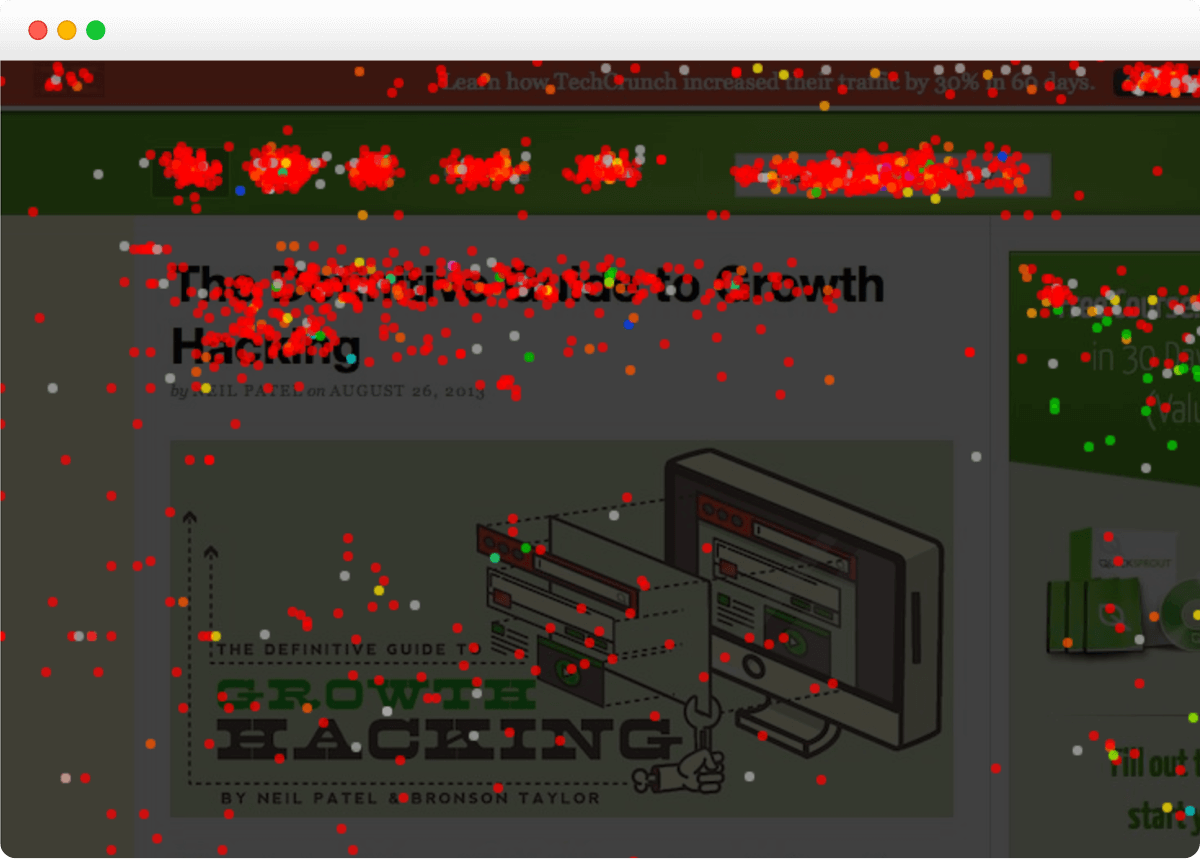
20+ audience filters let you segment heatmap data by date range, traffic source, UTM parameters, device, new vs. returning visitors, conversion status, and custom variables.
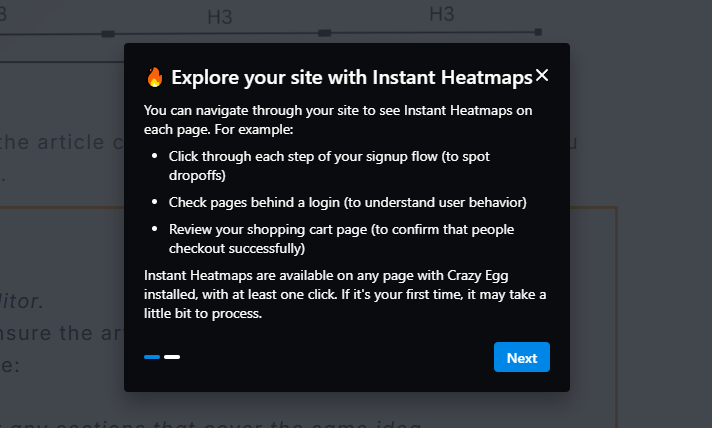
In addition, Crazy Egg has Instant Heatmaps, a free feature that auto-generates heatmaps across your entire site. Useful for spotting which pages need deeper analysis with full Heatmap Reports.
Microsoft Clarity
Clarity also has five heatmap types. Apart from the click and scroll maps, you get:
- Area heatmap for comparing user engagement between different page sections
- Conversion heatmap automatically filtered only to sessions that converted (Shopify only; easy to replicate with Crazy Egg filters)
- Attention maps — similar to scroll maps, but factoring in the time spent on each page section. Crazy Egg displays sections where visitors spend more time in its Scroll Map.
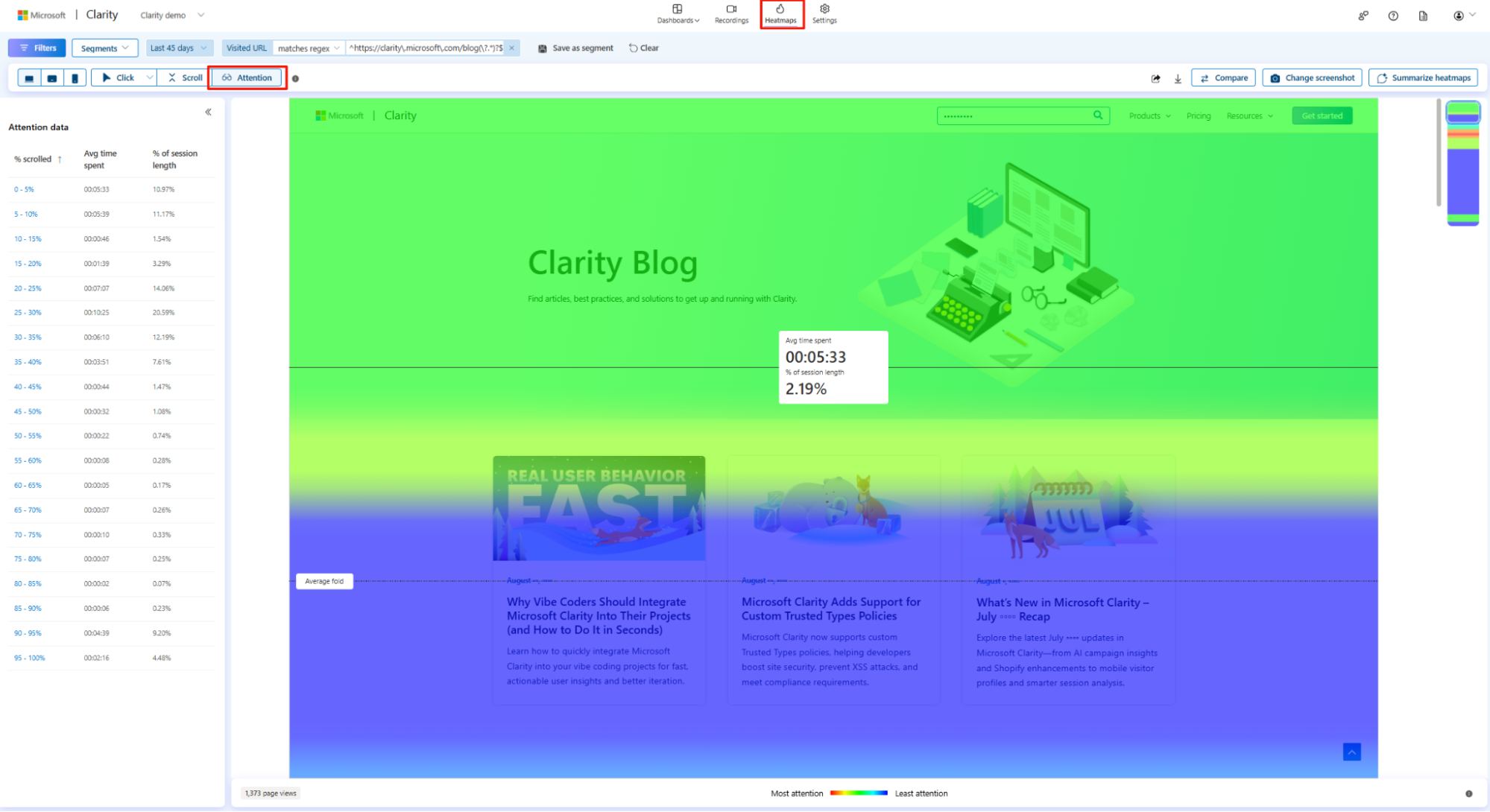
Just like in Crazy Egg, the Clarity heatmaps auto-generate for every page automatically — as soon as data starts coming in.
There are multiple built-in segment filters to narrow the view, for example, by traffic source or device type. And if you connect GA4, you can filter by imported segments.
Side-by-side comparison lets you view two page versions, time periods, or segments next to each other — useful for quick before/after checks. Crazy Egg also enables such comparisons.
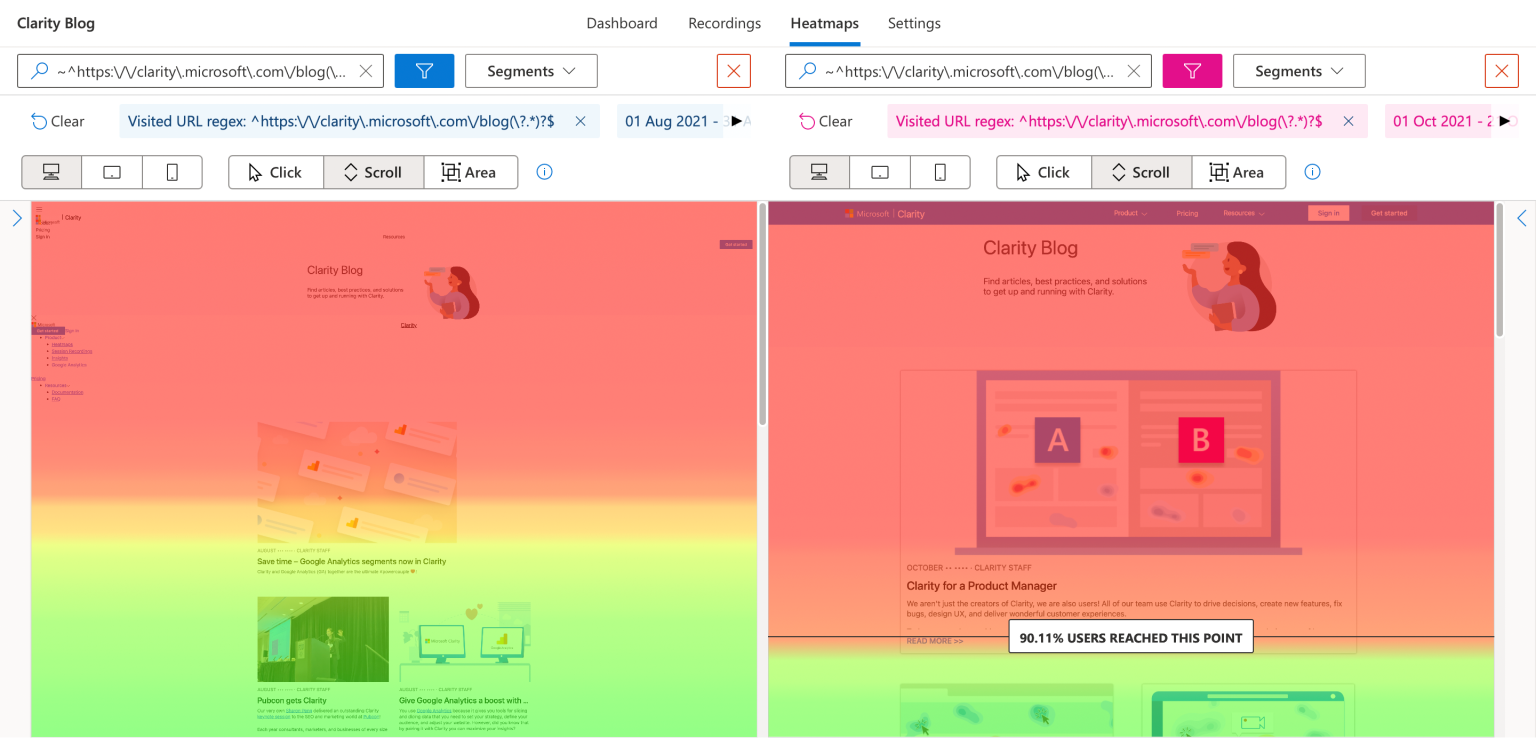
However, Clarity has no confetti map equivalent that allows you to view data from multiple segments on the same page.
2. Session Recordings
Crazy Egg and Clarity both record visitor sessions. Clarity records more — up to 100,000 per day with no sampling. Crazy Egg records fewer but keeps them longer (up to 2 years vs. 30 days).
Crazy Egg
Crazy Egg’s session recordings capture mouse movements, clicks, scrolls, and page transitions.
Crazy Egg automatically labels recordings with behavioral signals (rage clicks, dead clicks, etc), ecommerce actions (add to cart, checkout start, etc), form interactions (submit, abandon, resubmit), and account events (signup, login, search).
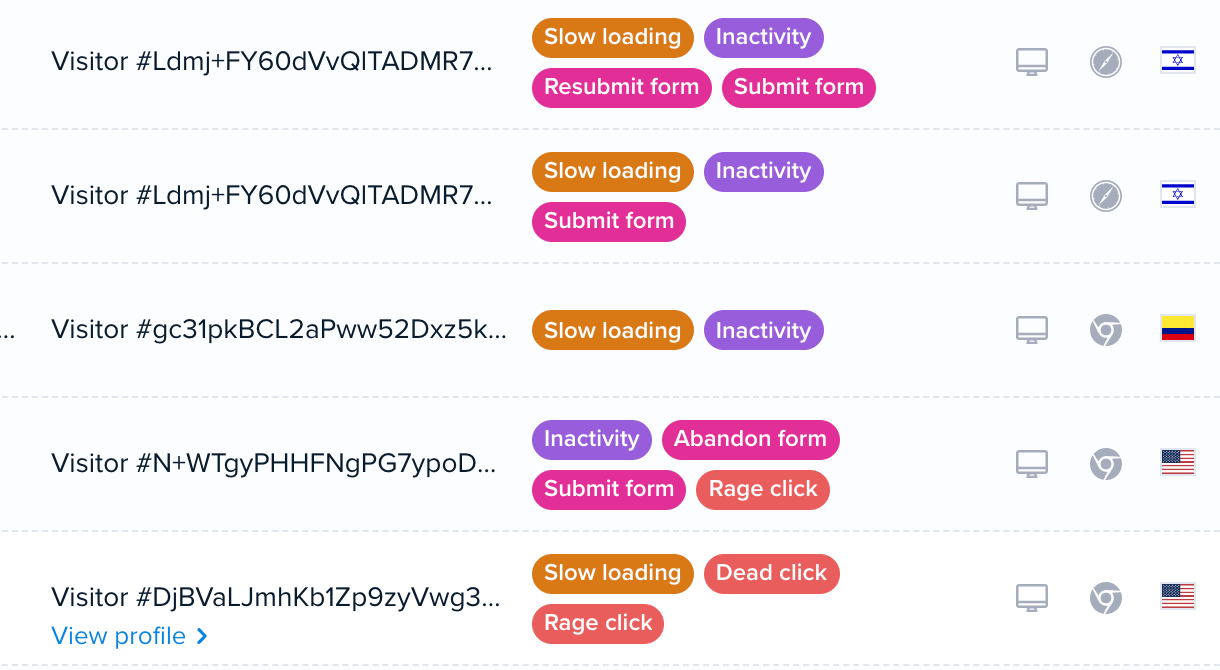
These tags work as filters.
In addition, you can filter the sessions by conversion status, pages visited, device, referral source, and more.
Each plan comes with a monthly recording allocation (50/month on Starter, up to 10,000/month on Enterprise).
You choose how to distribute that allocation: set a percentage of traffic to record, or a fixed number of recordings per page. This lets you focus your recording budget on the pages that matter most.
Crazy Egg keeps your recordings for 6 months on Starter, 2 years on Plus and above. That’s longer than Clarity’s 30-day window.
Microsoft Clarity
Clarity allows you to watch past and live recordings like Crazy Egg.
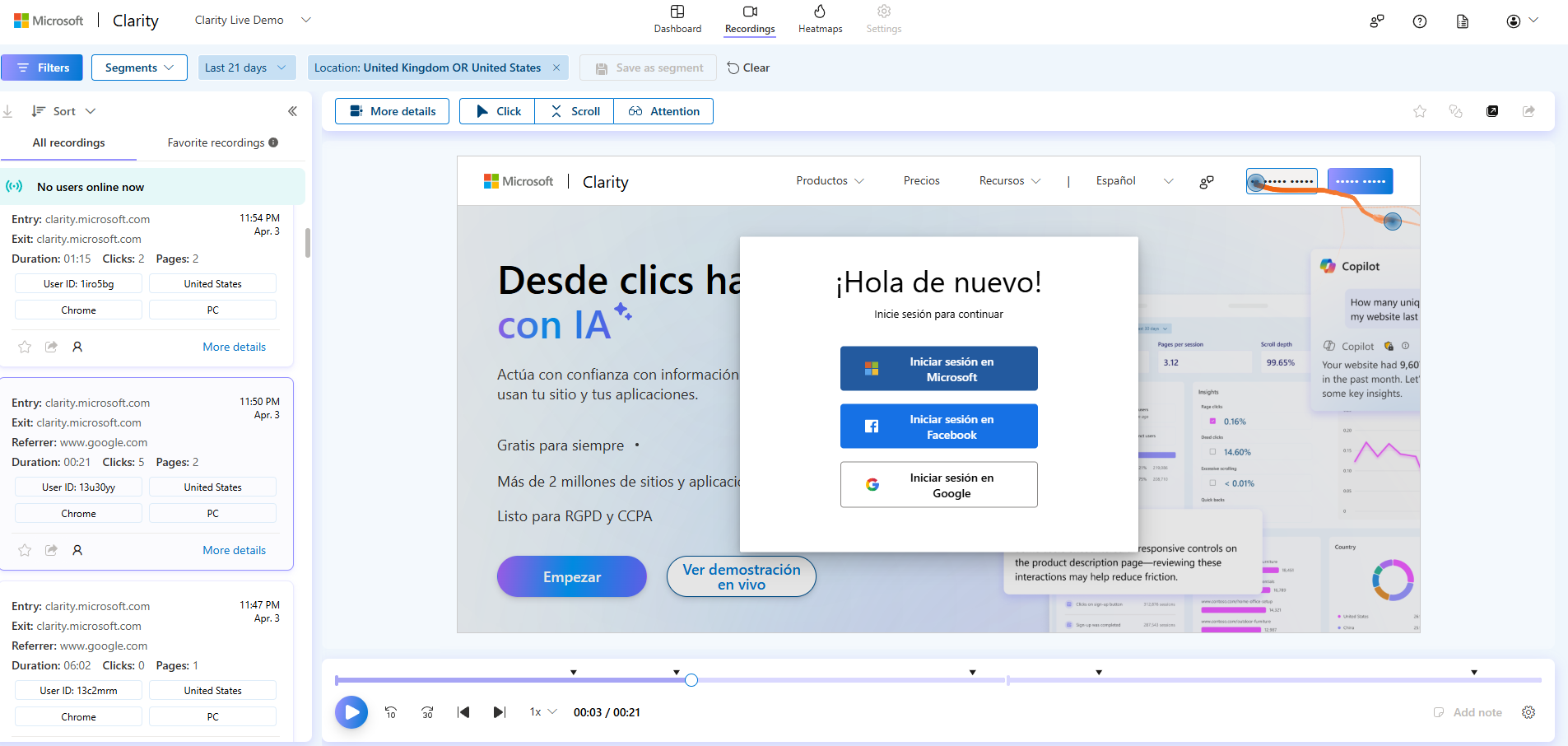
Clarity’s volume is hard to match: up to 100,000 sessions per project per day, with no sampling or caps. For high-traffic sites, that’s a significant advantage.
Standard recordings are kept for 30 days. After that, Clarity stores Favorite recordings and 1% of all recordings (or 10 per day, whichever is higher) for up to 13 months.
So, if you need to revisit a session from two months ago and didn’t favorite it, it might be gone.
Similar to Crazy Egg, Clarity has filters, including custom filters and behavioral tags like rage clicks, dead clicks, and quickbacks that let you jump straight to frustration sessions.
Clarity also offers live session viewing. You can watch sessions in real time, not just replays. Useful for monitoring a new feature launch or a campaign landing page as traffic comes in.
Crazy Egg has a live feed so you can see what’s happening in real time, but no live screen view.
And all clips are downloadable — with labels — if you want to share them with stakeholders from outside the organization.
3. Error Tracking
Both Crazy Egg and Microsoft Clarity surface JavaScript errors. The difference is depth:
Clarity shows you aggregate error data on the dashboard and lets you filter recordings by error type. Crazy Egg gives your dev team a dedicated debugging workflow.
Crazy Egg
Crazy Egg’s Error Tracking captures JavaScript errors across your site. For each error, you get the full stack trace, device and browser info, and app version.
Every error links to a session recording of the visitor who experienced it. Your dev team can watch the visitor hit the error, see what they were doing before and after, and reproduce the issue visually instead of guessing from a stack trace alone.
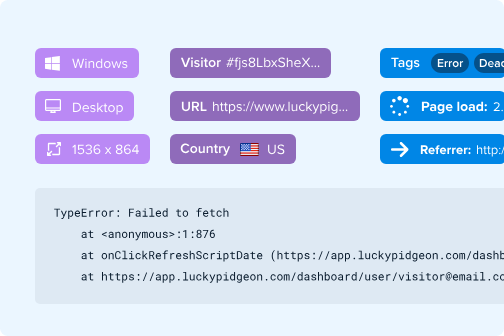
A resolve/ignore workflow with status updates lets your team triage errors systematically — mark them as resolved, ignore known issues, and track progress.
Microsoft Clarity
Clarity’s dashboard includes a JavaScript errors panel that shows total error count, a percentage breakdown by error type (script errors, max call stack exceeded, undefined property errors, etc.), and a direct link to recordings where those errors occurred.
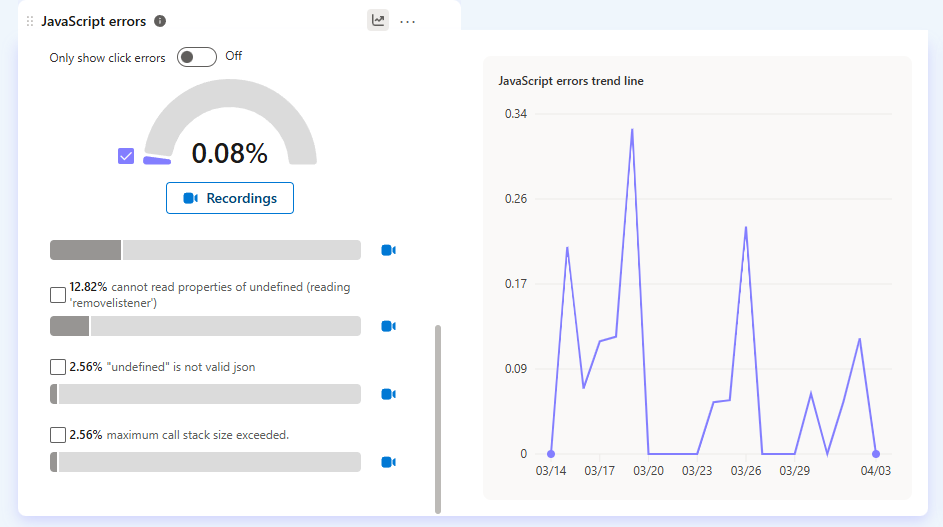
You can toggle between all JS errors and click-triggered errors specifically.
You can also filter session recordings to only show sessions where JavaScript or image errors occurred.
What’s missing is the debugging context. No full-stack traces. No app version info. No resolve/ignore workflow to track which errors your team has addressed and which are still open.
4. Web Analytics and Google Analytics Integration
Both Crazy Egg and Microsoft Clarity can pull GA4 data into their own interface and present it more simply than GA4’s native reporting.
However, Crazy Egg also works as a standalone analytics tool without GA4. So if you want analytics that work independently, Crazy Egg has the edge.
Crazy Egg
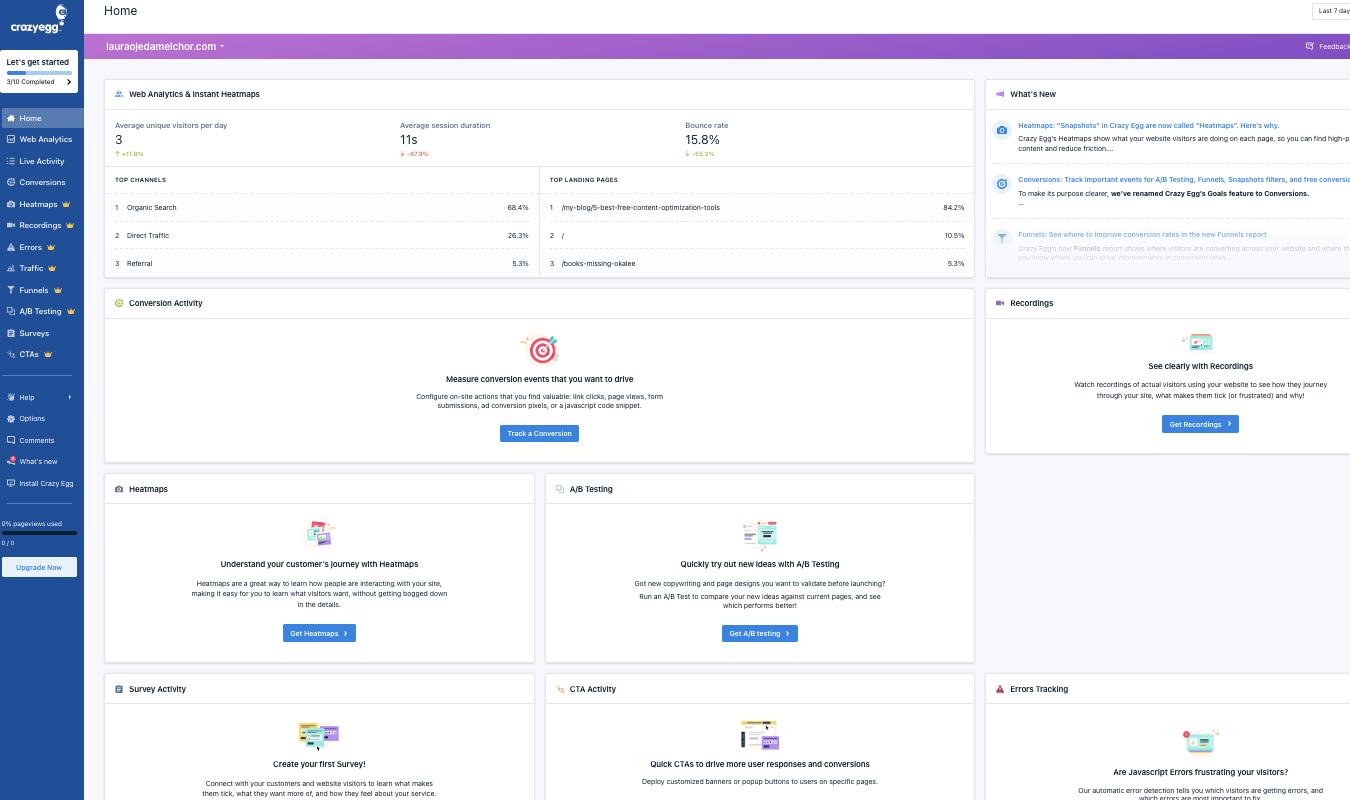
Crazy Egg’s Web Analytics works two ways.
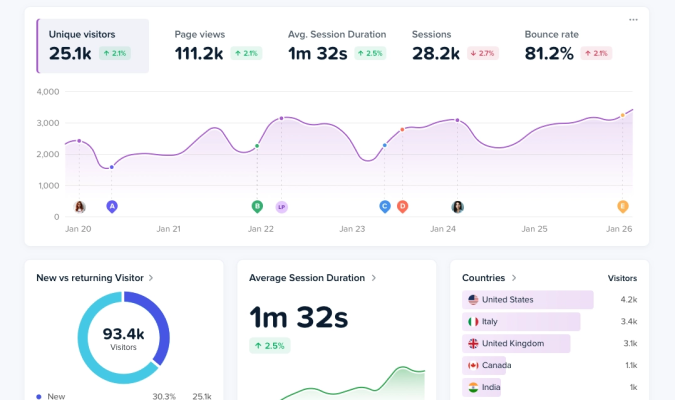
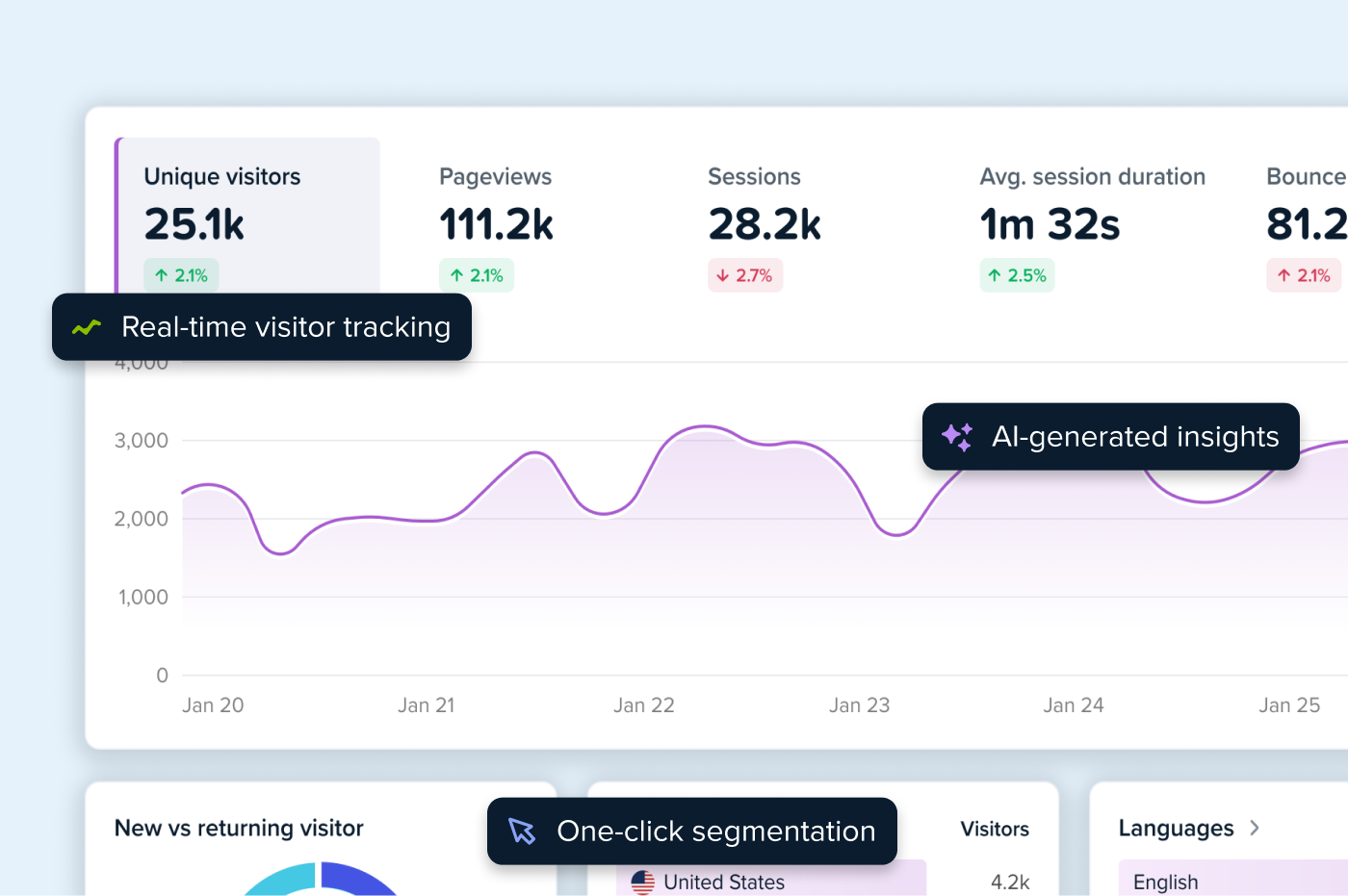
You can connect your GA4 account and your historical traffic data backfills automatically — unique visitors, pageviews, sessions, average session duration, new vs. returning visitors, countries, and languages.
So, it’s a simpler front-end for the GA4 data you already have.
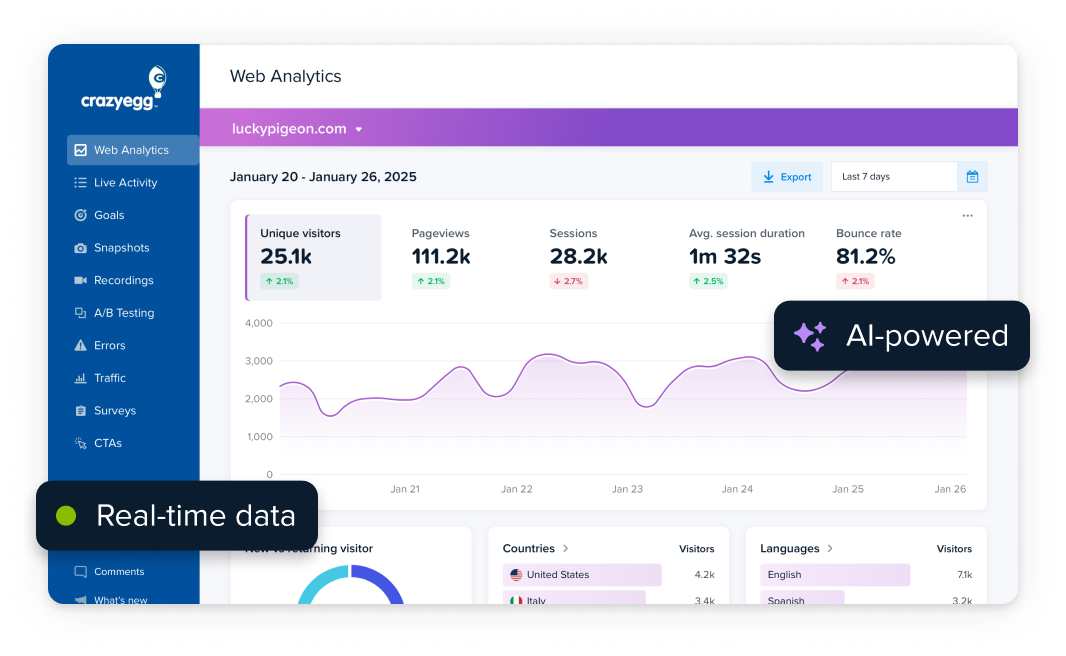
The GA4 integration also works outbound: Crazy Egg sends A/B test variant data to GA4 so that you can segment GA4’s engagement metrics by experiment.
The other option: Crazy Egg’s own tracking script tracks 8 core metrics independently and offers 15+ segmentation options (device, location, traffic source, campaign, browser, OS.
Microsoft Clarity
Unlike Crazy Egg, Clarity doesn’t track web traffic data natively. So, the only way to get the pageview, bounce rate, or session duration data is through the GA4 integration.
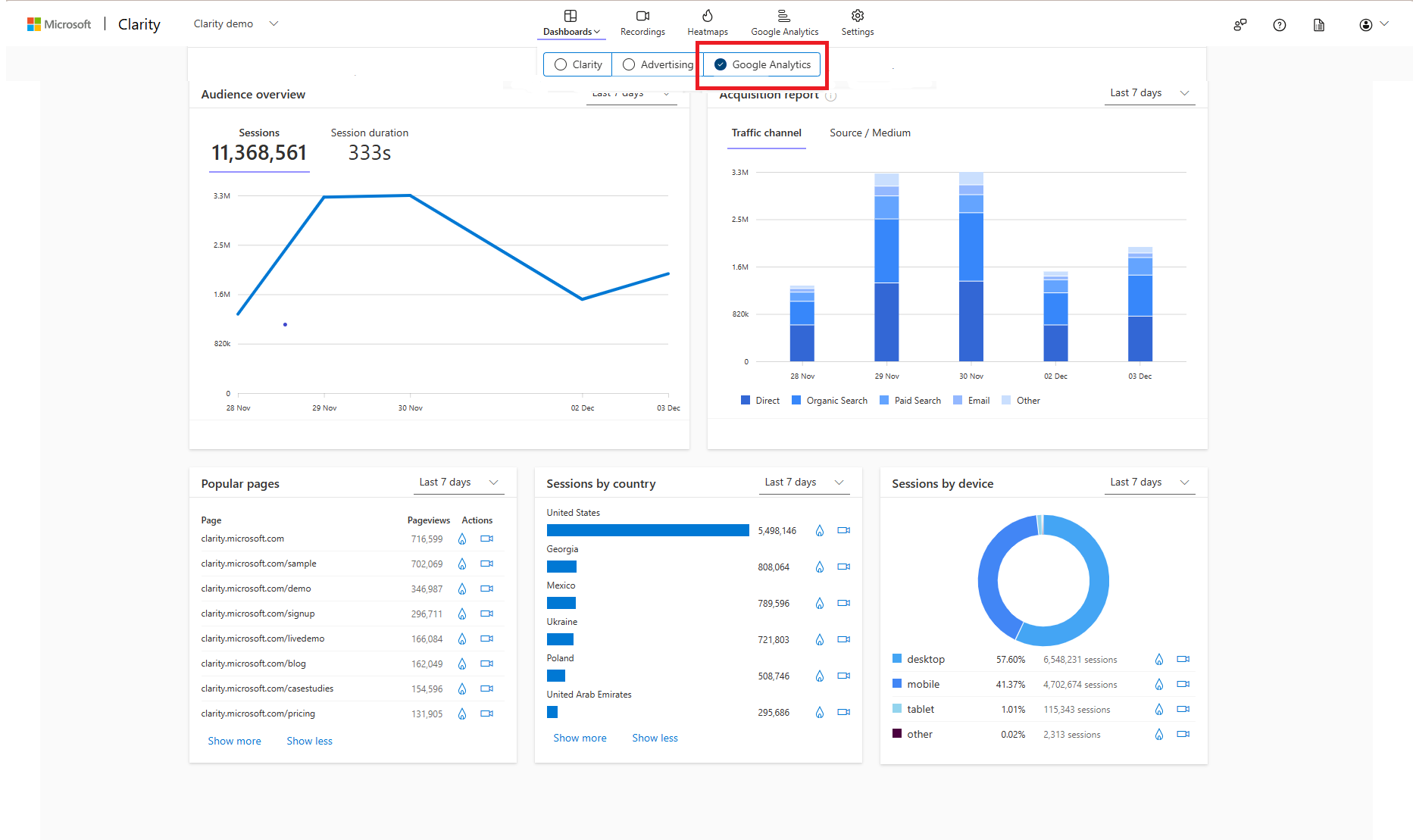
Once you connect to GA4, all the data is available in a separate Google Analytics dashboard. Just like in CE, the data is linked to playbacks and heatmaps so you can quickly drill into the details.
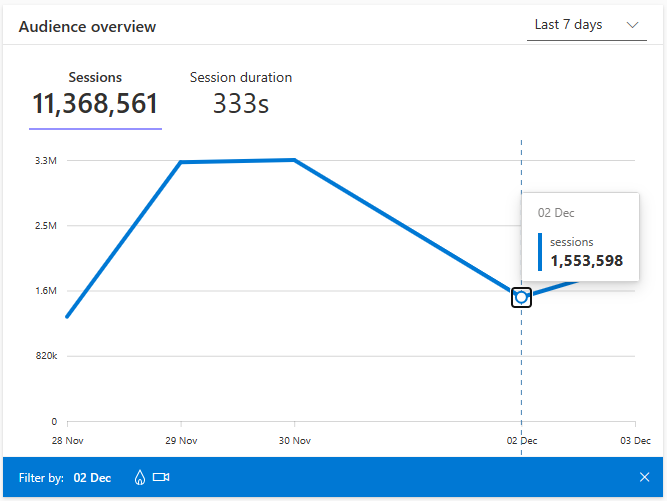
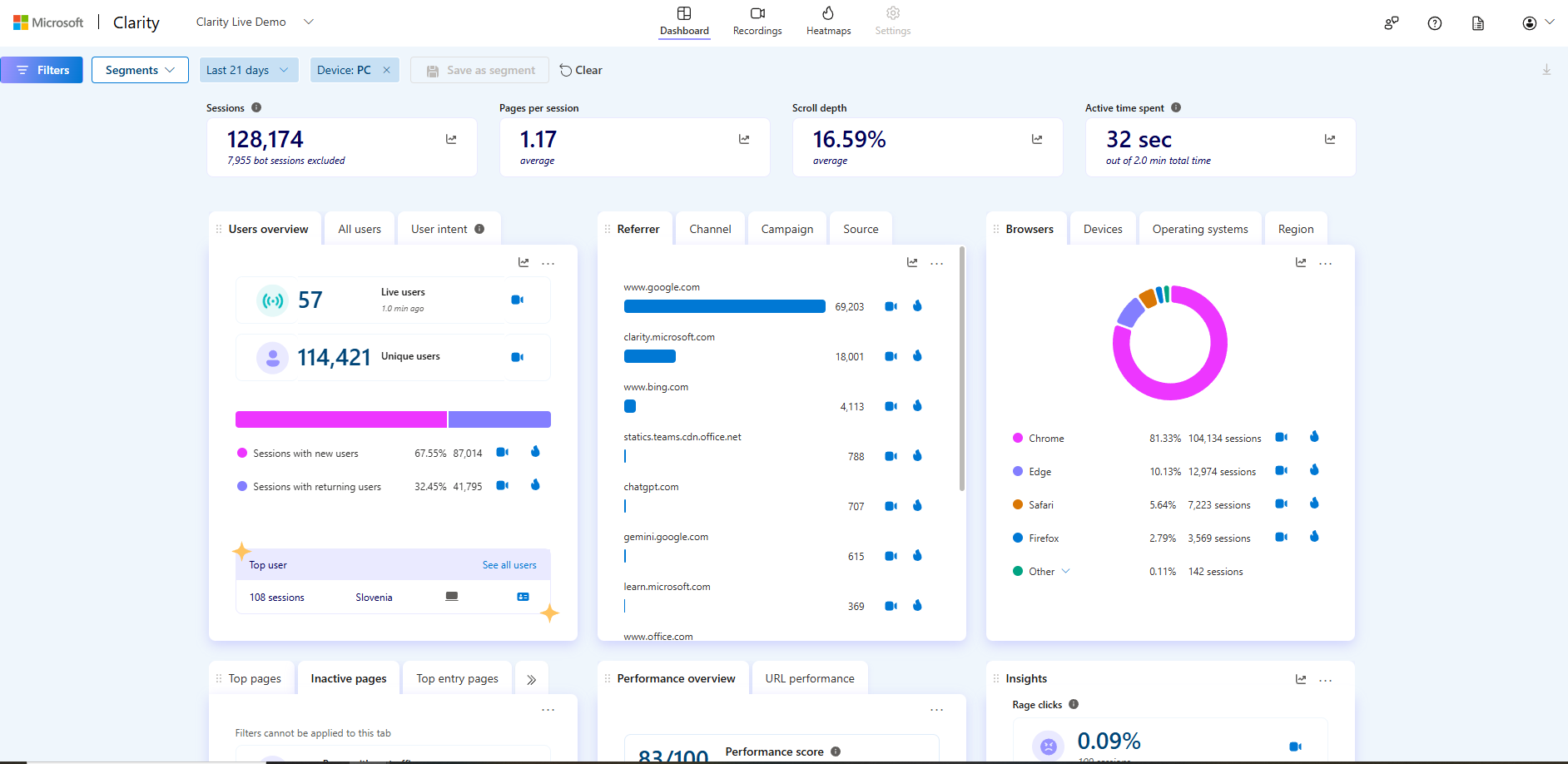
That said, Clarity’s native dashboard does provide basic data, like sessions, pages per session, unique users, and new vs. returning visitors, or a Referrer/Channel/Campaign/Source breakdown.
5. Conversion Funnels and Conversion Analytics
Both tools track conversions and support multi-step funnels. In Clarity, the setup is quicker thanks to smart events auto-detection, but Crazy Egg’s funnels are retroactive, and you get more in-depth insights.
Crazy Egg
Crazy Egg has two features for tracking conversions: conversion funnels and conversion analytics.
Conversion Funnels let you build multi-step sequences and see where users drop off. Set up your conversion goals once, and from that point, you can build, edit, and rearrange funnels anytime — all your historical data comes with you.
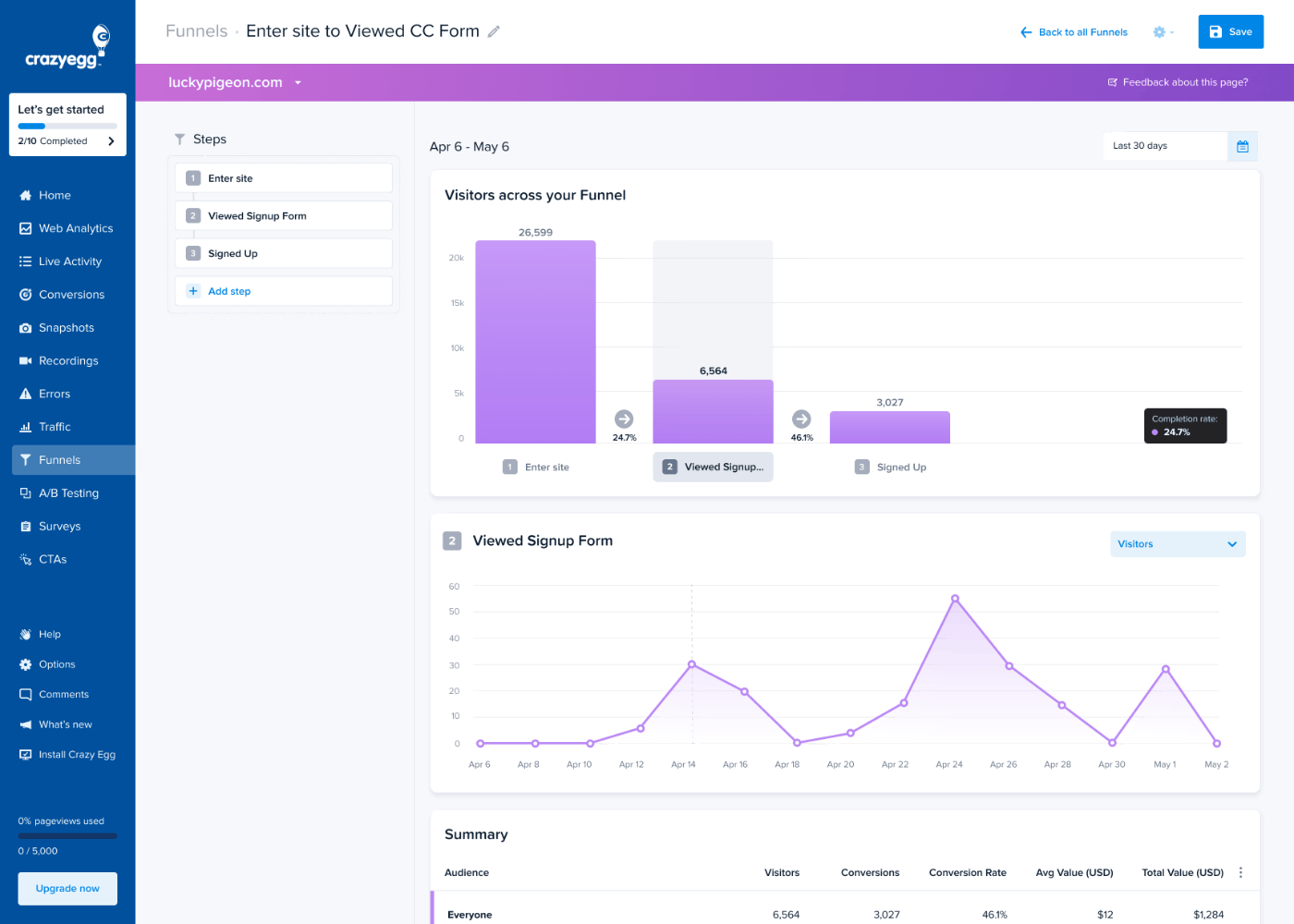
Funnels connect to heatmaps and recordings. So, if you see a big drop-off, you can quickly find relevant sessions and see what visitors were doing on that page.
Conversion Analytics is a separate, free feature. It tracks button clicks, page views, form submissions, ad pixels (Google, Meta, TikTok), ecommerce conversions, and custom events. All without extra code beyond the initial install.
Microsoft Clarity
Clarity has funnels with conversion rates, drop-offs, and time to convert, which also connect to recordings and heatmaps.
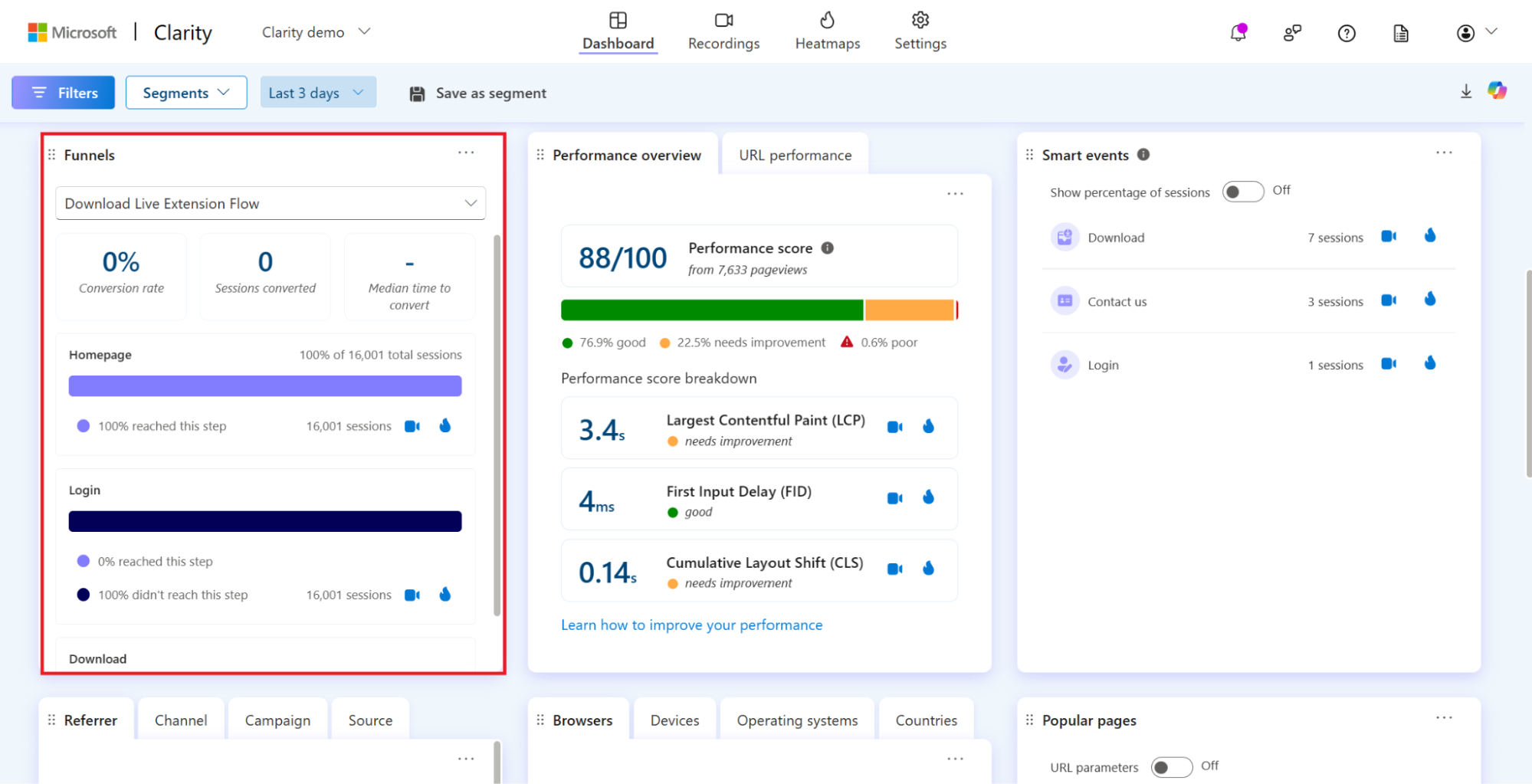
For Shopify stores, there are ecommerce insights (most viewed products, checkout abandonment by step), and blog and content publishers get read rate and article engagement metrics.
Thanks to the Smart Events feature, which auto-detects common actions, like purchase or add to cart, the setup is easy. You don’t have to tag them manually.
Clarity doesn’t have native ad pixel support — but if you’ve connected GA4, Google Ads conversion data is already available through the integration. For Meta and TikTok campaign tracking, you’d need a separate solution. Crazy Egg tracks all three natively.
6. AI Analysis
Both tools use AI to interpret behavioral data and surface recommendations in plain English. The mechanics are different.
Crazy Egg’s AI runs automatically across heatmaps, recordings, surveys, and web analytics. Clarity’s Copilot goes deeper on recordings and adds a conversational chat layer for open-ended questions.
Crazy Egg
AI Analysis runs on heatmaps and recordings without any prompting.
- On heatmaps, it reads your click and scroll data, identifies behavioral patterns, and writes specific recommendations.
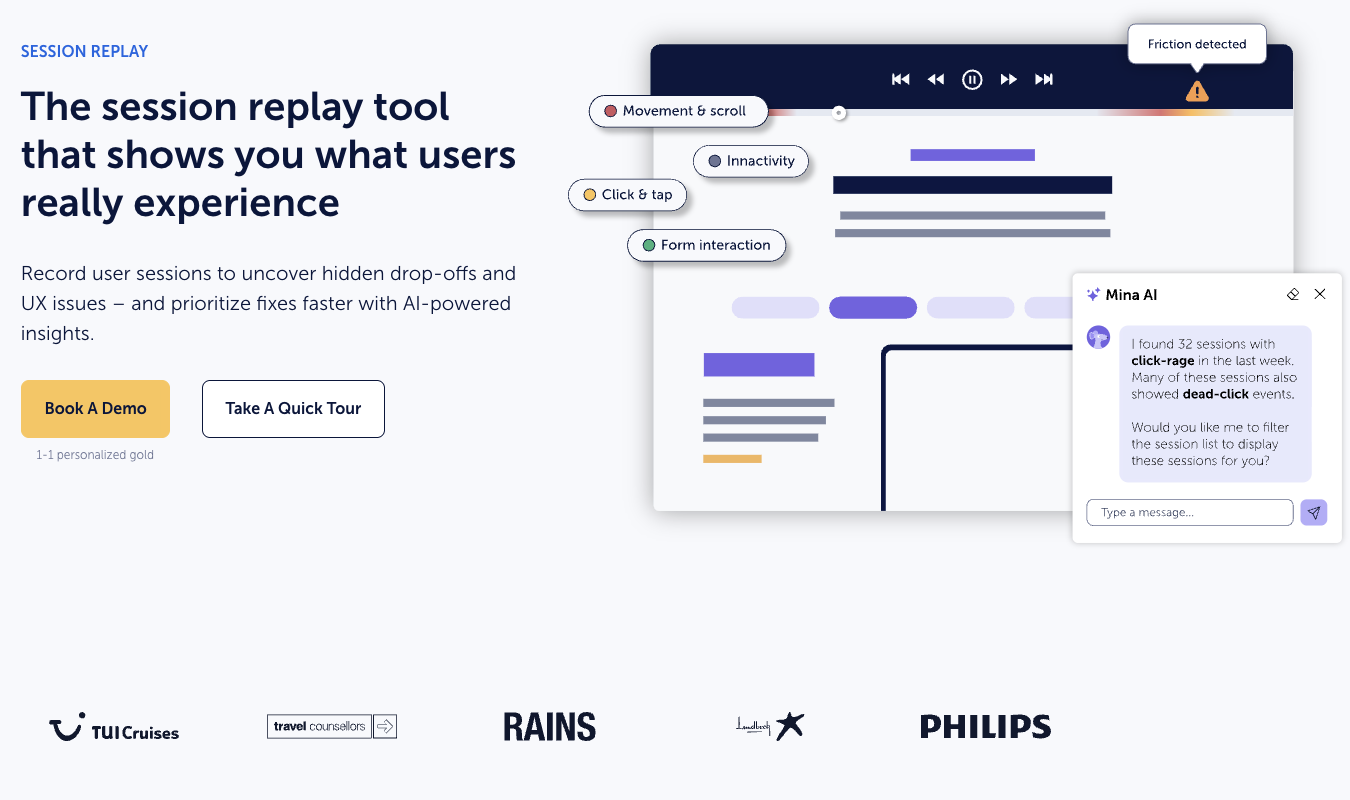
- On recordings, AI Analysis automatically flags the most insightful sessions from your full library. For each flagged recording, it generates a written summary — error detection, behavioral observations, and next-step recommendations.
- On web analytics, Top Insights automatically surfaces traffic anomalies — drops in mobile traffic, underperforming referral channels, pages with unusual bounce rates — and explains them in plain English.
- On surveys, AI analyzes open-text responses with sentiment detection and auto-generated charts.
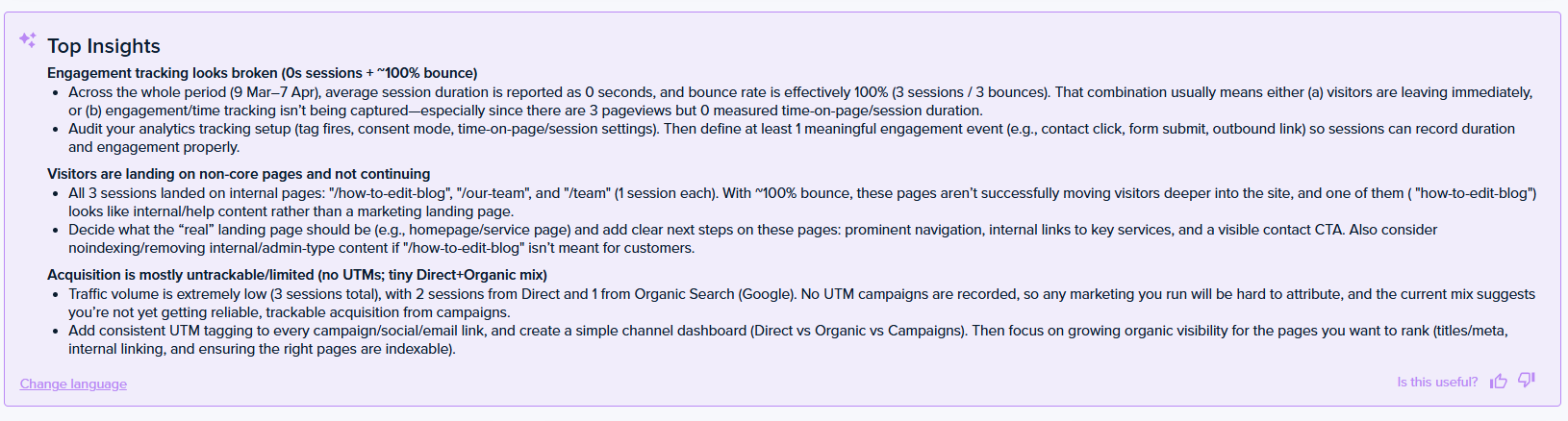
If you want to ask follow-up questions about your heatmap data, you can export any heatmap into ChatGPT, Gemini, Grok, or whatever tool you prefer.
Microsoft Clarity
Clarity’s AI, branded as Copilot, automatically generates session and heatmap recording summaries, similar to Crazy Egg.
In addition, Clarity offers:
- Grouped Session Insights summarizes up to 250 recordings at once, organized into “successful achievements” and “unsuccessful attempts.”
- Ad Campaign Insights combines campaign performance metrics with Clarity’s behavioral data to show how users interact with your site after clicking an ad. Useful if you’re running Google Ads or Microsoft Ads and want to connect ad spend to on-site behavior.
- Chat is the standout. Type a natural language question — “Which pages have the most user frustration?” or “How many users clicked the Contact Us button?” — and Copilot answers from your Clarity project data.
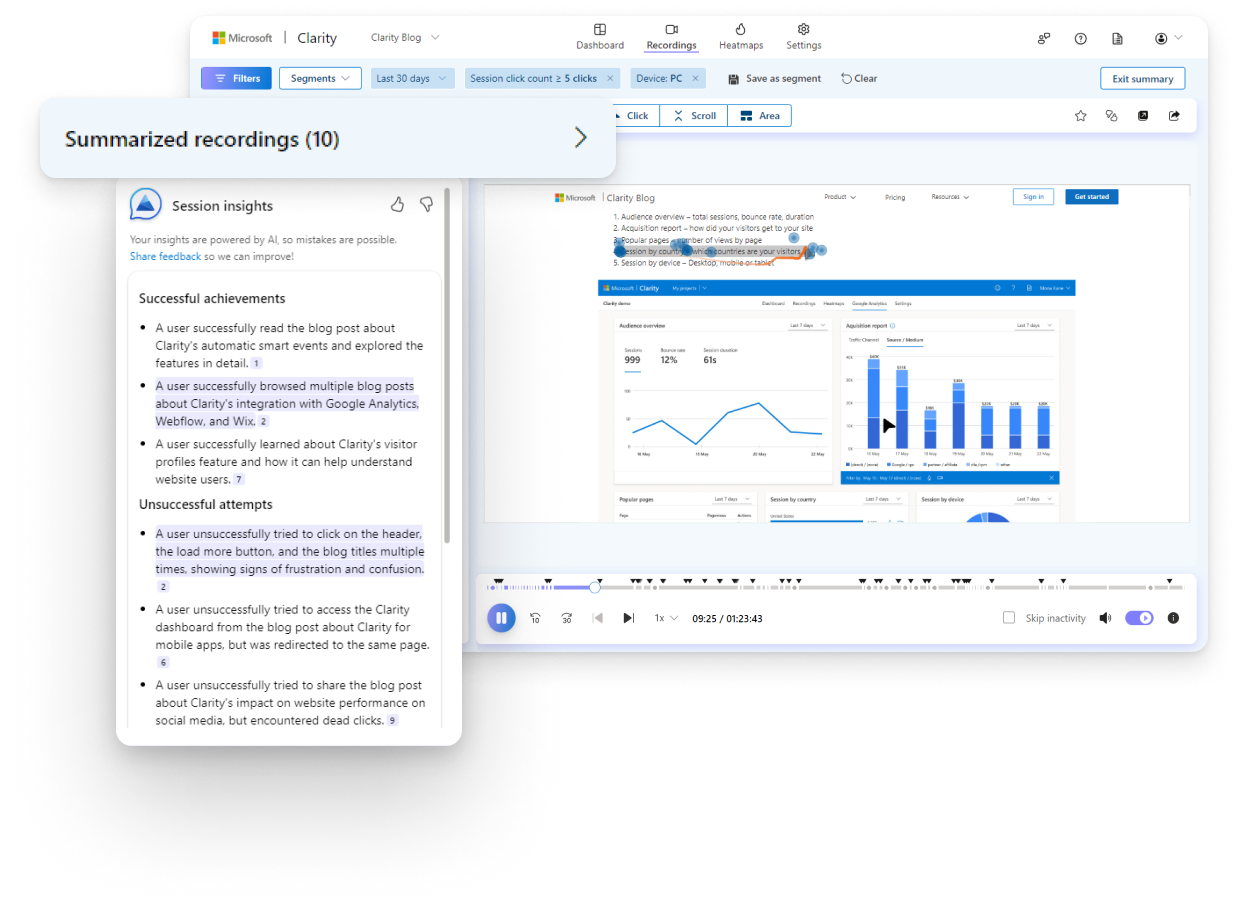
Bear in mind, though, that “Copilot is for entertainment purposes only.” Not work. That’s Microsoft’s own words, not mine.
7. Surveys, A/B Testing & CTA Pop-ups: What Crazy Egg Has That Clarity Doesn’t
Crazy Egg offers three features that Clarity doesn’t have at all:
- Surveys — Come with 50+ templates, conditional branching, and behavioral targeting (page load, scroll, exit intent, button click), so you can follow up on the insights from other analyses.
- Popup CTAs — No-code banners, popups, and sticky bars with smart triggers (behavior, page, device). So you can quickly fix conversion issues without redesigning the website.
- A/B Testing — You can create page variants with Crazy Egg’s Visual Page Editor and compare their performance side by side. Crazy Egg auto-generates heatmaps and recordings for each variant, so you can see why one version outperformed the other.
Clarity has no native surveys or A/B testing, but it supports integrations with dedicated 3rd-party tools like AB Tasty, Kameleoon, and Optimizely (which require a subscription).
Pricing and What You Get for Free
| Crazy Egg | Microsoft Clarity | |
|---|---|---|
| Free plan | Instant Heatmaps, Web Analytics, Conversion Analytics, Surveys — no credit card, no time limit | All features free — heatmaps, recordings, funnels, Copilot AI, no limits |
| Paid plans | Starter: $29/mo. Plus: $99/mo. Pro: $249/mo. Enterprise: $599/mo.All billed annually — no monthly option. | No paid tier. |
| What you pay for | Advanced Heatmap Reports (5 types, 20+ filters, AI), more recordings, A/B testing, error tracking, popup CTAs | Nothing. |
| Support | US-based priority support on Plus and above | Community forums and documentation only |
If budget is the only factor, Clarity wins. It’s free, and it covers basic behavior tracking well.
For teams that need more than behavior tracking — A/B testing, surveys, conversion analytics with error tracking, and advanced heatmap segmentation — Crazy Egg’s paid plans include tools that Clarity doesn’t have at any price.
The gap isn’t as wide as it may seem:
Crazy Egg’s free plan includes Instant Heatmaps across every page, on-site surveys, web analytics, and conversion analytics. So you get a lot before spending anything.
Final Verdict: Is Crazy Egg or Microsoft Clarity Right for You?
Choose Crazy Egg if you want a complete UX and conversion rate optimization platform to analyze behavior, survey visitors, run A/B tests, and track errors — with advanced heatmap segmentation and priority support.
Choose Clarity if you need free, unlimited recordings and basic heatmaps, and don’t need A/B testing, surveys, or per-click segmentation.
If Crazy Egg sounds like a better fit, you can try it out for free for 30 days. If you’re still on the fence, even more reason to try it out and find out for sure.