You can’t make smart decisions if you’re flying blind. And that’s exactly what you’re doing without proper SaaS analytics.
Which features are customers actually using? Where are your conversions happening? Is your business growing at the pace you need?
The right tool shows you exactly what’s working, what’s tanking, and what you need to fix right now. Below, we’ve compiled the top 20 SaaS analytics tools to help you monitor and optimize your business performance.
What is SaaS Analytics?
SaaS analytics refers to how software-as-a-service businesses analyze the key data surrounding their businesses. This includes information like:
- How much your business is bringing in per user
- How much recurring revenue you bring in each month or year
- How often customers end their subscriptions
- How much each customer is worth to your business
- How customers are using your website
- Where customers are signing up
Monitoring your SaaS company’s analytics keeps you apprised of your business’s health (i.e., if you’re growing and profitable).
Why Should You Use a SaaS Analytics Tool?
There are a number of benefits that incorporating SaaS analytics software into your repertoire can provide your business with.
You should be investing in a good SaaS analytics tool so you can:
- Monitor business performance and growth: Keep your eyes on your growth statistics so you can literally watch as your customers (and revenue) ebb and flow.
- Make better, data-driven business decisions: When you know how healthy your business is, you’re able to make better informed decisions.
- Optimize the customer experience: When you understand your customers’ behavior, you can better cater to it within your sales funnel, pricing pages, and overall customer journey.
- Improve product development: Get a clear idea of your customers’ favorite products and features so you can give them more of what they want.
- Boost customer satisfaction: Paying attention to how your customers use your tool and what makes them unsubscribe can help you improve satisfaction.
- Reduce customer churn: Keeping your customers happy (by having clear insights into why they’re using your tool) keeps them from leaving.
Top 19 SaaS Analytics Tools You Can Trust
Browse our list of 19 SaaS analytics tools that can help you monitor your business’s health so you can make better business decisions.
1. Crazy Egg

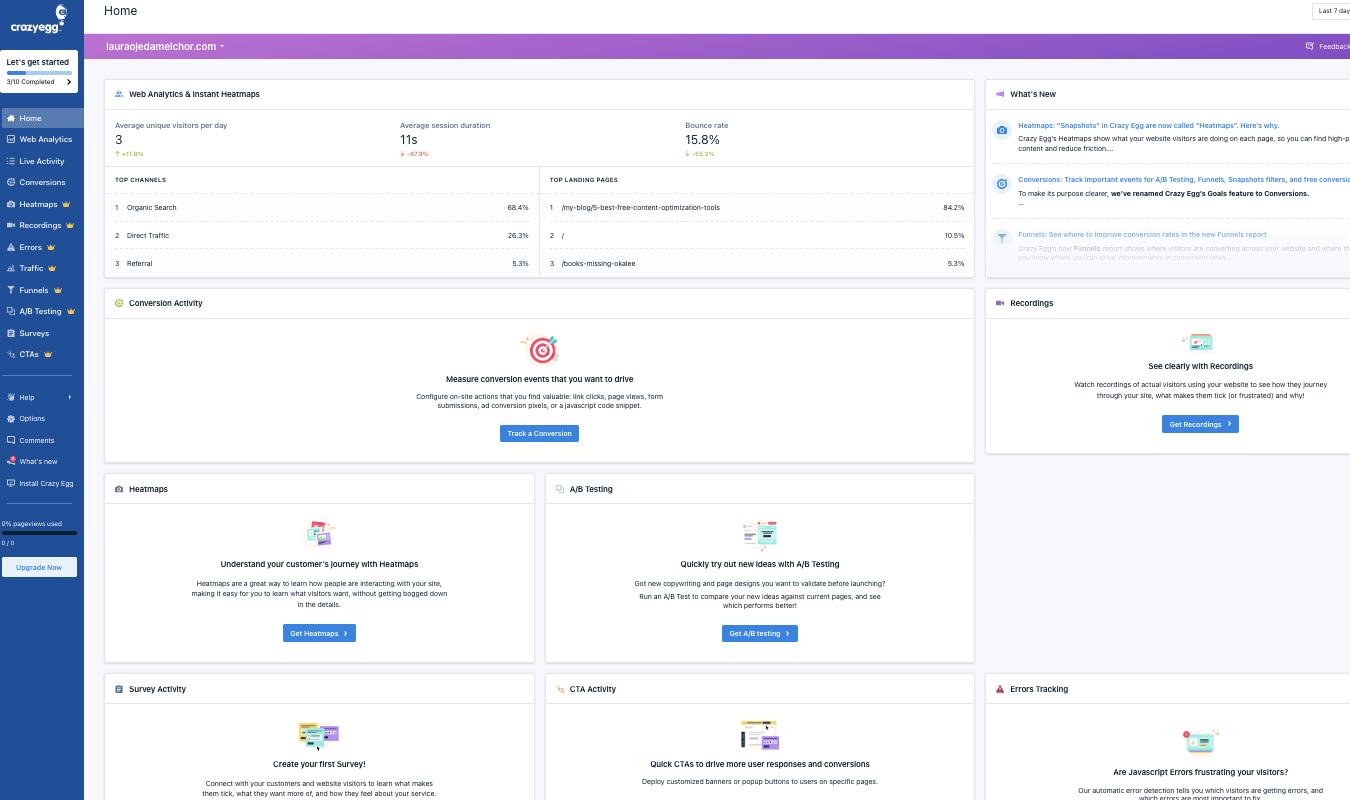
Crazy Egg offers one of the best website analytics tools for SaaS businesses. It’s like Google Analytics 4 (GA4), but much easier to configure and understand.
Off-the-shelf, Crazy Egg reports tell you everything you need to know about website traffic, and you can investigate trends with a few clicks. No complex setup, no confusing tracking, and no developer required.
You get immediate visibility into your key metrics: how much traffic you’re receiving, whether it’s trending up or down, which marketing channels are driving visitors, and whether that traffic is genuinely engaging with your site or leaving without taking action. In addition to tracking fundamental web analytics you get with tools like GA4 (e.g. visitors, clicks, pageviews, etc.), Crazy Egg boasts five different types of website analysis reports:
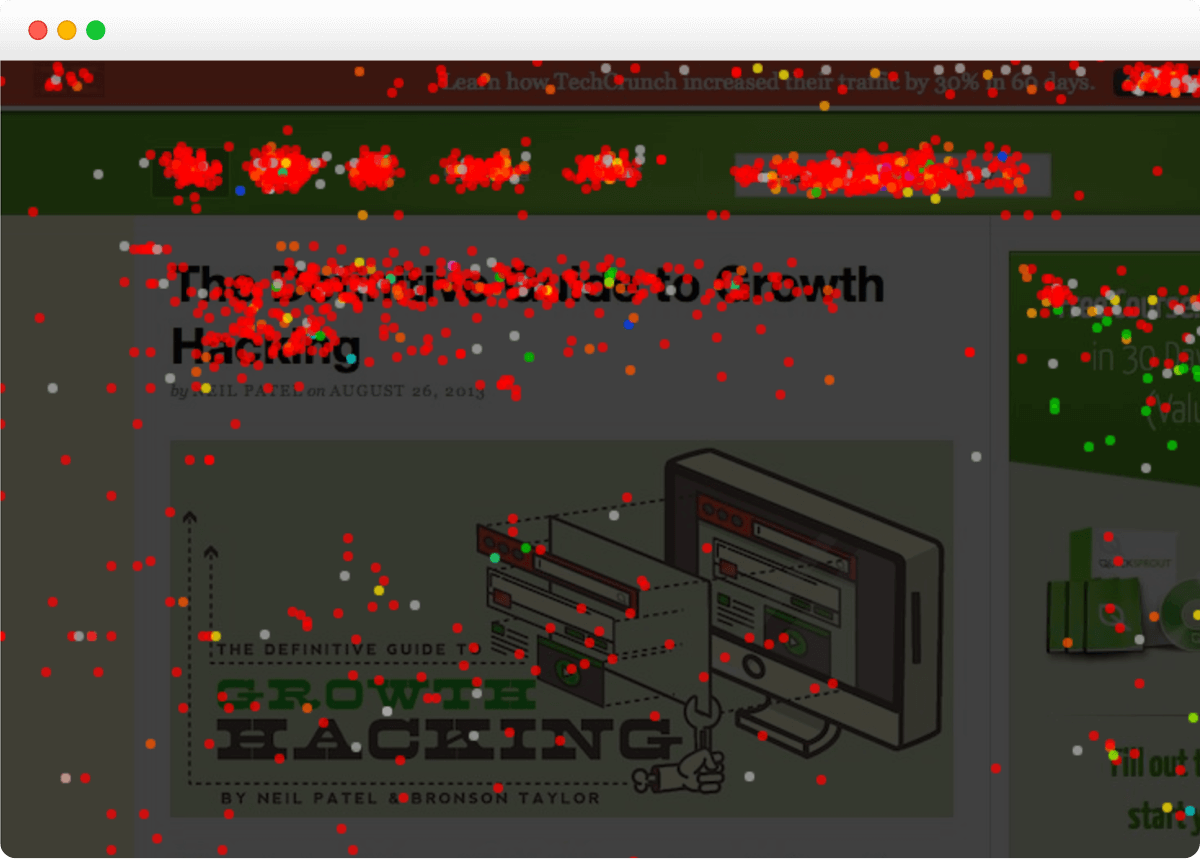
- Heatmap/Click Map: See a visualization of where visitors click on a landing page and at what frequency.
- Scroll Map: Discover how far down the page most users scroll before leaving the page.
- Confetti Map: Get even more granular info about individual visitors and how up to 20 characteristics impact click behavior.
- Overlay Map: See a breakdown of user behavior for each clickable element on a page, including filtering by different dimensions.
- List Map: This report emphasizes numbers over visuals, showing you a breakdown of how many users (and what percentage) click on any given element (even moving ones).
Using these reports, you can quickly understand whether an individual page it’s doing its job educating visitors and moving them through your website funnel (or not).
With just a few minutes of point-and-click analysis, you can understand:
- Whether or not visitors are following your ideal customer journey, including where they come from to get to a webpage and where they go afterward
- Which traffic sources have the highest conversion rate
- How traffic from different sources interact with your site
- Which elements on a page your ideal customers are engaging with the most
- The quality of traffic to a page, in terms of following that ideal customer journey
Best for: Understanding how people use your website
Top features:
- Heatmaps
- Session recordings
- A/B testing
- Website popups
- Web traffic analysis
- Conversion tracking
- Customer surveys
Pricing: Crazy Egg Web Analytics is free forever (yes, really), and premium plans start at $29/month
2. Google Analytics
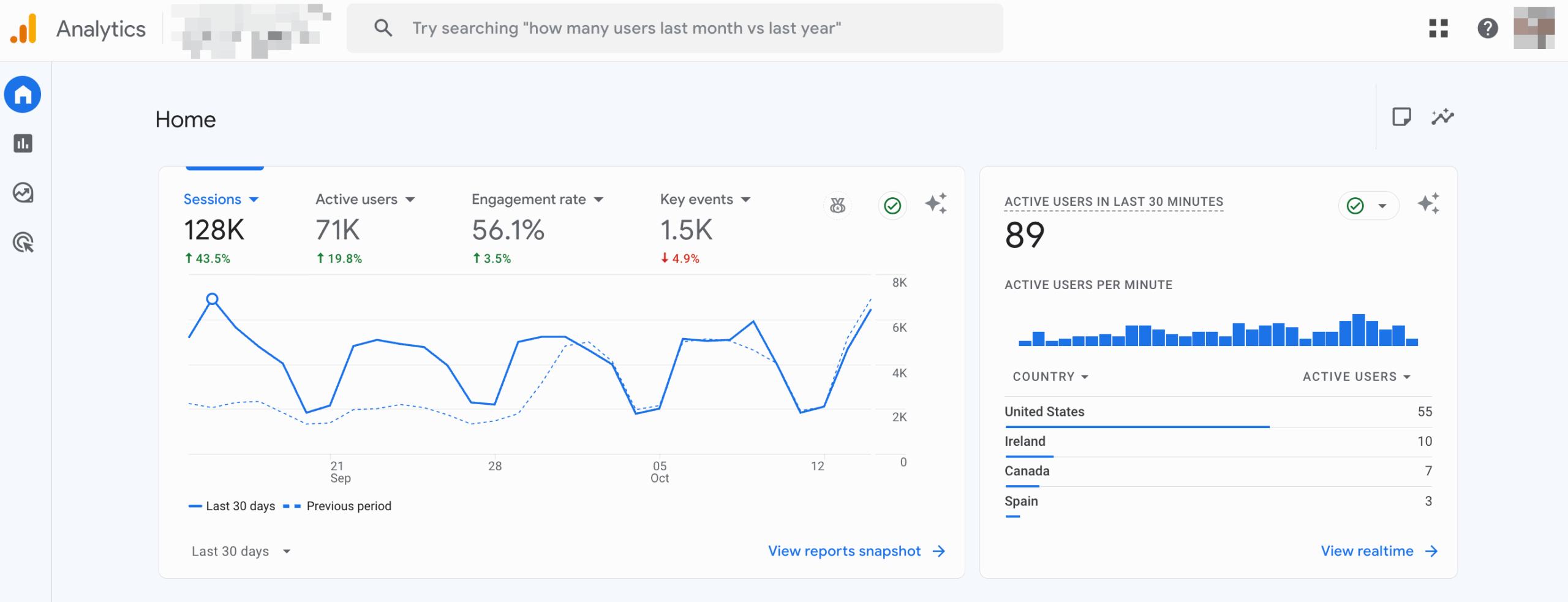
Google Analytics now runs on GA4 only — Universal Analytics has been fully retired — so every SaaS site should have a GA4 property set up to track web and app activity. GA4 adds stronger cross-device tracking, enhanced measurement (scrolls, file downloads, video engagement), predictive insights, and better funnel reporting out of the box.
This is because Google Analytics provides the most basic of website analytics data for your site. Track metrics like:
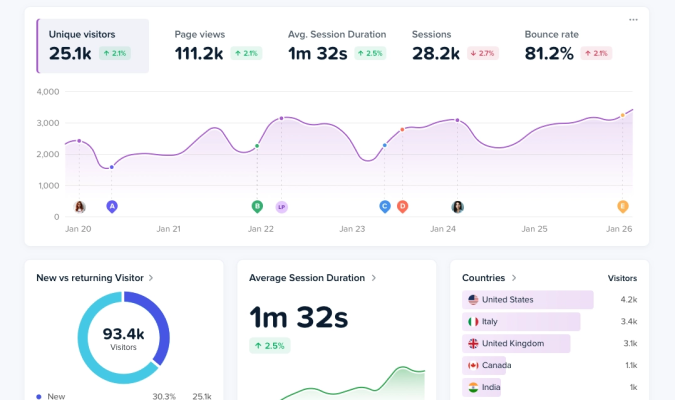
- Active website visitors
- Monthly user sessions
- Top landing pages/blog posts
- Traffic acquisition
Plus, you can set up conversion tracking, map customer paths throughout your website, and so much more—all for free.
Best for: Analyzing your website traffic
Top features:
- Real-time website analytics
- Custom dashboards and reports
- UTM tracking
- Visitor exploration
Pricing: Free
3. ProfitWell Metrics by Paddle

ProfitWell Metrics, a tool recently acquired by Paddle, offers one of the most capable analytics solutions for managing and growing a subscription business.
It has features that help you track trials and attribution, segment to find out where growth comes from, track churn rate and cohorts to boost retention, and proactively monitor engagement to figure out which users are likely to convert or churn.
While Paddle’s extensive features require a premium plan, the platform still offers ProfitWell’s core SaaS analytics capabilities for free in 2026.
Best for: Monitoring your SaaS company’s revenue
Top features:
- Revenue reporting
- Report dashboard
- Customer health scores
- Industry benchmarks
- Segmentation
- Payment stack integrations
Pricing: Free
4. Userpilot

Userpilot is a SaaS analytics tool with a focus on improving product adoption and user engagement with your tool. This means SaaS brands can look at its product analytics through Userpilot and get directly actionable pathways for increasing the number of customers using their product.
Plus, with in-app survey capabilities, Userpilot makes it easy for brands to gather customer feedback so they can further improve their SaaS offering.
Best for: Gathering data surrounding your customers and how they interact with your product
Top features:
- Product analytics
- User engagement
- Customer feedback
- Session replace
Pricing: As of 2026, plans typically start around $299/month for up to 2,000 MAU, with Growth and Enterprise tiers costing more.
5. Baremetrics

Designed specifically for SaaS and subscription businesses, Baremetrics focuses on analyzing subscription revenue, making it easy to get in-depth insights on trial usage and behavior, track monthly recurring revenue (MRR) and other revenue goals, and benchmark your results against other companies similar to yours. Baremetrics includes aggregate data about how similar companies perform so you can get a better sense of your performance in the grand scheme.
The tool also integrates directly with payment platforms like Stripe to gather revenue data directly, then pulls it into an easy-to-understand dashboard for your team to keep track of.
Best for: Analyzing recurring subscription revenue
Top features:
- Subscription analytics
- Payment recovery
- Cancellation insights
- Financial forecasting
Pricing: Current pricing is module-based and generally starts around $108/month for businesses doing up to $10k MRR, with higher tiers for larger MRR and add-ons like Cancellation Insights.
6. ChartMogul

ChartMogul is another subscription analytics platform built for SaaS companies that helps teams monitor their financial health. Their solution connects with all the major subscription billing services, so all you need to do is connect your provider, and ChartMogul will compile all the data for you. The tool’s pre-built filters (for plan, billing cycle, and more) make it easier to dig into that data, too.
However, one way that it stands out is that it also has a built-in CRM, helping SaaS companies keep their customer records organized and up-to-date.
Best for: A combo of subscription analytics and CRM needs
Top features:
- Subscription analytics
- Reporting dashboard
- Industry benchmarking
- B2B SaaS-centered CRM
Pricing: Still free for very early-stage companies (under about $10K MRR / $120K ARR). Growth teams now typically move to the Scale/Pro tier at roughly $100–$120/month, with enterprise plans available for large ARR.
7. Heap

Heap helps SaaS companies gain a keen understanding of their customers’ digital journeys so they know how to better appeal to them with their website pages and marketing copy. By using your Heap insights, you can improve your SaaS tool’s conversion rate and customer retention.
Best for: Using digital experience analytics to inform your customer journey
Top features:
- Customer journey mapping
- Website analytics
- Heatmapping
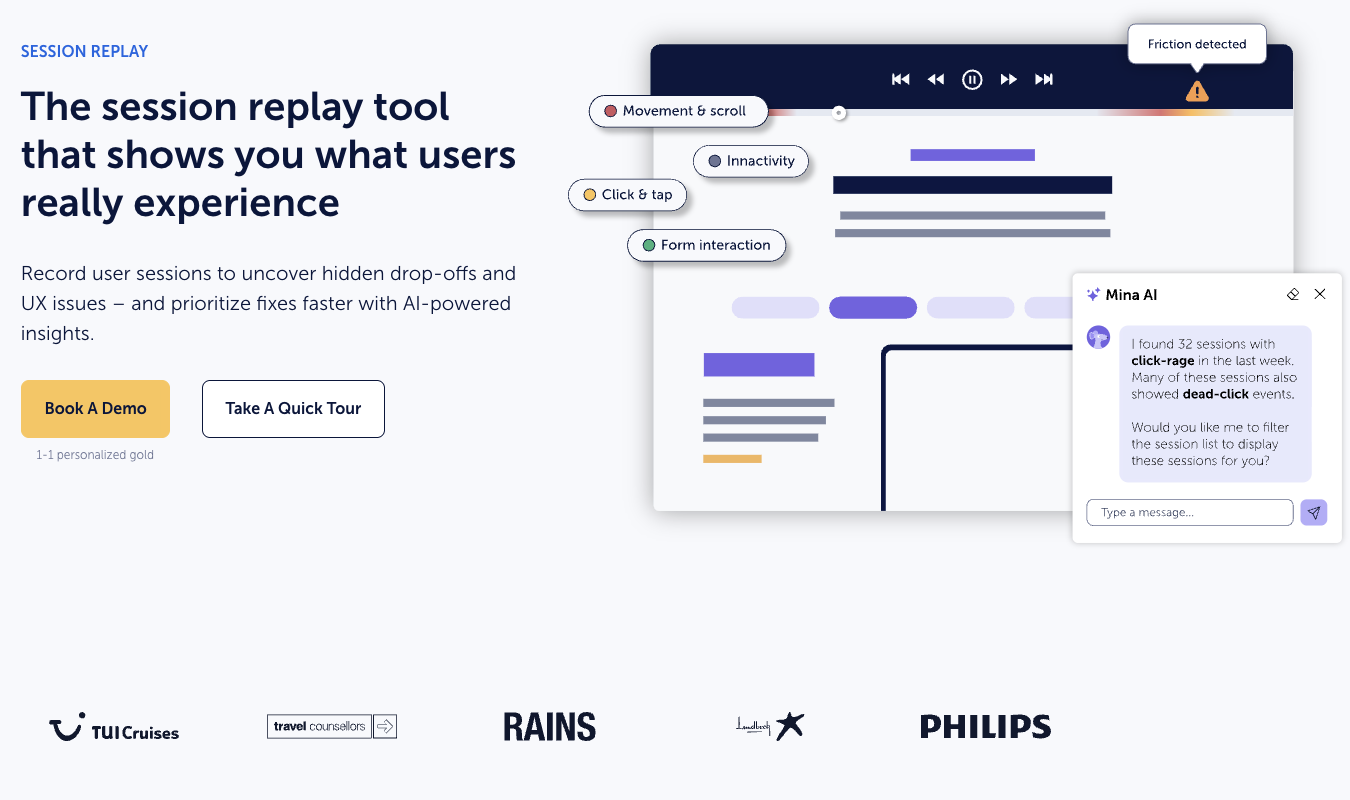
- Session replay
- Segmentation
- Reporting dashboards
Pricing: Still offers a free/limited tier (about 10,000 sessions a month); production rollouts for bigger teams usually require a sales quote and commonly start in the low-thousands per month.
8. Mixpanel

Mixpanel is a SaaS analytics software that provides a visual dashboard full of insights on how your customers are using your product. Because Mixpanel’s data is completely free for the first 1 million monthly events — and now also includes 20,000 monthly session replays free — this is the perfect tool for starter SaaS tools looking to gain budget-friendly insights into their product analytics.
Best for: Understanding how customers are using your product
Top features:
- Product analytics
- Warehouse connectors
- Session replay
Pricing: Free for up to 1M monthly events; paid plans remain event-based and start in the $20–$25/month range once you need higher volumes or advanced features.
9. Pendo

Pendo is an experience management platform, meaning the SaaS analytics it provides are all about how your customers are experiencing your product. Get direct customer feedback so you can implement changes that your audience is asking for, offer in-app customer guidance to improve their experience with your tool, and use Pendo to help validate product or feature ideas.
Best for: Using different tactics to gather and analyze customer feedback to improve your product
Top features:
- Product analytics
- Session replay
- In-app customer guidance
- Customer feedback
- Product validation
Pricing: You can still test for free for up to 500 monthly active users; paid plans are quote-based and, in 2026, commonly start in the mid-five figures annually for growing teams.
10. HockeyStack

HockeyStack is a SaaS analytics platform that incorporates the use of artificial intelligence (AI) to help provide insights and analysis on your SaaS product usage. HockeyStack’s AI assistant Odin can do a deep dive into your product, create reports, and pinpoint growth opportunities for your SaaS business.
Best for: Using AI for your SaaS analytics
Top features:
- AI insights
- Product analytics
- Account intelligence
- Workflows
Pricing: Pricing is still sales-led; recent buyer reports put entry-level plans for serious teams in the $500–$600+/month range, with startup discounts available.
11. Woopra

Woopra offers tailored solutions for product, marketing, sales, and support teams—and it’s one of the only tools that enables true end-to-end customer journey analytics. For example, their product solution makes it easy to understand how (and how long) your customers use each feature.
Best for: Tracking your customer journey
Top features:
- Customer journey mapping
- Customer analytics
- Automations
- Integrations
Pricing: The free plan is now much roomier — up to around 500,000 actions/month — and paid plans still start at about $49/month, with Pro and Enterprise tiers for high-volume SaaS.
12. Fullstory

Fullstory is a behavioral data platform that helps SaaS companies get insight into how their customers are using their products and how they feel about their products. Gathering user sentiment data can help you improve your product offering, and Fullstory’s analytics is a great way to do that.
Best for: Analyzing user sentiment and behavioral data
Top features:
- Product analytics
- Mobile analytics
- Behavioral insights
- Predictive models
Pricing: Fullstory now offers a 14-day Business trial plus a small free plan; ongoing Business/Advanced/Enterprise pricing is still quote-based and scales with sessions.
13. Qrvey

Qrvey is an embedded analytics platform for SaaS companies. This tool is a bit different from other options on our list as it allows SaaS companies to not only use these dashboards for themselves, but also to offer data as a service to their customers through embedded data visualizations.
Best for: Creating embeddable SaaS analytics dashboards
Top features:
- Embedded analytics
- White-labeled data visualization
- Generative AI
- Automation workflows
Pricing: Flat-rate, SaaS-friendly, and custom — you still need to request a quote.
14. Churn Buster

Churn Buster takes a narrower approach to subscription analytics, focusing on preventing involuntary churn. Their analytics features make it seamless to monitor voluntary and involuntary churn, track improvements, and analyze customer payment history.
Churn Buster helps you understand why passive churn happens so you can identify the changes and optimizations needed to reduce it proactively. And, it offers payment recovery tools to further help you maximize profits.
Best for: Recovering failed payments to improve revenue
Top features:
- Churn metrics
- Revenue optimization
Pricing: The old totally free “Measure” tier isn’t the default anymore — current plans for full dunning and recovery typically start around $249/month, with lighter/partner versions as low as $99 and custom pricing for high-MRR SaaS.
15. Amplitude

Amplitude is another SaaS product analytics platform, but it puts together your data analysis in a way that helps your company test product and feature releases to gauge user sentiment. This is a great way to maximize customer satisfaction and revenue while managing your new features and understanding exactly what your users want from you.
Best for: Experimenting with feature releases to test customer sentiment
Top features:
- Product analytics
- Website analytics
- Session replay
- Feature experimentation
- Feature management
- AI assistance
Pricing: Still free for up to 50,000 monthly tracked users / ~10M events, with Plus plans starting around $49/month and larger orgs buying annual contracts.
16. Coupler.io

Coupler.io is a data visualization platform for your SaaS analytics insights, making it easy to build reports from your data so that you get a clear picture of your SaaS company’s health and performance. Plus, Coupler.io also offers a service as part of its tool, providing expert assistance to businesses who need help reading and interpreting their data.
Best for: Building comprehensive reports from your SaaS analytics data
Top features:
- Data sources & destinations
- Dashboard templates
- Data cleaning
- Expert help for interpreting analytics
- Automation
Pricing: Still has a free plan; paid plans for more automations and connections now start at about $24/month billed annually ($32 month-to-month.)
17. Quantcast

Quantcast is a slightly different SaaS analytics tool than the rest on our list. With Quantcast, SaaS companies can get in-depth audience insights so they know exactly who they should be targeting with their marketing messaging.
Best for: Gathering in-depth audience insights for your target market
Top features:
- AI and machine learning
- Audience insights
Pricing: Quantcast Measure remains free to implement in 2026; paid Quantcast Platform/Advertise capabilities are quote-based.
18. Cyfe

Cyfe offers one of the easiest reporting and dashboard tools available in the market. Their “Starter Dashboard” means you can get set up in just a few minutes, using pre-built and populated widgets for Google Analytics, Facebook, Instagram, Moz, and more.
The customizability means you can create dashboards designed specifically for executives, individual departments, or investors, helping anyone who needs it to easily understand your business insights.
Best for: Visualizing your KPIs in easy-to-understand business dashboards
Top features:
- Dashboard templates
- Custom widgets
- Embedded analytics
- White-labeled reports
Pricing: Now has a free tier; paid plans currently run about $29/month (Solo), $49/month (Pro), and $119/month (Premier) instead of the older $19/month entry price.
19. Klipfolio

Klipfolio’s reporting solution connects seamlessly with over 100 different data sources, making it very quick and easy to visualize your data for analysis or reporting. With fully customizable visualizations and the ability to dig deeper into your data, Klipfolio is one of the best visual reporting options for SaaS businesses.
Best for: Creating live dashboards for your team and/or agency clients
Top features:
- Client reporting
- Live dashboards
- Integrations
Pricing: Entry plans are now closer to $90/month, and Klipfolio has announced that legacy free PowerMetrics accounts will convert to a 30-day trial as of October 2025.
Find the Best SaaS Analytics Tool for Your Needs
If you want to get insights into your business performance so you can make the right decisions and grow your SaaS company, you need a good SaaS analytics tool.
We’ve covered the top 20 tools here, each of which has its own unique selling point. Test drive the ones that make the most sense for your business.
Crazy Egg is a great starting point. Their web analytics tool is free, as in free forever, no strings attached. It delivers clean, straightforward traffic reporting that helps you understand what’s actually happening with your website.
For SaaS companies that need to monitor marketing performance and make data-driven decisions about where to invest their resources, Crazy Egg provides the clarity and functionality you need, without the headaches and complexity.