Website optimization software falls into four groups. Conversion rate optimization (CRO) tools show where visitors experience friction that stops them from buying or signing up, SEO tools help you design the overall strategy, content optimization tools help individual pieces rank, and technical tools keep your site fast and crawlable.
This list covers 8 tools, two per category: what each does best, where it falls short, how users rate it, and how much it costs.
Website Optimization Software Overview
Here are all 8 tools, sorted by group.
| Tool | Standout features | Free plan or trial | Starting price | G2 rating |
|---|---|---|---|---|
| Conversion rate optimization | ||||
| Crazy Egg | Heatmaps, session recordings, and native A/B testing | Free plan, 30-day trial | $29/mo, billed annually | 4.2 |
| Microsoft Clarity | Unlimited recordings and heatmaps | Free | Free | 4.5 |
| Content optimization | ||||
| Clearscope | Real-time SEO content score | 14-day trial | $129/mo | 4.9 |
| Surfer | Content Score for SEO and AI search, Topical Maps | 7-day trial | $49/mo, billed annually | 4.8 |
| SEO strategy | ||||
| Google Search Console | Performance and indexing reports | Free | Free | 4.7 |
| Ahrefs | Site Explorer | Ahrefs Free (your own site) | $29/mo, billed monthly | 4.5 |
| Technical SEO | ||||
| Google PageSpeed Insights | Field and lab data side by side | Nothing to install | No published price | Not listed |
| Screaming Frog SEO Spider | 300+ issue checks | Free up to 500 URLs | $279/year per user | 4.7 |
Prices and ratings were verified in October 2026.
How I Chose These Website Optimization Tools
I grouped the tools by problem, then picked the two strongest in each group. Each had to clear six criteria:
- Does one optimization job well: Conversion, content, search visibility, or technical health optimization. Tools that try to do everything didn’t make it.
- Tells you what to change: Actionable insights, not just a report of what already happened.
- Short time to first insight: Short setup and a flat learning curve.
- Fits your stack: Integrates with Google Analytics or Search Console, your content management system (CMS), or Google Docs (depending on the group).
- Clear pricing and a free way to start: Published prices plus a free plan or a trial.
- Review track record: G2 and Capterra ratings, plus the praise and complaints that keep coming up in user reviews. Those shaped the pros and cons sections.
Best Conversion Rate Optimization Tools
Conversion rate optimization (CRO) software shows what visitors do once they land on the page. Use them when your traffic is fine, but the website isn’t driving sign-ups or sales.
1. Crazy Egg
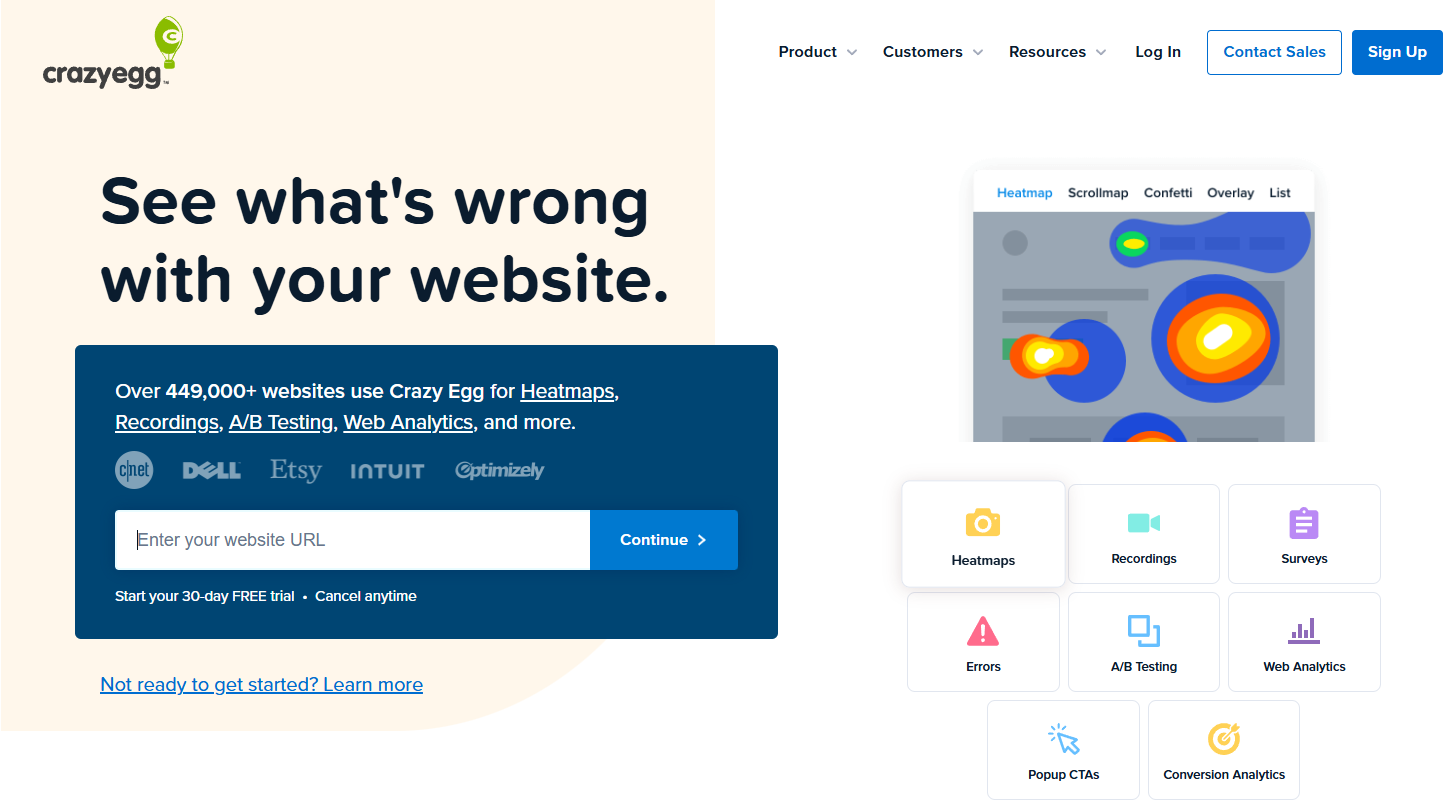
Crazy Egg is a website optimization platform that covers the full CRO loop: it shows where visitors drop off and what they do on specific pages to understand why, and lets you A/B test fixes. It suits marketers and website owners who want diagnosis and testing in one place.
Crazy Egg key features
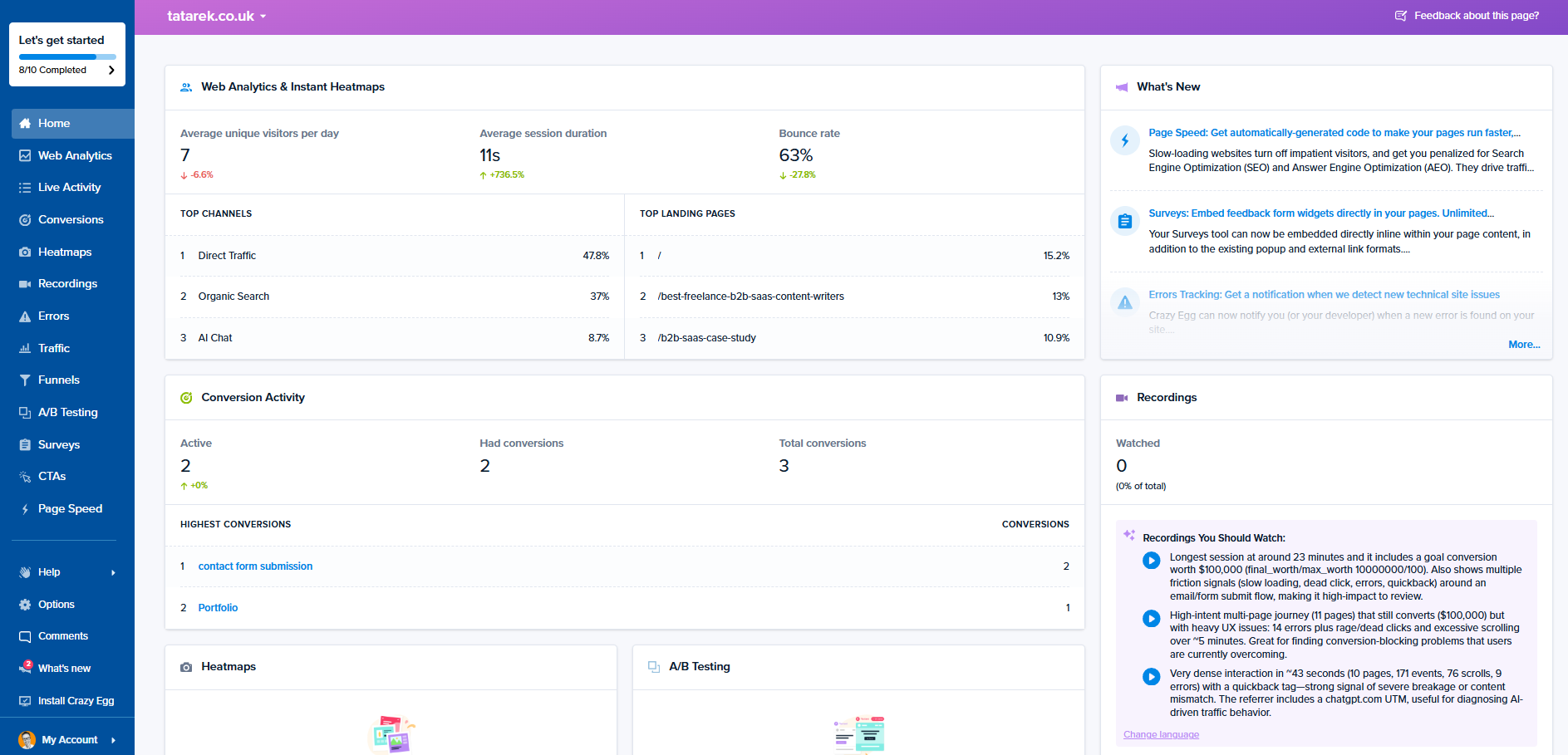
- Web analytics, conversion analytics, and conversion funnels: Understand where users land on the site, how they navigate across pages, and where they drop off.
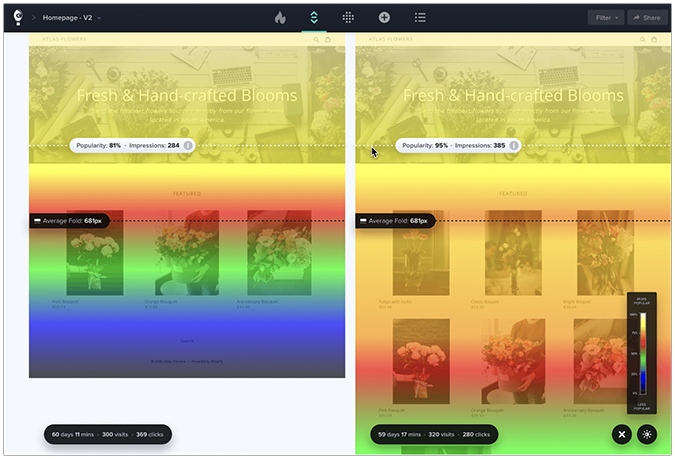
- Heatmaps: See where user segments click, how far they scroll, and how much time they spend on each page section with click maps, scroll maps, confetti maps, overlay maps, and list maps.
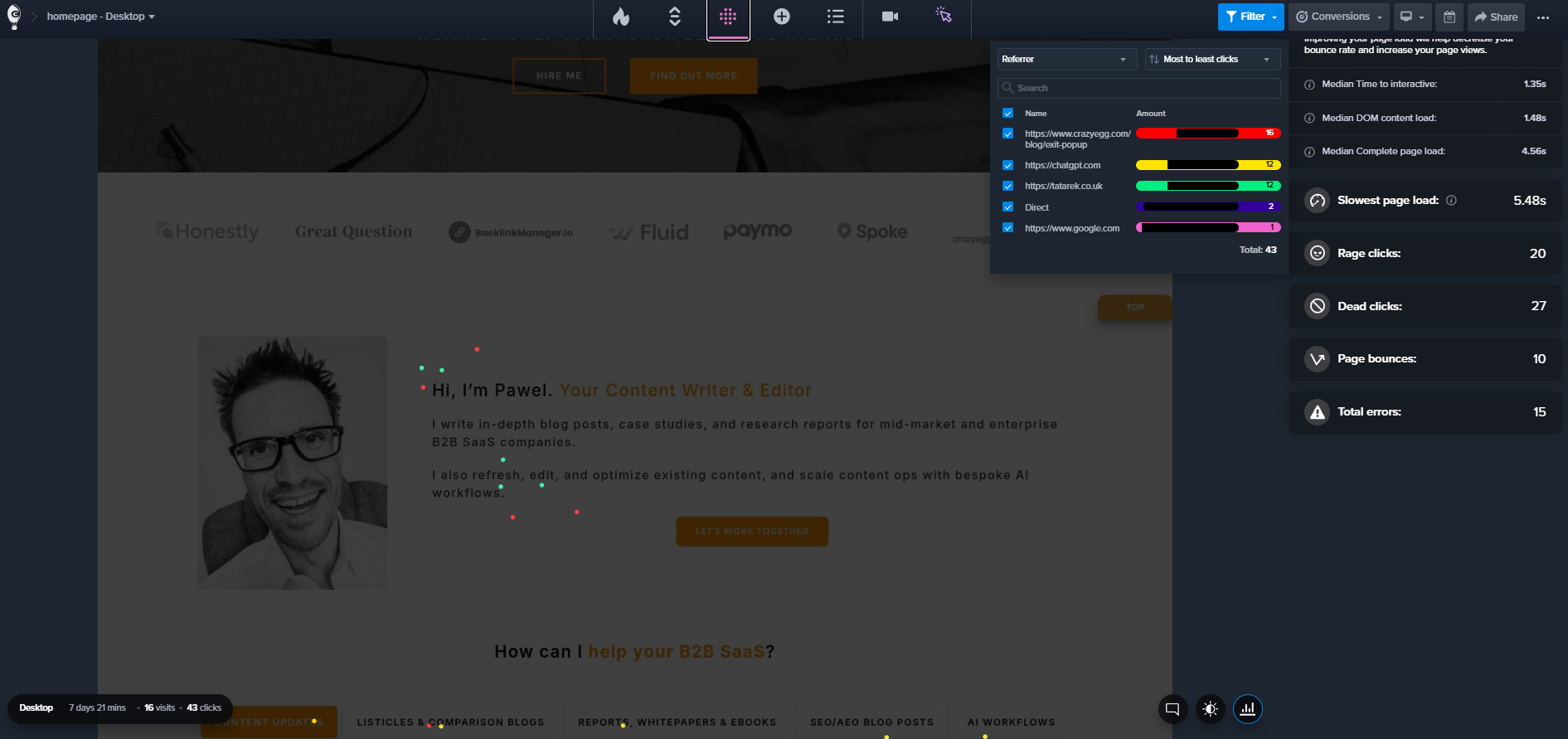
- Session recordings: See what exactly individual users do on the page. AI Analysis flags the sessions worth watching and summarizes the patterns, which speeds up analysis.
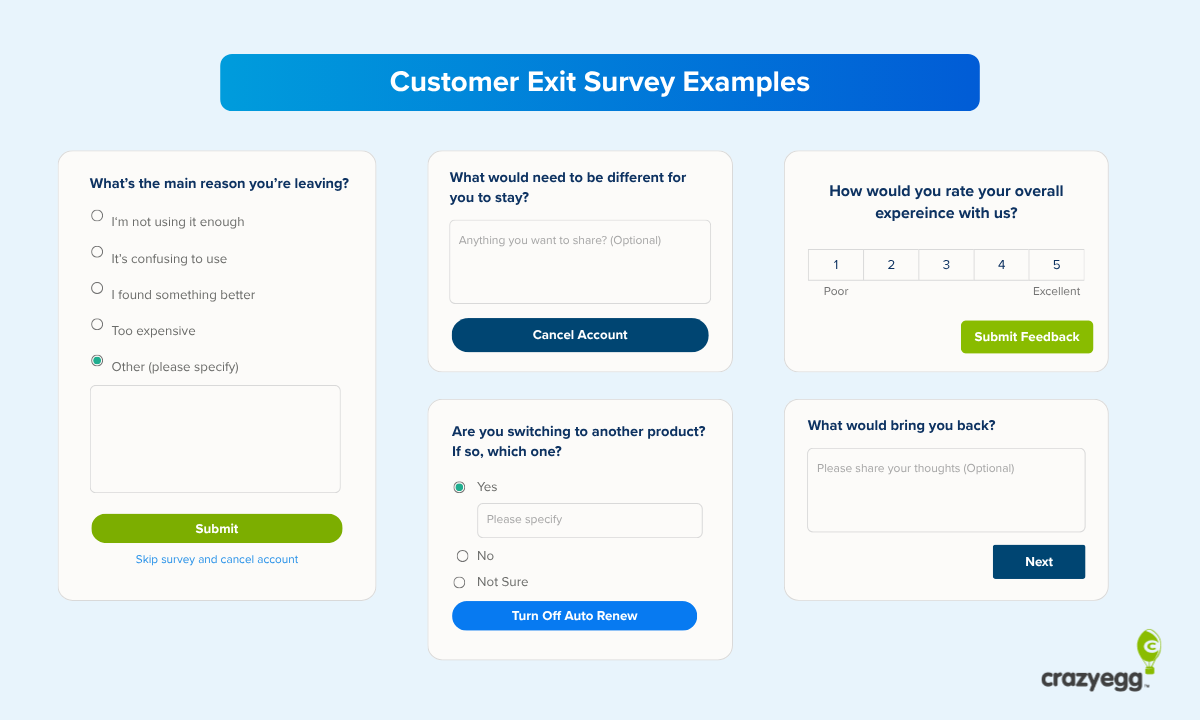
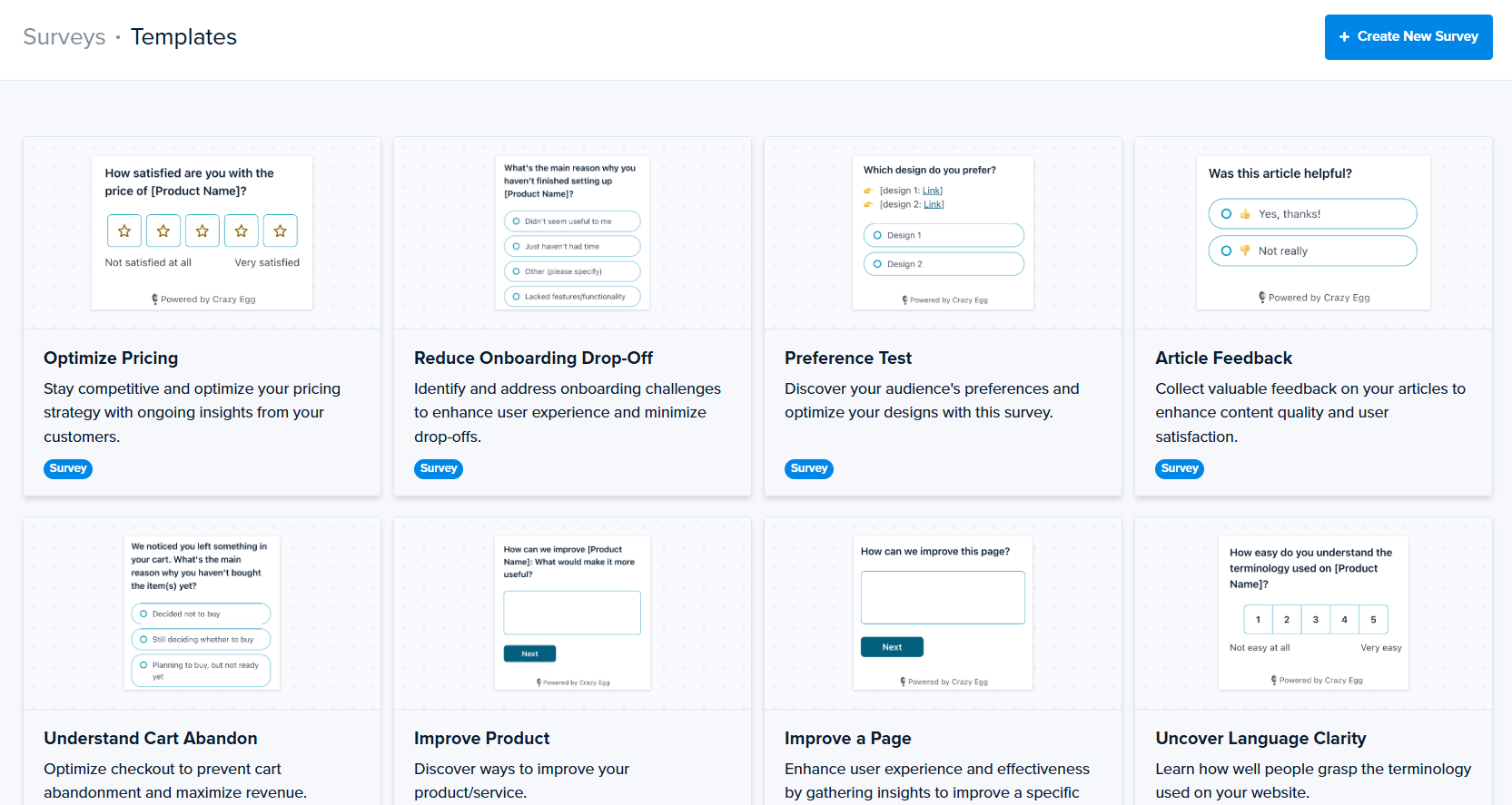
- Surveys: Ask visitors for their feedback after a successful conversion or before they leave the page.
- Popup calls to action (CTAs): Convert customers with contextually triggered on-site messages.
- Errors tracking: See JavaScript errors, watch the session recording where it happened, and track their status.
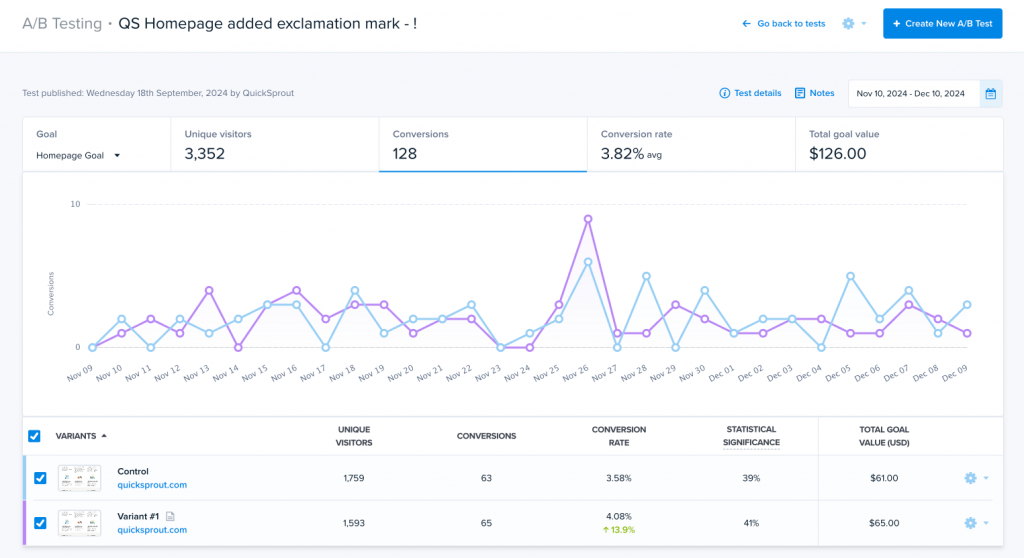
- A/B testing: Build variants in the Visual Page Editor or split traffic between URLs, with a multi-armed bandit option that shifts traffic toward the winner.
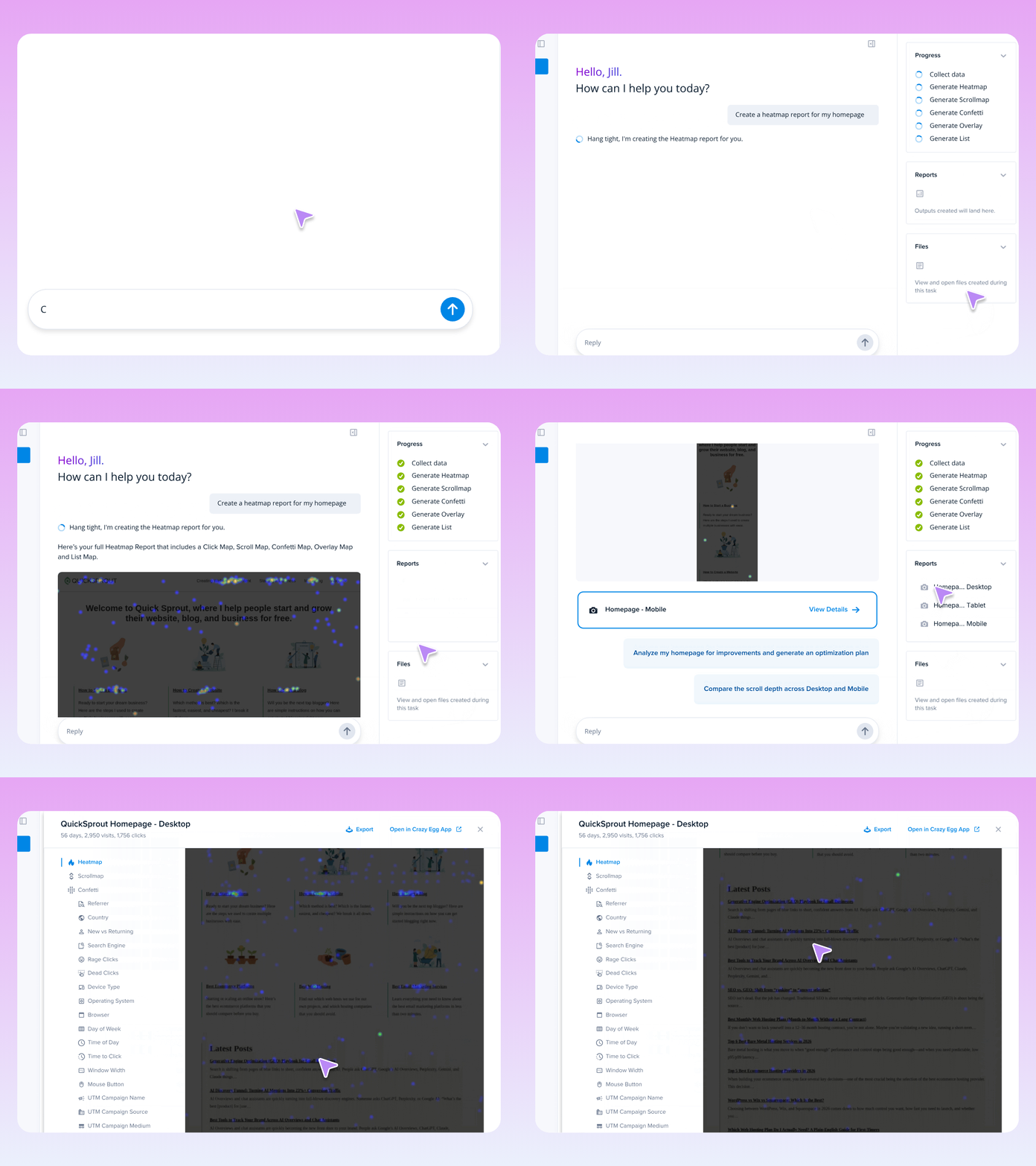
- AI in and out of the product: Read AI Analysis inside web analytics, heatmaps, and recordings, and export heatmap and recording data to the AI tool of your choice. Or query the data directly from your AI assistant via the Model Context Protocol (MCP) server.
- Tasks: Let agentic AI workflows manage the full optimization cycle (set up reports, read data, suggest improvements).
Crazy Egg pros and cons
Pros:
- Diagnosis and testing in one tool. Every test variant gets its own heatmaps and recordings.
- The free plan covers web analytics, instant heatmaps, conversion analytics, and surveys.
- Every plan includes unlimited domains and team members, and there are no overage charges. Data collection pauses at your limit instead.
Cons:
- A/B testing, CTAs, and error tracking start on the Plus plan, so Starter and Free users can diagnose but not test.
- Paid plans are billed annually. There’s no month-to-month option.
- Heatmap reports and recordings are capped per plan, so you choose which pages to track.
Crazy Egg ratings
G2: 4.2/5, Capterra: 4.4/5 (as of October, 2026)
Crazy Egg pricing
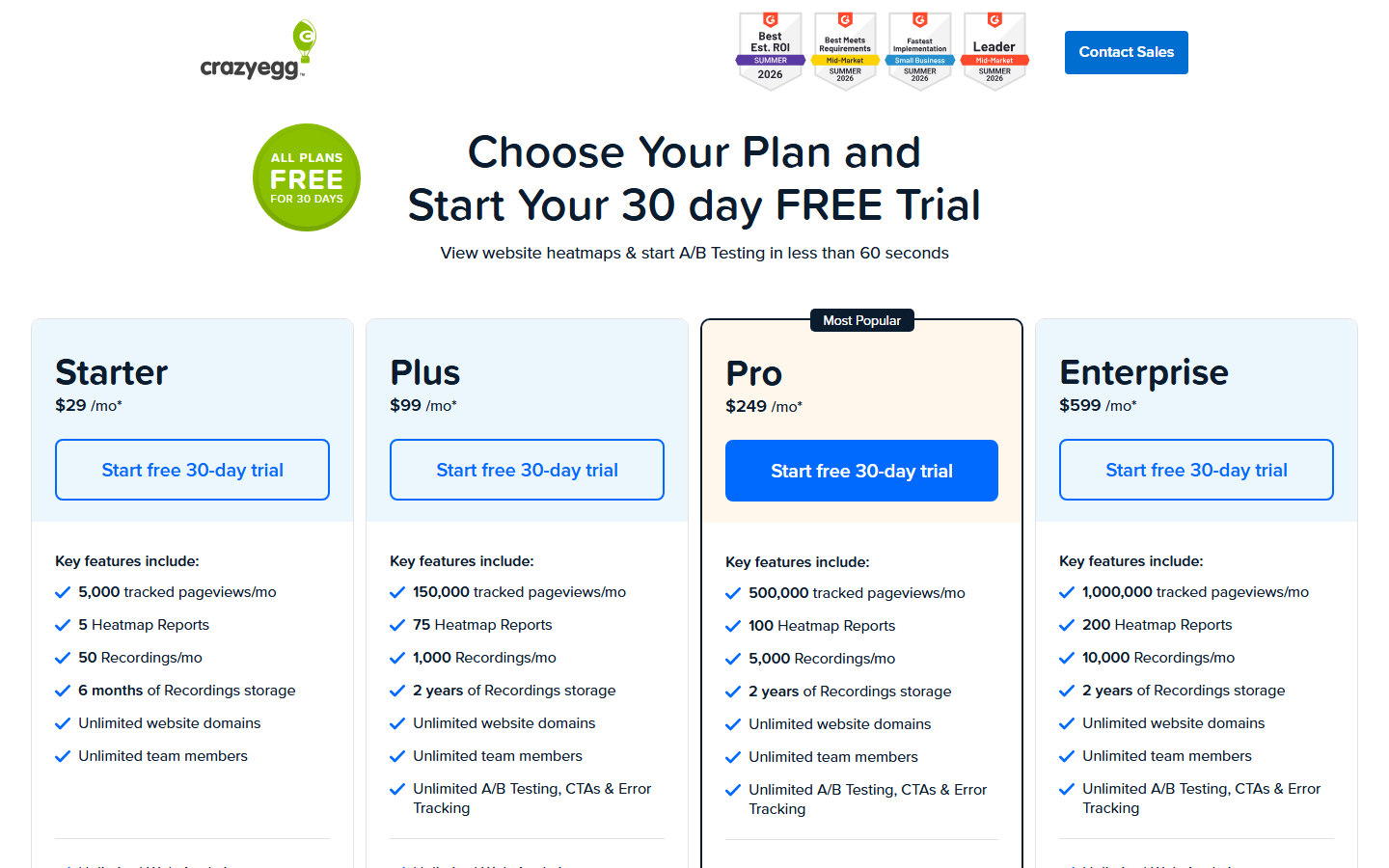
A free plan and paid plans starting at $29 per month for Starter, then $99 for Plus, $249 for Pro, and $599 for Enterprise. Every paid plan comes with a 30-day free trial.
2. Microsoft Clarity
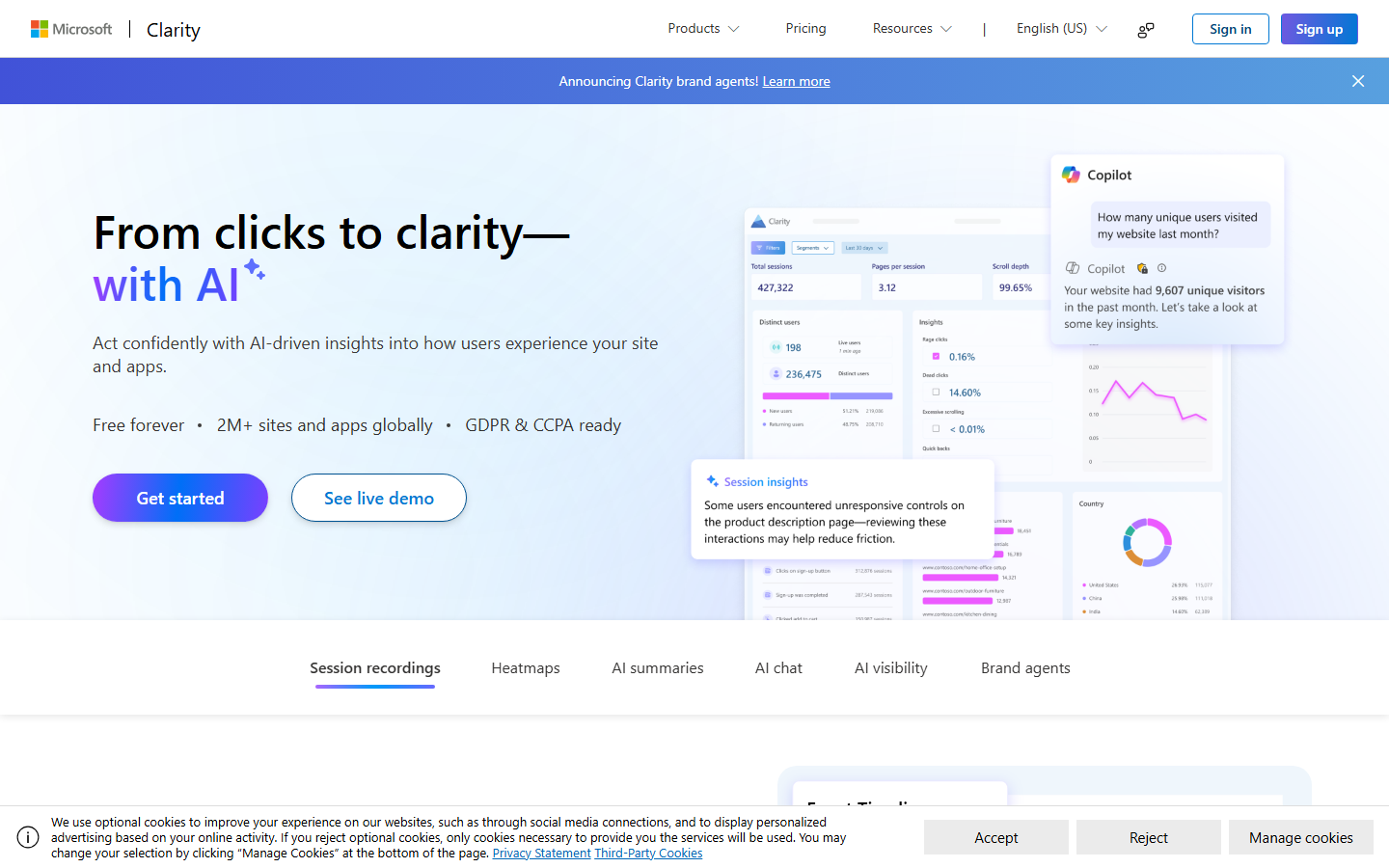
Clarity is Microsoft’s free behavior analytics tool. It has session recordings and heatmaps, with no traffic limits. A good choice when you have no budget for a CRO tool and aren’t planning to run experiments.
Microsoft Clarity key features
- Session recordings: With 40+ filters and rage-click and dead-click insights built in.
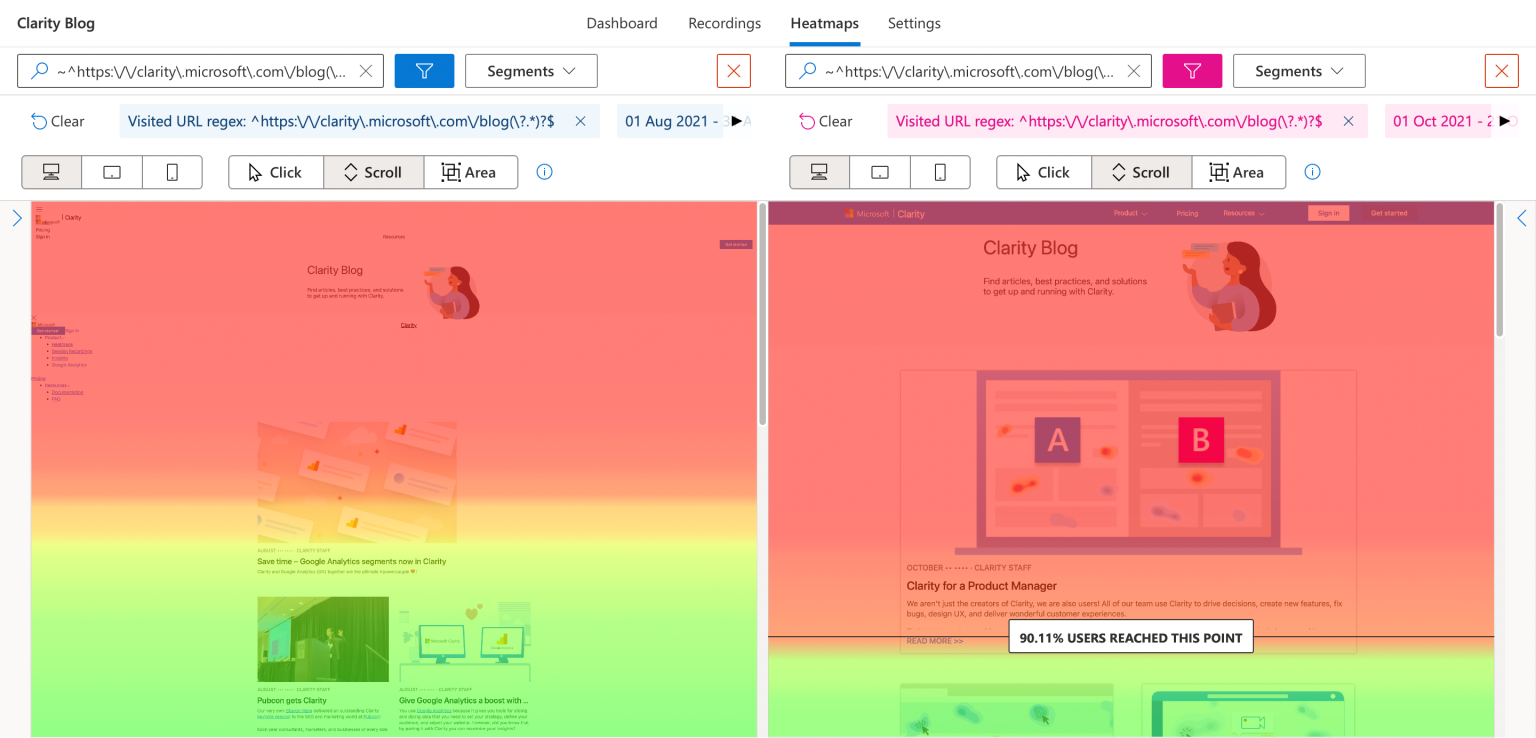
- Heatmaps: Click, scroll, area, and attention maps. Conversion heatmaps are available for Shopify stores.
- Copilot: AI summaries of recordings and heatmaps, plus a chat that answers questions about user behavior data.
- Funnels: Track drop-offs between steps and key actions.
- Integrations: Google Analytics, plus an MCP server released in June 2025.
Microsoft Clarity pros and cons
Pros:
- Free, with no traffic limits and unlimited sites and team members.
- No data sampling.
- AI summaries cut the number of recordings you need to watch.
Cons:
- No A/B testing. You need a separate tool to run them.
- Recordings are kept for 30 days.
- The filter-heavy interface takes time to learn.
Microsoft Clarity ratings
G2: 4.5/5, Capterra: 4.8/5 (as of October, 2026)
Microsoft Clarity pricing
Free. No paid tiers.
Best SEO Content Optimization Tools
Content optimization software tools analyze pages that are currently ranking and showing in AI answers and tell you which topics and semantic terms to cover. Content marketing teams use them for new content creation and content refreshes.
3. Clearscope
Clearscope is one of the most established content optimization tools that grades your draft against top-ranking content and tracks your visibility in AI assistants and Google.
Clearscope key features
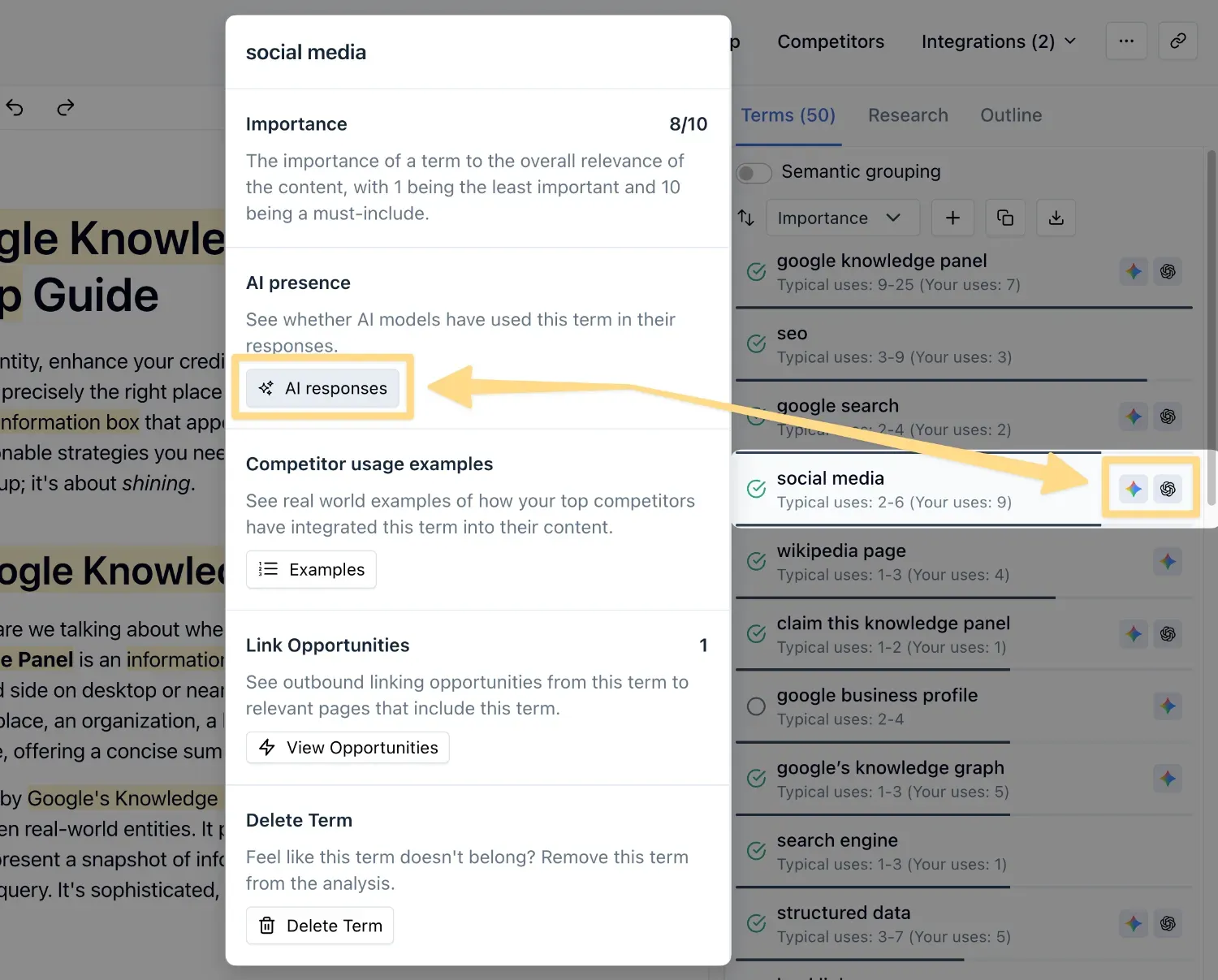
- Real-time content grading: A live grade for semantic term coverage as you draft.
- Content briefs, outlines, and Draft with AI: Generates structured drafts that match your brand voice.
- Topic Exploration and Query Discovery: Finds related topics and the questions your audience asks.
- Content monitoring: Spots pages losing traffic or sitting just off page one, with alerts for 404s and indexing issues.
- Internal linking suggestions: Identifies link opportunities from your own connected content.
- Prompt tracking: Monitors brand visibility in AI assistants such as ChatGPT and Gemini.
Clearscope pros and cons
Pros:
- Works where writers already work: Google Docs, Word, and WordPress (besides its own editor).
- Monitoring flags slipping pages so you can act before real damage to your traffic happens.
- Every plan includes unlimited users and projects.
Cons:
- The higher entry price of the two content tools here.
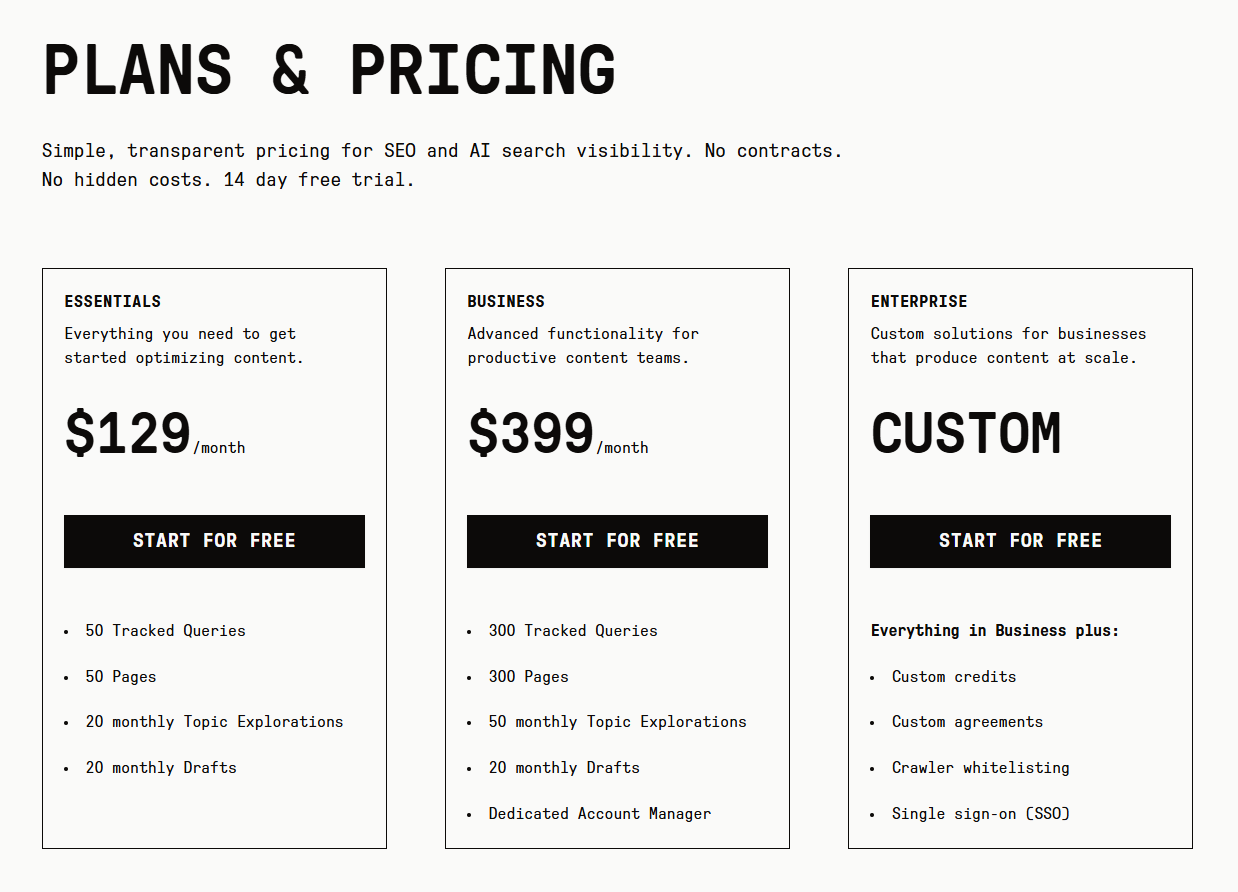
- Essentials includes 20 drafts a month, so high-volume content teams (or even freelancers) need add-ons or Business.
Clearscope ratings
G2: 4.9/5, Capterra: 4.9/5 (as of October, 2026)
Clearscope pricing
Essentials costs $129 a month and Business $399 a month, with custom Enterprise pricing. All are billed monthly, and there’s a 14-day free trial.
4. Positive Surfer
Surfer, acquired by Positive in June 2026, is an AI-powered content optimization tool best known for its Content Editor, which scores a draft for both Google rankings and AI search visibility as you write.
Surfer key features
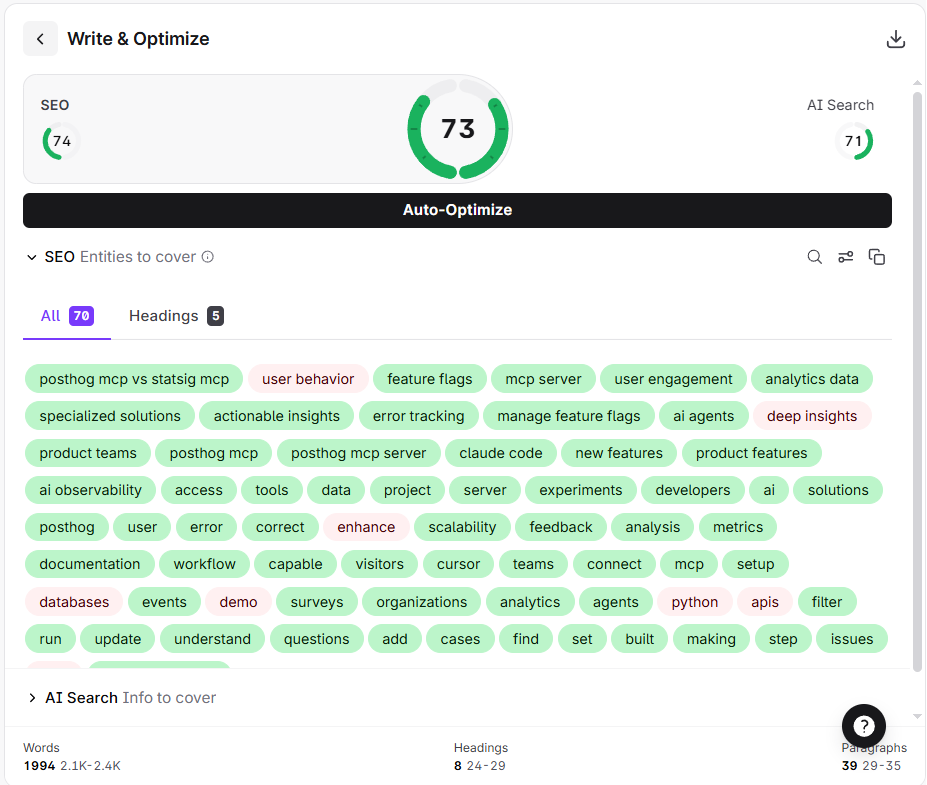
- Content Editor and Content Score: SEO and AI-search scores side by side, updating as you write.
- Content Outline Builder: Structures the piece with suggested headings and searcher questions.
- Surfy: An AI content assistant.
- Content Audit: Ranking drop alerts and suggestions for which pages to refresh.
- Topical Map: Plan content clusters around a subject.
- AI Tracker: Brand visibility tracking across ChatGPT, Gemini, Google AI Overviews, AI Mode, and Perplexity, with a Mention Gap report showing where competitors appear and you don’t.
- Integrations: A WordPress plugin with the full Content Editor, plus Google Docs through a Chrome extension.
Surfer pros and cons
Pros:
- One score covers organic scores and AI-answer readiness, plus individual scores for each.
- AI visibility tracking comes with the content work.
- Writers can work directly in WordPress or Google Docs.
- Content planning features make Surfer more than just an optimization tool (but aren’t enough to make it a full-on SEO tool).
Cons:
- Plans cap how many documents you can create or optimize, and how many AI prompts you can track.
- AI-written drafts still need a human editor. The quality depends on the quality of ranking articles.
Surfer ratings
G2: 4.8/5, Capterra: 4.9/5 (as of October, 2026)
Surfer pricing
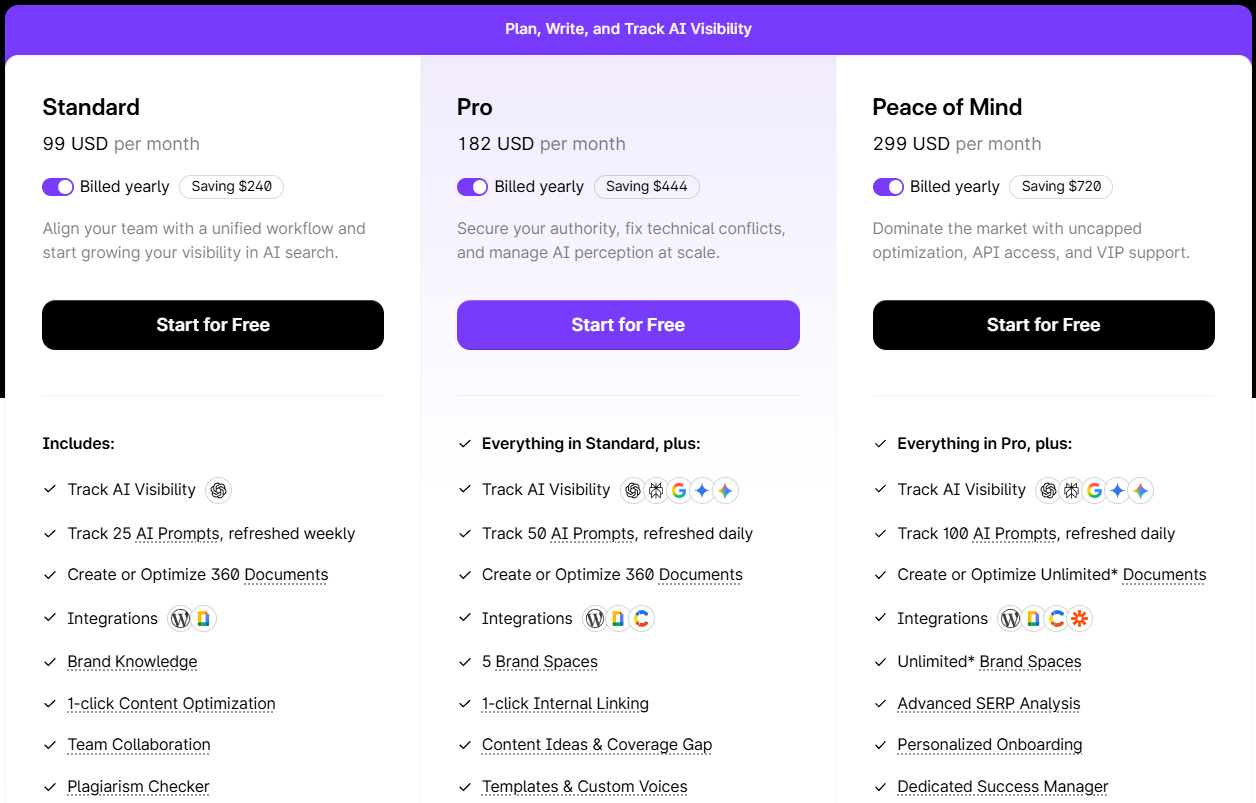
Only paid plans. Discovery starts at $49 a month, then $99 for Standard, $182 for Pro, and $299 for Peace of Mind, all billed annually. New accounts get a 7-day free trial of the Pro plan.
Best SEO Tools (General)
SEO tools let you track the overall website performance in search and diagnose issues. Many also give you insights into your competitors’ SEO strategies — their rankings, keywords, backlinks — allowing you to make informed strategic SEO decisions.
5. Google Search Console
Search Console is Google’s tool for monitoring how your site performs in Google Search, which queries bring clicks, whether your pages are indexed, and which sites link back to you. It’s free and gives you actual Google data.
GSC key features
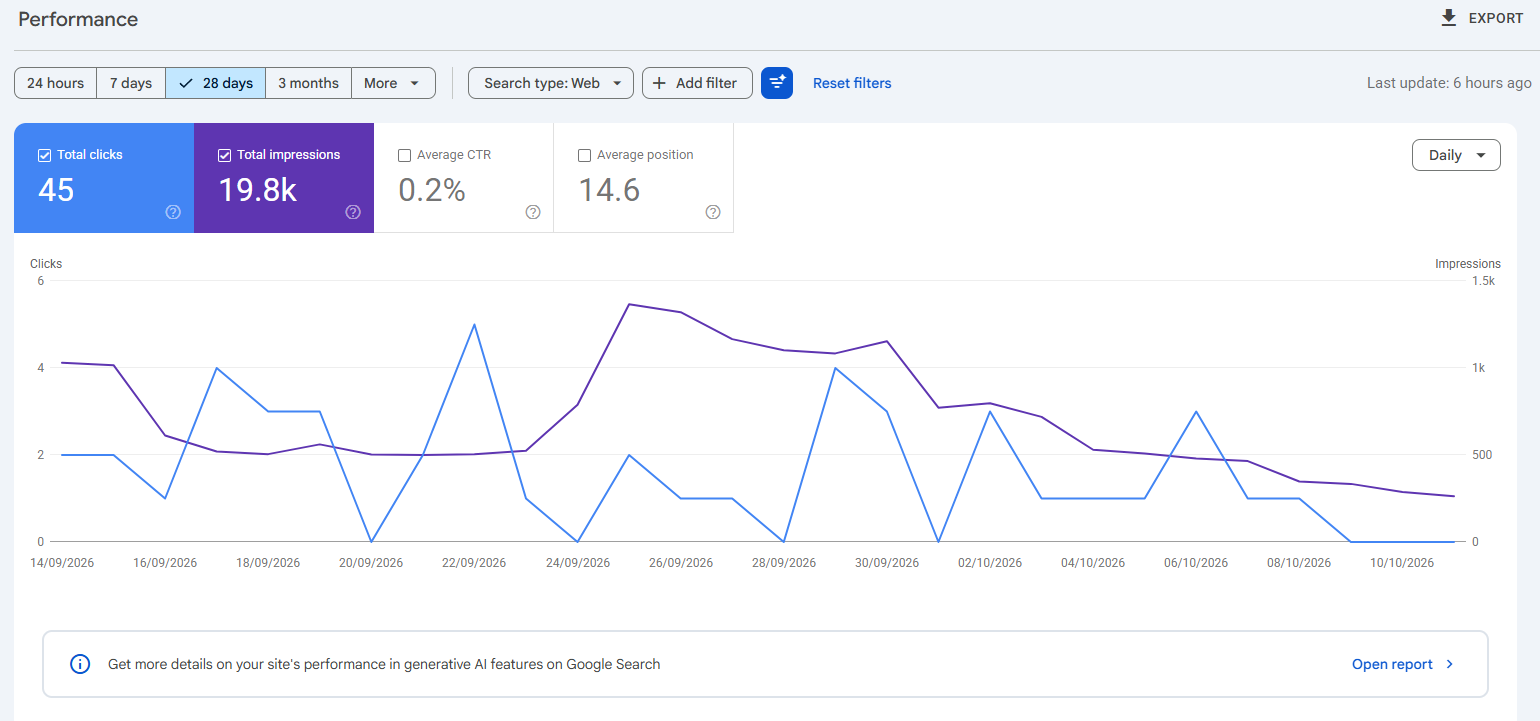
- Performance report: Monitors clicks, impressions, click-through rate, and average position by query and page.
- URL Inspection and Page indexing: Check whether a page is indexed and why not.
- Core Web Vitals report: Review real-user speed data, grouped by issue.
- Sitemaps: Submit sitemaps and see parsing errors.
- Generative AI performance report: Shows how your site performs in generative AI search on Google Search.
GSC pros and cons
Pros:
- Free, first-party Google data for your site (commercial SEO tools estimate it only)
- Helps diagnose indexing problems.
- Quick to set up with a Google account.
Cons:
- Report tables show at most 1,000 rows.
- Data typically arrives late. Typically two to three days.
- No competitor data, so you still need a third-party SEO tool.
GSC ratings
G2: 4.7/5, Capterra: 4.8/5 (as of October, 2026)
GSC pricing
Free.
6. Ahrefs
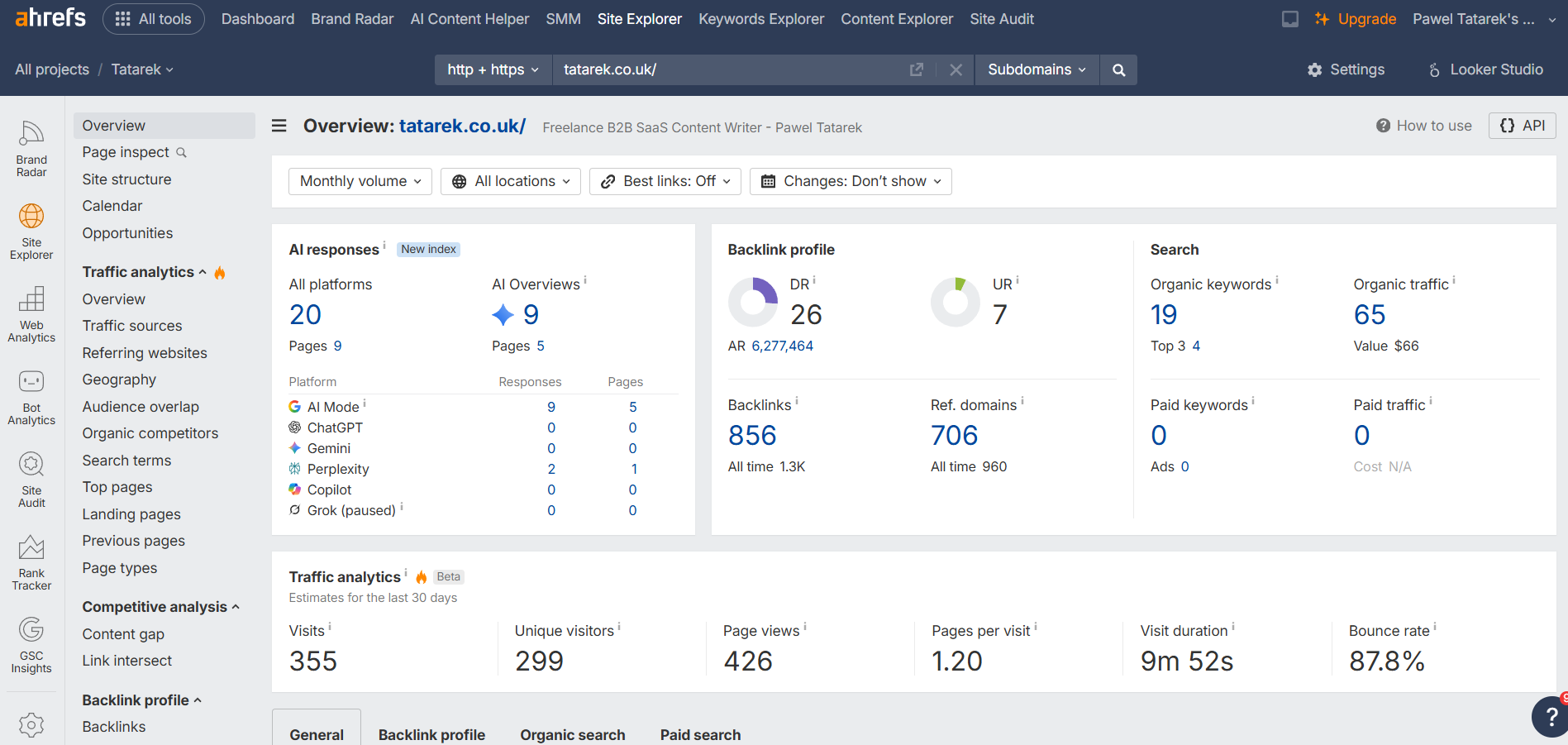
Ahrefs is an all-in-one SEO platform best known for competitor research and backlink data. It now tracks brand visibility in AI answers and is essential for teams that want to understand how to outperform competitors.
Ahrefs key features
- Site Explorer: X-rays any site’s traffic, top pages, and backlinks.
- Keywords Explorer: Finds relevant keywords to target and filters them by difficulty and traffic potential.
- Rank Tracker: Monitors search performance across 19 search engine results page (SERP) features, including AI Overviews.
- Site Audit: Checks your website for 170+ SEO issues.
- Brand Radar: Tracks brand mentions across AI answers, YouTube, and Reddit.
- MCP server: Exposes Ahrefs SEO data to your AI assistant.
Ahrefs pros and cons
Pros:
- Best competitor and backlink data on the market.
- Granular filtering speeds up analysis and helps find relevant results.
- AI visibility tracking sits alongside classic SEO data.
Cons:
- Expensive once you move past Starter (which you must to access the full feature set).
- Rank tracking refreshes weekly, not daily.
- The feature and insight breadth comes with a steep learning curve.
Ahrefs ratings
G2: 4.5/5, Capterra: 4.7/5 (as of October, 2026)
Ahrefs pricing
Starter costs $29 a month, Lite $129, Standard $249, and Advanced $449. Enterprise is $1,499 a month with an annual commitment.
Best Technical SEO Optimization Tools
Technical optimization tools help you find what slows a site down or stops search engines from crawling it. Think broken links, redirect chains, heavy pages, and failing Core Web Vitals.
7. Google PageSpeed Insights
PageSpeed Insights (PSI) is a free Google tool that combines real-user data with lab test reports to show you how your pages perform on mobile and desktop devices and suggests improvements.
PSI key features
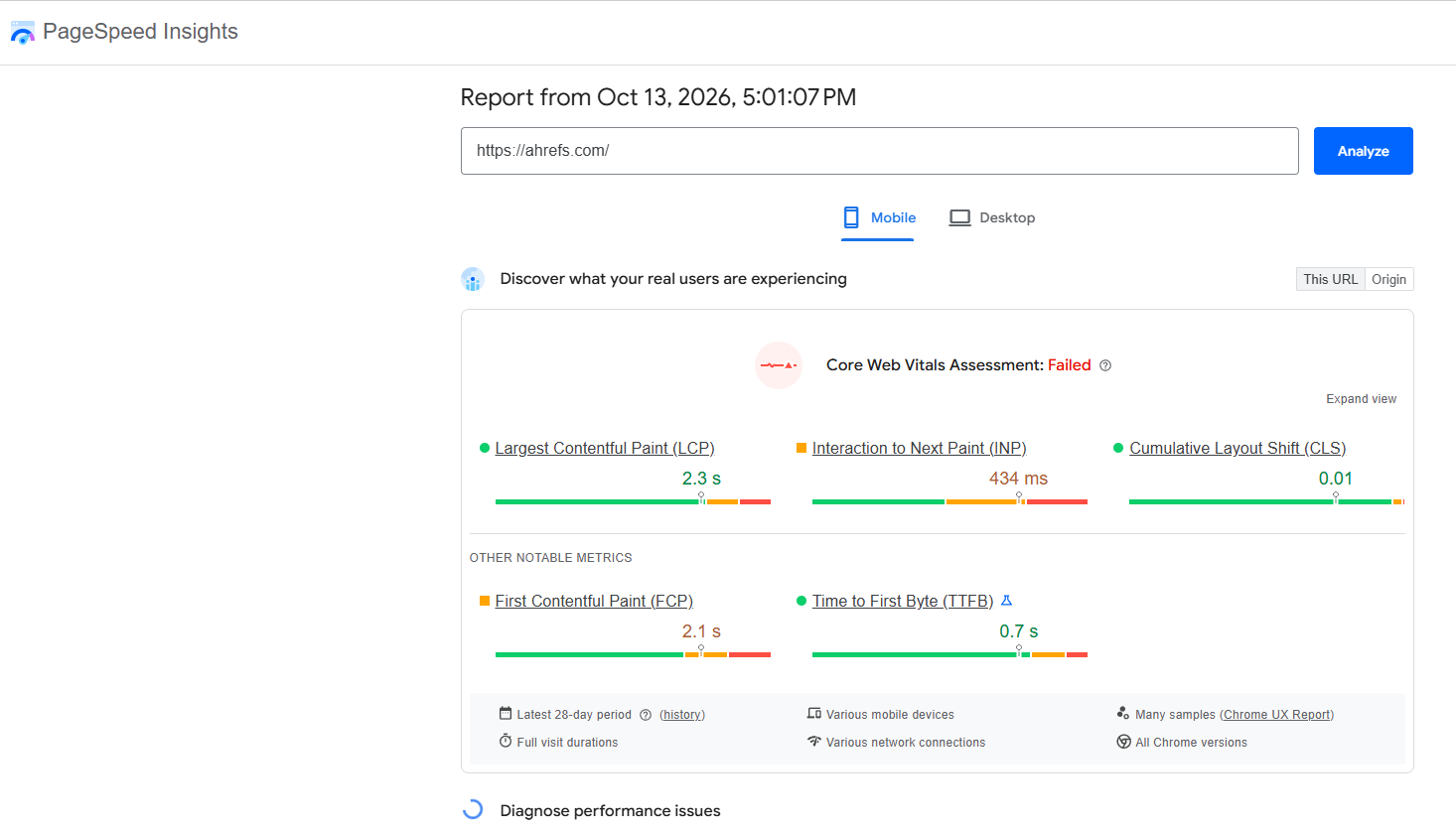
- Field data: Shows how real Chrome users experienced the page over the previous 28 days.
- Core Web Vitals assessment: Checks Largest Contentful Paint (LCP, loading), Interaction to Next Paint (INP, responsiveness), and Cumulative Layout Shift (CLS, visual stability).
- Lighthouse lab test: Performance, Accessibility, Best Practices, and SEO scores.
- Mobile and desktop results, plus an API for automated checks.
PSI pros and cons
Pros:
- Field and lab data side by side.
- Uses Google’s own Core Web Vitals thresholds.
- Nothing to install. Paste a URL and run it.
Cons:
- Checks one page at a time, with no monitoring or history.
- New or low-traffic pages may have no field data at all.
- Lab scores can change from one run to the next.
PSI ratings
Not listed on G2 or Capterra as of October 2026.
PSI pricing
Free.
8. Screaming Frog SEO Spider
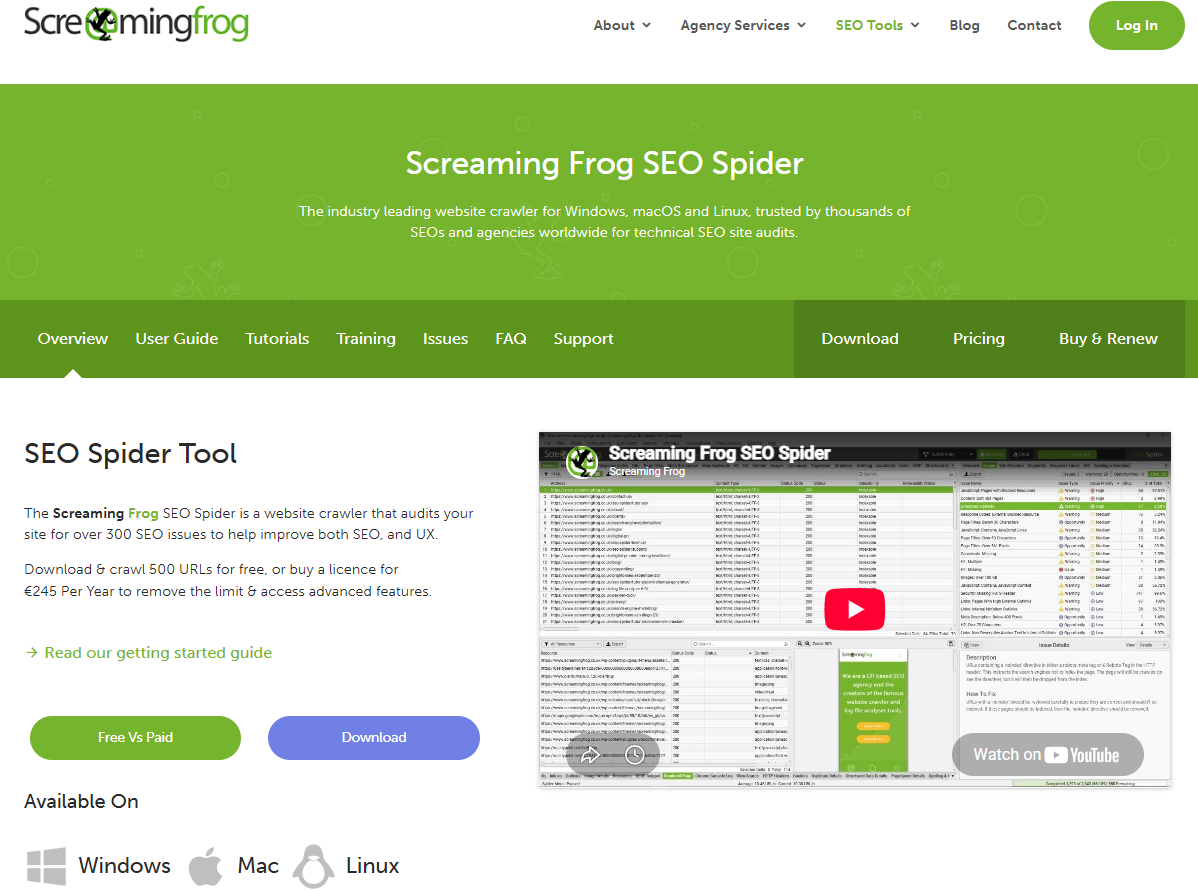
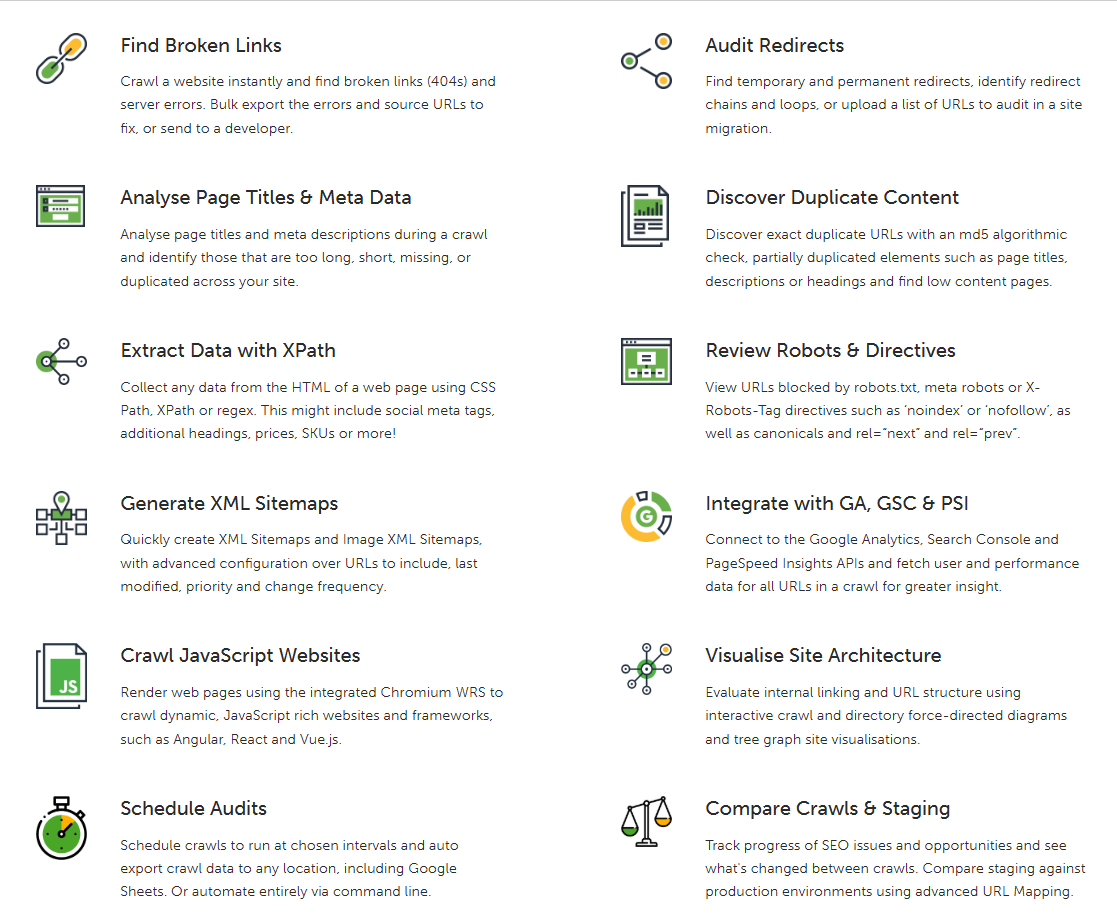
Screaming Frog SEO Spider is a desktop crawler that audits a site for over 300 SEO issues. It’s built for site-wide technical performance monitoring, and it runs on Windows, macOS, and Linux.
Screaming Frog key features
- Errors and redirects: Surfaces broken links, server errors, redirect chains, and loops.
- On-page SEO elements: Shows missing, duplicate, or overlong titles and meta descriptions, plus robots directives and canonicals.
- Duplicate content: Identifies exact, near-duplicate, and semantically similar pages.
- XML sitemaps: Generates them or audits existing ones for missing and orphan pages.
- JavaScript rendering: Crawls sites built on frameworks like React.
- Crawl comparison: Displays what changed between two audits, or between staging and production.
- AI options: Crawls as AI crawlers and runs custom AI prompts against every page in a crawl.
Screaming Frog pros and cons
Pros:
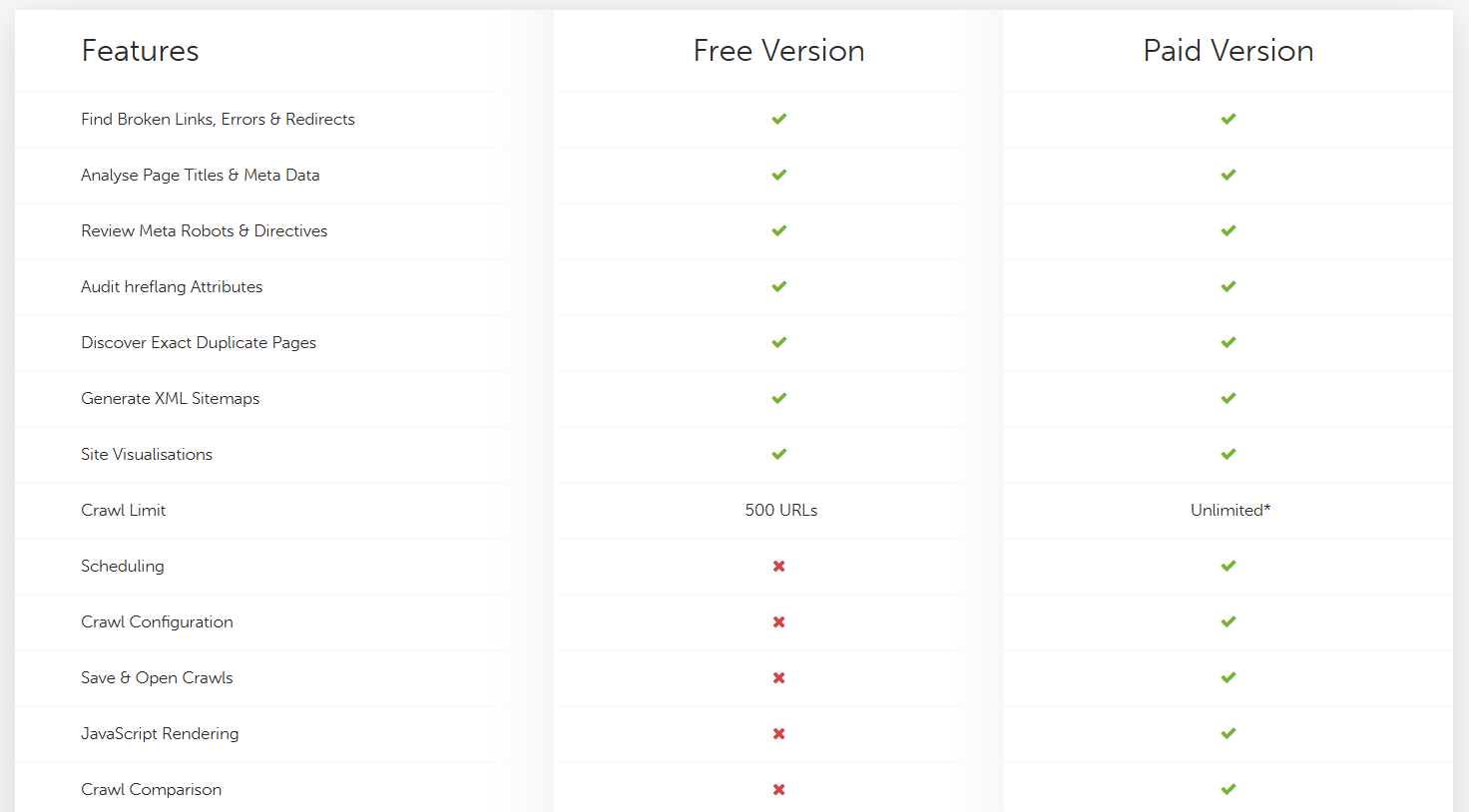
- Free for up to 500 URLs per crawl.
- Covers a long list of technical issues in one crawl, from broken links to rendering problems.
- Pulls Search Console, Analytics, and PageSpeed data for accurate insights.
Cons:
- The interface looks rather dated and takes time to get your head around.
- Very large sites need plenty of computer memory (it runs on your desktop).
- Per-user, annual billing.
Screaming Frog ratings
G2: 4.7/5, Capterra: 4.9/5 (as of October, 2026)
Screaming Frog pricing
The free version crawls up to 500 URLs, with advanced features gated. A paid license costs $279 per user per year.
What’s the Best Website Optimization Tool? Verdict.
The best website optimization tool depends on which part of your site needs the work.
- For SEO strategy: Start with Google Search Console and add Ahrefs for competitor data.
- For content: Choose Clearscope or Surfer.
- For technical health: Use PageSpeed Insights for quick Core Web Vitals checks and Screaming Frog for full-site crawls.
- For conversions: Go with Microsoft Clarity if budget is the constraint or Crazy Egg if you want a full optimization loop in one place.
If Crazy Egg sounds like a good fit, try it on your own pages with the 30-day free trial.
Website Optimization Tools FAQ
How do I optimize a website?
Optimize a website in layers. Start with technical problems before you move to SEO and content strategy, content optimization, and conversion rate optimization.
First, fix technical problems: run your key pages through PageSpeed Insights and crawl the site with Screaming Frog for broken links and redirect chains.
Then check Search Console to see which queries bring you traffic and which pages Google hasn’t indexed. Research which sites link to your competitors and which keywords they’re ranking for, and replicate their strategies.
Next, use a content optimizer like Clearscope or Surfer to improve the pages just off Google’s page one.
Finally, improve conversion rates by identifying drop-offs, analyzing user behavior on the page with heatmaps and recordings, and validating your fixes with A/B tests.
Which website optimization tool should I start with?
Start with the website optimization tool that solves your biggest problem. If pages load slowly, run PageSpeed Insights and Screaming Frog to analyze more complex technical issues. If you’re not showing up in Google, start with Search Console and Ahrefs to understand what competitors are doing better. If visitors arrive but don’t convert, use a CRO tool like Crazy Egg to see where they get stuck.
Can I optimize a website with free tools only?
You can cover the basics with free tools. Search Console gives you search data, PageSpeed Insights gives you speed data, and Screaming Frog crawls up to 500 URLs for free. For visitor behavior analysis, Clarity is free, and Crazy Egg has a free plan.
However, most content optimization tools require a paid subscription.
What is the best AI-powered SEO tool?
The choice of the best AI-powered SEO tool depends on whether you want AI to help you write or to track how AI answers mention you.
For content creation, Clearscope’s and Surfer’s content editors can write outlines and full drafts in your brand’s voice and optimize them for Google and AI search.
For tracking, Surfer’s AI Tracker and Ahrefs’ Brand Radar use AI to understand where AI answers mention your brand and where they don’t.