Looking for the best alternatives to Smartlook? We recommend Crazy Egg, Mouseflow, PostHog, or LogRocket.
My Personal Top 3 Alternatives to Smartlook
In a hurry? Check out this table featuring my top three favorite Smartlook alternatives for a quick overview.
| Best for marketers and website owners | Best for deeper analysis on funnels and user journeys | Best for engineers that want full control |
|---|---|---|
 |  |  |
| Crazy Egg Pricing: Free tier available, paid plans begin at $29+/month What I like: Easy to quickly draw value from the tools: always-on session recordings, vivid heatmaps, conversion and event tracking, and error tracking, all without a steep learning curve. | Mouseflow Pricing: Free plan available, paid plans begin at $25/month. What I like: Helpful combo of always-on session replay, multiple heatmap types, deep funnel and journey analysis, and friction detection. | PostHog Pricing: Free plan, paid cloud-based plans scale with usage. What I like: Event-based analytics model combined with funnel tracking, journey analysis, retention reports, session replay, and features like surveys, feature flags, and experimentation. |
How I Chose These Smartlook Alternatives
Here are the criteria I used to find the best possible alternatives to Smartlook, a Cisco-owned analytics platform for websites and apps.
- Session-recording capabilities. Smartlook records every user session by default—it doesn’t just sample—and a good alternative has the same capability. Even better if you can filter and segment through the recordings for easy sorting and studying.
- Heatmapping and other visual data. A strong alternative should offer several types of heatmaps, from ones that show where and how often users click to those that show how far down a page users are scrolling. It should be easy for you to glance at a map and gain an understanding of how users act on your page.
- Event tracking and support for custom events. A Smartlook alternative should be able to allow you to define and track custom events like clicks, form submissions, and taps. It should also allow you to tie those to specific user recordings to give a deeper-level analysis of user behavior.
- Funnel and/or journey analysis across various user sessions and events. Your tool should let you map user flows or funnels across multiple pages, events, or app screens and show you where users are dropping out of the funnel. Even better if you can build funnels after the fact—Smartlook allows you to build retroactive funnels so you can better study user behavior. \
- Blend of qualitative and quantitative data. Smartlook prides itself on being a tool that helps teams collect both qualitative and quantitative data. I looked for alternatives that offer quantitative metrics like heatmaps, A/B tests, and session recordings, plus qualitative data through surveys.
Each of the four Smartlook alternatives below covers most or all of these bases.
1. Crazy Egg
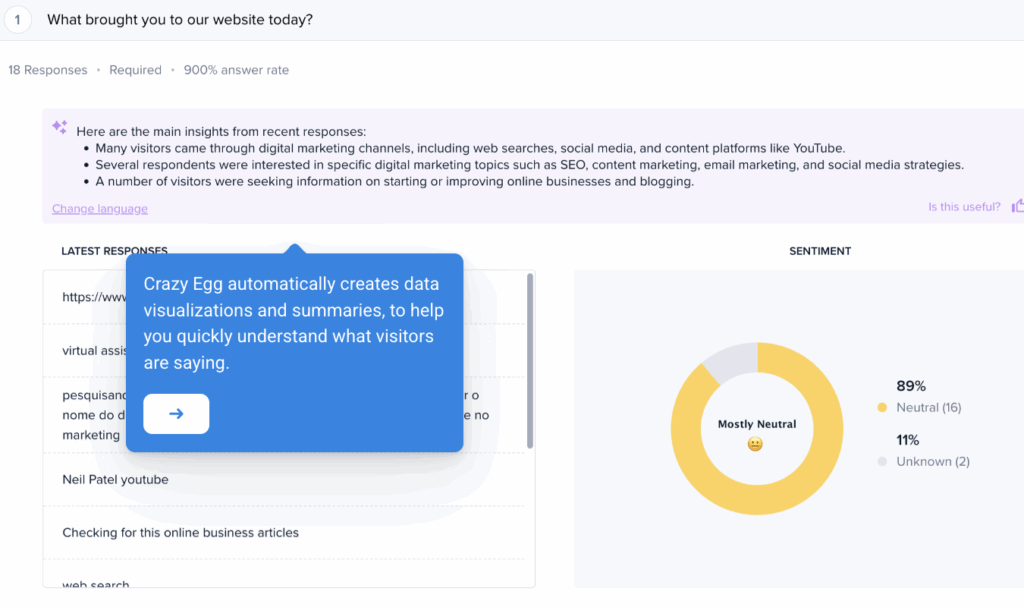
Crazy Egg is a well-rounded behavior analytics tool that offers a suite of features ideal for gathering both quantitative and qualitative data from your website.
What I like:
- Always-on session recordings that are easy to filter, segment, and sort. Instead of relying on sampling, which gives an incomplete picture of your visitor behavior, Crazy Egg continuously captures and records sessions. You can filter recordings by all sorts of criteria, from traffic source and device type to engagement type (like rage clicks or dead clicks) and unique visitor IDs. I love that Crazy Egg makes it easy to access recordings from a clean, intuitive Recordings Dashboard—and that you can save specific sets of criteria to use again later.
- Five heatmap types to give a clear picture of user behavior. Crazy Egg offers Click, Scroll, Confetti, Overlay, and List maps, giving you five distinct and visually appealing ways to measure aggregate user behavior on your website.
- Event tracking, conversion insights, and built-in error tracking. With Crazy Egg, you can track specific on-page actions, like form submissions, clicks of specific buttons, and URL-based conversions. You can tie these back to specific recordings to gain a better understanding of the context surrounding the action. Crazy Egg’s Errors Tracking tool helps you see the flip side by automatically capturing JavaScript errors and broken interactions and linking those back to specific recordings.
- User-flow insights with recordings and Scroll maps. While Crazy Egg isn’t a full funnel-mapping engine, its Session Recordings and Scroll maps give you a good idea of how users navigate through your site. Understanding scroll-depth trends and viewing multi-page recordings gives you valuable information about where users hesitate or drop off.
- Excellent blend of qualitative and quantitative tools. Crazy Egg offers unlimited, free surveys with its powerful Surveys tool, along with impressive A/B testing features. With Surveys, you can collect net promoter score (NPS) ratings, open-ended feedback, and even support tickets directly from your website. The A/B testing tool allows you to create split tests using existing URLs or by creating variants with an easy visual editor. Crazy Egg’s AI summaries help you absorb the key information in surveys and test results quickly.
- Very fast setup with a very low learning curve. Probably my favorite thing about Crazy Egg, especially compared to competitors, is how easy it is to use. Installing the tracking script on your website takes just a few minutes, and from there, setting up different projects is easy and intuitive. Literally anyone could figure it out, which is not something I can say for other tools out there—especially the enterprise-level ones. Yet Crazy Egg is fit for everyone, from individual users to mid-size businesses to, yes, enterprise companies.
What could use improving:
- Funnels aren’t as advanced as Smartlook’s. While you get helpful directional insights with Crazy Egg, it doesn’t offer Smartlook’s depth of retroactive funnel building or detailed, multi-step analysis.
Who it’s for:
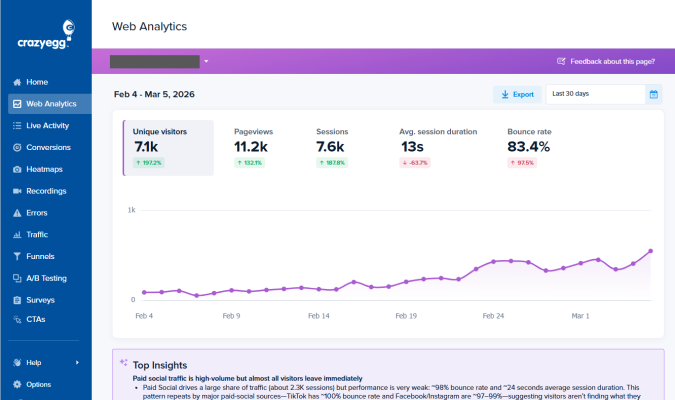
- Teams that want fast, visual insights without the cost and complexity of heavier analytics platforms. Crazy Egg is perfect for marketers, web designers, and UX teams that need clear behavior data they can use right away. With a robust free tier including Surveys, Conversion Analytics, Instant Heatmaps, and Web Analytics, anyone can quickly get started. Paid plans that include A/B Testing and Session Replay begin at $29 a month.
2. Mouseflow

Mouseflow is a behavior analytics tool that helps teams understand the full journey users take as they navigate a website.
What I like:
- Continuous, easily filterable session recordings. Like Crazy Egg, Mouseflow continuously captures session recordings across all the paths your visitors take. You can filter them by criteria like behavior, device, landing page, and traffic source for easy analysis.
- Six heatmap types for in-depth visual behavior insights. Mouseflow offers Click, Movement, Scroll, Attention, Geographic, and Live heatmaps for a complete picture of how your web visitors interact with your website. Smartlook only offers three heatmap types, which means both Mouseflow and Crazy Egg go above and beyond as Smartlook alternatives in the heatmap department.
- In-depth event tracking with customization capabilities baked in. Mouseflow lets you define and track specific user actions,like tapping, clicking, and filling out forms. You can directly link these actions to the session recrodings they happened in, which gives you a well-rounded look at how particular behaviors lead to conversions or churn.
- Robust funnel and customer journey analysis. Just like Smartlook, Mouseflow makes it easy for you to build multiple types of funnels. You can construct funnels based on pages visited, actions taken, and forms filled out. Mouseflow’s retroactive funnel-building capabilities make it easy for you to put visually appealing funnels together based on actual data gathered on your website. Mapping the customer journey on Mouseflow is super easy and clear. For people (like me) who understand data better in a visually pleasing format, this is a big plus.
- Built-in friction scoring. Another feature I appreciate is Mouseflow’s friction scoring tool. Mouseflow automatically detects behaviors that indicate frustration, like rage clicks, dead clicks, and struggles in filling out forms. This feature helps you quickly spot which bugs or snags are causing yourusers the most frustration. From there, you can fix those issues first before moving on to the next-highest priority issue.
- AI-powered insights. Mouseflow’s AI tool—Mina—can analyze user journeys and session recordings. It (she?) can detect unusual behaviors, spot patterns the human eye might miss, and help prioritize which sessions you should watch and study first.
- Surveys for qualitative feedback. Mouseflow lets you add feedback forms to gather NPS ratings and open-ended feedback. This is a plus for gathering qualitative data alongside that quantitative information.
What could use improving:
- No native AB testing capabilities. Smartlook doesn’t offer native split testing either, but other worthy alternatives—like Crazy Egg and PostHog—do. Because of this, it’s a bit of a minus that Mouseflow has no way to natively test elements of your website.
Who it’s for:
- Website-based teams that want behavior analysis with funnel-building capabilities along with recordings, heatmaps, and AI-assisted analysis. Mouseflow is great for UX, growth, or product teams tracking multi-step journeys or working to identify where users get stuck, and why they get stuck there. The free forever plan offers basic features with low traffic limits, and paid plans begin at $25/month.
3. PostHog
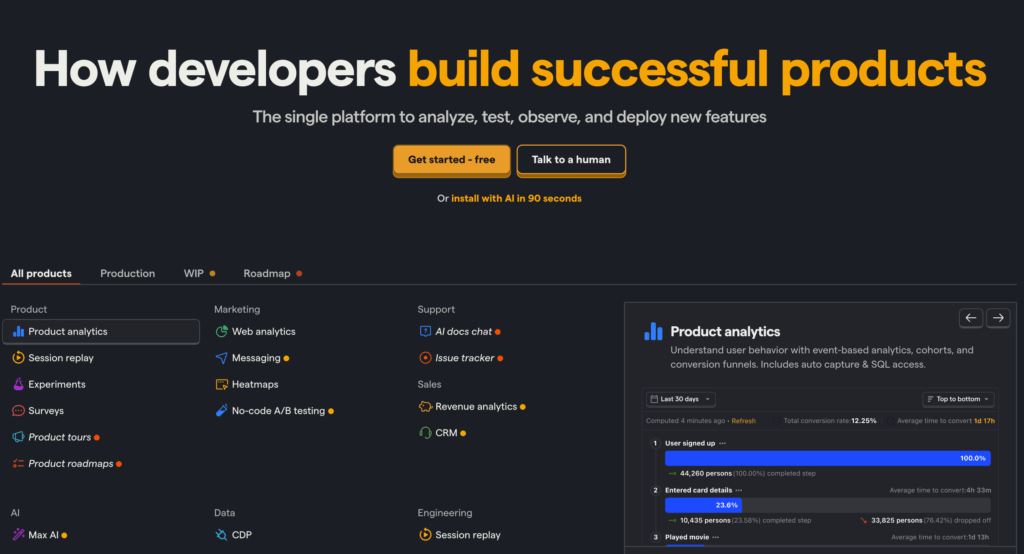
PostHog is a product analytics platform for websites, apps, and software that combines event tracking, funnels, and user journeys with session replay—all while giving you maximum control over your data.
What I like:
- Flexible event-tracking that goes beyond typical session replay tools. Because PostHog is built around an event-based analytics model, you can track just about any user action imaginable, from clicks and taps to usage of different features, along with custom interactions that you can define. Every key action is recorded with properties, timestamps, and user context attached. This means you can see specific, granular-level information like how often a feature actually gets used, how long it takes users to navigate between two actions, or how specific features affect customer retention.
- Funnels, path analysis, and retention reporting designed specifically for product teams. You can map user journeys with PostHog’s Paths feature, which creates visual maps of how users navigate through your product. You can study the sequence of events, pages, or screens they use, along with the most common routes people take and the most common drop-off points that cause churn.
- Session replay and heatmaps for qualitative insights. PostHog combines user recordings with two types of heatmaps—Click and Scroll—so you can see the real experience behind your analytics. Heatmaps give you quantitative data, and session replay gives you a quantitative glimpse at each user’s journey through your product, site, or app.
- Self-hosting and full data ownership options. Unlike Smartlook, PostHog lets you run everything on your own infrastructure or choose a specific region for cloud hosting. This is ideal for teams in the fields where privacy is required by law, like the legal, healthcare, and finance industries.
- Extensive platform with feature flags, experiments, and surveys. You can run small experiments, gather feedback from users, and manage the rollout of new features on your SaaS products—all from within one platform.
What could use improving:
- More complex to set up (and use) than traditional behavior analytics tools. PostHog is built for engineers, which means it’s incredibly flexible, secure, and customizable. But it also means a higher learning curve for everyone who’s not an engineer. Everything must be configured and refined before it’s ready to use.
- Session replay isn’t as plug-and-p-lay as simpler Smartlook alternatives. While PostHog’s session replay tools are powerful, the entire recordings feature can be heavier to handle than, say, an alternative like Crazy Egg. You’ll need to commit more time to setting up the feature and making sure it’s capturing exactly what you want it to capture. Especially for apps and SaaS tools.
Who should use it:
- Engineering-focused product teams who need deep analytics, event tracking, and complete control over their data. PostHog is especially ideal for SaaS products, web apps, and teams that want product analytics and session replay in one platform—along with the option to self-host. PostHog offers a free tier as part of its Cloud pricing plan, and plan pricing is based on usage. Use PostHog’s pricing calculator to see how much you’d pay based on feature usage.
4. LogRocket
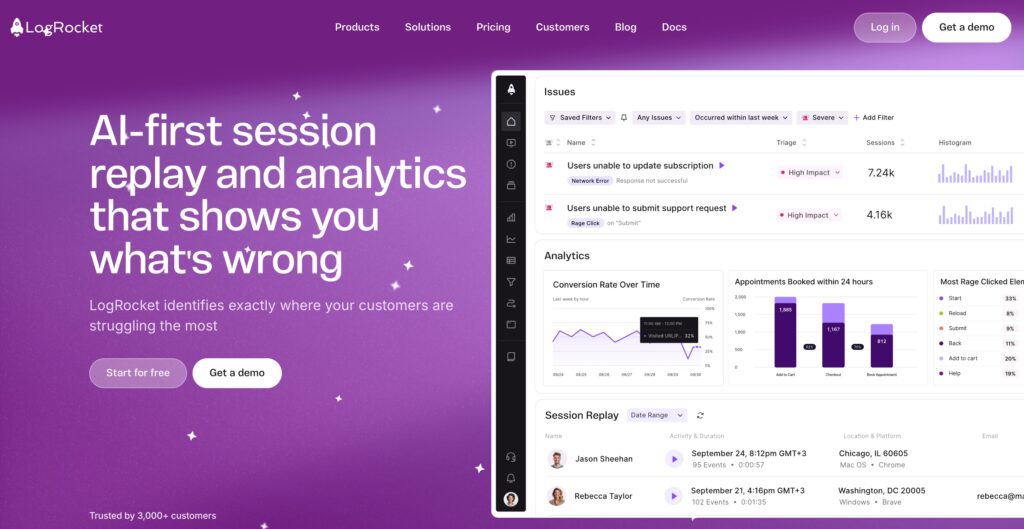
LogRocket is a session-replay and product analytics tool focused on finding and rooting out technical errors.
What I like:
- Session recordings are paired with detailed technical context. LogRocket doesn’t just show you what users did on your site. It also captures console logs, network calls, and performance data to give you the technical context behind user experience (UX) issues.
- Automatic detection of errors and moments of frustration. Rage clicks, dead clicks, user interface (UI) delays, and JavaScript errors automatically get flagged. Even better, teams can jump straight into the exact session where the problem happened, giving them a crystal-clear image of what went wrong and why.
- Event tracking is directly tied to replay. You can define custom events in LogRocket, like button clicks or steps in a form, and then view the recordings where those events take place. This makes it easy to immediately diagnose issues or understand user behaviors.
- Funnels and workflow analysis for complex software. No matter how complex your product, LogRocket helps you map flows of any length and complexity. You can track multi-step flows in websites, apps, and SaaS products to visualize where users drop off. Because funnels are tied to event data and session replay, LogRocket also tells you whether the issue is behavioral, technical, or both.
- AI-powered session summaries through Galileo. LogRocket’s AI agent, Galileo, reviews user sessions for you and spots unusual behavior or errors. It assigns a severity score to each issue, like Mouseflow’s frustrating scoring feature, to help you know which issues to prioritize. You’ll also get a tidy AI-generated summary of each problem for easy scanning and absorbing.
What could use improving:
- Less intuitive for purely marketing or UX-focused teams. LogRocket’s blessing is also its curse: its interface and data-richness are a techy team’s dream. But this depth of data can feel too clunky and heavy for teams that are used to traditional, out-of-the-box behavior analytics tools. It might also be more than marketing or UX-focused teams truly need.
- Not geared toward traditional content layout analysis. While LogRocket is excellent at helping teams debug products, it doesn’t offer the same breadth of visual behavior tools—like heatmaps—that other Smartlook alternatives do.
Who should use it:
- Product and engineering teams that want both user-behavior insights and technical insights. LogRocket is ideal if you have an app or a SaaS product with multiple complex interfaces and you need to understand why something broke—right away. LogRocket offers a limited free plan, and from there, paid plans start at $69 a month.
What’s the Best Smartlook Alternative?
Crazy Egg is the best Smartlook alternative for teams that need a tool that’s ready to use now. Because it’s designed for websites and only websites, Crazy Egg offers a deep focus into analyzing user behavior, testing variations, and gathering feedback on sites of all types.
If your website-based team needs a way to assemble and study funnels, Mouseflow is a solid choice.
PostHog is ideal for teams that need tight control over their data, and LogRocket is perfect for anyone with an app or SaaS product that needs to run smoothly, all the time.
Need more options? Check out our PostHog alternatives for more ideas, or see how Crazy Egg and Mouseflow compare.