Not sure which tool to pick?
Mouseflow is best for teams that want in-depth analysis, dynamic funnels, and a constant flow of structured UX insights.
Microsoft Clarity is best for teams that want a completely free, behavior analytics tool that’s also really easy to use.
Both tools do the same thing in that they show you what users do on your site. The difference is in the depth of the analytics, and in the amount of control you get over the data you gather.
Mouseflow vs. Microsoft Clarity: A Quick Snapshot
Not ready to read through the whole piece? Here’s a quick breakdown of the differences between Mouseflow and Microsoft Clarity.
| Feature | Mouseflow | Microsoft Clarity |
|---|---|---|
| Session Recordings | ✅ Deep, filterable session replay tied to funnels, heatmaps, and journeys ✅ AI agent (Mina) surfaces insights and patterns ⚠️ Limited by session caps | ✅ Unlimited session recordings with no sampling ✅ Automatic detection of rage clicks, dead clicks, and friction signals ⚠️ Less control and structured analysis |
| Heatmaps | ✅ 7 types (click, scroll, movement, attention, friction, interactive, geo) ✅ Fully integrated with funnels and journey analysis ✅ Designed for diagnosis, not just observation | ✅ Click, scroll, and area heatmaps (+ Shopify conversion maps) ✅ Good for spotting patterns quickly ⚠️ Less depth and weaker integration with other tools |
| Funnels & User Journeys | ✅ Advanced funnels with deep segmentation and journey analysis ✅ Jump from drop-offs → recordings → heatmaps seamlessly ✅ Built for diagnosing conversion issues | ✅ Funnels available (conversion rate, drop-offs, time to convert) ✅ Easy to use and connected to recordings/heatmaps ⚠️ More lightweight, with limited segmentation and flexibility |
| Feedback & Qualitative Insights | ✅ Built-in surveys triggered by behavior (exit, hesitation, etc.) ✅ Tie responses directly to session recordings ✅ Combines quantitative + qualitative data | ❌ No native surveys or feedback tools ✅ Relies on behavioral signals + AI summaries ⚠️ Requires external tools for qualitative insights |
| Data Depth vs Scale | ✅ Deep, interconnected analysis across tools ⚠️ Session caps (e.g., 500 free → tiered plans) ⚠️ Limited retention on lower tiers | ✅ Unlimited recordings and heatmaps ✅ No traffic caps, fully free ⚠️ Retention limits (30 days–13 months) and less analytical depth |
Feature Breakdown: Mouseflow vs. Microsoft Clarity
1. Session Recordings
Mouseflow
Mouseflow and Microsoft Clarity both offer a feature that allows you to record user sessions on your website.
But here’s the core difference. For Mouseflow, session recordings are a core part of its broader analysis workflow. Yes, it captures clicks, scrolls, taps, and even moments of inactivity on your site. But these are collected so that you can shape and analyze that data using Mouseflow’s other tools—like conversion funnels, heatmaps, friction detection, and surveys.
Thanks to Mouseflow’s new AI agent, Mina, you don’t have to wade through a bunch of session recordings and watch every second of each one to find the insights you need. Just ask Mina to show you what you need to know—did anyone rage click on my signup page?, for example, or Which areas of my site see the least interactions?
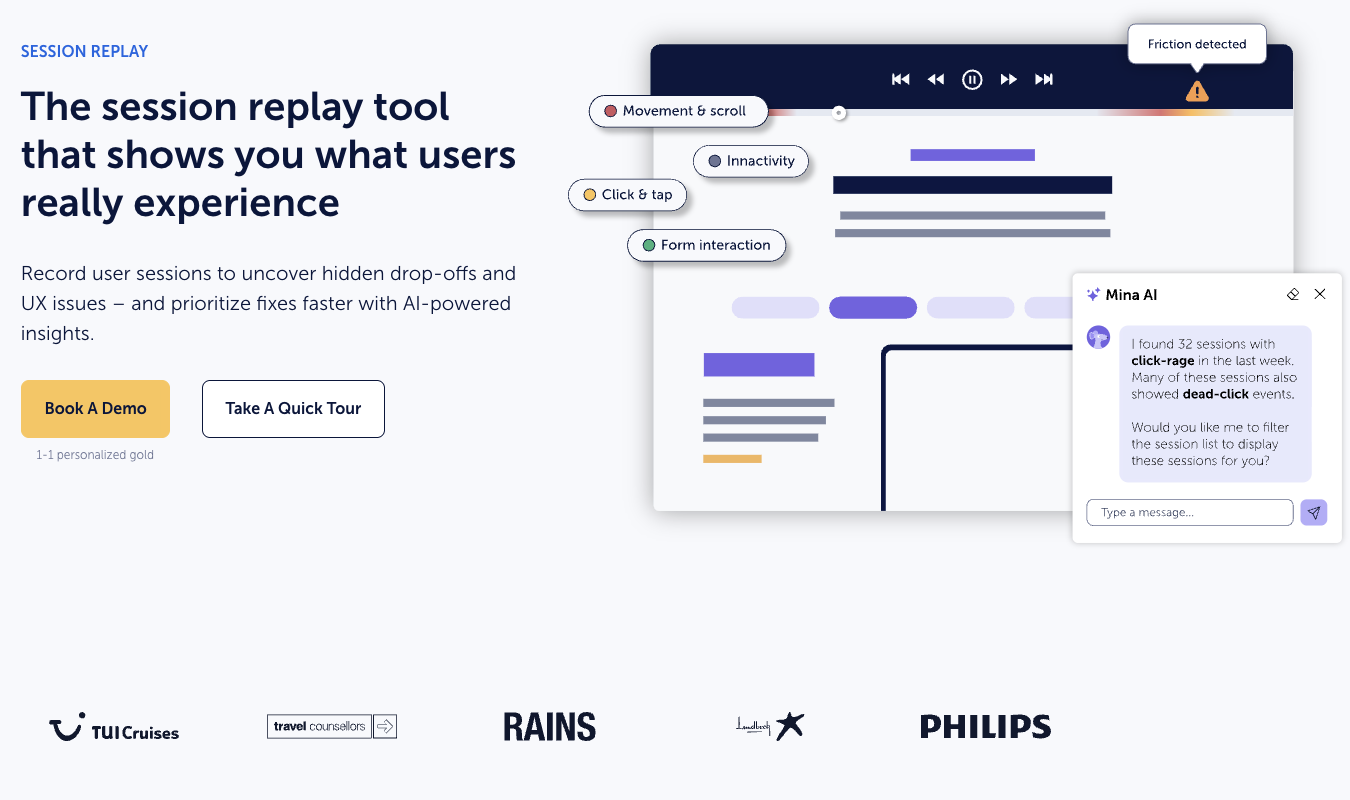
You can ask Mina to offer you tips for making changes to your site, too. With these smart insights and suggestions, acting on your data is a quick and convenient process.
Microsoft Clarity
Microsoft Clarity offers less control and flexibility of use for your session recordings. Instead, the big value point here is that Clarity records everything—no sampling—for free. Rage clicks, dead clicks, erratic navigation patterns, the works—it’s all recorded.
So, Clarity is great at automatically gathering comprehensive data. And then if you pair Microsoft Copilot with your Clarity data, you get AI summaries and insights on those recordings.
You can also watch users explore your site live, in real time. This is super helpful for spotting issues as they happen.
But here’s the deal: Clarity is less focused than Mouseflow is on giving you the tools to glean insights from that data. While it does have funnels, those funnels are a lot more lightweight than what you get on Mouseflow.
Microsoft frames them around core metrics, like conversion rate, drop-offs, and time to convert. You can also jump into recordings and heatmaps from each funnel step for deeper insights.
But Mouseflow goes wider and deeper, offering full journey analytics, detailed funneling, and friction detection for a complete suite of diagnostic tools.
If you just want the basics and don’t mind working with Google Analytics 4, Copilot, and other Google tools to get the most out of Clarity, though, you may not need the (pricier) Mouseflow tools.
2. Heatmaps
Mouseflow
Mouseflow offers one of the best heatmap menus around when it comes to website analytics tools. You get seven types of heatmaps, including:
- Click—shows clicks and distractions
- Scroll—helps you see how far down people go on a page and pinpoint dropoff points/analyze the impact of page reorganization
- Movement—see where your users are spending time on a page without committing to any clicks
- Attention—spot high-impact zones with a view that blends clicks and scrolls
- Friction—see all the rage clicks, error zones, or places that trip up the customer journey
- Interactive—observe how users engage with the most interactive zones on your site, from sliders and tabs to menus and buttons
- Geo—want to know where in the world your users are coming from—literally? Geo lets you do just that
Mouseflow very intentionally offers ways for teams to pair up their heatmaps with other Mouseflow tools, like conversion funnels, user journey analytics, and friction detection.
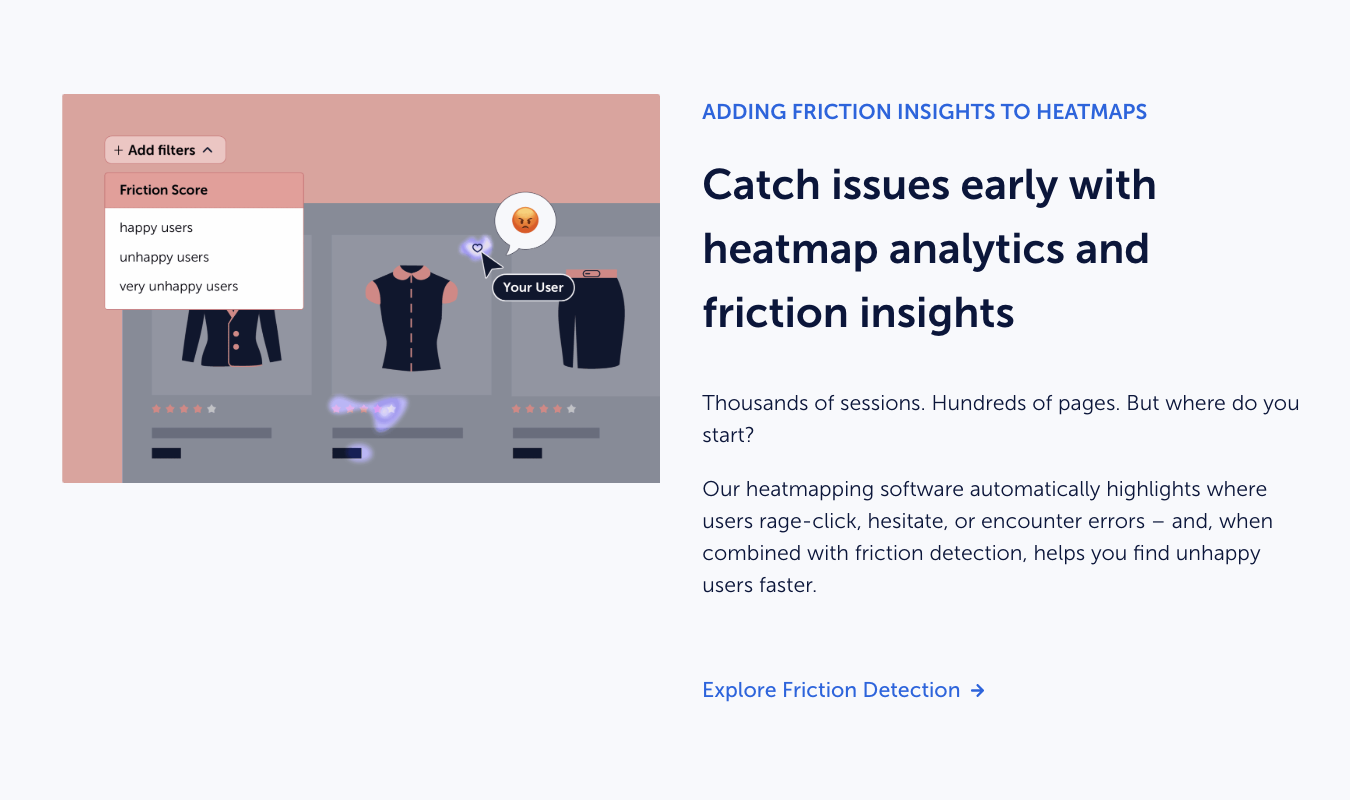
Mouseflow’s heatmaps are thorough and highly integrated with the rest of the platform’s analytics tools. This integration is what gives Mouseflow an edge over Clarity in the heatmaps department, as far as quality and quantity are concerned.
Clarity’s heatmaps are fairly basic in comparison.
Microsoft Clarity
Microsoft Clarity offers three heatmap types: click, scroll, and area. If you use Shopify, you can also get conversion heatmaps from Clarity, which is nice.
This gives Clarity more depth than it often gets credit for, especially since it’s a free tool. But it’s still no Mouseflow.
Clarity’s heatmaps help you quickly spot patterns more than it helps you deeply analyze customer behavior across various segments and contexts. While you do get basic filtering, comparison, and (slightly clunky) integration with other Microsoft tools, the experience is not as smooth and integrated as it is with Mouseflow.
By contrast, Mouseflow treats heatmaps as a single layer in a more vigorous analytics workflow. If you just want to observe user behavior on your site and use it to make simpler decisions about your website design and UX, and you want it for free, Clarity is great.
If you want a fully integrated tool that keeps up with the fast-paced flow of business, you might find Mouseflow’s heatmaps more helpful.
3. Funnels and User Journeys
Mouseflow
As I’ve mentioned before, Mouseflow weaves its funnels and user journeys into the rest of the tools it offers, including heatmaps and session recordings. They are, like the rest of Mouseflow’s tools, an essential part of the platform’s analysis system.
With the funnels tool, you can define a sequence of steps (like visiting a product page, adding something to a cart, and completing checkout), and Mouseflow will show you how users move through that sequence.
Importantly, it shows you exactly what users do at each step. Do they drop off, and if so, where? How do conversion rates change from person to person? Do different user segments behave differently at various funnel steps?
You don’t just get to see where these issues happen. You can deepen your investigation by hopping straight into session recordings to see the context around the users who abandon a step. You can compare behavior across various sources of traffic or devices. You can layer in heatmaps to see what users were interacting with before they left.
This comprehensiveness is what makes Mouseflow a complete tool for diagnosing and fixing website issues that are causing you to lose customers.
Microsoft Clarity
Funnels are a more recent (circa 2024) introduction to Microsoft Clarity, and I’ll give the platform this: the funnels are a big step forward, as far as competitiveness goes. Here’s what you can do with Clarity’s funnels:
- Define a sequence of events (usually based on page visits or tracked events) and measure how users move through this journey
- See conversion rates between each step
- Spot where users leave/drop off
- Assess how much time it takes users to complete a journey
And you can jump into session recordings and heatmaps straight from Clarity, as well as see your top funnels in your dashboard.
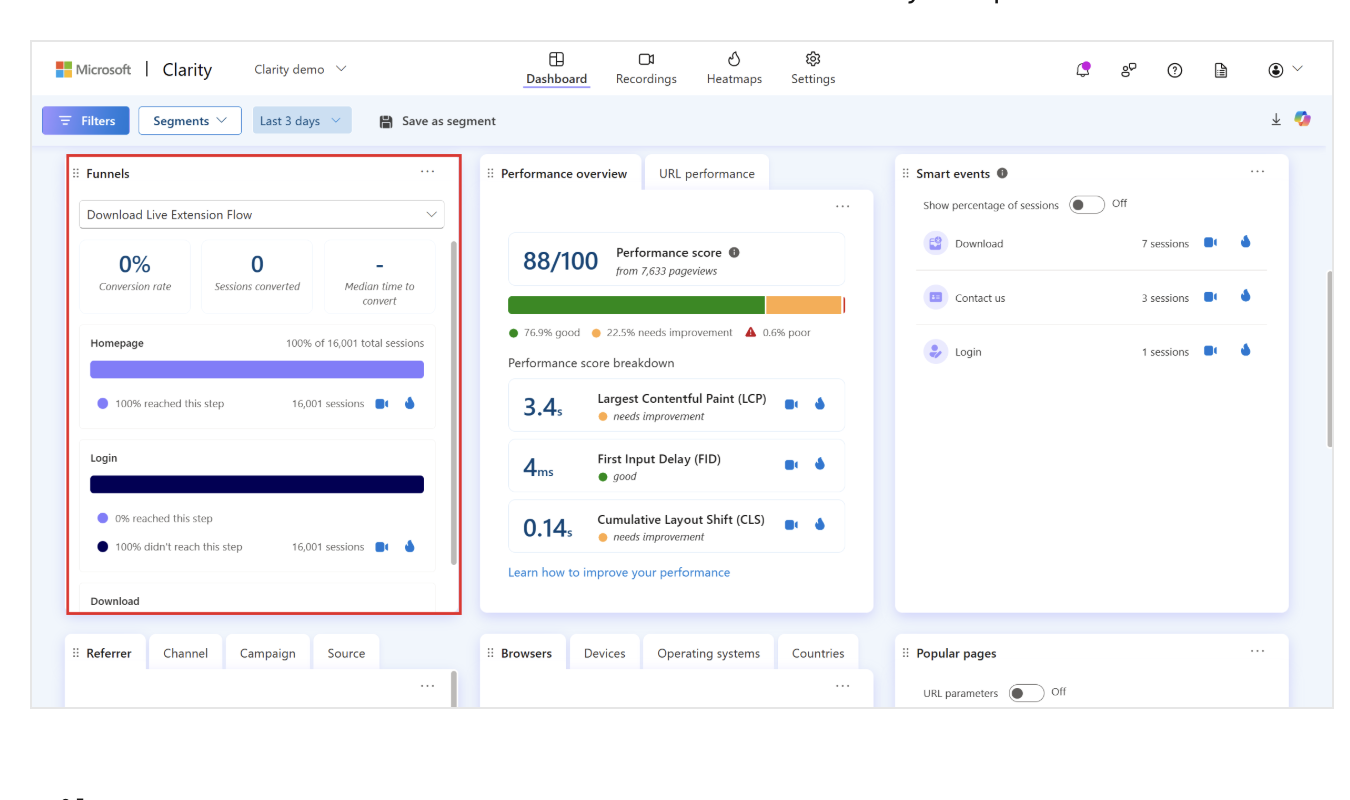
But the entire funnel feature is still relatively lightweight, with less flexibility when it comes to segmenting, slicing, and dicing the data. You get a good view of why things are happening, but you also have fewer tools for digging into those reasons.
4. Feedback, Surveys, and Qualitative Insights
Mouseflow
One of the biggest differences between Mouseflow and Microsoft Clarity shows up in this section. Mouseflow includes built-in feedback and survey collection tools that you can set up to be triggered based on your users’ behavior.
For instance, you can ask a user directly why they’re leaving a page, abandoning a cart, or hesitating to fill out a form field. (Whether or not they will actually provide the feedback is another issue entirely.)
You can tie these surveys directly to specific session recordings and connect someone’s actions with their actual, stated reasoning behind those actions.
Essentially, Mouseflow’s surveys and feedback tools give you qualitative insights to pair with your quantitative data.
Microsoft Clarity
Unlike Mouseflow (and many other website behavior analytics tools), Microsoft Clarity doesn’t offer a way for you to survey your users directly from within your website. Instead, it focuses completely on the quantitative side, relying on those behavioral observations and automated insights to drive value.
Clarity’s newer integrations, like Copilot, help you summarize patterns in behavior, but they don’t help you directly ask users anything. For that, you have to rely on integrations with external tools.
So, while Mouseflow helps you validate insights with qualitative user feedback, Clarity is more geared toward helping you validate insights from user behavior alone.
5. Data Depth vs Data Scale
Mouseflow
Mouseflow is built around the depth of the insights you get, not the actual volume of data you gather. It captures all your data, like Clarity does, but there are limits to how much it will capture, based on the plan you’re enrolled in.
You do get deeper insights with the data you collect. But the tradeoff is that sessions are capped based on your plan. Data retention is limited to around 1 month on the lower tiers. Any recordings will stop once you’ve hit your monthly quota.
If you want more capacity for gathering and storing data, you have to pay for a higher plan level. This does mean that you will probably end up working with a sample of your total traffic, especially if you get a super-high volume of traffic.
This isn’t actually that much of a weakness when you consider Mouseflow’s goals. The platform is designed to give you deep, meaningful data, not every bit of data you could ever potentially gather.
AI-assisted filtering and friction scoring help you dig into the meaning of all your data.
Microsoft Clarity
Microsoft Clarity takes a different approach, in that it captures everything, with no limits, and analyzes it later with various tools.
So, you get unlimited session recordings, unlimited heatmaps, and no caps on how much traffic your site can experience—even if you have a high-volume site.
Clarity also limits all of its data retention to either 30 days or 13 months, depending on the type of data you’re holding onto.
That said, it’s key to keep in mind that your Microsoft Clarity data operates within Microsoft’s broader ecosystem. This means that some of the data Clarity collects can be used to support other Microsoft services.
By contrast, Mouseflow is strictly s a data processor, not a data gatherer. It collects and processes behavioral data on behalf of the website owner—you—instead of using that data across a wider platform.
Of course, this is also part of the reason why Microsoft Clarity is free to use. By using it, you’re agreeing to Microsoft’s data collection and processing practices, which allow that data to be used within the rest of Microsoft’s ecosystem.
With Mouseflow, you pay money for a data processing service. With Clarity, you get the data collection service for free in exchange for permission for some of that data to be used to support Microsoft’s other tools.
Pricing Breakdown: Which Has the Best Value?
Pricing-wise, the differences may seem pretty stark. One product is free and another is not. But let’s take a closer look.
| Mouseflow | Microsoft Clarity |
|---|---|
| Free plan available with up to 500 sessions/month, including session replay and heatmaps. | Completely free with no traffic limits, including unlimited session recordings and heatmaps. |
| Paid plans start at ~$31/month for 5,000 sessions/month, with higher tiers increasing session limits and feature access. | No paid tiers—all features are included at no cost. |
| Pricing scales based on sessions recorded, so higher traffic sites will need higher-tier plans. | No usage-based pricing—Clarity allows unlimited data collection regardless of traffic. |
| Includes advanced tools across plans, such as funnels, journey analytics, and feedback tools. | Includes core behavior tools only, such as session recordings, heatmaps, and funnels (recently added). |
| Best value for: teams that need deep UX analysis and structured conversion insights. | Best value for: teams that want free, unlimited visibility into user behavior. |
Final Verdict: Is Mouseflow or Microsoft Clarity Right for You?
Mouseflow and Microsoft Clarity both offer plenty of value for different use cases.
Choose Mouseflow if you want a more structured platform, don’t mind paying for deeper insights, and are actively working to improve conversion and connect your user behavior to funnels, journeys, and feedback tools.
Choose Microsoft Clarity if you want a free, low-effort way to see what people are up to when they’re on your site. Clarity is great for solopreneurs, bloggers, and small businesses that don’t yet have the resources to pay for something like Mouseflow.
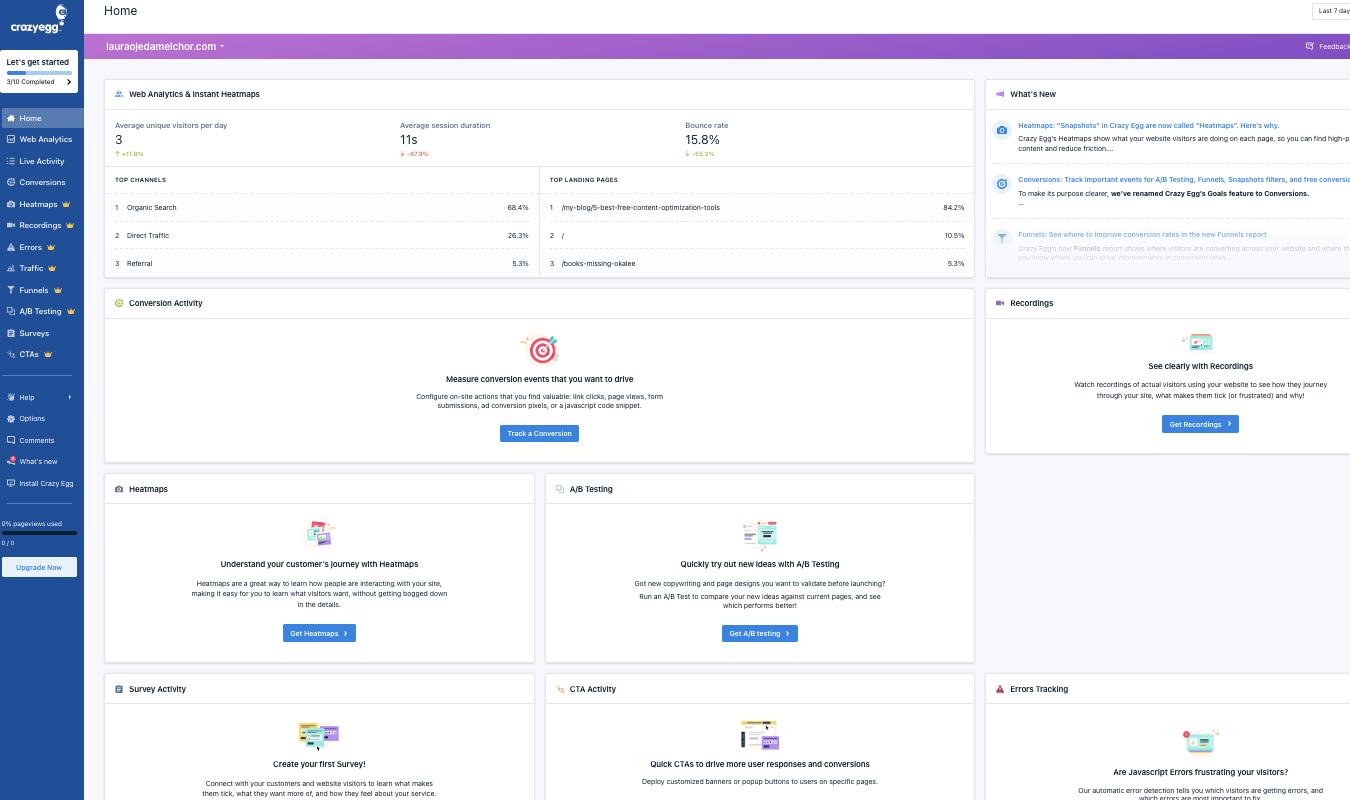
For a behavior analytics tool that shines on websites and offers a comprehensive set of forever-free tools, try Crazy Egg. Our web analytics, instant heatmaps, conversion analytics, and surveys are all free.
Plus, Crazy Egg integrates with GA4, giving you a smooth way to view your valuable GA4 data on Crazy Egg’s user-friendly interface. Sign up for free today or learn more about how Crazy Egg integrates with GA4.