Looking for the best Lucky Orange alternative for analytics? We recommend Crazy Egg for affordable web analytics with a hearty side of A/B testing, surveys, and AI-assisted summaries. Smartlook is another solid option if you want integrated funnels and recordings.
For mobile app analytics, go with VWO (enterprise) or Microsoft Clarity (free).
My Personal Top 3 Alternatives to Lucky Orange
If you’re short on time, here’s a quick breakdown of my three favorite Lucky Orange alternatives.
| Best for all-around analytics for SMBs | Best for free behavior insights | Best for enterprise testing and CRO |
|---|---|---|
 |  |  |
| Crazy Egg Pricing: $29-$499/month What I like: Heatmaps, session replays, A/B tests, and unlimited surveys, all affordable and easy to use. | Microsoft Clarity Pricing: Free forever What I like: Free, auto-tracks events, highlights friction points in heatmaps and session replays. | VWO Pricing: $234+/Enterprise What I like: Full experimentation suite with personalization, funnels, and comprehensive analytics. |
How I Chose These Lucky Orange Alternatives
Here’s a breakdown of the web analytics and conversion optimization-related criteria I used when choosing these alternatives to Lucky Orange:
- Session replay and recording capabilities. Any Lucky Orange alternative should offer top-notch clarity into user actions as they navigate an interact with a website or product. Offering both real-time and playback mode is a bonus.
- Heatmaps with multiple views. You should be able to analyze user activity with heatmaps that show where on the screen users are interacting the most and least. The more map views—like click, scroll, and movement maps—the better.
- Conversion funnel tracking. A conversion funnel tool tracks where your users sign up and then either drop off or convert. Being able to get a birdseye view of conversion funnels is key to lowering churn rates.
- Form and survey analytics. Getting quantitative data isn’t enough to understand the reasons behind your users’ actions. Quantitative data—in the form of user surveys—adds an invaluable dimension to your insights. (Learn more about the 7 key differences between qualitative vs. quantitative data.)
- User segmentation. Grouping your web visitors by different characteristics and behaviors makes it easier to understand user actions at scale and is essential in any web or product analytics tool.
- Easy setup. A web analytics tool doesn’t have to be mindbending in order to be effective. Especially for SMBs, a plug-and-play tool with a low barrier to entry is better than a tool that takes weeks or months to learn how to use. The faster you can start collecting data, the better.
1. Crazy Egg

Crazy Egg is a powerful website analytics tool that’s affordable, easy to set up, and offers everything from heatmaps to A/B tests.
What I like:
- All the heatmaps you could want. Crazy Egg offers multiple types of visual reports, including heatmaps—Click, Scroll, Overlay, Movement, Confetti, Geo, and Friction maps, to be precise—that show you how visitors interact with each element on a page. With generous plan limits across all subscription levels, you can create all the heatmaps you need.
- Session recordings with timeline controls. You can watch session recordings after the fact and customize what gets recorded. Scrub through each replay individually to see where people hesitate, keep scrolling, or jump ship.
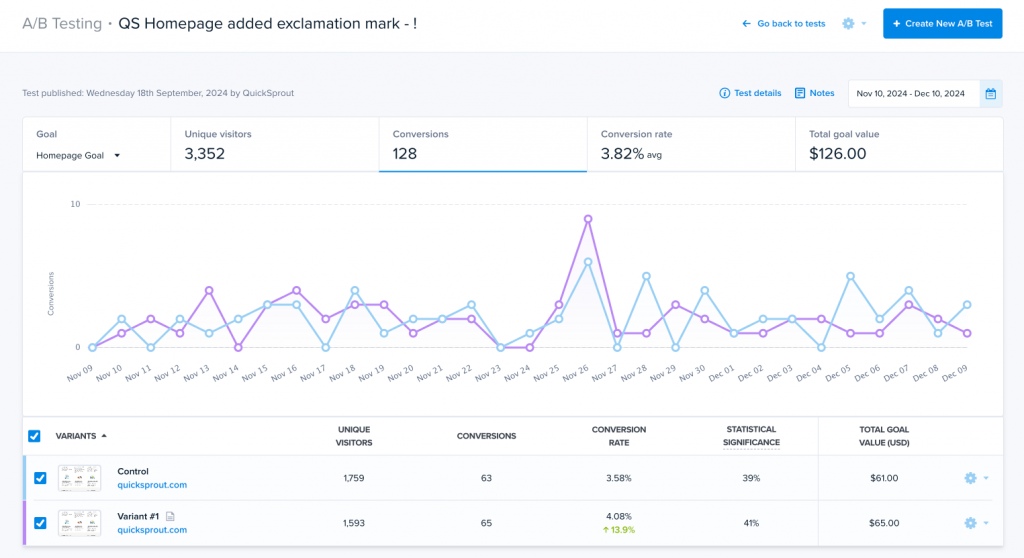
- Built-in A/B testing. Crazy Egg is one of the few analytics tools that natively includes A/B testing. You can split test things like headlines, web page layouts, and CTA buttons from right within your analytics dashboard.
- Confetti view for segmentation. This feature color-codes all your clicks by various characteristics—like traffic source, the user’s device, or the channel that referred the user to your site or product. This helps you narrow the audiences into smaller groups, making them easier to study while retaining the visually illuminating Confetti View.
- Fast setup and integrations. It only takes one simple JavaScript snippet to get you up and running. The Crazy Egg interface is polished, easy to navigate, and ideal for non-technical marketers or UX designers. Plus, the analytics tool connects with WordPress, Shopify, HubSpot, Squarespace, and other major content management systems (CMS).
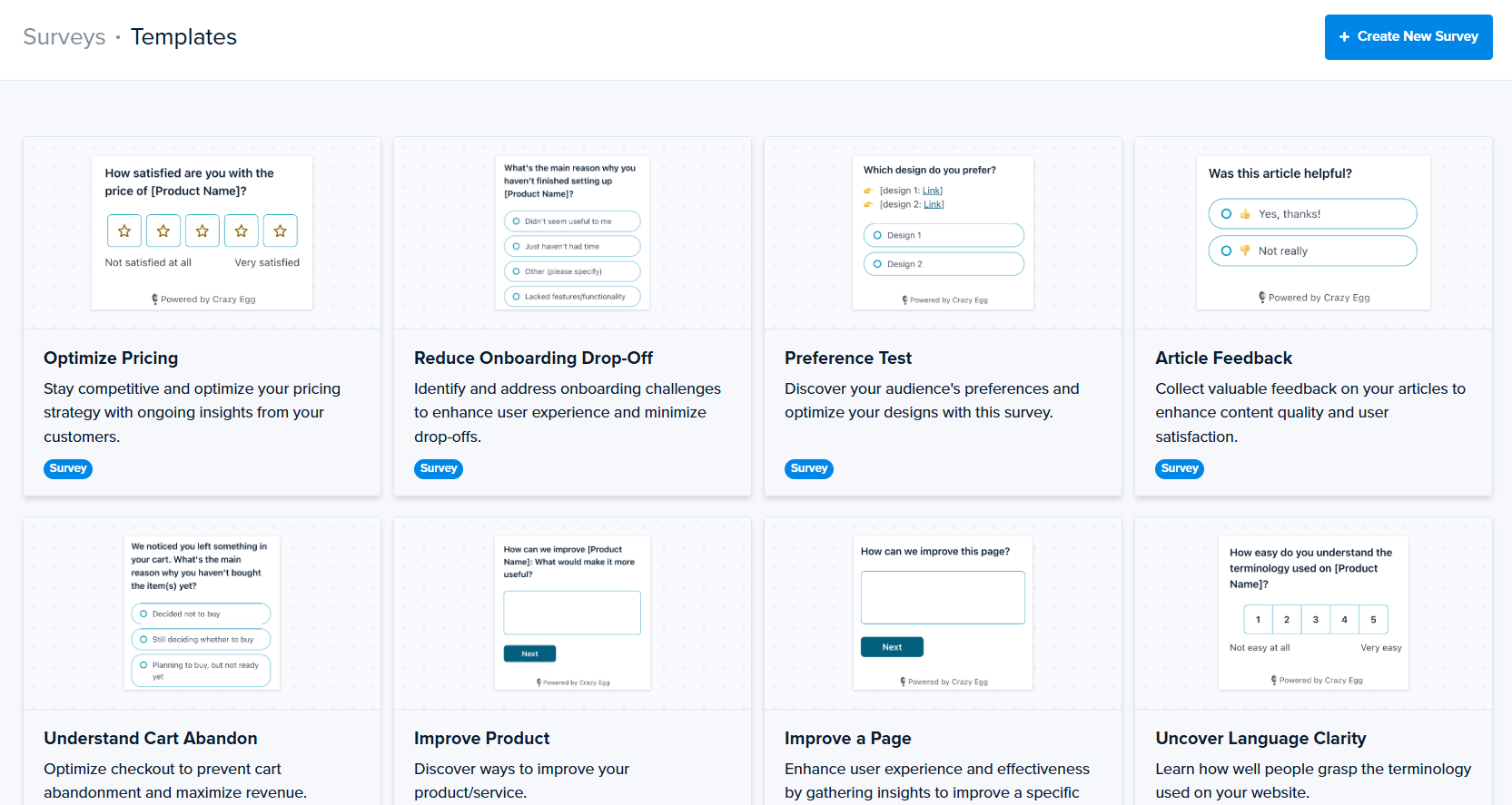
- Built-in surveys. Want to ask your web visitors something? Crazy Egg’s free Surveys tool lets you send as many questionnaires as you want. (No, really—you get unlimited surveys on every plan tier.) The feedback is directly integrated into your dashboard.
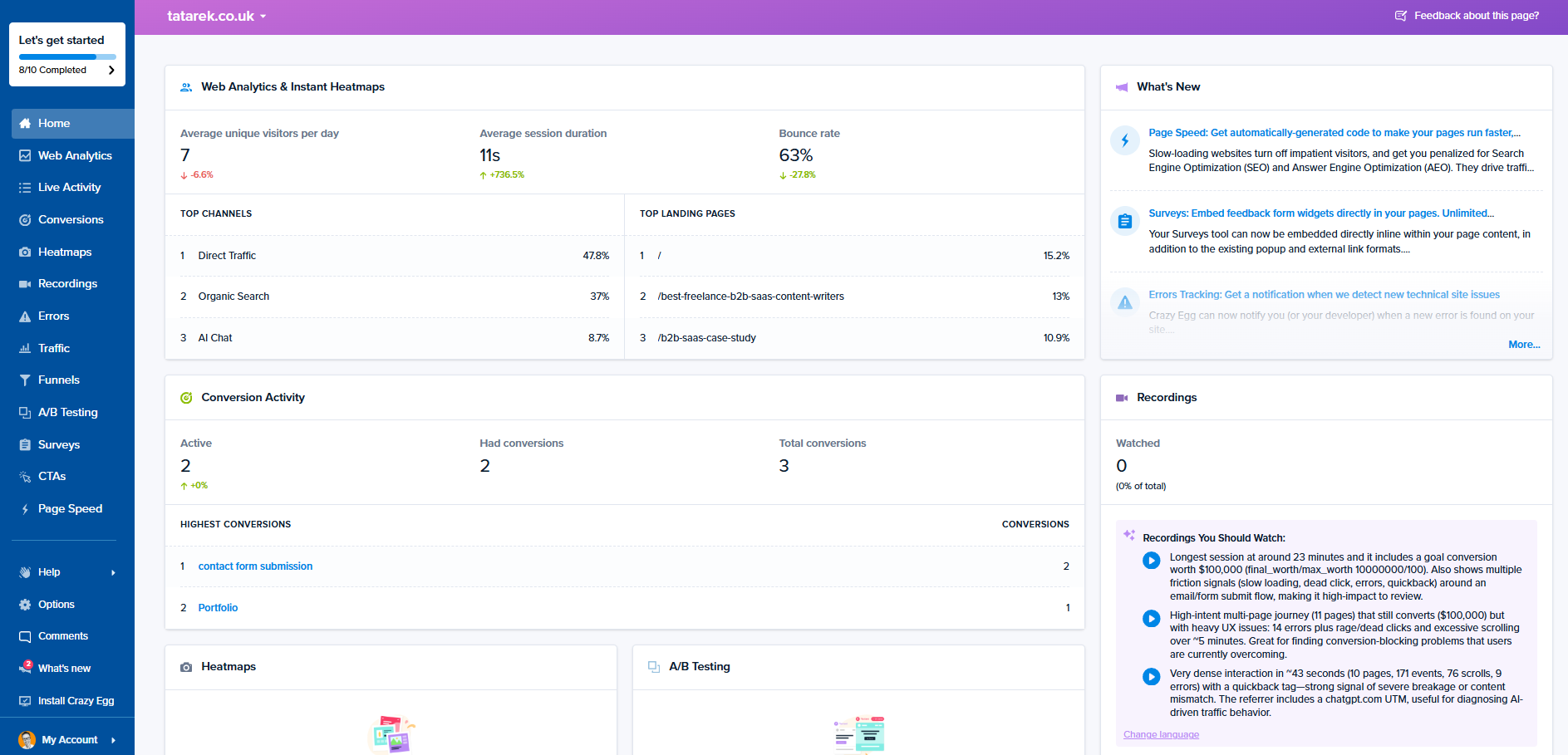
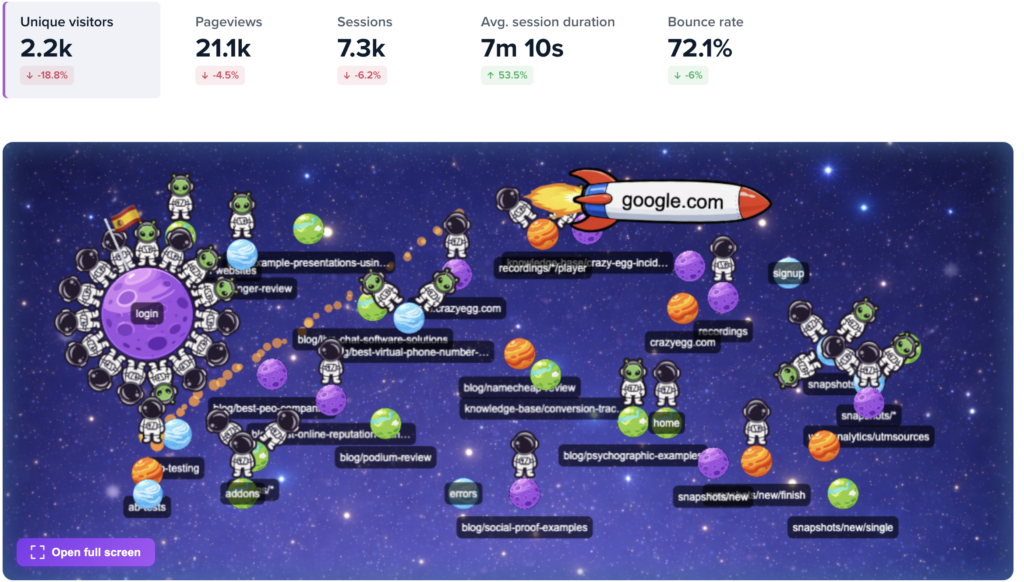
- Crazy Egg keeps up with the times. Remember when the World Wide Web was born? I don’t. I was a literal baby. But this AI revolution feels like a shift of that magnitude. And Crazy Egg is evolving its products to keep up—especially with its new Web Analytics tool. This intuitive dashboard offers a live activity feed, audience segments—country, device, traffic source, page, UTM parameters—and an AI analysis tool that automatically finds and summarizes patterns in your data.
What could use improving:
- No mobile app analytics. While Crazy Egg shines at providing web analytics, it doesn’t function on mobile apps. If you have an app-based SaaS product, you will need to use another tool for the app analytics you need.
Who should use it:
- Startups, SMBs, or agencies that need to manage multiple small to mid-sized sites and want an affordable analytics solution that’s easy to deploy. Of all the choices on the list, Crazy Egg is one of the most affordable. Paid plans begin at $29 a month.
2. Microsoft Clarity
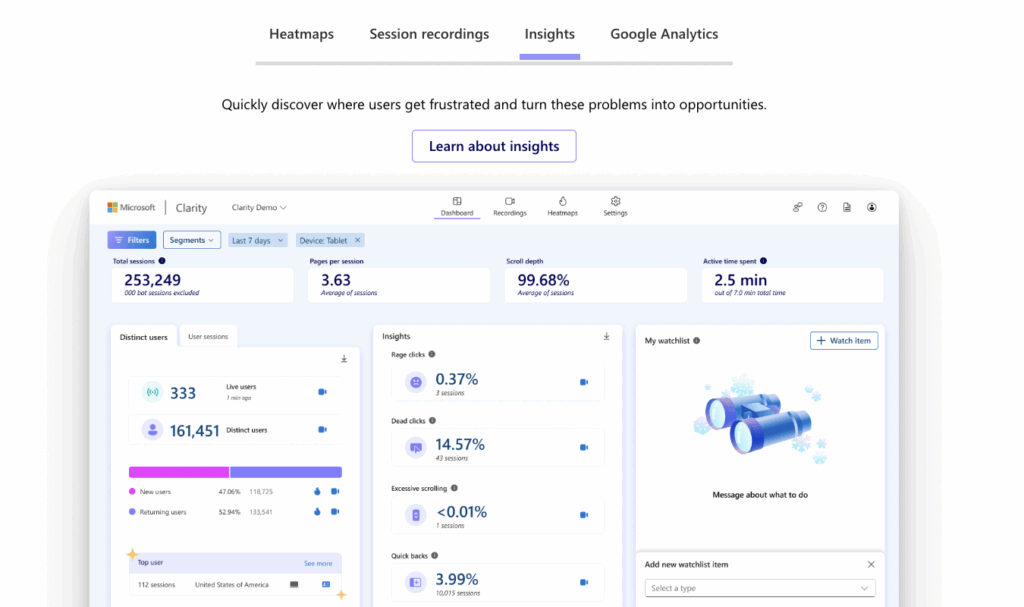
Microsoft Clarity is a free tool that gives brands a way to measure user actions on both mobile apps and websites.
What I like:
- Session recordings and visual heatmaps. These are Microsoft Clarity’s core features, and they’re in-depth yet fairly easy to use. (It’s so easy to use, in fact, that people praise its intuitiveness on Reddit and G2 reviews. The consensus is that it’s almost unbelievable that such a helpful tool is free forever.) Plus, with Clarity’s Funnels feature, you can visualize custom event sequences for better…well, for better clarity.
- Yes, it’s free. No other tool offers this level of features for a price tag of zero dollars. There is a reason why Clarity is free, though: all the data you collect is also Microsoft’s to use. Yes, it’s anonymized and aggregated. But this is essentially the price you pay for free user analytics without traffic limits.
- Advanced behavioral insights. Clarity offers deep insights into user behaviors, tracking frustration-related metrics like rage clicks and dead clicks to help you quickly spot problem areas in your UI/UX.
- Robust segmentation. You can filter your data by device, referring channel, session duration, user journeys/paths, and custom criteria. This makes it easy to hone in on groups based on their shared characteristics.
- Quick and easy setup. All it takes is installing a tracking script or using a tag manager/CMS plugin to start gathering data. Plus, Clarity integrates with HubSpot, AB Tasty, Kameleoon, and Google Analytics, among others. It also directly works with Microsoft’s AI assistant, Copilot, which can generate summaries of your data.
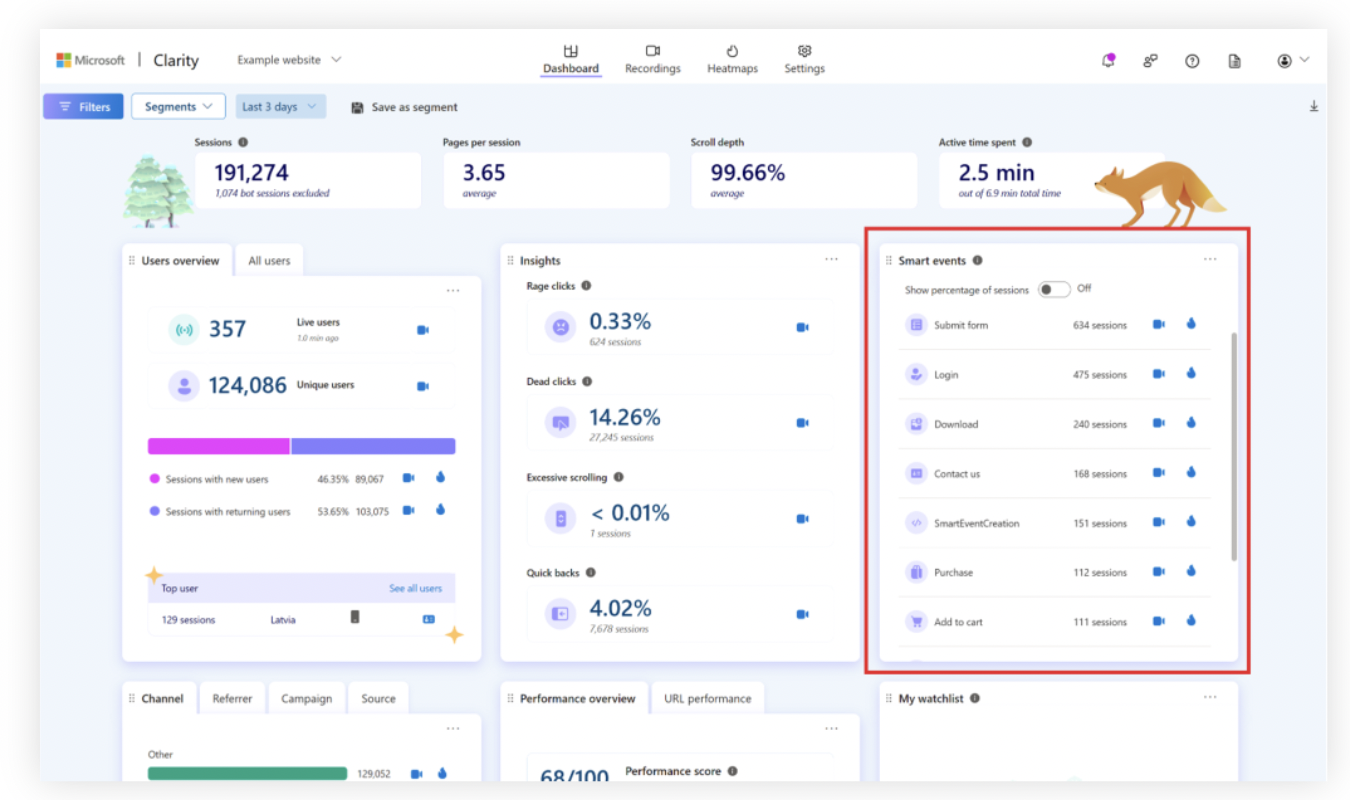
- Automatic event tracking. In the past, customers complained that Clarity’s event tracking didn’t stand up to the competition. The team at Clarity was apparently listening, because in 2024, they introduced Smart Events. This feature automatically captures and streamlines many of the most important events on your site—you don’t have to configure it all manually, which is a big plus.
What could use improving:
- No built-in A/B testing or survey tools. Unlike Crazy Egg, Microsoft Clarity has no native A/B testing or survey tools. This means you’ll need to use that AB Tasty integration to find the best-performing variation of a feature on your app or website. You’ll have to use an integration for gathering survey feedback, too.
Who should use it:
- Any website or product team that needs a free, behavior-oriented analytics tool with visual insights into the user experience.
3. VWO
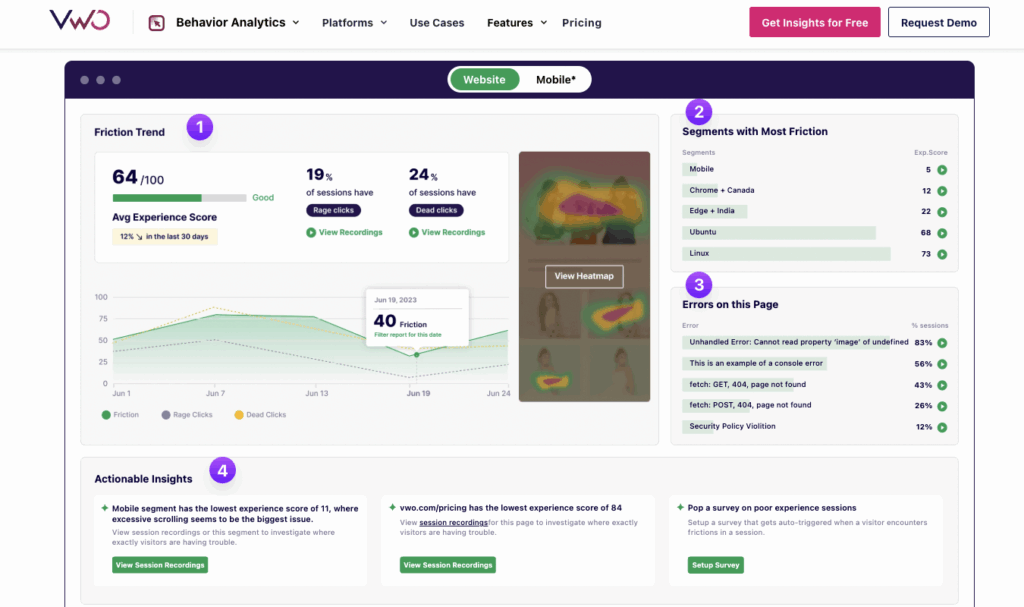
VWO is a testing-focused analytics tool for both mobile apps and websites.
What I like:
- Full experimentation platform. Experimentation is crucial for gaining insights into which web and app features your users do and don’t engage with. Lucky Orange offers split testing, but VWO blows its experimentation features out of the water. You can do just about any experiment imaginable with VWO, from A/B and multivariate to split URL and one-click feature testing—on both websites and mobile apps.
- Powerful targeting and segmenting capabilities. You can do more than just segment and study your web and app visitors with VWO. The tool also lets you segment and personalize actual experiences based on behavior, device, location, or past actions. This means returning shoppers, new visitors, and high-value customers can each see tailored headlines, offers, or layouts that fit their intent.
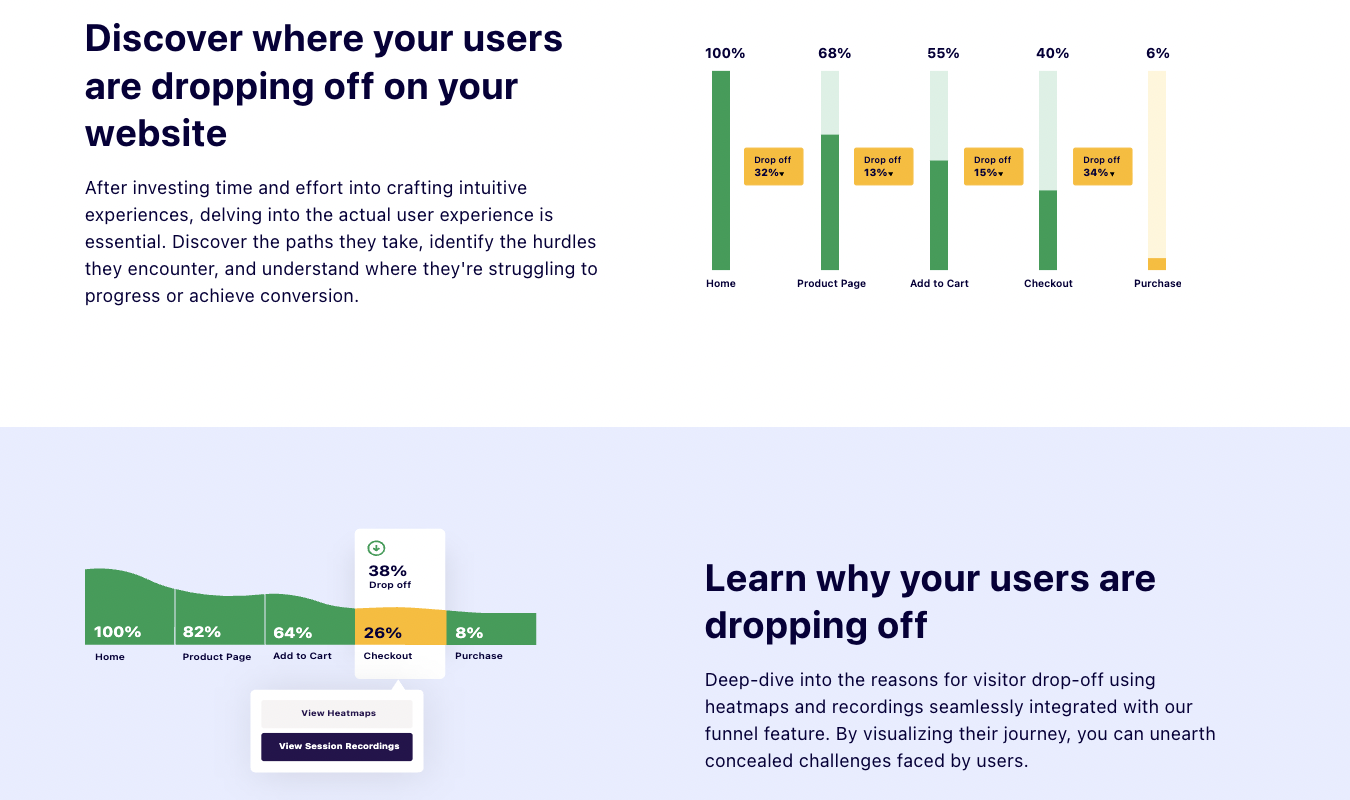
- Complete suite of behavior analytics tools. Just because VWO focuses on testing doesn’t mean it goes light on analytics. It’s got everything you could want, from heatmaps and session recordings to surveying tools and funnel analysis. The funnel analysis is one of my favorite VWO features—I love seeing funnel data laid out in a visually pleasing way, and VWO delivers. Even better, the funnels are integrated with your heatmaps and recordings so you can see exactly what happened at each funnel phase.
What could use improving:
- Overwhelming for smaller teams. If you’ve got a smaller team—or if you fly solo—VWO can be too large a bite to chew. It offers so many features, many of which are super useful for larger teams, but not so much for SMBs. If you run an ecommerce site and don’t have an app, for example, VWO has way more than what you need. And it’s expensive.
- Like, really expensive. As far as pricing goes, VWO does offer a (very) limited free plan—but then the pricing skyrockets. And it only gets more and more expensive as your monthly tracked users go up. This isn’t necessarily a downside for larger teams with big budgets. And VWO’s scope of offerings is large and robust enough for the price to seem justified. But if you don’t need all these features, you’ll overpay if you go with VWO. By a lot. (See our favorite VWO alternatives for potentially more-affordable picks with similar features.)
Who should use it:
- Larger organizations that run both websites and digital products where conversion, user behavior, and growth all matter—a lot. If you want a complete, structured optimization program, VWO is the toolset for you.
4. Smartlook
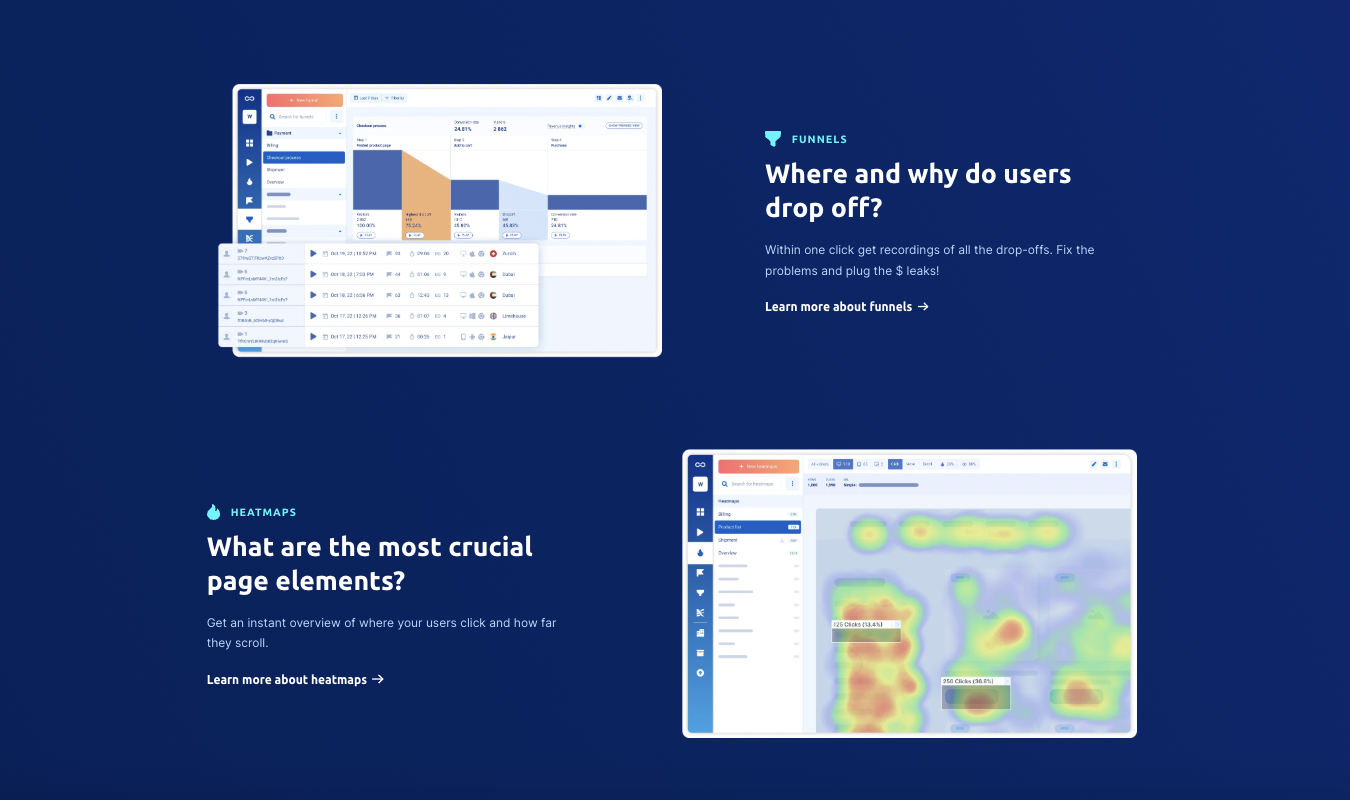
Smartlook is a lesser-known but impressive web and mobile app analytics tool with heatmaps, session recordings, funnels, and team collaboration features.
What I like:
- Session recordings grab everything. Smartlook automatically records every single user session—no sampling, by default. This means you can capture (scores) of actual user journeys instead of only subsets. To be fair, other tools on our list also offer this feature—you just have to configure the settings to do so.
- Detailed filtering and segmenting. You can filter recordings by URL, device, event (like someone clicking “Add to Cart”), session duration, location, and more. This makes it easy to explore the specific behaviors that make visitors tick—or run.
- Web and mobile app support. Smartlook works on both website and native iOS and Android platforms. If you’re a SaaS brand, this means you can use it for both your web and product analytics.
- Heatmaps with several views. Smartlook offers heatmaps based on the sessions it automatically records. You can make scroll, movement, and click maps effortlessly and use them to help study the actions your users take on your app or website.
- Funnels and recordings work together. With Smartlook, funnels and recordings work together to show you a complete picture of what’s going on in your interface. You can build funnels and user flows and then immediately jump to the sessions in the funnels where drop-offs happen. That way, you can infer why users leave—not just that they leave.
- Retroactive analytics. With Smartlook, you can comb through recordings, define events and funnel moments after they happen, and apply them to historical data. Essentially, you can fill in the picture after the fact. This is highly valuable for teams that don’t have a perfect tracking plan from the start and want to refine things in retrospect.
- Strong team collaboration features. Smartlook allows you to share and annotate your recordings, which is essential for working together with other team members. The analytics tool also offers strong Slack and Jira integrations to help keep all your communications in one place.
What could use improving:
- It’s a little complex for beginners. Because Smartlook has such deep filtering and event logic customizability, it can be challenging to learn how to use. Small teams without dedicated analytics specialists might spend precious time trying to decode the somewhat dense instructions.
- No surveys or polls for qualitative feedback. While Smartlook offers recordings, funnels, and heatmaps, it does not give you any tools for surveying or polling your web visitors or app users. The only qualitative data you really get are the recordings themselves.
Who should use it:
- Web and mobile product teams that want to understand user behavior from a quantitative lens and already have a surveying or polling tool (or don’t mind using Smartlook’s Survicate integration) to gather qualitative data. Paid plans begin at around $55 a month.
What’s the Best Lucky Orange Alternative?
Crazy Egg is the all-around strongest alternative to Lucky Orange. It’s affordable, easy for beginners to use, and offers everything in one platform—heatmaps, session replays, unlimited surveys, A/B testing, and analytics.
With a (very) fast setup and the new AI-powered Web Analytics dashboard, agencies and SMBs can grab the insights they need quickly and without painful, enterprise-level pricing.
If enterprise pricing isn’t actually painful to your company because you are an enterprise brand used to paying the big bucks, VWO might be your best bet. With its full suite of experimentation-focused analytics tools, it has what you need for web and mobile insights—and then some.
For a free option that offers heatmaps and session replay—but not surveys and A/B testing—go with Microsoft Clarity. Need a few more Lucky Orange alternatives like Microsoft Clarity? See our post on Microsoft Clarity alternatives for more options.