A customer exit survey is a short questionnaire you show customers in the cancellation flow, in a post-cancellation email, or on your website before a visitor leaves. It consists of one single-choice question about the main reason, followed by optional open and rating questions.
In this article, I’ll cover how exit surveys work, how they differ from exit interviews, where and when to show them, and what questions to ask to get actionable insights, plus a template you can copy.
I’ll also show you how to check answers against what the customer did before leaving, and how to turn the results into fixes.
What Is a Customer Exit Survey?
A customer exit survey, also called a customer cancellation survey or a customer churn survey, is a short set of questions shown to customers as they cancel, downgrade, or leave, asking for their reasons and feedback on how to improve the product or service.
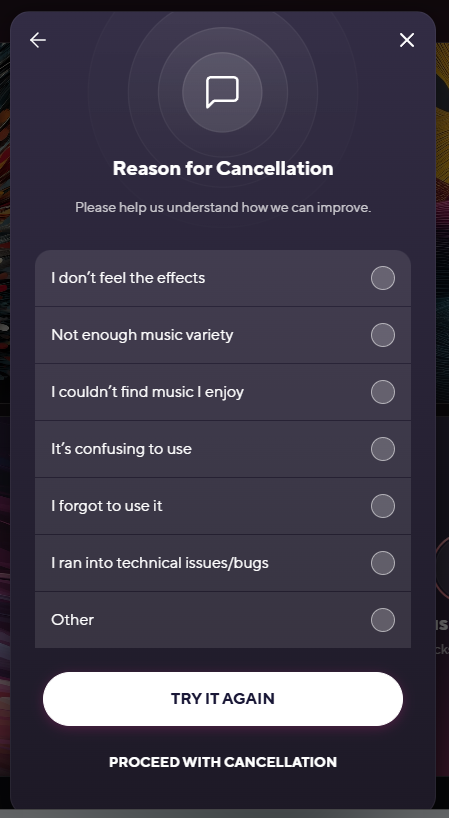
For example, here’s BrainFm’s cancellation survey.
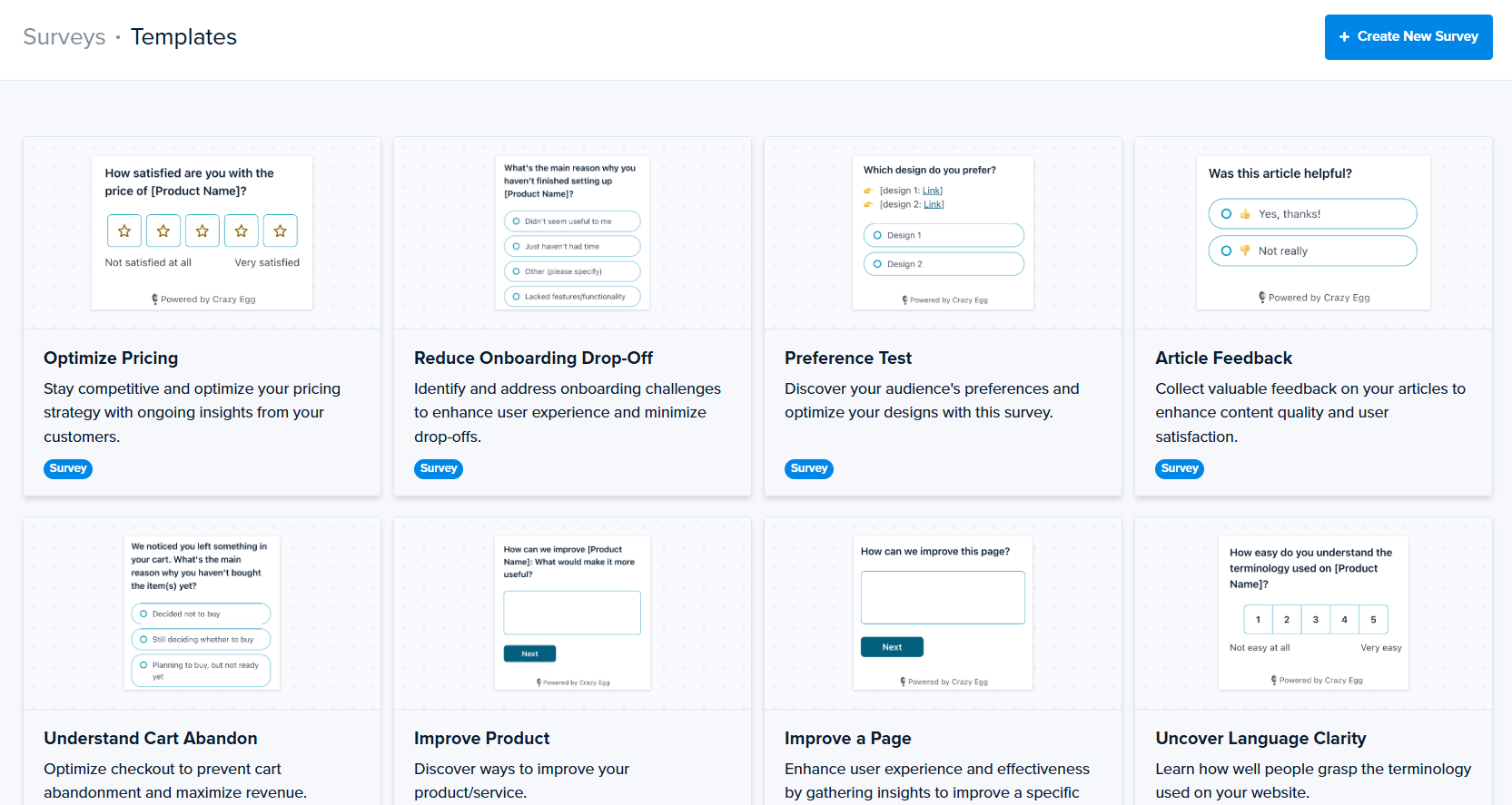
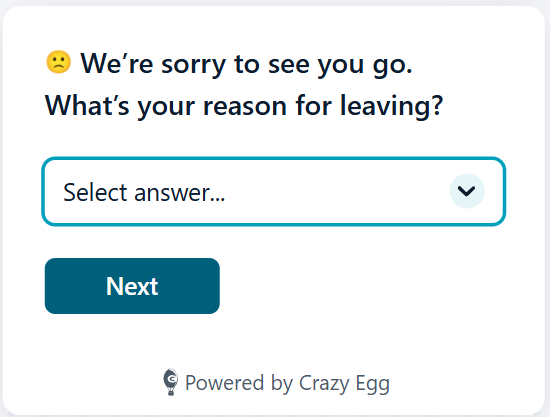
And here’s Crazy Egg’s exit survey template you can run on your ecommerce site. It asks one question, “What’s your reason for leaving?”, and offers 6 options via a drop-down menu.
Customer exit surveys vs. exit interviews
A customer exit interview covers the same ground as an exit survey, but through a call or a meeting.
Exit interviews let you ask follow-up questions and hear the full story. But they also take more time on both sides. So, they’re a better fit for high-value accounts than for every cancellation.
| Exit survey | Exit interview | |
|---|---|---|
| Format | A short form in the cancellation flow, an email, or on a website page | A call, video meeting, or in-person conversation |
| Effort | A few clicks for the customer; you set it up once | Scheduling plus a conversation, for you and the customer |
| Depth | The main reason, plus an optional comment | The full story, with follow-up questions |
| Output | Quantitative data you can track over time + qualitative insights | Detailed notes you review account by account |
| Best fit | Every cancellation, especially in self-serve products; conversion-focused website session exits | High-value and/or B2B accounts, and products with too few cancellations to show a pattern |
Many companies run both: a survey for every cancellation, and interviews with a handful of customers when the survey answers raise a question.
What exit survey answers tell you
Exit survey answers show why customers say they’re leaving. Tracked over weeks or months, they point to specific areas to fix to improve your product, service, or website.
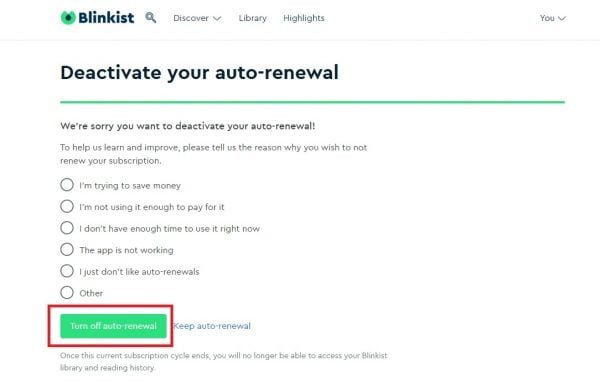
For example, Blinkist’s options map neatly onto different issues:
- “I’m trying to save money” raises questions about pricing and plan options.
- “I don’t have enough time to use it right now” points to engagement and onboarding.
- “The app is not working” indicates bugs and glitches.
- “I just don’t like auto-renewals” concerns customer retention strategies.
When Should You Run a Customer Exit Survey?
Run an exit survey when the user or visitor makes the decision. For a subscription product or service, that’s the cancellation flow. For a website, it’s the page a visitor is about to leave.
| Channel | When to show it | Best for | Trade-off |
|---|---|---|---|
| In the cancellation flow | After the customer clicks “Cancel” or “Downgrade,” before the cancellation is confirmed | Subscriptions and SaaS products | Must be short and optional |
| Email after cancellation | Within a few hours of cancelling, with an optional check-in a few weeks later | Cancellations outside the product, and requests for a follow-up call | Lower response rate |
| On a website page | When a visitor leaves checkout, pricing, or a signup form without converting | Ecommerce and lead generation sites | Needs tight targeting to be relevant |
At the cancel click
Place the survey inside the cancellation flow, after the customer clicks “Cancel” or “Downgrade” and before they confirm the cancellation.
As the customer is still in your product and thinking about why they’re leaving, they’re more likely to respond and give you a genuine answer.
Keep the survey optional. A mandatory survey adds friction and creates legal risk.
By email after cancellation
Email works when the cancellation happens outside your product, for example through a support request or your billing provider. Or when you want more detail than an in-product survey can collect.
Send it within a few hours, while the decision is still fresh in the customer’s mind.
Expect fewer replies than you’d get from an in-product survey. The customer has already left and has little reason or motivation to open the email.
On your website, before a visitor leaves
Ecommerce and demand gen websites send exit surveys to visitors leaving without converting.
This tends to be on pages close to a decision, for example, checkout flows, pricing pages, or signup/demo request forms. But I’ve seen them on product or service pages, too.
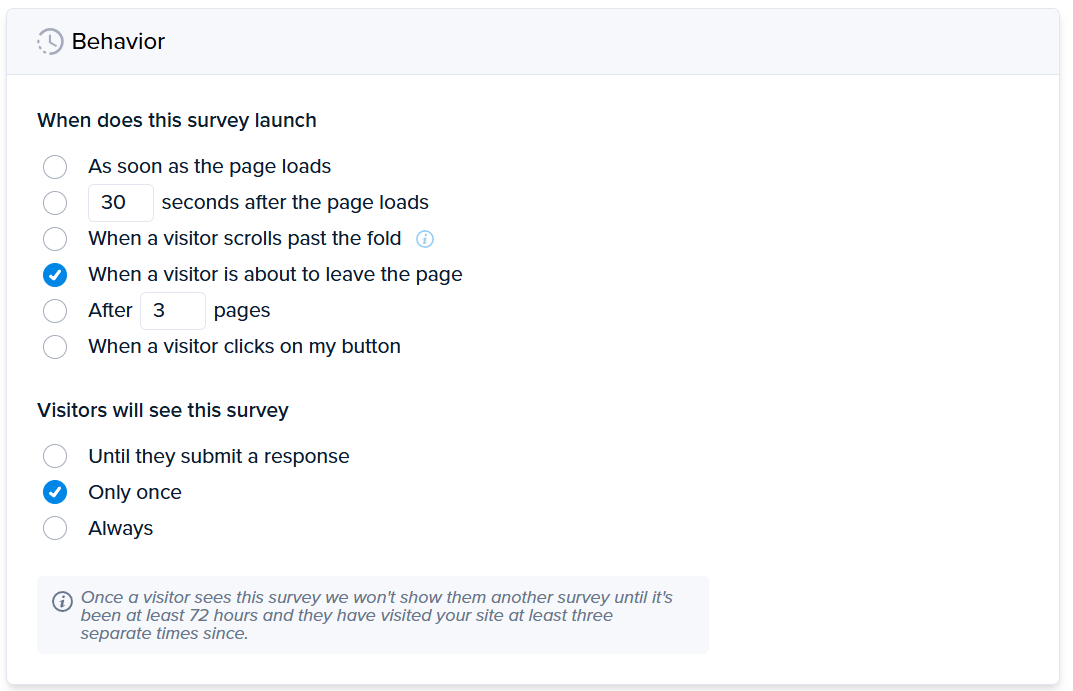
The trick with on-site exit surveys is to target them purposefully. Show it only once, when the customer is navigating away from the website, and use triggers like scroll depth or clicks on specific elements to reach visitors who engaged with the content. Otherwise, their responses might not be relevant.
What Should You Ask in a Customer Exit Survey?
Start with one single-choice question about the main reason for leaving, then add one optional open-ended question. Include a rating only if you’re committed to tracking it over time.
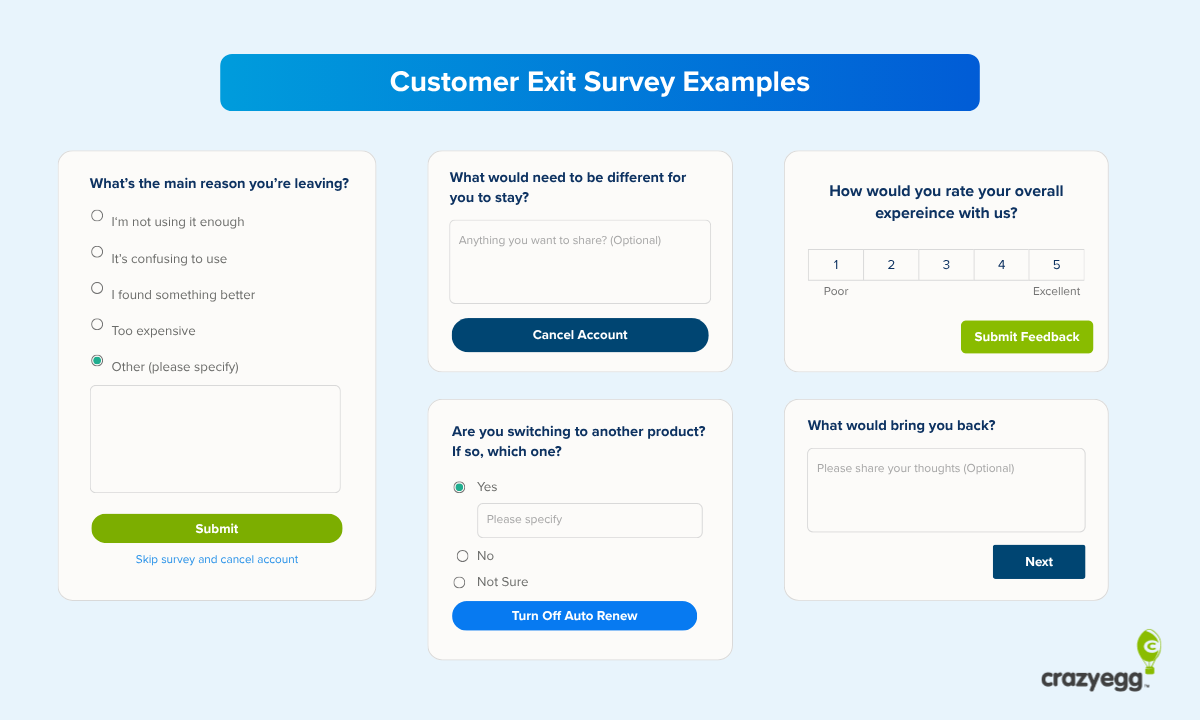
Here’s a template you can copy:
| # | Question | Format | Required? |
|---|---|---|---|
| 1 | What’s the main reason you’re leaving? | Single choice, 4 to 6 options plus “Other (please specify),” in random order | Yes (but let customers skip the survey) |
| 2 | What would need to be different for you to stay? | Open text | Optional |
| 3 | How would you rate your overall experience with [product/service/website]? | 1 to 5 scale | Optional, only if you track it |
| 4 | Are you switching to another product? If so, which one? | Single choice (yes/no / not sure) plus text | Optional |
| 5 | What would bring you back? | Open text | Optional |
How many exit survey questions should you ask?
Your customer exit survey should have between 2 and 5 questions. That’s the main-reason question and a follow-up open text question. You can also ask the customer to rate the product or experience, and subscription services can ask whether the customer is switching to a competitor and what could bring the customer back.
Bear in mind that the longer the survey, the lower the completion rates. In a 2025 study of 8,392 surveys by a software company, Survicate, surveys with two or three questions had a median completion rate of 86.8%, compared with 77.4% for surveys with four to six questions.
So, put the reason question first and make everything else optional. And only ask questions you can act on (and intend to do so).
The main reason question
Ask for one reason, using radio buttons instead of checkboxes. A single choice makes the customer pick what mattered most, and such surveys are easier to analyze.
Offer four to six options, one reason per option.
Here are some option examples for a SaaS cancellation survey.
- The price is too high
- I’m not using it enough
- It’s missing a feature I need
- I ran into bugs or technical problems
- I’m switching to another product
- I no longer need it
- Other (please specify)
For a checkout page, the question “What stopped you from completing your order today?” works with options like:
- Shipping costs
- Delivery time
- I’m still comparing options
- I needed more information
- I ran into a problem at checkout
- Other (please specify)
Once answers start coming in, refine the list with Leah Tharin’s 20/3% rule: split any option that gets more than 20% of answers into more specific ones, and drop any option that gets less than 3%.
The open-ended follow-up
Follow the reason question with an open one, such as “What would need to be different for you to stay?” or “What would persuade you to complete the purchase?”
If your survey tool supports branching, tailor the follow-up to the reason the customer picked. For example, after “It’s missing a feature I need,” ask which feature.
Open-ended questions give deeper and more diverse responses than fixed-list ones, but they also require more time and effort to answer, so make them optional.
Rating and recommendation questions
A 1-to-5 experience rating or a Net Promoter Score (NPS) question adds context.
Use it to segment customers based on their satisfaction levels and track the trend over time to measure progress.
Competitor and return-intent questions
Two other optional questions help your sales and marketing teams:
- “Are you switching to another product? Which one?” shows who you’re losing customers to.
- “What would bring you back?” tells you which former customers to contact when you ship the change they asked for.
How to Check Exit Survey Answers Against Customer Behavior
Each survey response gives you the reason the customer chose to give. It’s a strong indicator, but it may not be the true reason. Customers forget, don’t think through to their answers, and responses may mean different things to different people. So, check survey data against analytics.
Why exit surveys don’t always reveal the real reasons
What people say and what they do often differ for three main reasons:
- People have imperfect memories and struggle to explain their own experiences, as UX research firm Nielsen Norman Group (2024) explains.
- Exit surveys have their limits: Customers answer in a few seconds, and a short list of options doesn’t cover every situation.
- Respondents understand answer options differently. “Too expensive” may mean that the price is wrong or that the customer never got enough value to justify any price.
Pair each answer with session recordings and heatmaps
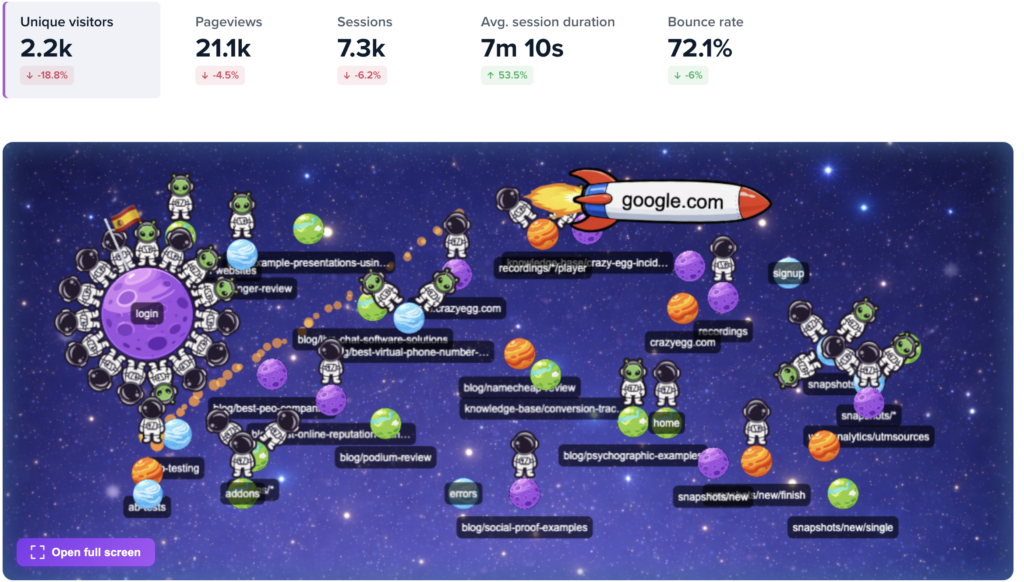
For each reason on your list, watch session recordings from customers who chose it. See how they interacted with the product, which features they used, and where they stopped.
The same works for website exit surveys. If checkout visitors say they “needed more information,” session recordings and scroll maps show whether they reached the part of the page that has it.
When the answer and the analytics disagree, record both the reason the customer gave and the cause you observed. But fix the cause analytics data points to first.
Review usage from the weeks before cancellation
In SaaS products, look at usage patterns leading to the cancellation.
Check:
- Whether the customer completed the product’s core action
- How often they logged in, and whether that declined
- Which features they used, and which they never tried
- Whether they contacted support before cancelling, and whether the issue got resolved
Here’s a good example: SEO tool SEOJuice found that out of 340 cancellations in 2024, 41% of “too expensive” clicks came from accounts that had never run a successful audit. The customers never got real value from the product, so they found the price too high.
Customer Exit Survey Best Practices
To turn exit survey answers into fixes, tag each response, send it to the team that owns the problem, review results regularly, and check whether the fix reduced churn.
Tag and route every response
Tag each response with details you can filter by later:
- Plan and billing cycle or price
- How long the customer stayed, or whether it was a new/returning customer
- The last feature they used or page they visited
- The channel that brought the customer in
Then send each reason to the team that can fix it:
| Reason | Owner |
|---|---|
| Missing features, bugs | Product and engineering |
| Not using it enough, confusing setup | Customer success and onboarding |
| Price | Pricing and product marketing |
| Wrong fit, expectations not met | Sales and marketing |
To decide what to fix first, weigh three things:
- Frequency: How often a reason comes up
- Value: How much revenue those accounts brought in
- Effort: How easy the problem is to fix
For high-value accounts, set up an alert in your CRM so you follow up the same day they cancel.
Review results regularly
Skim new responses every week, and look for patterns every month, once you have enough answers to compare.
Use the reviews to improve the survey, too. Turn recurring “Other” answers into options, and apply the 20/3% rule.
Talk to churned customers when you don’t have enough responses
When you get only a handful of cancellations or drop-offs a month, you won’t see patterns for a while.
While waiting, email a few recently churned customers personally, and invite them to a short call. Five or six conversations can surface the problem a survey would take months to reveal.
Test the fix before rolling it out
Before shipping a fix to the whole customer base, test it on small segments.
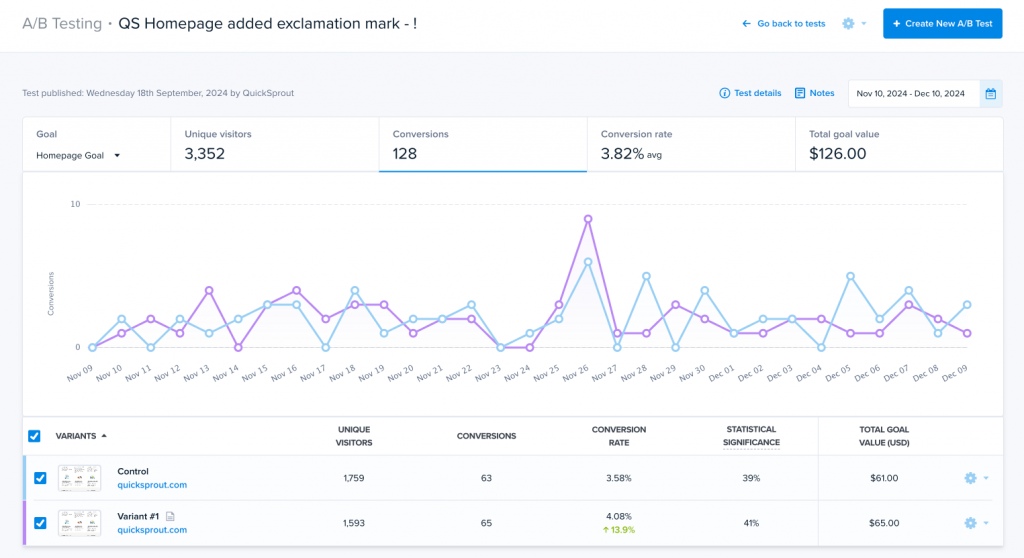
For example, run A/B tests to see whether the new pricing or checkout page reduces the exit rate, or beta test new features and use cohort analysis to track their impact on retention.
When you ship a fix, track churn for that reason over the next few billing cycles.
Close the loop with churned customers
When you ship something customers asked for, say, a new feature, tell the people who left because of it.
It gives former customers a reason to return, and it improves current customer satisfaction and loyalty by showing them their feedback leads to positive changes.
Ask the Question, Then Check the Answer
An exit survey tells you why customers say they’re leaving. Behavior data shows what they did before they left. You need both to find the fix that keeps the next customer from cancelling or abandoning the purchase.
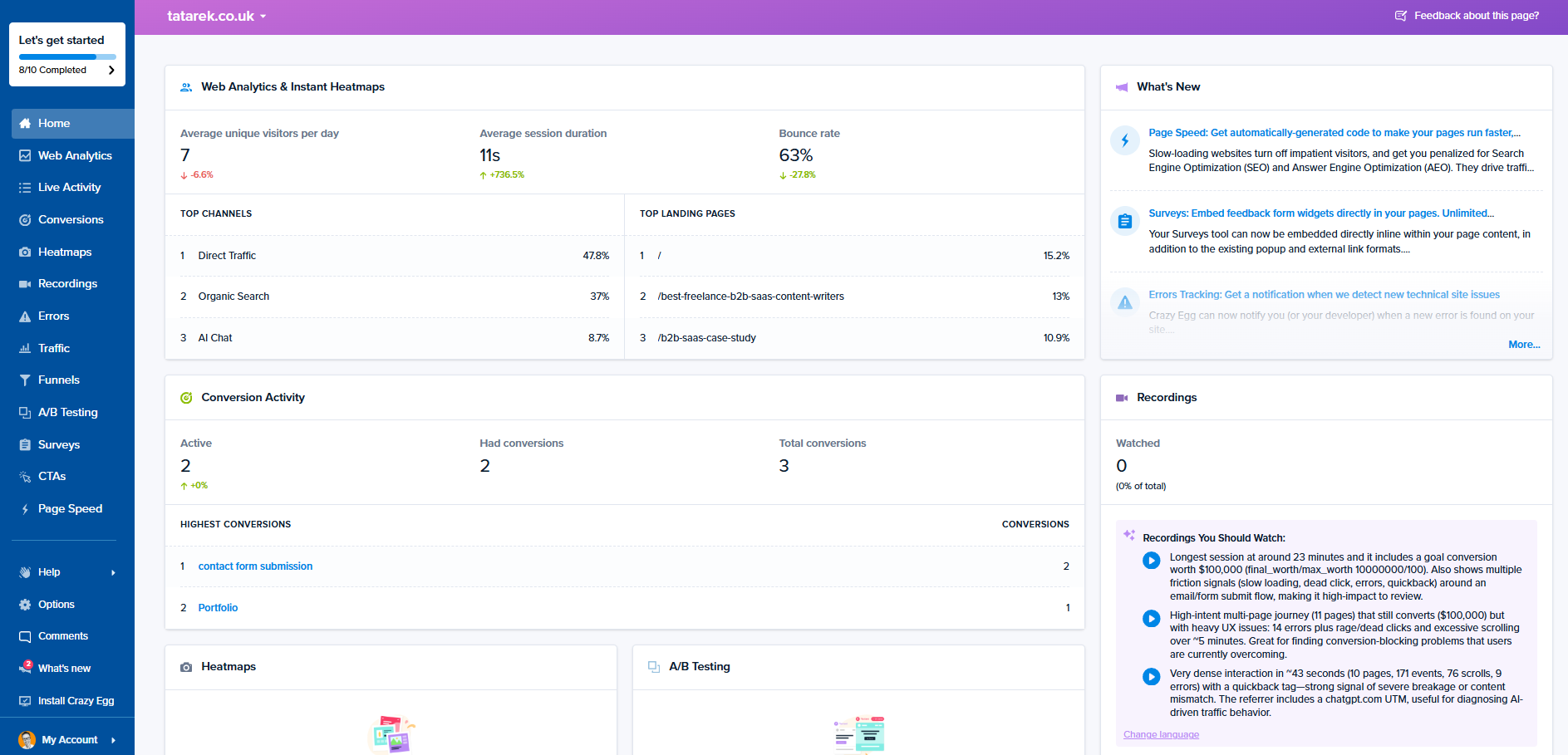
Crazy Egg puts them in one place. Surveys let you ask the exit question on any page, session recordings and heatmaps show how visitors behaved on these pages, and A/B testing lets you test a fix before rolling it out.
If you want to learn more about how Crazy Egg exit surveys and behavior analytics can help you improve customer retention, talk to our Sales team.
FAQs
Should you survey customers before they cancel?
Yes, you should survey customers regularly throughout their customer journey. This includes general customer satisfaction surveys like NPS, and targeted surveys to customers who show churn warning signs, like reduced engagement.
Should customer exit surveys be anonymous?
While it’s a general good practice to keep surveys anonymous, customer exit surveys work best when responses are linked to the account. This lets you check each answer against the customer’s usage and behavior data.
Should you offer an incentive for completing an exit survey?
An in-product exit survey usually doesn’t need an incentive, since it takes a few seconds. For email surveys, a chance to win a prize, for example, a gift card, will increase response rates, and it is generally expected to compensate exit interview participants for their time.
Can you make a customer exit survey mandatory?
Making an exit survey mandatory is legally risky. By forcing your customer to complete the survey, you make cancellation harder, and many jurisdictions, like California, ban practices that obstruct or delay cancellations.
Whether it’s legal or not, forcing a customer to complete a survey when the relationship is already frayed risks reputation damage and further reduces the chances they return.
Should you try to save the customer inside the exit survey?
You can try to retain the customer who is completing the survey, for example, by offering a discount to a customer who finds the price too high, or an option to pause their membership if they aren’t using the product enough.
However, cancelling needs to stay easy. For example, some jurisdictions, like California, require you to keep the cancel option on the same screen as the offer.