PostHog and Google Analytics both help you understand the ways people use your website, SaaS tool, or mobile app. PostHog is a dedicated product analytics platform. While it does work for websites, its strength shines for use on mobile apps or SaaS.
Google Analytics, especially when you access it via Crazy Egg, focuses more on website traffic analytics. It shows you how your visitors find your site, where they go once they’re there, and how they engage with your pages.
The tool you choose depends on whether you need it to understand product usage or website behavior.
Let’s unpack it all.
PostHog vs. Google Analytics: A Quick Snapshot
No time to explore the whole piece right now? Scan this quick table for the main points.
| Feature | PostHog | Google Analytics via Crazy Egg |
|---|---|---|
| Product & Traffic Analytics | ✅ Event-based tracking for both product and website behavior ✅ Extensive visibility into feature usage, onboarding, and user flows ⚠️ Stronger for product analytics than marketing performance | ✅ Strong website and traffic analytics via GA4 ✅ Clean, visual dashboards inside Crazy Egg ✅ Combines traffic data with behavior tools (heatmaps, recordings, etc.) |
| Autocapture & Manual Setup | ✅ Autocapture tracks clicks, pageviews, and interactions automatically ✅ Full support for manual event tracking with connected properties ✅ Flexible for both quick setup and granular configuration | ✅ Automatic tracking via GA4 enhanced measurement ✅ Custom events and conversions are supported ✅ Setup happens in GA, but analysis is simplified in Crazy Egg dashboards |
| Product Development & Optimization Tools | ✅ Feature flags for controlled releases ✅ Built-in experimentation tools ✅ Session replay for product and app behavior | ✅ Heatmaps, session recordings, and funnels via Crazy Egg ✅ A/B testing and surveys for website optimization⚠️ Focused on improving websites, not building product features |
| Data Ownership & Flexibility | ✅ Self-hosted and cloud-hosted options ✅ Open-source and fully customizable ✅ High control over data collection and structure | ⚠️ Data stored within Google’s infrastructure ✅ Flexible access and analysis via Crazy Egg dashboards ✅ Exportable and segmented datasets for external use |
| AI Insights & Summaries | ✅ AI-powered product analyst for querying and exploring data ✅ Generates charts, summaries, and insights on demand ⚠️ More investigative and user-driven | ✅ Automatic AI summaries of traffic and engagement trends ✅ Built-in recommendations for next steps ✅ No setup required—insights are found and presented proactively |
Feature Breakdown: PostHog vs. Google Analytics
1. Product and Traffic Analytics
PostHog
PostHog is built specifically to help teams see every facet of how users interact with a SaaS or mobile product. But it also supports website analytics. Everything is tracked via events, or user actions.
This means you can track:
- Which features get used, and how often
- How users navigate through the onboarding process
- Key workflows that a majority of users move through
- Website interactions like specific clicks, pageview numbticsers, and conversion rates
PostHog gathers information about events through its autocapture feature. Autocapture can automatically track pageviews, clicks, and other interactions on your website or app without requiring any manual setup.
That said, you can configure things manually if you want to. As an engineer-led tool that’s made for web and product engineers, PostHog offers extensive support for manual configuration.
Once you’ve gathered data, your team can build custom funnels, retention reports, and user paths to better analyze user behavior. And because both website- and product-level data are tracked via events, you can study both within the same system.
But for all its website analytics capabilities, PostHog is still heavily optimized for analysis at the product and feature level. Its strength is in helping teams understand how users move through a product over time, more so than focusing solely on marketing performance.
Google Analytics via Crazy Egg
Unlike PostHog, Google Analytics is primarily built for website and traffic analytics.
Yes, Google has a tool named Firebase, which offers analytics specifically for mobile apps. But even still, Firebase doesn’t go as deep as PostHog does. But Google Analytics is not Firebase, even though the two are both Google tools and as such, are deeply integrated.
For the purposes of this piece, we’re mainly looking at Google Analytics, especially as accessed via Crazy Egg. Which, to be clear, is only available on websites.
Here’s what happens when you get started with Crazy Egg—which, by the way, is super quick to set up with a simple tracking script. It took me just about 2 minutes to do.
After you set up your Crazy Egg account, you can integrate it with Google Analytics 4 (GA4). Here’s how:
- Connect your Google Analytics account with a convenient button inside Crazy Egg, and choose the GA4 property you want to import.
- Grant Crazy Egg the permission to securely access your data from GA4—a permission that can be revoked at any time.
- Let Crazy Egg automatically import your data, including up to one year of historical data, plus any ongoing developments in your analytics from GA4.
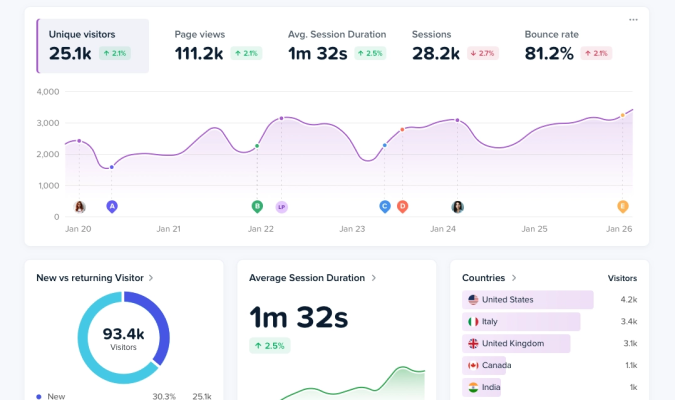
- Start analyzing your data inside Crazy Egg’s dashboards, which are far more organized, visually appealing, and user-friendly than Google Analytics’ stale, wordy, black-and-white interface.
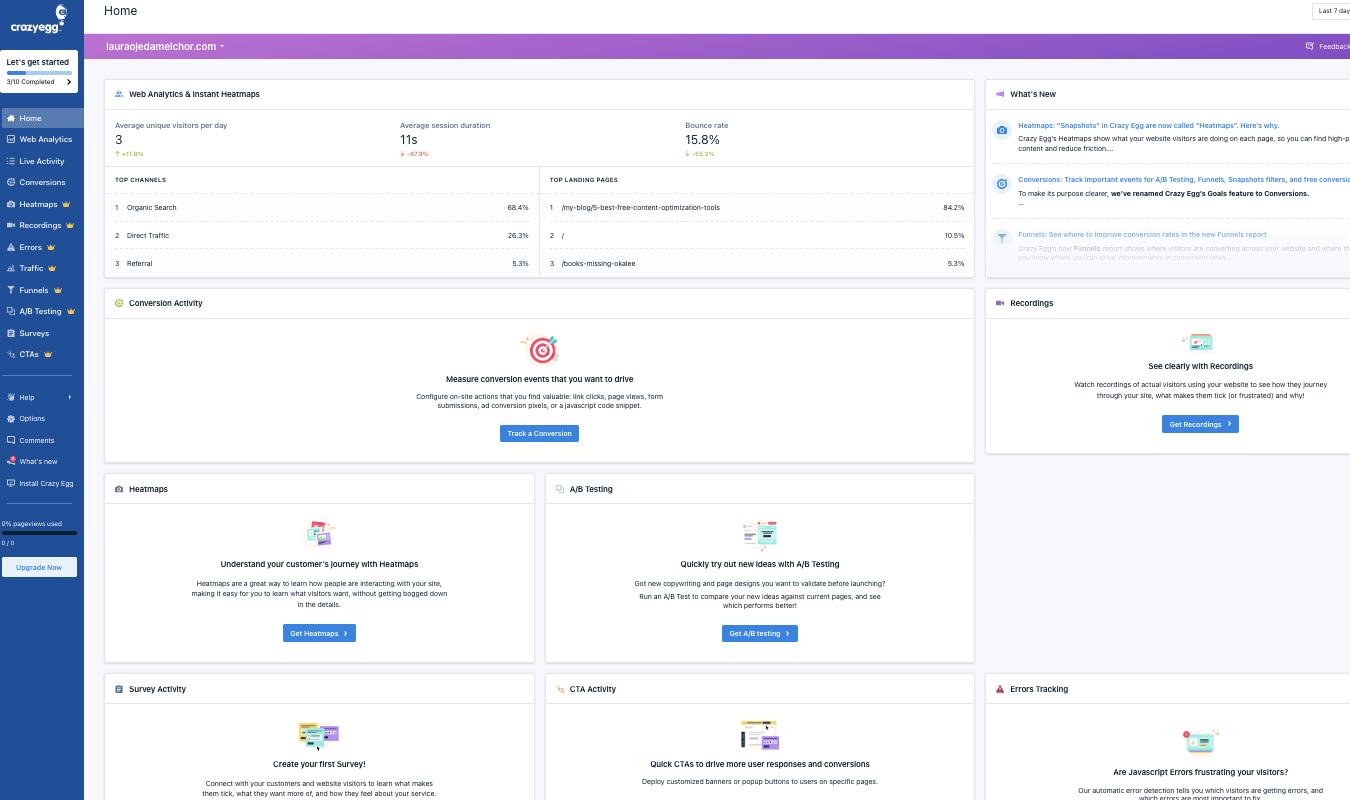
Once connected, you can also pair your GA4 data with CE’s tools, including A/B tests, surveys, heatmaps, session replay, errors tracking, and web analytics.
Together, Crazy Egg and GA4 work together to give a crystal-clear view of where your visitors come from and how they interact with your site.
2. Autocapture and Manual Setup
PostHog
PostHog allows your team to both set up automatic data collection and manual event-tracking setup.
Here’s what you get with both.
PostHog’s autocapture automatically tracks common interactions on your website or app—including clicks, pageviews, and form submissions—without requiring your team to define each event before tracking can begin.
This is a huge boon if you want to start gathering data and analyzing it ASAP. Especially if you don’t have time—or energy—to manually set up every trackable action upfront.
But if you do want to do this, PostHog’s got you covered. Teams can define specific events to track and attach properties to them, which is key for tracking how often features get used or how users move through your product.
For example, you could track every time a user clicks your “Create Dashboard” button and attach properties like plan type or device to see which users are actually engaging with the feature.
I like that PostHog gives you both options, and thoroughly supports both. (Need more options? See our top alternatives to PostHog.)
Google Analytics via Crazy Egg
Google Analytics 4 also combines the ability to automatically track events with the ability to configure them manually. But the balance between the two is a bit different than it is on PostHog.
As part of its so-called “enhanced measurement” features, GA4 automatically collects a range of data by default, including:
- Pageviews
- Scrolls
- Outbound clicks
- Search activity within the site
If your team wants more specific tracking, you can create custom events and conversions to capture those important actions. These might include things like form submissions, purchases, and email newsletter sign-ups.
But you should know that to configure these events and use them to build reports, you have to navigate the notoriously unlovely GA4 interface and set up a lot of the tracking manually.
Here’s the good news: when you connect GA4 to your Crazy Egg dashboard, the data collection stays the same, but the analysis changes dramatically. Instead of having to build reports manually, your GA data will be:
- Imported into convenient, ready-to-use dashboards
- Organized into reports you can quickly digest
- Easy to interpret without more fine-tuning and configuring
This means your team gets to spend less time building reports and more time reading them—and acting on the insights you glean.
3. Product Development and Behavior Optimization Tools
PostHog
PostHog includes more than just tools for behavior analytics. It also includes tools that support building products, testing them, and continuously iterating on product features.
For example, PostHog includes feature flags, which allow product teams to gradually release new app features to specific groups of users. With PostHog, teams can turn features on or off without writing new code, which makes testing these changes in real-time a whole lot easier.
PostHog also supports experimentation, letting your team test different versions of a feature and measuring how the change impacts users.
Experiments are closely woven into PostHog’s analytics data, which means your team can quickly evaluate the performance of a test on PostHog’s dashboards.
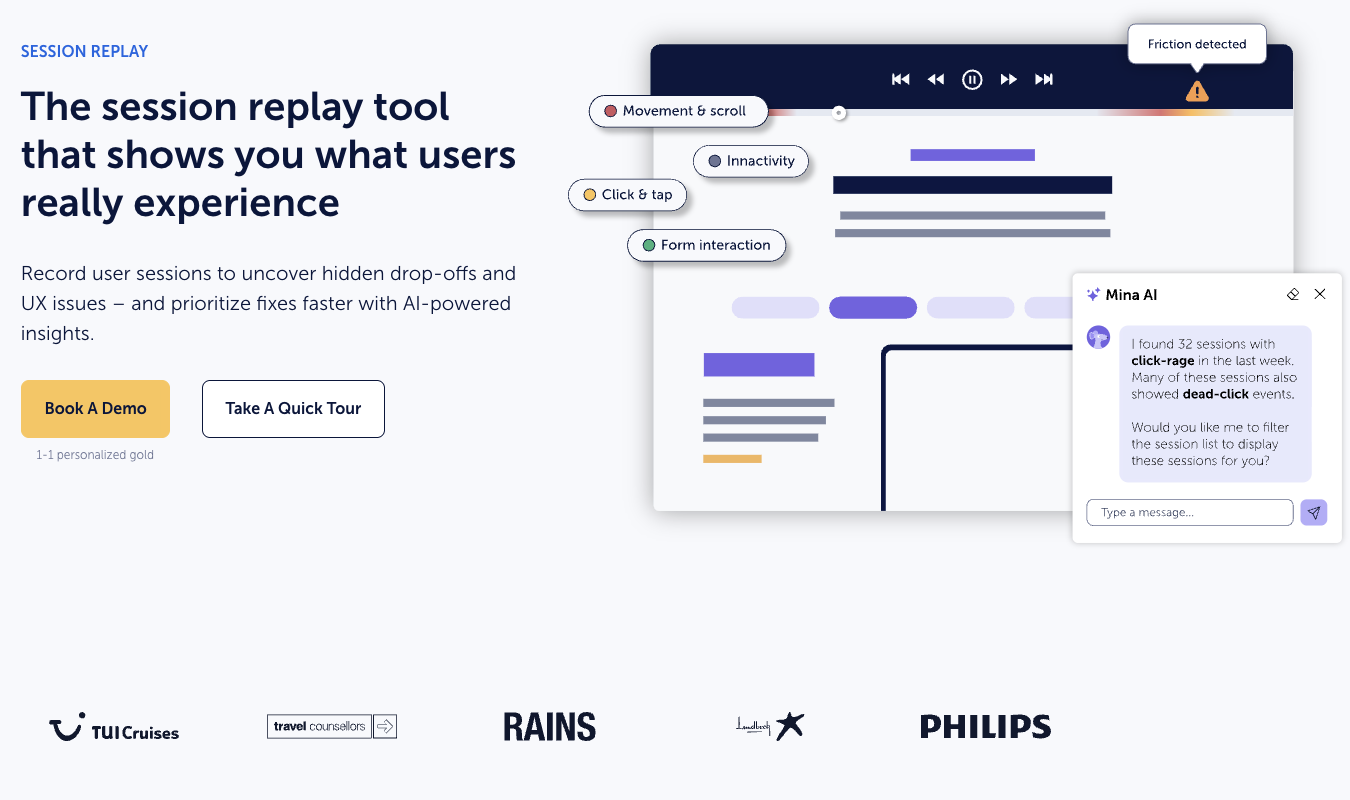
In addition, PostHog includes session replay to show you recordings of how users interact with your app or SaaS product—in detail. THis makes it easier for your team to spot points of friction, issues with usability, or behaviors that seem to come out of the blue.
Together, PostHog’s product development and behavior analytics tools let your team observe behaviors, test changes, and measure results, all from within the same platform.
Google Analytics via Crazy Egg
Unlike PostHog, Google Analytics does not, on its own, include built-in tools for testing or modifying user experiences.
Its primary role is to measure traffic, engagement, and performance. Not help you slice and dice that data into easy-to-read reports.
That’s where Crazy Egg comes in. With Crazy Egg’s GA4 integration, you get an entire suite of behavior analysis and optimization tools that complement your GA data. (Learn how to get started with Google Analytics in our guide for beginners.)
These are the tools you get with Crazy Egg:
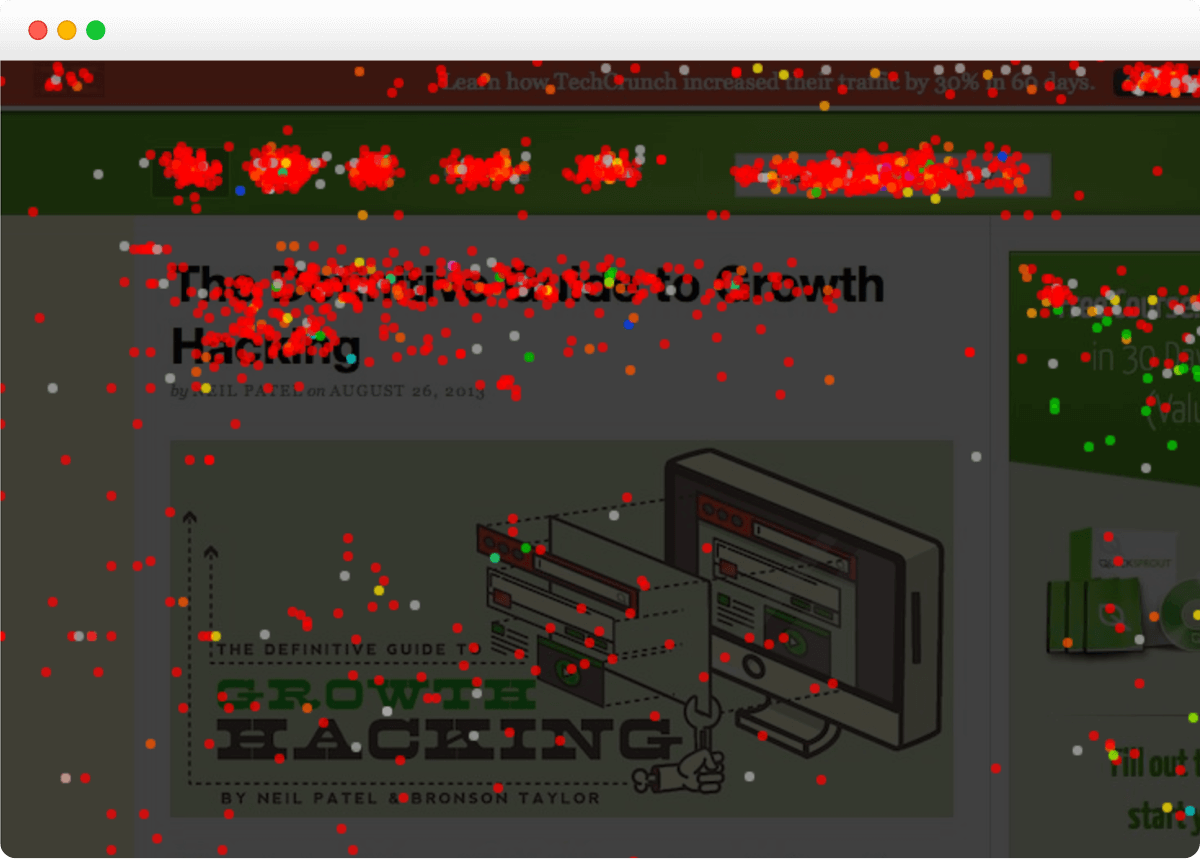
- Heatmaps, which visualize where users click and scroll on your website.
- Session recordings to replay actual user visits to your site.
- Conversion funnels to highlight where visitors drop off on the path to conversion.
- On-site surveys to allow you to gather feedback straight from users on your site.
- A/B testing to help you see which changes to web copy, images, and user interface (UI) flow affect your website traffic positively.
- Errors tracking to give your team a way to spot technical issues that negatively impact the user experience.
These tools are designed to help teams improve website performance and conversion rates, not build and release product features. This isn’t a bad thing. The right tool will depend on what your team is building or analyzing—a mobile app, SaaS product, or website.
4. Data Ownership, Privacy, and Flexibility
PostHog
PostHog gives teams a very high degree of control over their data, including how it’s collected, stored, and used. It’s one of PostHog’s defining features. When you’re a PostHog user, you can get both:
- Cloud-hosted deployment that’s managed for your team by PostHog
- Self-hosted deployment, where teams run PostHog using their own data management infrastructure
This flexibility is key for teams that are part of organizations with strict data privacy, security, compliance, and data governance requirements. Plus, PostHog is open-source, so your team can customze the platform and extend its capabilities as needed.
In addition, as I previously noted, PostHog’s event-based model allows your team to define exactly what data you collect.
This high control over data governance is ideal for any teams in the legal, medical, and finance worlds.
Google Analytics via Crazy Egg
Google Analytics operates from within Google’s infrastructure. This means that all data gathered via GA4 is processed and stored by Google. Teams interact with this data through Google’s tools and frameworks, too.
When you connect Google Analytics to Crazy Egg, this underlying structure does not change. Your data still lives inside Google’s ecosystem.
But Crazy Egg does add flexibility in how you can access and shape your data.
For instance, once you’ve connected GA4 to CE, you can see your GA4 data within Crazy Egg’s dashboards, explore it without having to fumble through GA4’s interface, and export segmented datasets to use alongside other tools.
So, while teams don’t control the underlying data infrastructure, they do have plenty of freedom when it comes to the way they analyze and act on their analytics data.
5. AI Insights and Summaries
PostHog
Like most contemporary behavior analytics tools, PostHog now includes AI features to help teams explore their data, at scale, more quickly. Gone is the need to build every report manually—now, AI can do this tedious task much more quickly than any human ever could.
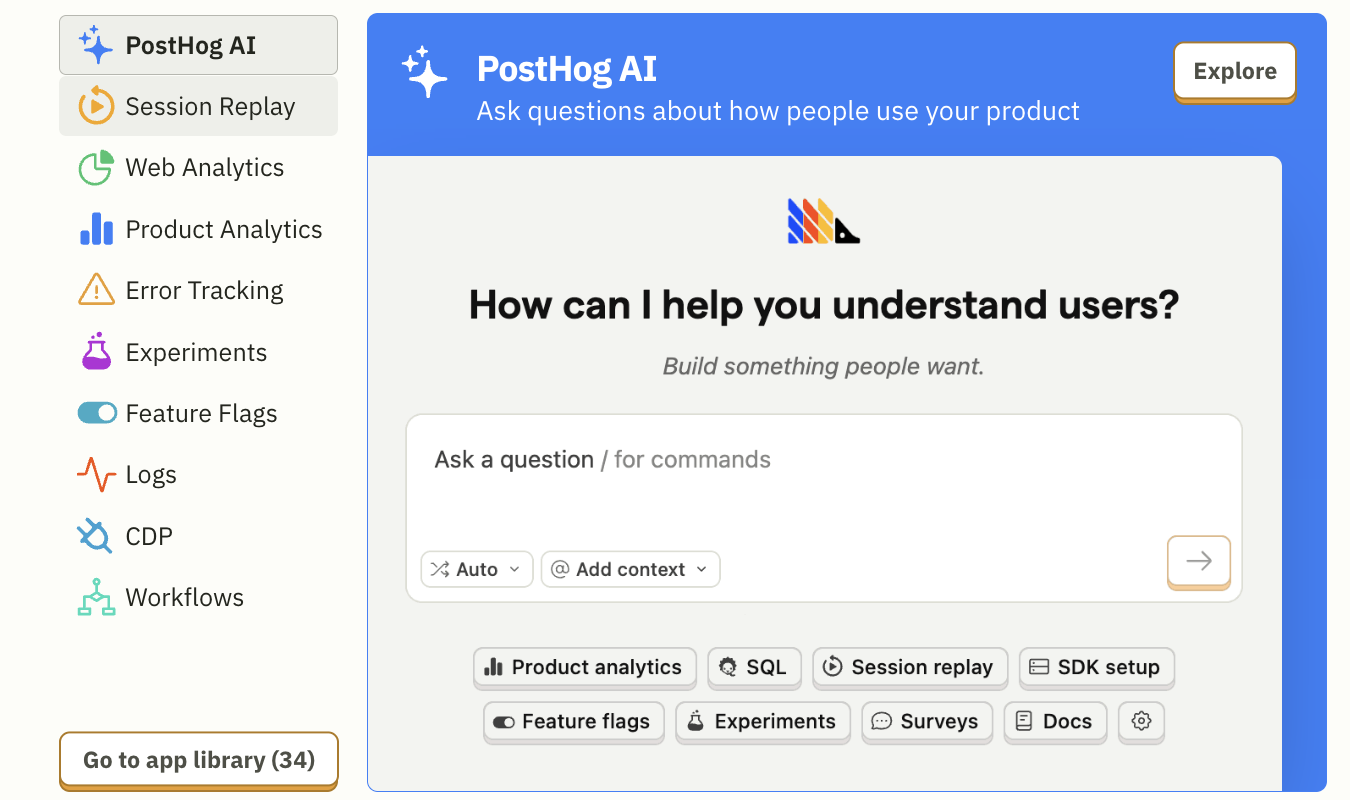
PostHog’s AI features let users:
- Ask questions about their data using natural language—like asking ChatGPT a question, but within your own PostHog interface using your data as the source for answers.
- Generate charts, reports, and other insights without manually configuring anything if you don’t want to.
- Navigate analytics more quickly with tools for summaries and quick insights.
- Automate the gathering of context and information from various dashboards, session replays, and other analytics sources.
Essentially, you get a centralized assistant that helps you speed up your work on every facet of PostHog’s platform.
While Google Analytics, with its Crazy Egg analytics, is more focused on proactive AI summaries and recommendations, as you’ll learn in a moment, PostHog’s is more query-based and investigative.
Google Analytics via Crazy Egg
When you connect Google Analytics to Crazy Egg, AI plays a more proactive role in giving you insights you can immediately act upon.
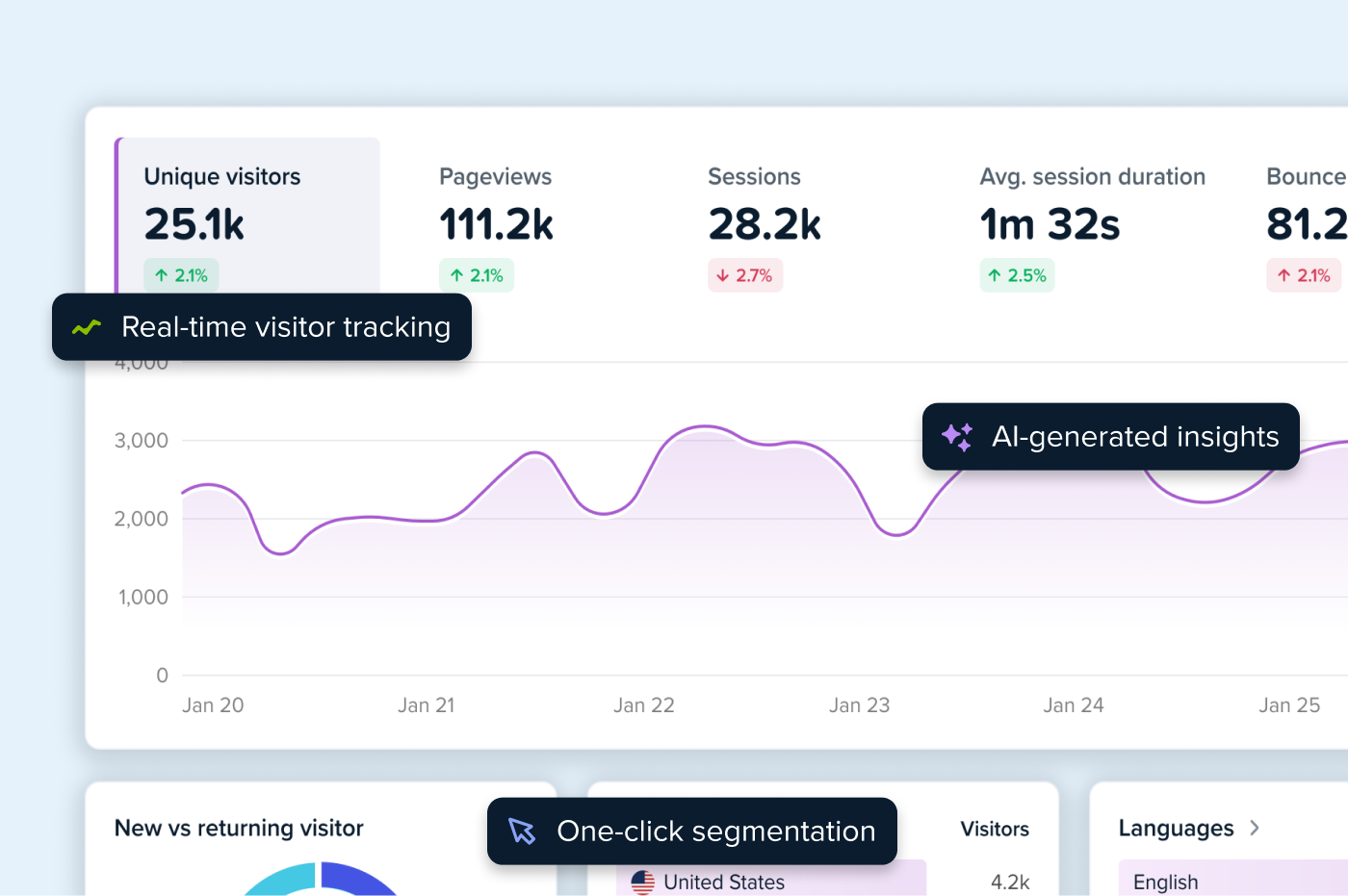
Here’s what I mean. When you connect Crazy Egg and Google Analytics 4, you’ll immediately see reports on your dashboard. Beneath the reports, you’ll see AI-driven insights that highlight key trends in your data.
But that’s not all. You also get a bulleted list of actions you can take to improve your website conversions, all based on the insights gleaned from the data.
These insights do a few key things, including:
- Spot key changes in your traffic and engagement patterns
- Highlight trends you should keep an eye on
- Suggest exact next steps to take based on the data gathered
You don’t even have to ask Crazy Egg to generate these insights. You just get them. They’re ready to go when you load the page.
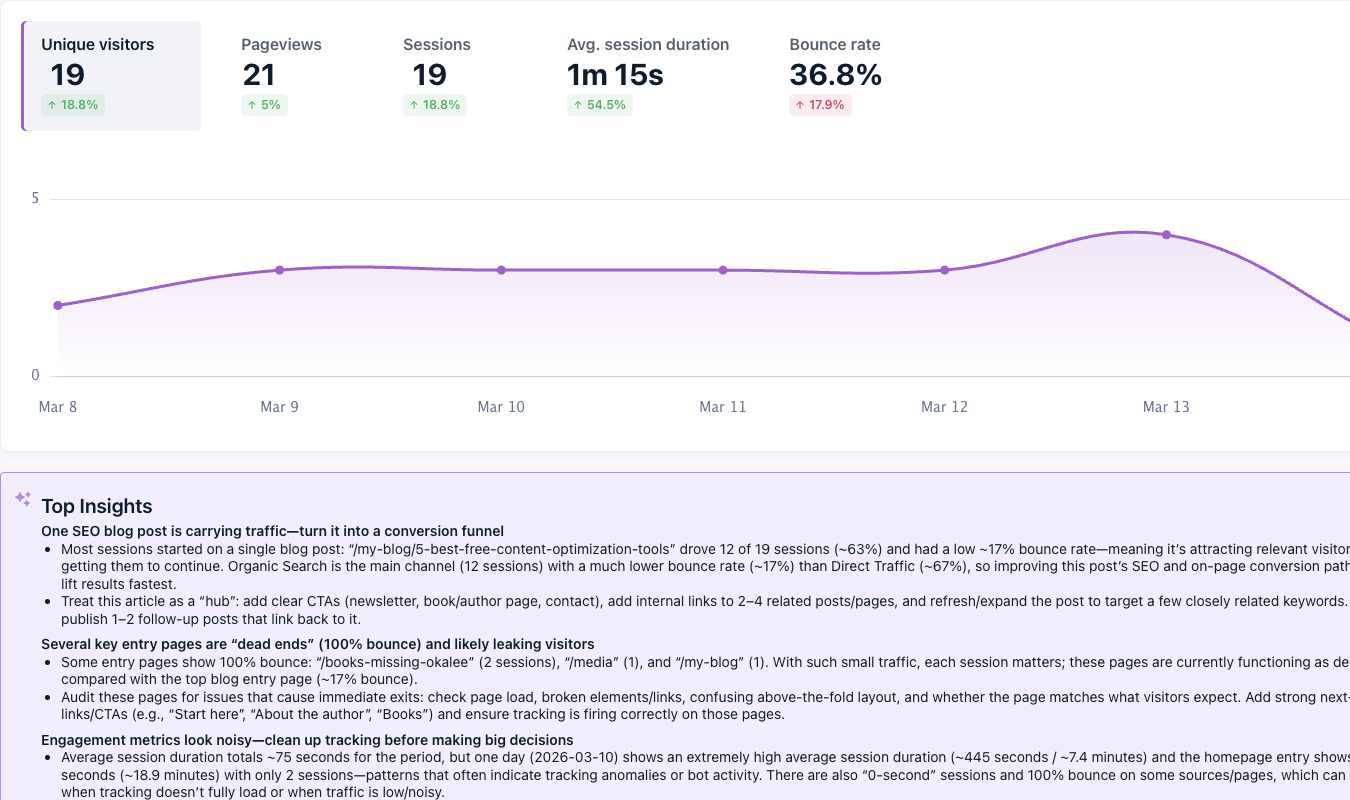
This is ideal for website-based businesses that need quick, on-the-go AI summaries to drive their optimization efforts.
Pricing Breakdown: Which Offers the Better Value?
In the table below, we compare pricing between PostHog, Google Analytics, and Crazy Egg to give you a snapshot of what you’ll need to invest if you use PostHog vs. GA4 and CE combined.
| Feature | PostHog | Google Analytics | Crazy Egg |
|---|---|---|---|
| Free Plan Available | ✅ Generous free tier with usage-based limits | ✅ GA4 is free for standard use | ✅ Free plan with limited traffic and tools |
| Enterprise Tier | ✅ Paid plans with advanced features and higher limits | ✅ Google Analytics 360 available for enterprises | ✅ Enterprise plans with expanded capabilities |
| Pricing Transparency | ⚠️ Usage-based pricing can vary depending on events and features | ❌ GA360 pricing not publicly listed | ✅ Straightforward pricing tiers listed on site |
| How Pricing Scales | ✅ Based on events, recordings, and feature usage | ⚠️ Free tier covers most use; enterprise required at scale | ✅ Scales based on pageviews and tracked traffic |
| Behavior Analytics Included | ✅ Includes session replay, feature flags, and experiments (usage-based) | ❌ No built-in heatmaps, recordings, or testing tools | ✅ Heatmaps, recordings, funnels, surveys, and A/B testing included |
| Product Analytics Depth | ✅ Strong product analytics included in core offering | ❌ Not designed for deep product analytics | ⚠️ Focuses more on website behavior than product usage |
| Traffic Analytics | ⚠️ Available, but not the primary focus | ✅ Core functionality of the platform | ✅ Available through GA4 integration |
| Google Analytics Integration | ⚠️ No native GA integration | ✅ Native Google platform | ✅ Direct GA4 integration with data imported into dashboards |
Final Verdict: Is PostHog or Google Analytics Right for You?
PostHog offers the best value and array of features for teams with a strong or singular focus on mobile apps. It’s especially ideal for any organizations in the healthcare, finance, legal, or similar fields that demand strict data privacy.
Google Analytics, as accessed via Crazy Egg, is ideal for tracking website traffic, including for web-based SaaS tools. Together, these tools give you everything you need to track website traffic, marketing performance, and visitor engagement using heatmaps, session recordings, funnels, and surveys.
Try Crazy Egg to access a freemium set of tools—and integrate GA4 for free. Sign up for free today.