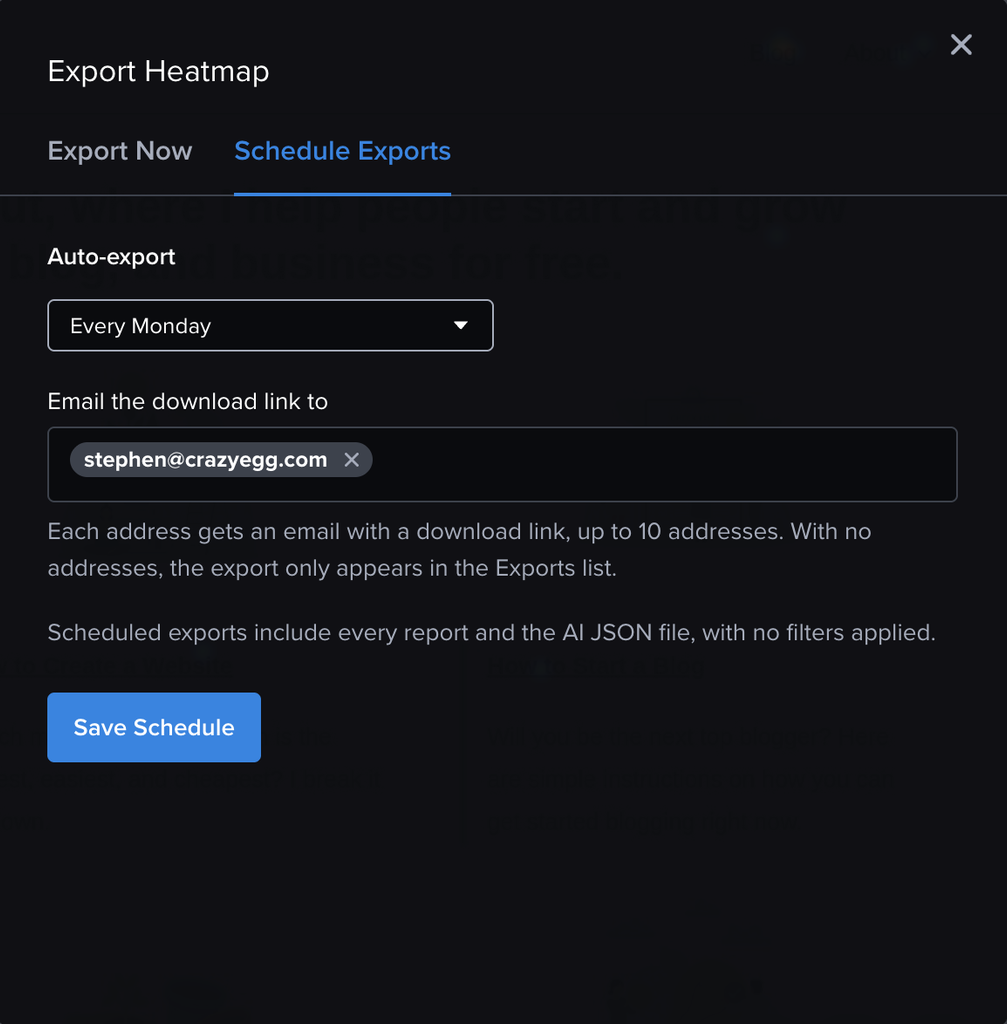
You can now set your Heatmaps to automatically send data files to your inbox.
These Scheduled Exports include all file formats that you have in your account: Heatmap screenshots as images, List report as a CSV, and AI Export as a JSON.
Exports can be scheduled to arrive on these frequencies:
- Every Monday
- Every Tuesday
- Every Wednesday
- Every Thursday
- Every Friday
- Every Saturday
- Every Sunday
- Every 30 Days
- When this Heatmap Ends
- Never
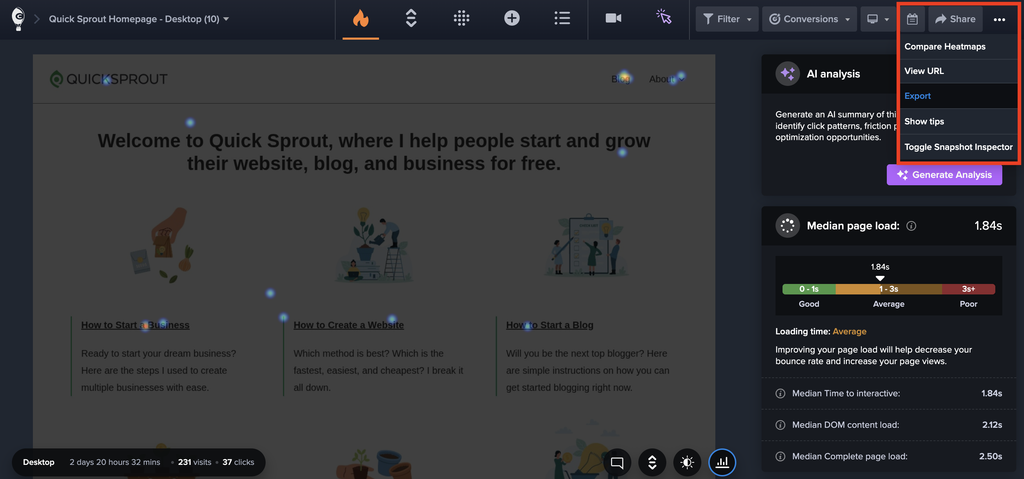
To see this setting, first go to the dropdown menu in the top-right corner of any Heatmap, and click “Export”.
Then select the “Schedule Exports” tab.