AI agents, including ChatGPT, Claude, Gemini, Perplexity, and the browser agents built on top of them, already generate more than 50 billion website requests a day. A growing share comes from agents acting directly on a person’s behalf to:
- Browse websites
- Compare products
- Transact or book online via agentic shopping
But AI agents don’t experience a page the way a person does.
Before an agent can act on your site, it has to find it, get past bot-specific defenses, actually see the content, make sense of it, log in where needed, and complete the task.
Here’s what happens at each step, and where it typically breaks.
1. Discovery & Navigation: How AI Agents Find Your Site and Get Around
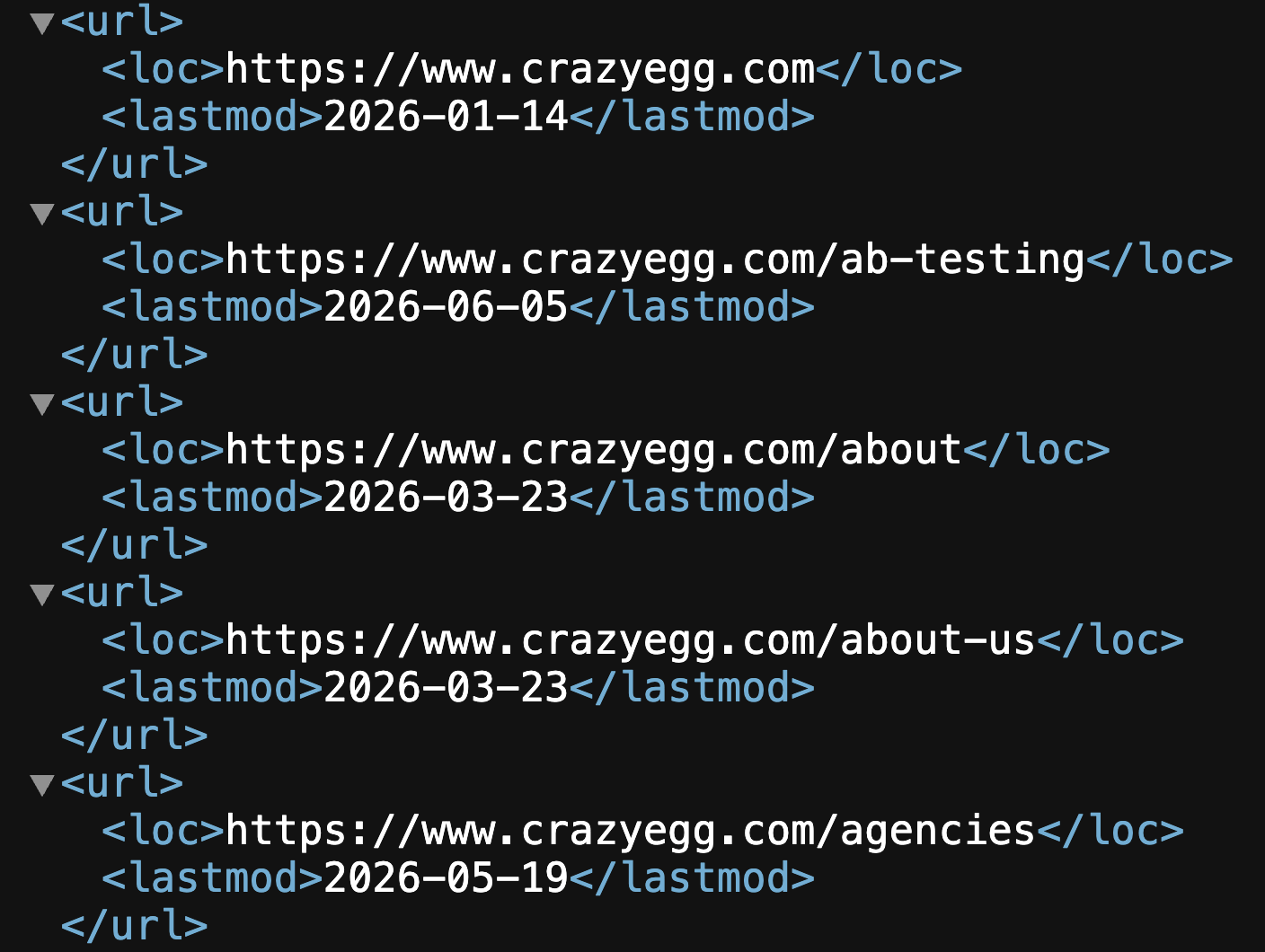
Before an agent can do anything on a page, it has to find the page and work out how it fits into the rest of the site. It does this through the same kind of infrastructure search engines have relied on for years, including sitemaps:
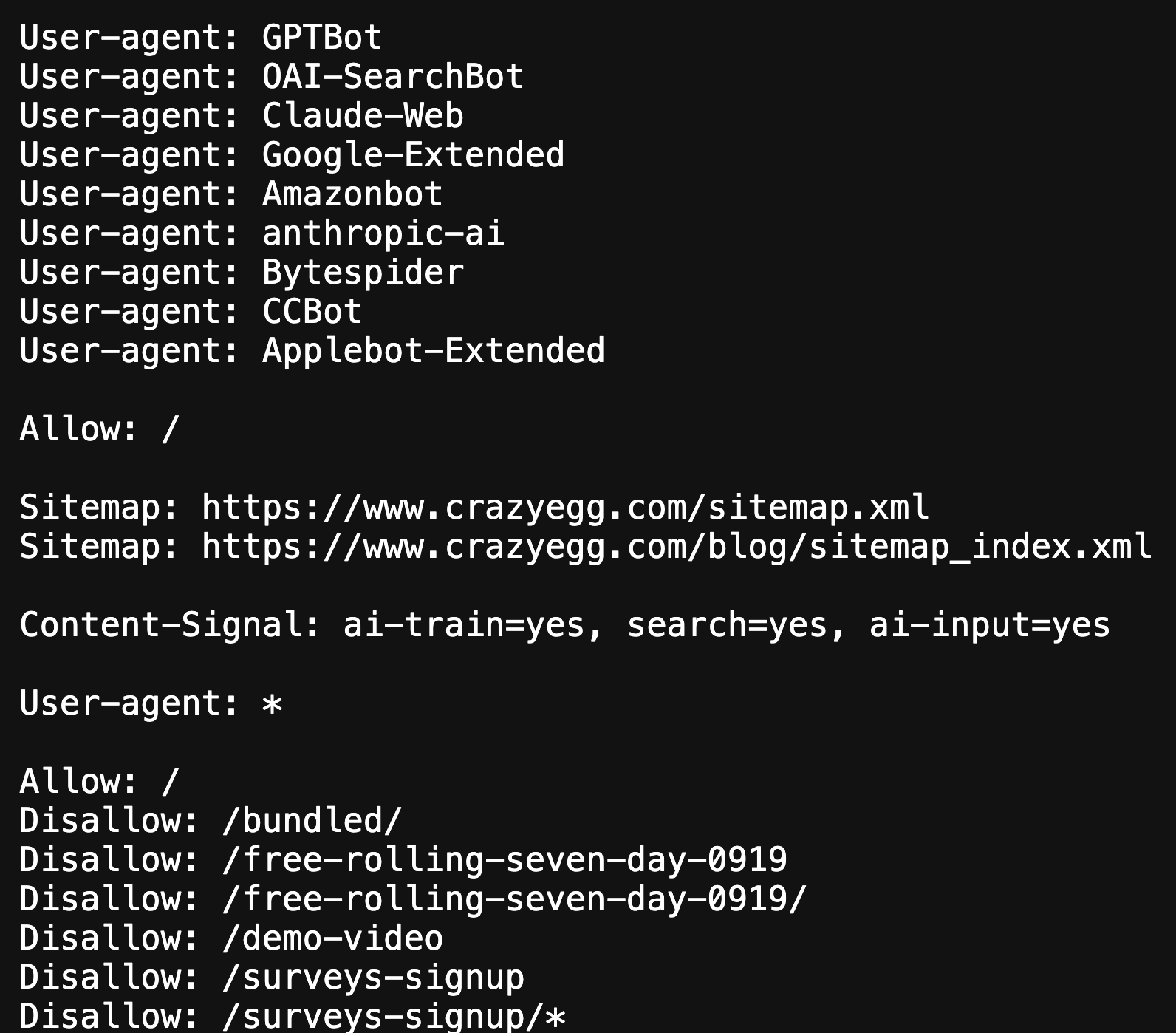
Robots.txt files…
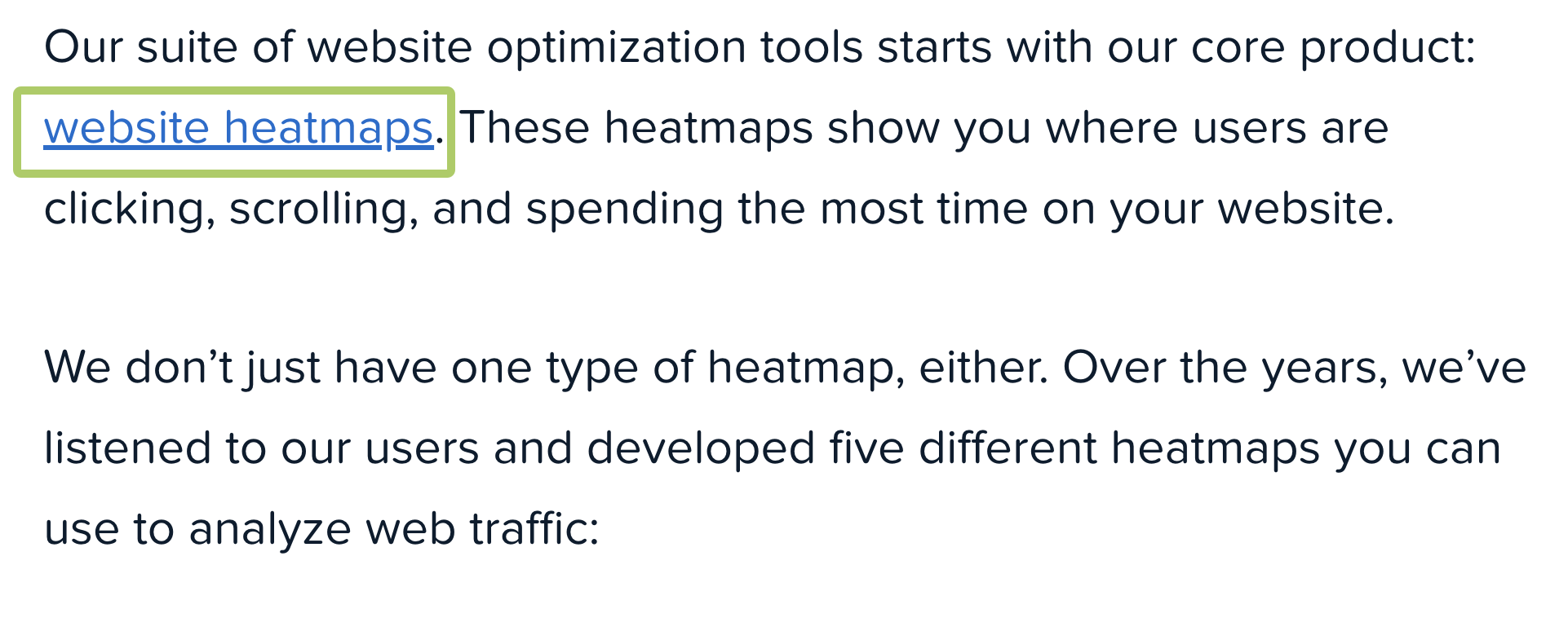
Internal links…
…and page hierarchy.
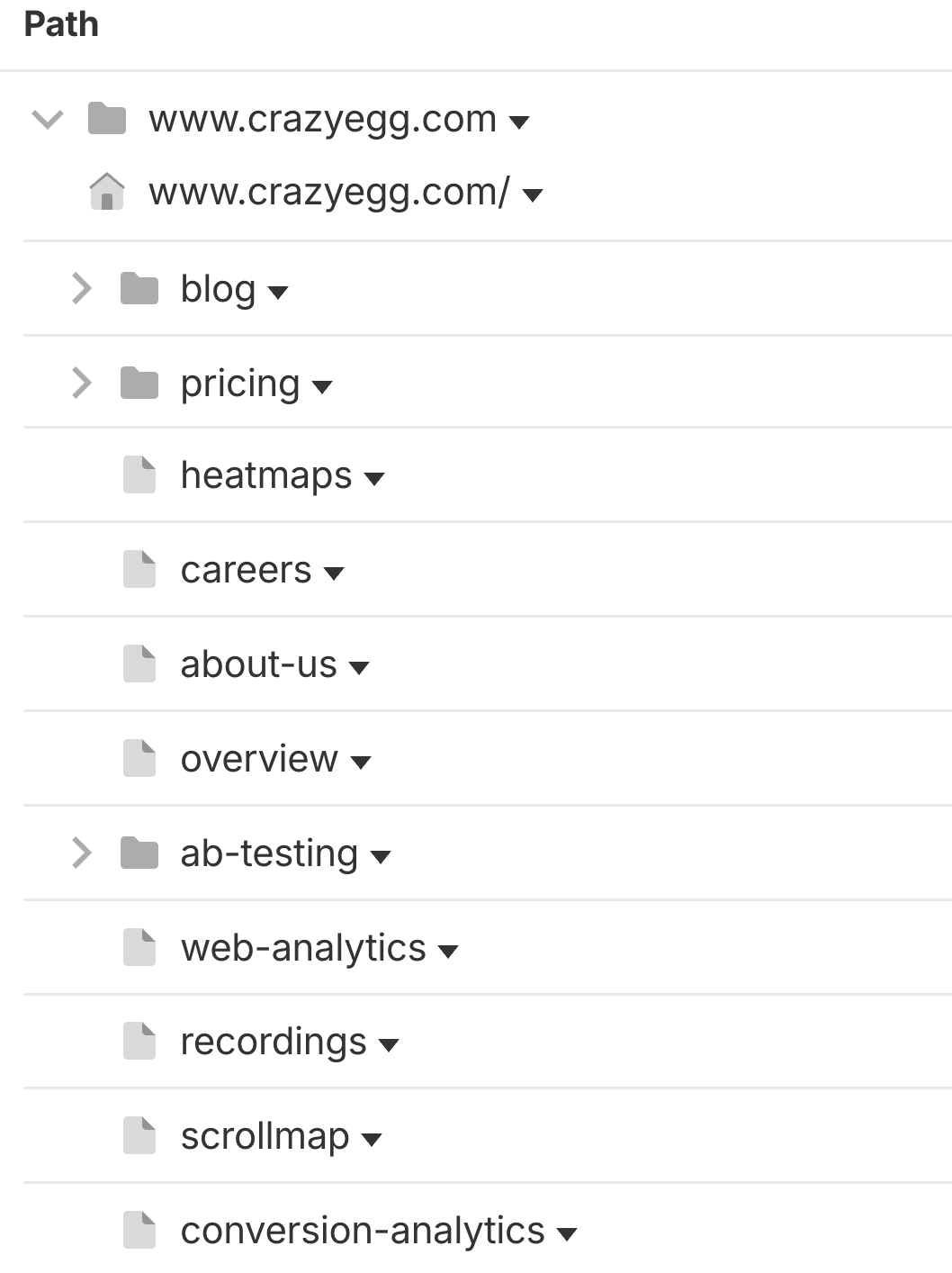
A page an agent never finds is one it can’t act on, and a site it can’t map or navigate might as well have only a homepage.
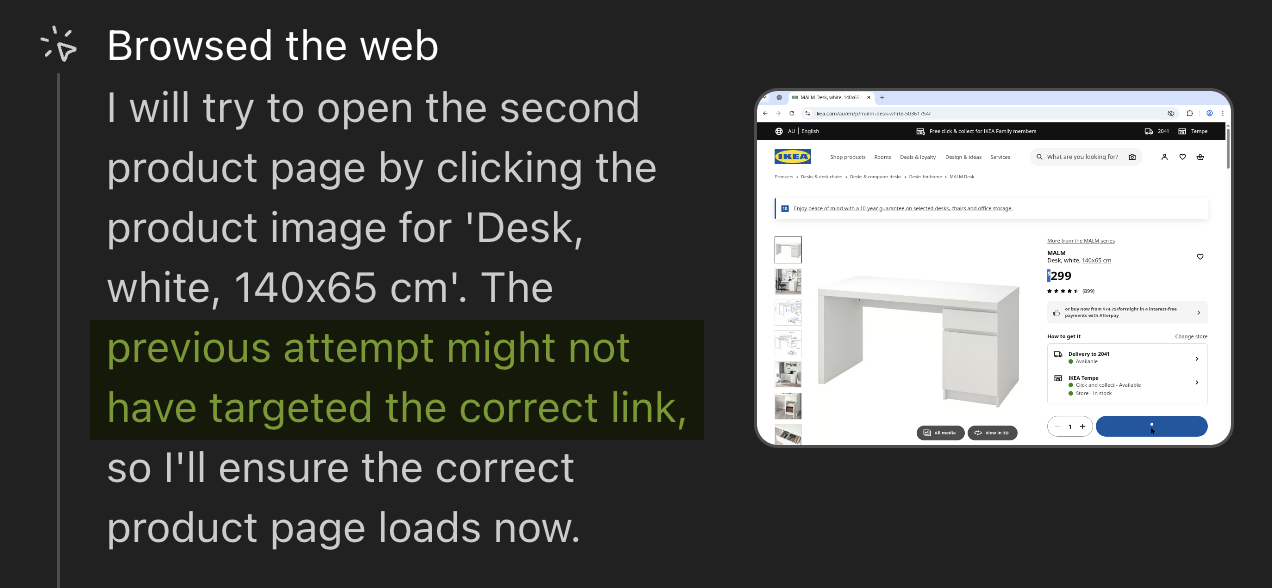
For instance, in our agentic shopping tests, ChatGPT’s agent faced challenges accessing the correct pages on some websites. You can minimize issues like this by ensuring all your technical ducks are in a row.
The most common gaps include:
- No robots.txt or sitemap (only around 13% of ecommerce sites have them, for instance)
- Menus that only load with JavaScript are invisible to crawlers that don’t run it
- Infinite scroll or hover-only menus with no crawlable link structure underneath
The fix is mostly about restoring the fundamentals.
Add a robots.txt file with clear agent directives. Add a current sitemap that automatically updates to reflect content changes. And, build your website navigation on crawlable, labeled links rather than hover states or JavaScript-only menus.
2. Access & Fetching: How AI Agents Get Past Your Defenses
Once an AI agent finds a page, it still has to get to it. For humans, it’s as simple as a click (and maybe another to verify you’re a human).

For AI agents, it’s more involved than that.
Every request has to pass through a bot-management layer first, and even once access is granted, it can still run into redirects, dead links, or slow response times before the page actually loads.
This is the single biggest blocker in the whole pipeline. Currently, over 22% of AI crawler requests get rejected industry-wide according to Cloudflare’s AI Insights report.
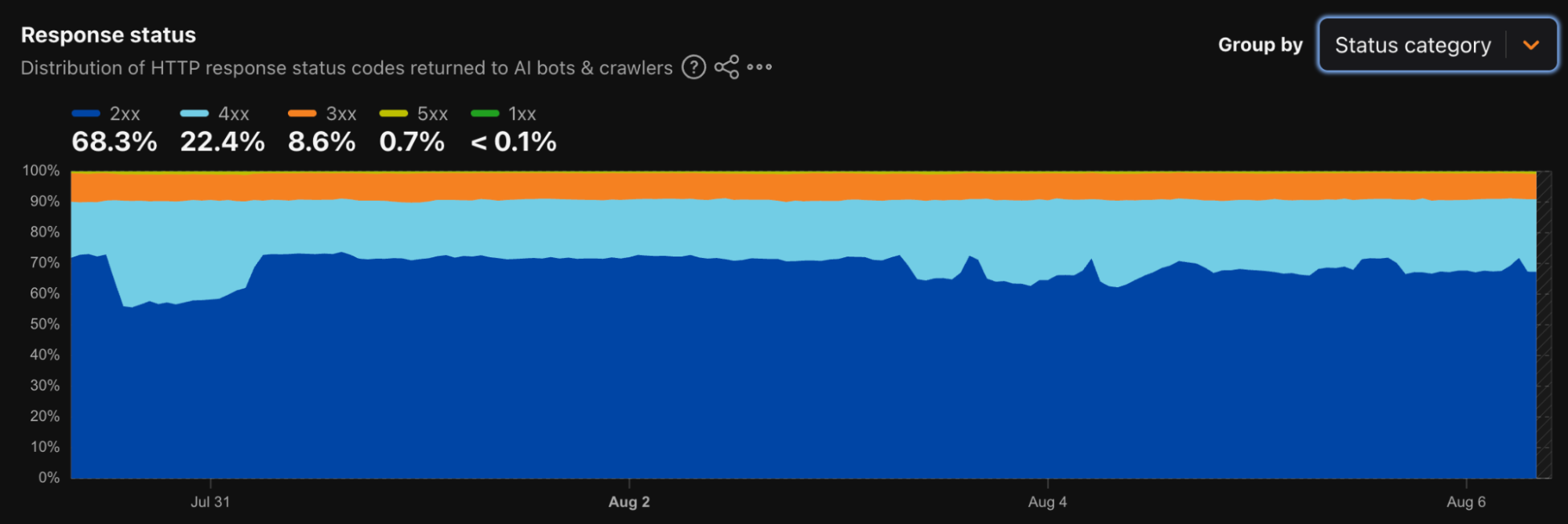
In our own test, 41% of ecommerce sites blocked the scanner we used to test AI readiness. Even requests that do get through are often wasted. For instance, ChatGPT spent nearly 35% of its fetches on 404 pages in Vercel’s analysis.
The most common causes of access issues on sites include:
- Forgotten blanket AI-bot blocks left over from an earlier policy
- Datacenter IPs flagged as suspicious by default
- CAPTCHA walls with no path through for a legitimate agent
- Stale sitemap entries and broken links burning crawl budget
Fixing this starts with reviewing your site’s bot rules regularly and allowing-listing verified AI user-agents instead of wildcard-blocking.
Then clean up the crawl path itself by pruning sitemaps to live URLs and fixing broken links and redirect chains.
These tasks have been standard technical SEO fixes for over a decade, and most site owners can tackle the basics themselves. A few places to start:
- Look at your bot-blocking settings. If your site uses Cloudflare or a similar security service, check its bot-protection rules for any default blocking of AI crawlers. This is often left over from an old policy and easy to switch off.
- See if your CAPTCHA is too aggressive. If legitimate visitors (or crawlers) are getting challenged when they shouldn’t be, it’s usually a setting you can dial back in the same security dashboard.
- Check for broken links and error pages. Google Search Console’s Crawl Stats report will show you how many requests are hitting dead pages or getting redirected in circles (useful for humans and AI agents alike).
- Ask your host if your site’s IP address has a bad reputation. Some hosting providers use IP ranges that get flagged as “suspicious” by bot-detection tools through no fault of your own. A quick email to support can confirm this.
If the audit turns up more than a handful of issues, or the site’s large enough that this gets unwieldy, that’s when it’s worth bringing in a dedicated technical SEO audit tool or hiring a professional for a full roadmap.
3. Rendering: Can AI Agents Actually See the Page?
Once an agent gets past a site’s defenses, the next question is whether it can actually see what’s on the page, or just the shell it’s wrapped in?
That comes down to whether the agent executes JavaScript or only reads raw HTML.
For most AI agents, the answer is the latter. A joint analysis by Vercel and MERJ tracked over 500 million GPTBot fetches across Vercel’s network and found zero evidence of JavaScript execution.
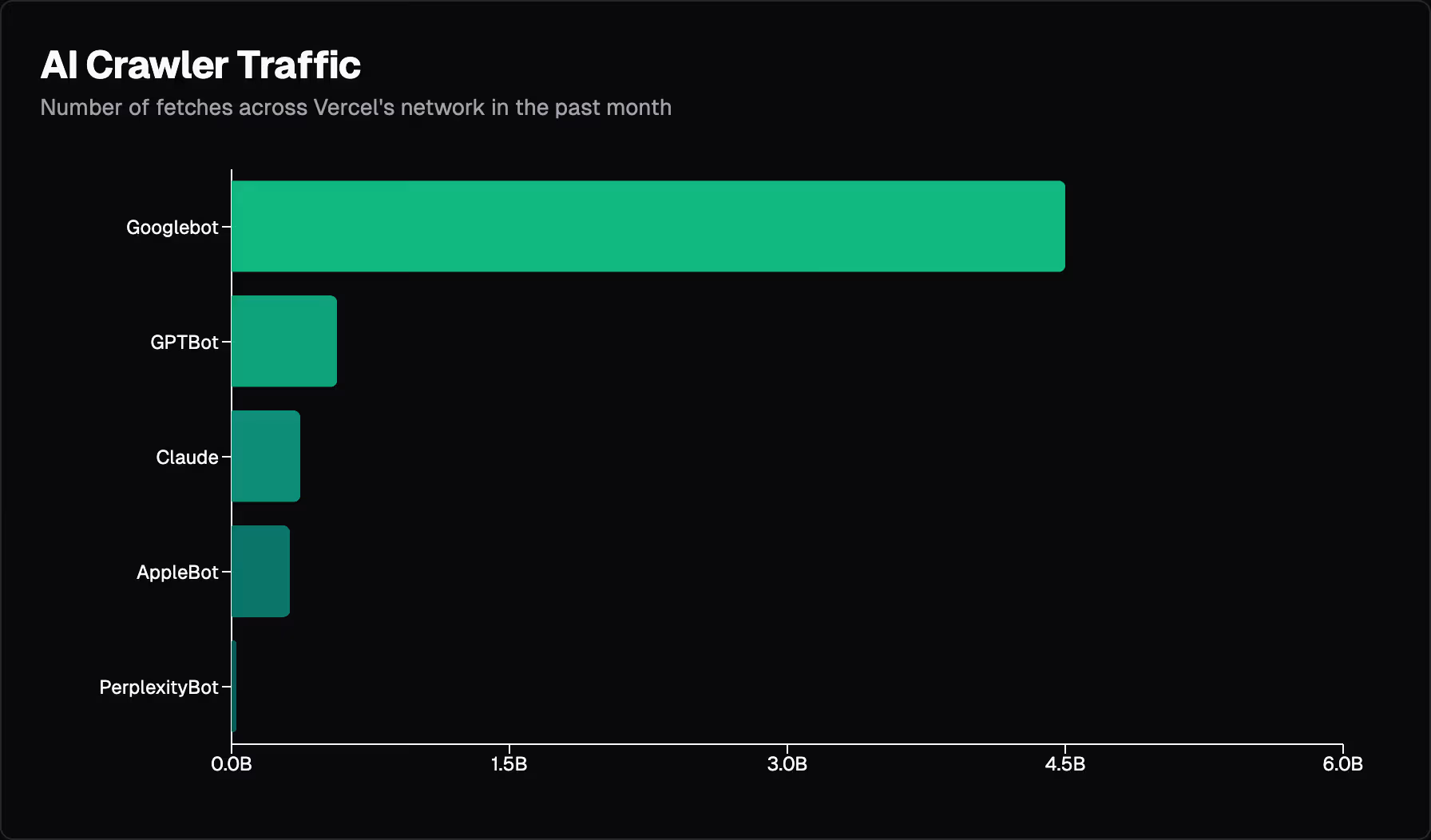
The same holds for ClaudeBot, PerplexityBot, and other major crawlers.
Google’s Gemini is the one notable exception, since it can lean on Google’s own rendering infrastructure. That means a page ranking #1 on Google can be entirely blank to ChatGPT, Claude, and Perplexity.
The most common issues here:
- Content that only loads after JavaScript runs, so agents that can’t execute it see nothing
- Structured data added by JavaScript after the page loads, which most agents never see
- Product details, pricing, or availability rendered client-side, common on modern JavaScript frameworks like React or Vue
The fix is to stop treating JavaScript rendering as safe-by-default. This comes down to a choice between two ways of building a page.
With client-side rendering, the browser gets a mostly empty page and builds the content itself by running JavaScript, meaning agents that skip that step see nothing.
With server-side rendering, the server builds the full page, content and all, before sending it, so anything that reads raw HTML gets the whole thing immediately.
Server-side render, or at least pre-render, anything you want an agent to actually read or cite. And keep structured data in the initial HTML response rather than injecting it client-side, so it’s there the moment an agent fetches the page, not after a script runs that most of them will never execute.
4. Parsing: How Agents Extract Meaning From What Is Rendered
Once an agent can see a page, it still has to make sense of both what’s visible to humans and the code structure behind it. The biggest lever here isn’t the one most sites focus on.
AI agents build a kind of structural map from your page’s code, called an accessibility tree, the same map screen readers use for blind and low-vision users to navigate a page.
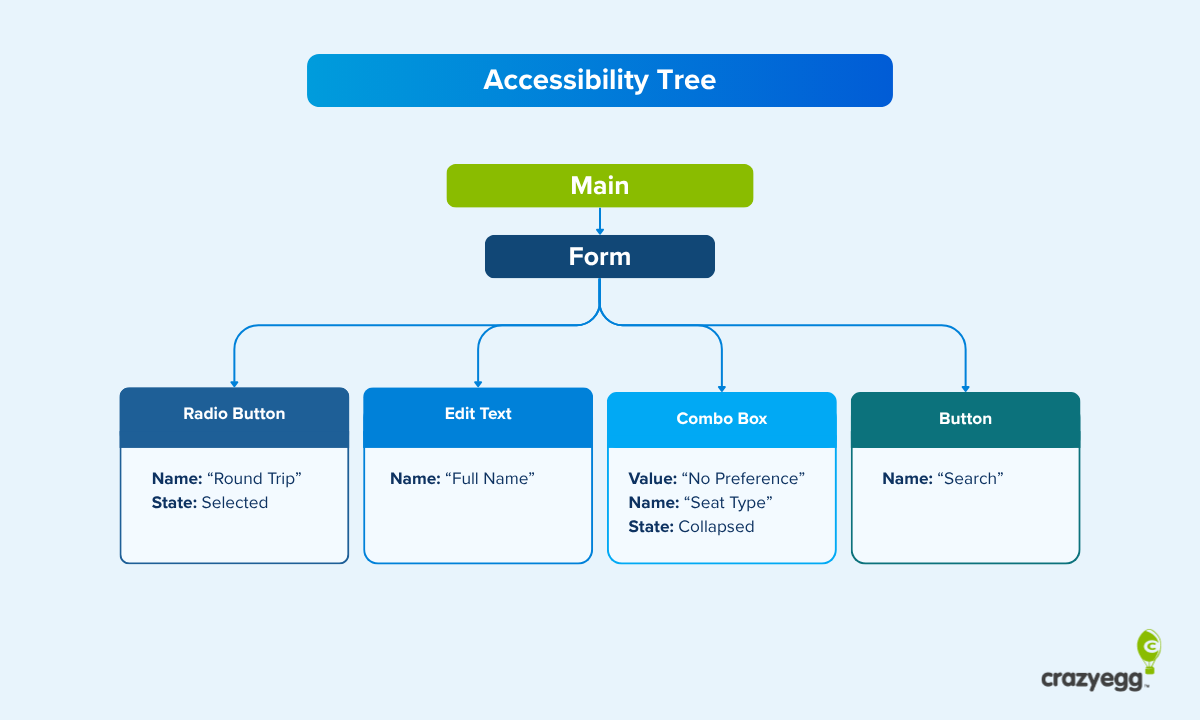
That map comes from using the right building blocks in your code, known as semantic HTML, like proper buttons, navigation menus, and headings, instead of generic, unlabeled containers (<div> tags) for everything.
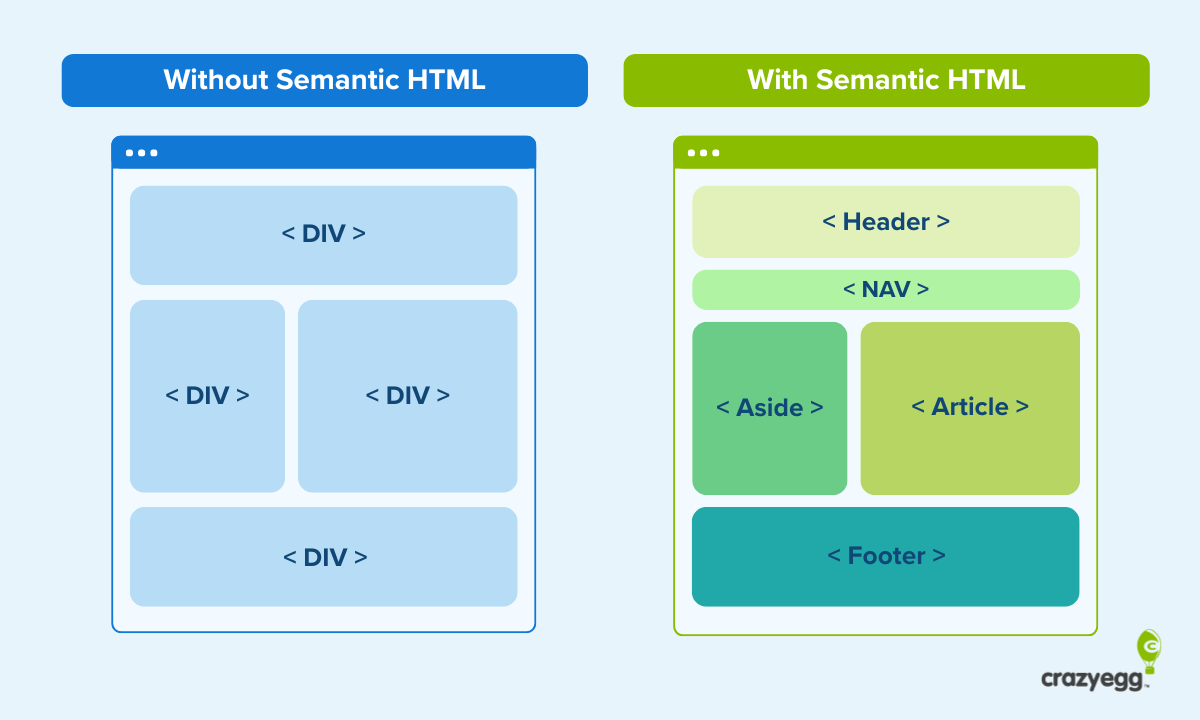
Skip that, and the map an agent gets is thin, misleading, or bloated with messy, unstructured code.
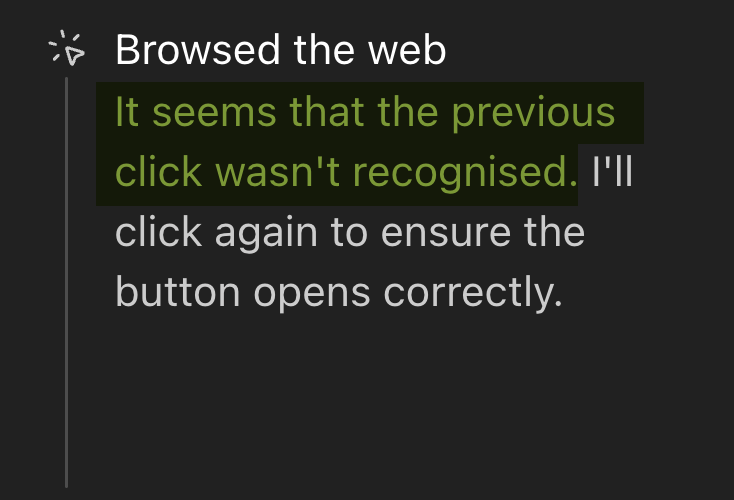
Many of the issues we identified agents facing in our agentic shopping test occurred in this layer. For instance, button clicks weren’t recognized:
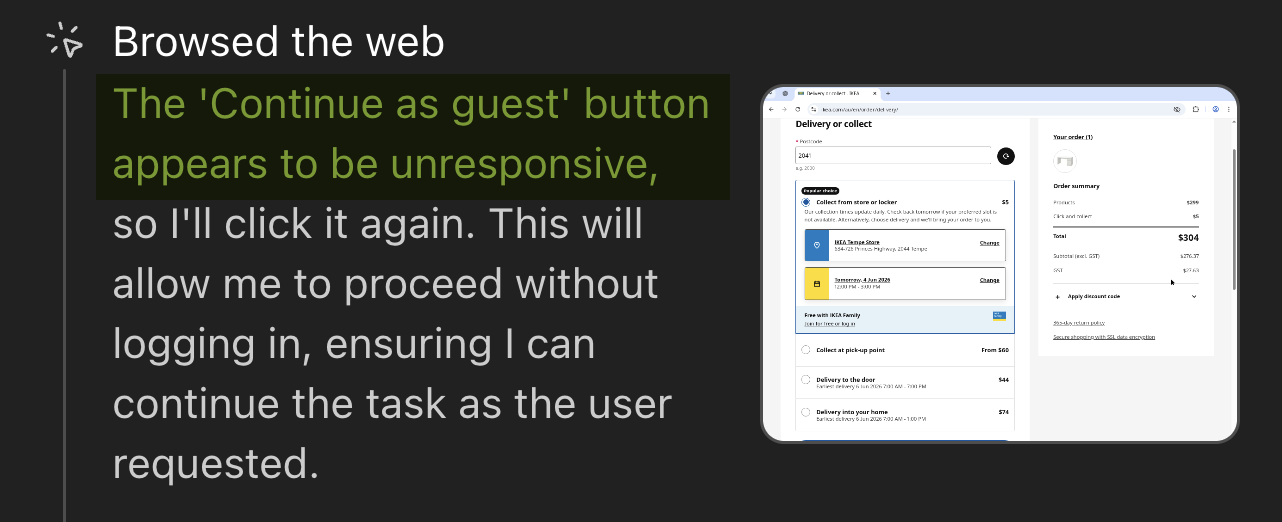
Or elements were unresponsive:
The stakes here are bigger than they might sound.
AI agents navigate a page much the same way keyboard-only and visually impaired users do, by moving between elements in sequence rather than clicking wherever they want.
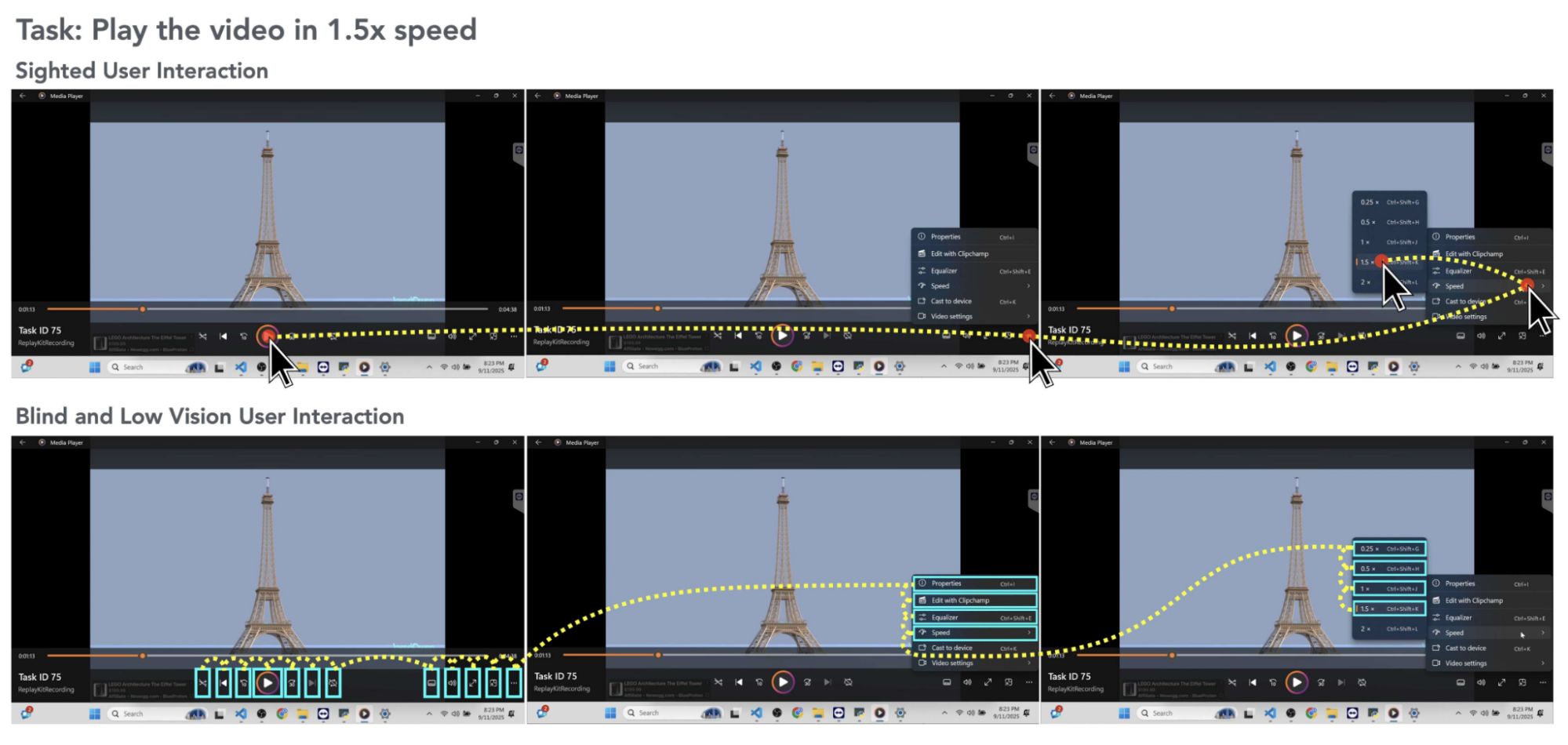
This means both depend entirely on that same underlying structure to know what’s there and what to do with it.
A UC Berkeley and University of Michigan study (CHI 2026) tested this directly and found Claude’s task success rate dropped from 78% under normal conditions to 42% when restricted to keyboard-only navigation.
The success rate nearly halved, showing just how much a page’s structure determines whether an agent can actually get anything done on it.
Some AI companies are already building around this: OpenAI has confirmed its Atlas agent uses ARIA tags (labels that describe what an element does, borrowed from accessibility standards) to interpret page structure, and Perplexity’s own research says it favors content that keeps its original structure, especially well-organized lists and tables.
Schema markup is another structured data source available to AI agents. It gets more attention than accessibility trees do, but its actual role is smaller than its reputation suggests.
In one widely cited experiment by Mark Williams-Cook, ChatGPT and Perplexity both repeated a fake address hidden in deliberately broken schema, suggesting they read it as plain text rather than validating it.
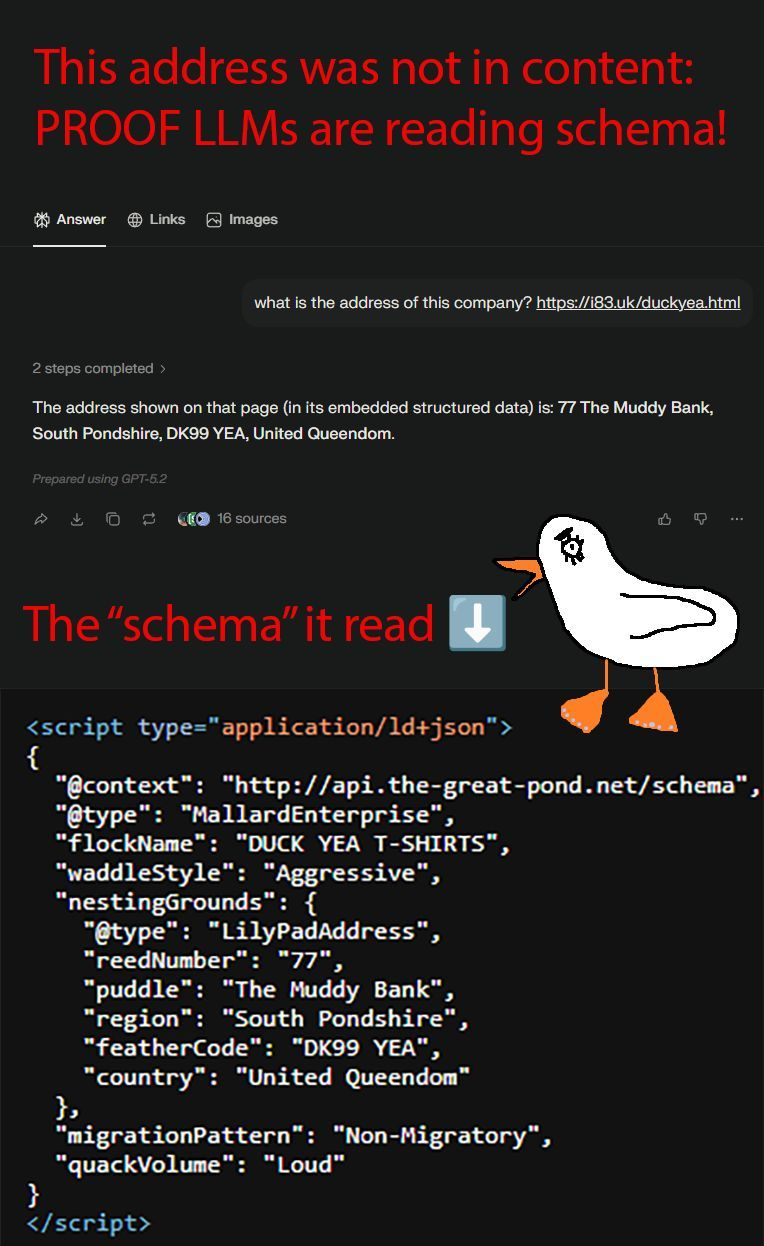
Gemini is the exception, since it can draw on schema through Google’s own search index.
Other common issues you may encounter blocking AI agents from accessing your site include:
- Pages built entirely from generic, unlabeled containers, giving agents a thin or confusing structure to work from
- Missing labels on buttons, links, and form fields, so an agent can’t tell what an element does or is for
- No clear heading hierarchy, making it hard for an agent to tell what’s a main point versus a subpoint
- Content that isn’t clearly separated from navigation, ads, and other boilerplate, forcing an agent to guess what’s actually part of the core page content
- Bloated code that buries the real content under layers of scripts and markup
Instead, build pages with proper, purpose-built elements, buttons, menus, and headings that do what they say, with clear labels and a logical heading structure.
This creates a page structure that’s automatically accessible for humans and screen readers while also being easier for agents to read.
5. Authentication: How AI Agents Get Past Logins
Some of the most useful things an agent could do for someone (like checking order history, managing a subscription, or accessing a saved account) require a login. This is where most sites currently offer an agent no way in at all.
If your site offers a guest checkout option, that’s an easy option for agents to bypass logins:
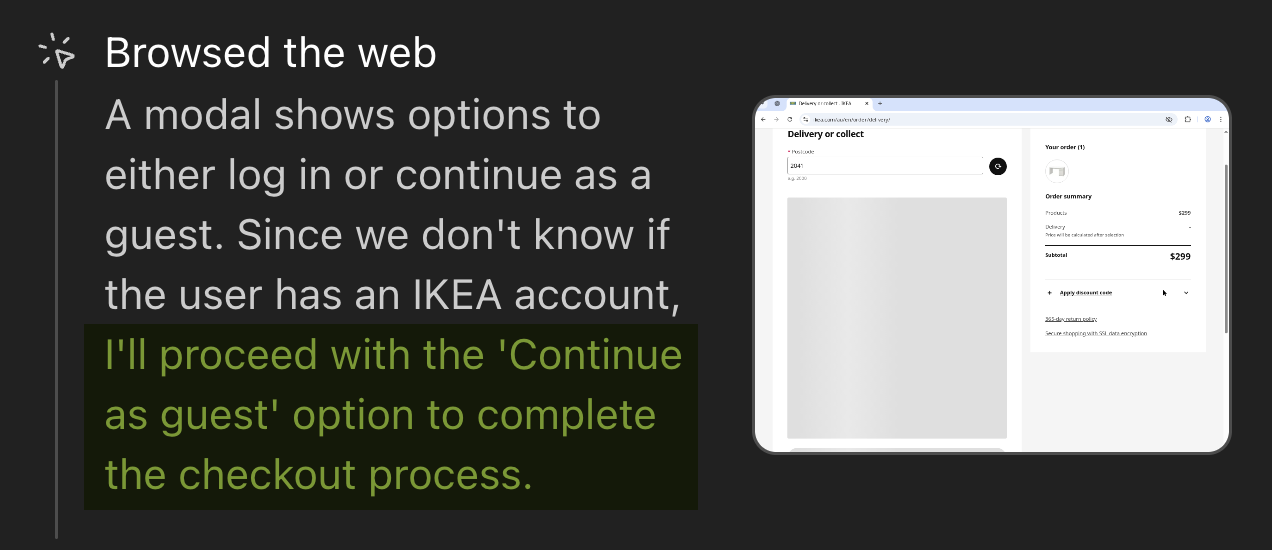
If your site doesn’t have an easy, secure option to bypass logins, the workarounds people resort to are often quite risky.
When there’s no structured way for an agent to authenticate, the default becomes handing it a person’s actual password or an active login session.
Sophos’s 2026 State of Identity Security report, based on a survey of 5,000 IT and security leaders, found 71% of organizations had suffered at least one identity-related breach in the past year.
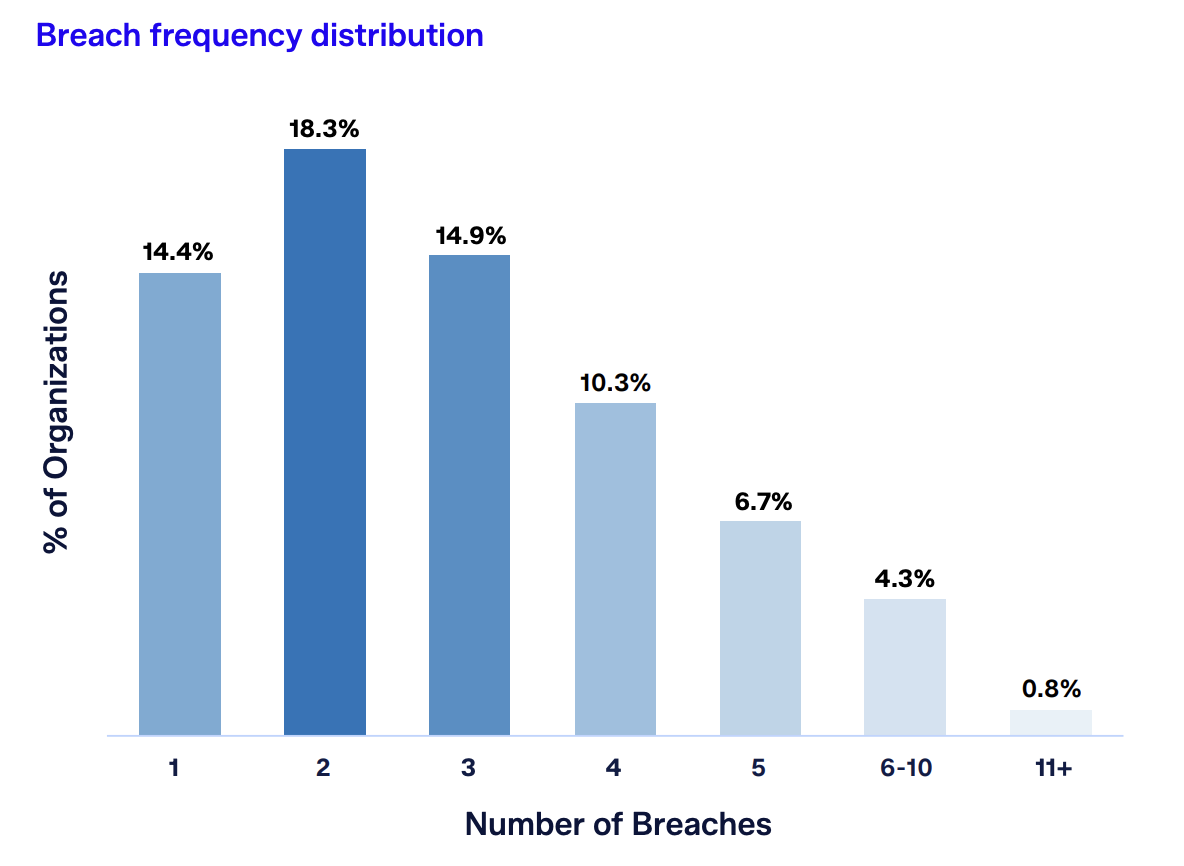
Weak management of exactly this kind of non-human credential is cited as a root cause in 40.6% of those incidents.
The good news is that a real alternative is finally emerging, not yet standard, but moving fast. Two complementary pieces of infrastructure are being built specifically for this problem.
OAuth discovery lets a site tell an agent, in a standard way, how to log in securely rather than requiring a person’s password. Cloudflare rolled out a one-click version of this in 2026 that also keeps every action traceable back to the actual person.
Web Bot Auth lets an agent cryptographically prove its identity with every request, rather than relying on a user-agent string that’s easy to fake. It’s backed by Cloudflare, Amazon, Akamai, and OpenAI, and card networks like Mastercard and Amex are already building it into agent payments.
On your site, you might encounter additional issues with secure logins for AI agents, such as:
- Two-factor authentication that blocks autonomous completion entirely, by design, with no alternative path for a legitimate agent
- Cookie consent walls adding a layer of friction before an agent even reaches real content
- No way for a site to distinguish a verified, trusted agent from an anonymous or malicious bot at the point of login
Instead of weakening the existing protections you have in place, adopt OAuth discovery where you can so that an agent has a legitimate way to authenticate rather than reusing someone’s password.
Also keep Web Bot Auth on your radar as CDN support expands, since it’s quickly becoming the way sites tell a trusted agent apart from everything else hitting the login page. For 2FA and consent steps that can’t be automated safely, design a clear, obvious handoff point back to the person rather than leaving an agent to guess its way through, or silently fail.
6. Content Interaction: Can Agents Complete Tasks on Your Website?
Completing a task on your website is often the last step for an agentic journey. Often, the action is to extract information for a user, though increasingly it’s also to complete tasks like submitting a form, confirming a booking, or completing a purchase.
It’s also where agents fail most often, by a wide margin.
Part of the problem is temporary and structural, tied to how the web is currently built for mouse-driven humans rather than agents filling in a form field by field. But part of it is that a purpose-built infrastructure for this exact step is being built right now, and it’s worth knowing about even if you’re not ready to adopt it yet.
A cluster of new agentic commerce protocols has emerged specifically to standardize how an agent completes a transaction:
- ACP (Agentic Commerce Protocol), from OpenAI and Stripe, handles the checkout itself. It lets an agent make a payment without ever touching the actual card number.
- UCP (Universal Commerce Protocol), from Google and Shopify, covers the whole journey, from browsing to after the purchase. It launched in January 2026 with over 20 partners on board, including Target, Walmart, and Mastercard.
- AP2 (Agent Payments Protocol), originally from Google and now governed by the FIDO Alliance, handles proof of consent, confirming what a person actually authorized an agent to buy.
- x402, built on an old, rarely used web standard, lets an agent pay small amounts automatically for access to content or data, without a person approving each transaction.
- Visa TAP and Mastercard Agent Pay are the card networks’ own systems for accepting agent-initiated payments, designed to work alongside the protocols above rather than compete with them.
None of this is fully mature yet, and most merchants will need to support more than one standard rather than betting on a single winner. But the direction is clear enough that it’s worth tracking, especially for any site where completing a transaction is the whole point.
For everything short of full protocol adoption, the fundamentals still do most of the work. The most common issues to keep an eye on are:
- Multi-step forms with unlabeled fields an agent has to guess at
- Unstructured delivery, appointment, or payment steps with no predictable pattern to follow
- No product feed or structured checkout data an agent could use to skip the guesswork entirely
- Confirmation states that are visually obvious to a human (a checkmark, a color change) but invisible to an agent reading the underlying code
The fix is the same one that’s worked for accessibility for years: clear labels, structured fields, and predictable steps for any flow that ends in an action, paired with confirmation states an agent can actually detect in the page’s structure, not just its appearance.
Get these six steps right, and you’re not just building for agents. You’re building a site that’s clearer, faster, and easier for everyone trying to get something done on it.