Looking for a platform to help you run experiments, personalize what users see, and optimize your conversions?
Here’s the reality: AB Tasty and VWO are now combining platforms. But for right now, they still offer different product experiences, which come with different strengths, experiences, and workflows.
AB Tasty is strongest when you want one complete system for your product and marketing teams to use for experimentation and rolling out features. VWO stands out when you want experimentation that’s tightly woven in with behavior analytics tools, like heatmaps, session recordings, and surveys.
Let’s compare the two.
AB Tasty vs. VWO: A Quick Snapshot
If you’re short on time, here’s a quick overview of how AB Tasty and VWO compare.
| Feature | AB Tasty | VWO |
|---|---|---|
| A/B Testing & Experimentation | ✅ Full testing suite (A/B, A/B/n, split URL, MVT, multi-page) + strong separation between client-side (marketing) and server-side (product) experimentation | ✅ Same core testing types + strong integration with analytics tools to explain why variations perform the way they do |
| Personalization & Audience Targeting | ✅ Highly structured personalization system with segmentation, triggers, dynamic widgets, and campaign prioritization controls | ✅ Solid targeting and personalization, but positioned as one feature within a broader optimization suite |
| Feature Flags & Rollouts | ✅ Advanced rollout system with feature flags, progressive release, targeting, and rollback controls | ⚠️ Supports server-side experimentation and feature testing, but less developed as a full rollout management system |
| Behavior Analytics Tools | ❌ No native heatmaps, session recordings, funnels, or form analytics (requires external tools) | ✅ Full built-in suite of analytics tools: heatmaps, session recordings, funnels, and form analytics—all connected to experiments |
| Surveys & Visitor Feedback | ⚠️ Lightweight, campaign-based feedback (NPS, CSAT, prompts) tied to personalization and testing | ✅ Full survey product with targeting, logic, templates, and integration with analytics + experimentation |
Feature Breakdown: AB Tasty vs. VWO
1. A/B Testing and Experimentation
AB Tasty
With AB Tasty, testing is the core component of its platform. This key characteristic is literally in the name, after all.
For web experimentation, you the following testing capabilities:
- A/B tests: Compare two versions (A vs. B) to see which performs better.
- A/B/n tests: Test one control against multiple variations to find the top performer.
- Split URL tests: Send users to completely different pages to compare your more major changes.
- Multivariate testing (MVT): Test multiple elements at once to find the best combination for your users.
- Multi-page experimentations: Test changes across a full user journey (like an entire checkout or signup flow).
- Bayesian-statistics-based testing: Use probability to estimate which variation is most likely to win.
- Dynamic traffic allocation: Automatically shift traffic to your higher-performing variations during the test, not after.
Plus, you can launch and manage all of these types of tests either using a visual editor or a code-based setup. Whatever floats your team’s boat.
What really sets AB Tasty apart from VWo, though, is how the platform is structured behind the scenes. AB Tasty separates experimentation into two layers. First, there’s client-side web experimentation, which runs in the browser and makes it easy to test basic headlines, layouts, and CTAs without engineering support.
Second, there’s the feature experimentation, server-side. This side is built for product and engineering teams, running on the background to allow teams to test and control your actual product features. Not just cosmetically edited versions of them.
VWO
With VWO, experimentation is also a core part of the platform. But it’s also closely linked to the rest of VWO’s tools, which prioritize behavior insights.
Like AB Tasty, VWO offers A/B tests, A/B/n tests, split URL tests, MVT, mutli-page experimentation, and Bayesian testing via its SmartStats tool. VWO also allows you to build experiments using a visual editor or, if you prefer, a code-based setup, so it’s ideal for both marketers and your dev team.
But here’s where VWO diverges from AB Tasty: it integrates directly with VWO’s heatmaps, session recordings, conversion funnels, and form analytics tools.
This means you can do more than just see which variation wins: using VWO’s analytics tools, you can also understand why.
I really appreciate that, unlike many other A/B testing platforms, VWO treats experimentation and analytics as two parts of the same workflow, rather than entirely separate.
This combo makes it easier for teams to move from insight to hypothesis to test to validation and back again, all without jumping back and forth between tools.
2. Personalization and Audience Targeting
AB Tasty
AB Tasty prioritizes personalization, building it into the platform’s core features. With AB Tasty, your team can:
- Create user segments based on criteria like behavior, device, location, traffic source, and other, custom data/attributes you want to add
- Import segments from other tools in your tech stack to save you time and headache
- Establish campaign prioritization rules to control how your overlapping experiments and personalizations are displayed to users
- Set triggers so that your campaigns/tests activate based on things like scroll time, time on page, and exit intent signals
- Add dynamic widgets to user experiences and experiments, including popups, banners, recommendation blocks, and embedded content
- Show different variations to different segments of your audience during the same campaign for a well-rounded view of what’s working for which customers
AB Tasty also avoids letting one user participate in multiple or overlapping campaigns. Many organizations run multiple experiments at once—an A/B test on a home page plus a widget triggered by exit intent plus a personalization campaign for returning users, for example.
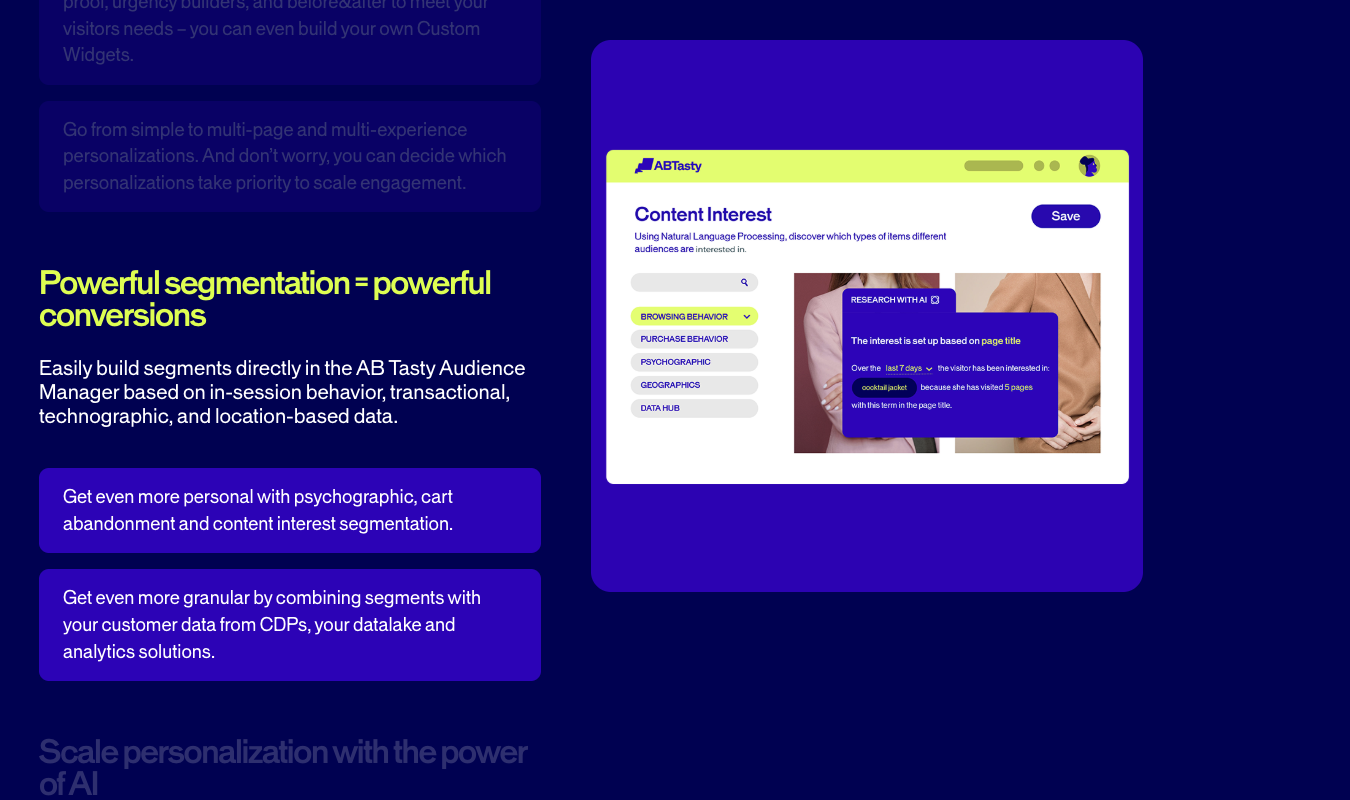
To keep things from getting messy, you can define priority rules between each campaign. For example, you could set the personalization campaign to override all other experiments. Or run an A/B test for a user only of no other, higher-priority campaign applies to them.
This smart-testing feature keeps your user experience consistent and your experiments nice and tidy.
VWO
With VWO, personalization is just one piece of the platform’s broader digital experience optimization features.
Teams get:
- Audience targeting that’s based on all the usual suspects—behavior, device type, geography, and traffic source
- Customized experience delivery that’s based on user segments, so that users only see the variations that best apply to them
- Targeting and triggers (like behavior and time-based conditions) that apply across the whole campaign
- Integration with all experimentation features, allowing your team to apply personalization rules to various aspects of a test variation
The key difference between VWO and AB Tasty is that VWO treats personalization like a feature that’s used alongside testing, heatmaps, session recordings, funnels, and surveys. For AB Tasty, where user testing and experimentation are the focus, personalization is part of every core feature.
If you don’t plan to use VWO’s other tools, AB Tasty wins out when it comes to personalization. If you already use VWO’s other tools or plan to in the near future, you probably don’t need to go out of your way to sign up for AB Tasty.
3. Feature Flags, Rollouts, and Product Delivery
AB Tasty
AB Tasty creeps ahead of VWO when it comes to feature flags and rollouts. AB Tasty lets you control exactly how your product’s features are released using a dedicated Feature Experimentation & Rollout product.
Teams can:
- Instantly turn features on or off using feature flags and without redeploying the whole product
- Release features to small percentages or segments of users
- Target users based on characteristics like location, device, or custom attributes
- Run deep, server-side tests on actual features, not just surface-level UI changes
- Automatically roll features back if they negatively impact your key metrics
Instead of pushing a feature, live, to your entire audience at once, your team can carefully ease it out to select groups of users. You can monitor performance, scale up the rollout, or just call it off if it’s not going as planned.
VWO
VWO dips far more shallowly into this set of capabilities, and maybe that’s part of why it has decided to join forces with AB Tasty. That, and the fact that VWO, in turn, includes plenty of features AB Tasty doesn’t have, like heatmaps, session recordings, and funnel analytics.
Anyway, VWO does support code-enabled, server-side experimentation and testing at the feature level with its Feature Management capabilities. But these capabilities are only user friendly if the user is someone who’s comfortable with coding.
And even then, VWO offers less than AB Tasty does for experimentation. Its experiments are best used to help test front-end experiences, validate changes at the UX level, and make sure conversion paths are fully optimized.
AB Tasty, on the other hand, offers a more complete (and universally user-friendly) system for controlling releases and reducing your risk of putting out a poorly performing product.
(For more choices like VWO, see our list of the top VWO alternatives.)
4. Behavior Analytics Tools
AB Tasty
As I’ve already mentioned, AB Tasty and VWO are joining forces. They offer different, yet related, sets of tools.
What AB Tasty does not offer are behavior analytics tools like heatmaps, session recordings, and so forth.
You can’t watch how users move through a page, or see where they click, or spot friction points inside your most important forms. Instead, users have to rely on separate tools (like VWO) to get those behavior analytics.
VWO does offer these tools, so let’s move right along.
VWO
With VWO, behavior analytics is the core part of the platform, not a separate step. Here’s what you get with VWO as it pertains to behavior analytics:
- Seven heatmap types, including: Clickmaps, Scrollmaps, Hovermaps (mouse-tracking), Click Areas, Element Lists, Zonalmaps, and Frictionmaps. (Quite a menu, if you ask me.) VWO also offers some heatmap types for mobile.
- Session recordings (on both apps and websites) that replay individual user journeys, plus the AI functionality to find and extract the most important moments.
- Conversion funnel mapping to track where your users drop off across different checkout or signup flows.
- Form analytics to help you analyze behavior at the field level.
The biggest strength is in how these tools connect to VWO’s experimentation features. Teams can spot friction in a funnel, build a hypothesis, and launch a test to see if they’re correct, all within the same platform.
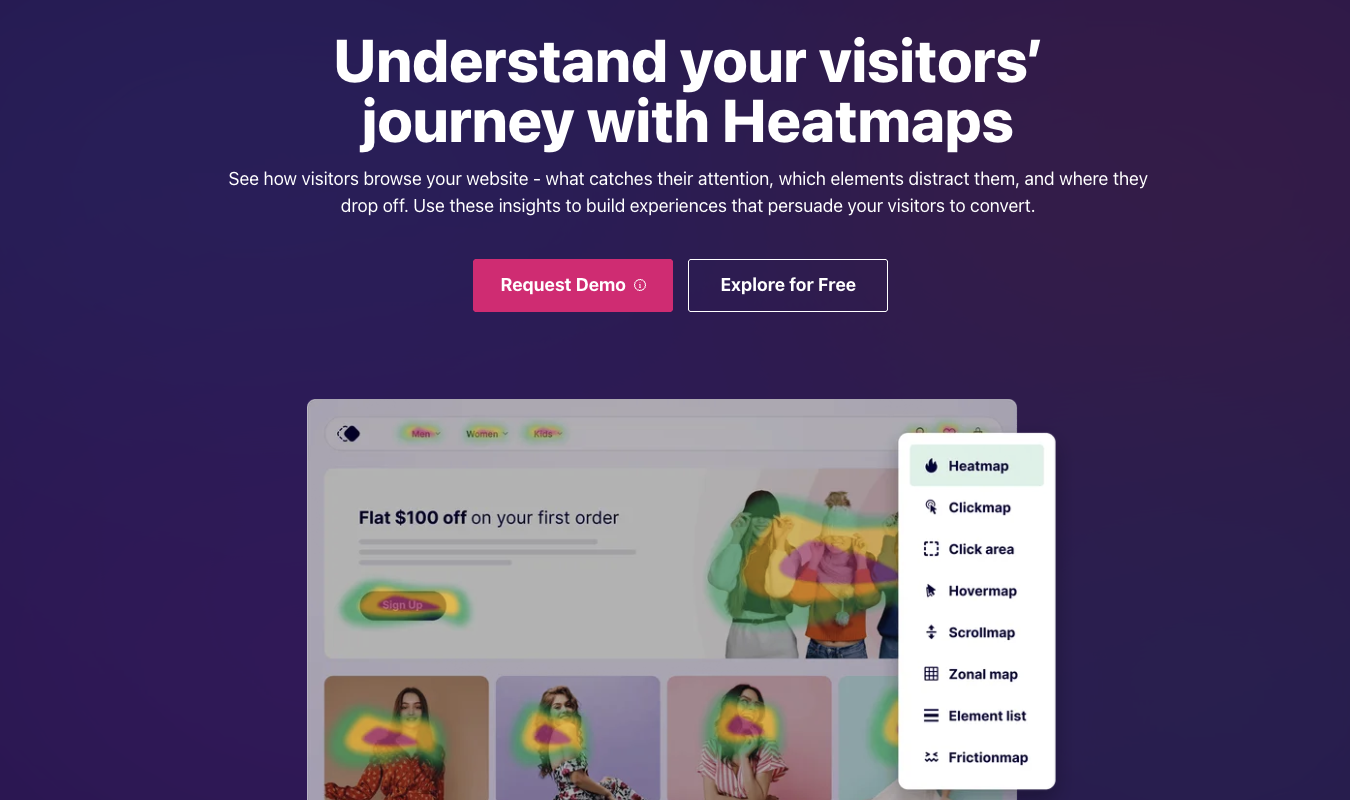
No need to switch between tools at all, like there is if you want to use AB Tasty alongside any behavior analytics tools.
5. Surveys and Visitor Feedback
AB Tasty
With AB Tasty, you can definitely collect feedback, but only as part of the overall campaign experience. There’s not a standalone research system dedicated just to gathering feedback from users.
Instead, AB Tasty offers survey-style widgets, including net promoter score (NPS), customer satisfaction (CSAT), and feedback prompts you can customize. You can trigger these based on behavior (like time on page and exit intent), target them to specific segments of your audience, and directly embed them into campaigns.
Keep in mind that you can reuse responses to help you segment customers effectively. For example, users who give a low NPS score can be segmented and shown different experiences in your future campaigns.
What you don’t get is a super-structured survey system with advanced logic, survey analytics dashboards, or tools for managing large-scale feedback. It’s best for gathering context that’s directly relevant to your experimentation campaigns.
(See our best AB Tasty alternatives for more options.)
VWO
With VWO, surveys are their own, fully developed product instead of a supporting feature. You get:
- On-page surveys, whether embedded or modal
- Targeting by behavior, URL, device, or audience segment
- Trigger conditions that include time delay, scroll depth, and exit intent
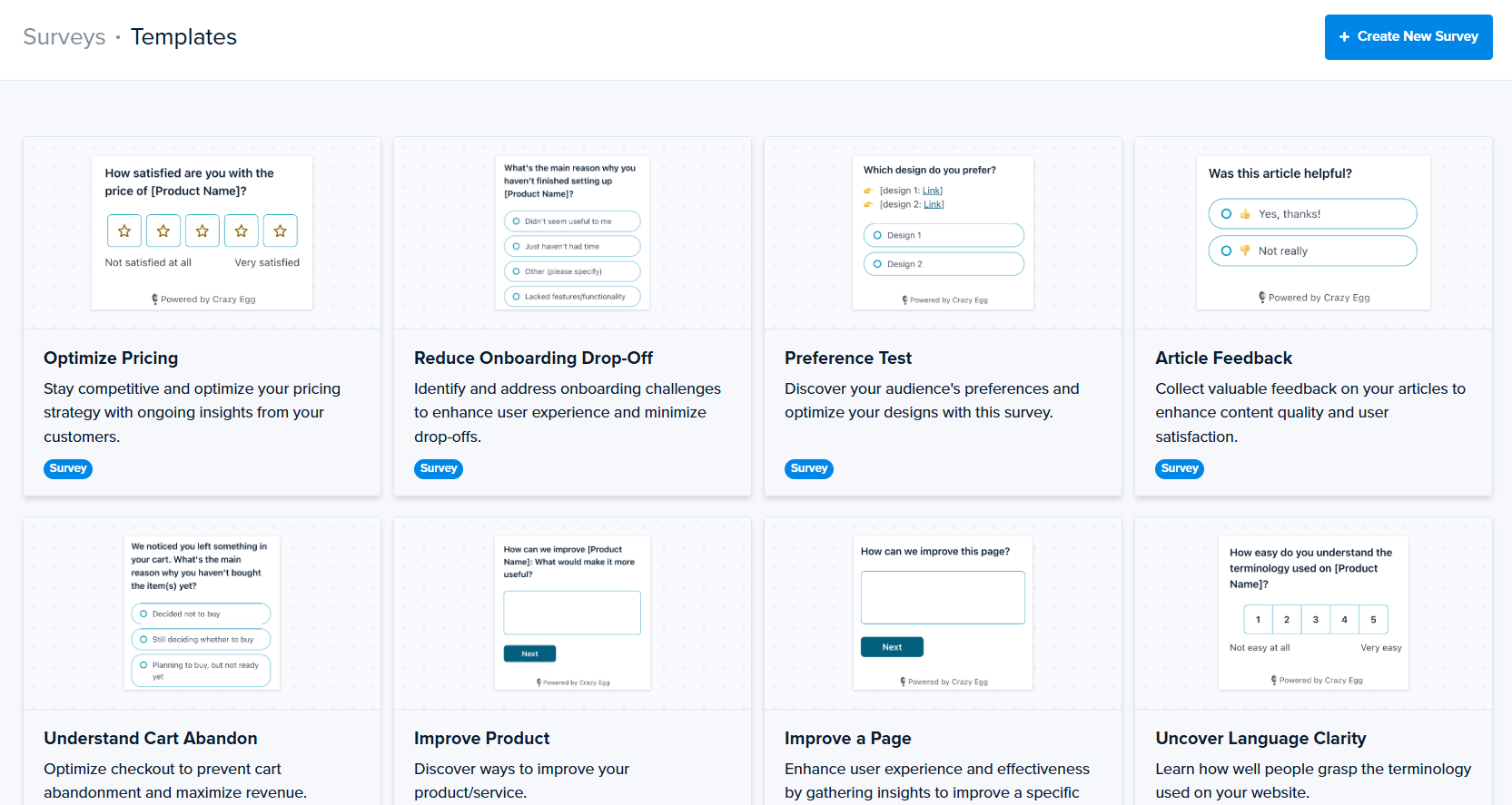
- Pre-built templates, customizable questions, and AI assistance for easy survey creation
- Survey logic that allows different questions to appear based on user responses
- Fatigue controls to keep you from over-surveying the same users
- AI-powered survey response analysis
Even better, surveys are part of the same toolset that includes heatmaps, session recordings, funnels, and experimentation.
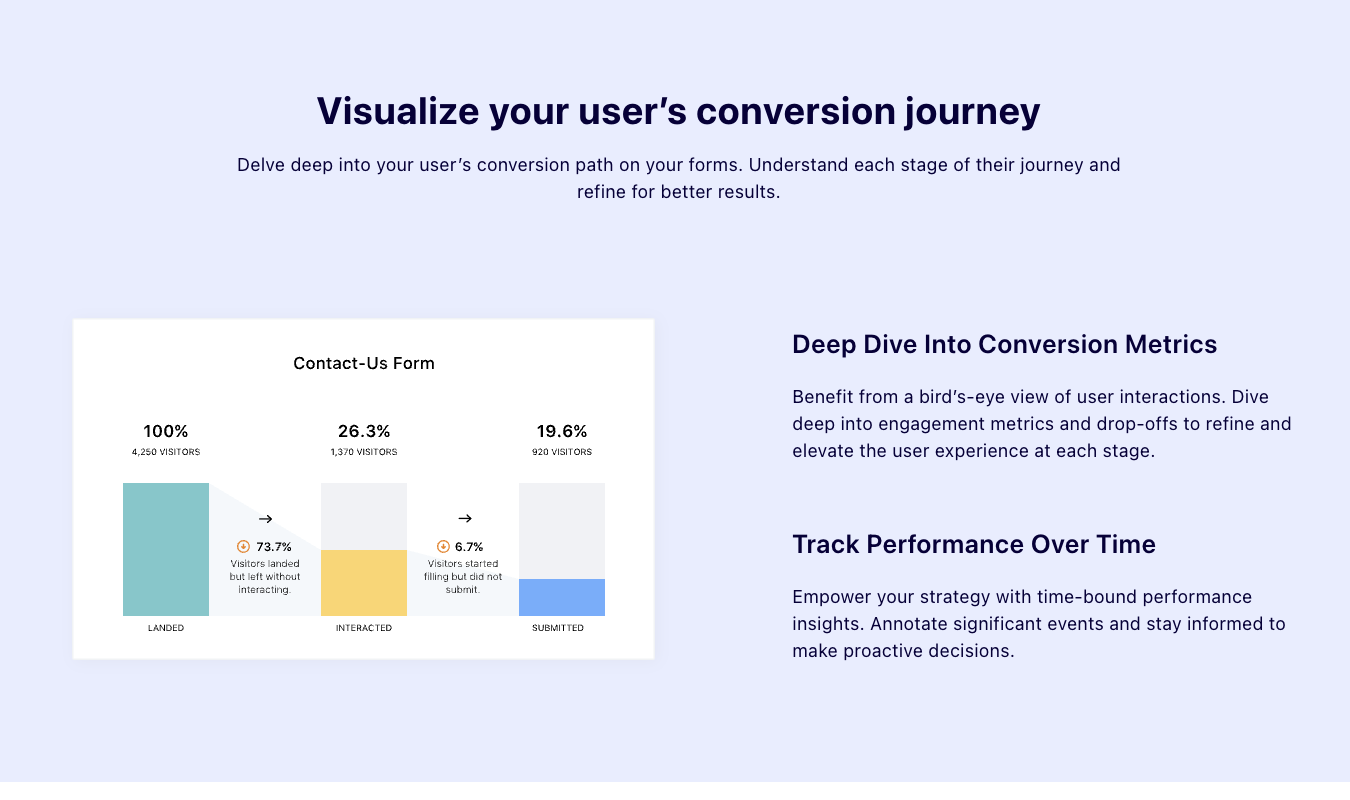
So, you can see a drop-off in a funnel, trigger a survey at that exact step, ask users why they’re leaving, and use their responses to inform your next improvements.
Pricing Breakdown: Which Has the Best Value?
Let’s see how AB Tasty and VWO compare, pricing-wise.
| AB Tasty | VWO |
|---|---|
| No public pricing listed; requires demo and custom quote | No fixed universal pricing; product-based pricing model |
| No free plan publicly advertised | Free trial available for multiple products |
| Pricing page highlights bundled capabilities (experimentation, personalization, rollout) | Pricing structured by product (Testing, Insights, Personalize, Feature Experimentation) |
| Enterprise sales model (pricing varies by traffic, features, support) | Modular pricing model (pay for specific capabilities) |
| Requires sales engagement to understand cost | Pricing explored through product pages or demo flow |
Final Verdict: Is AB Tasty or VWO Right for You?
If your team wants one, single platform where you can manage experimentation, personalization, and feature releases, AB Tasty offers strong value, especially for teams that have tons of tests to run.
If you’d rather have a platform where you can start small, get deep behavior insights on both websites and apps right away, and scale into even more advanced experimentation, VWO is a more flexible option.
Of course, since they’re merging, you’ll soon be able to access them from the same platform.
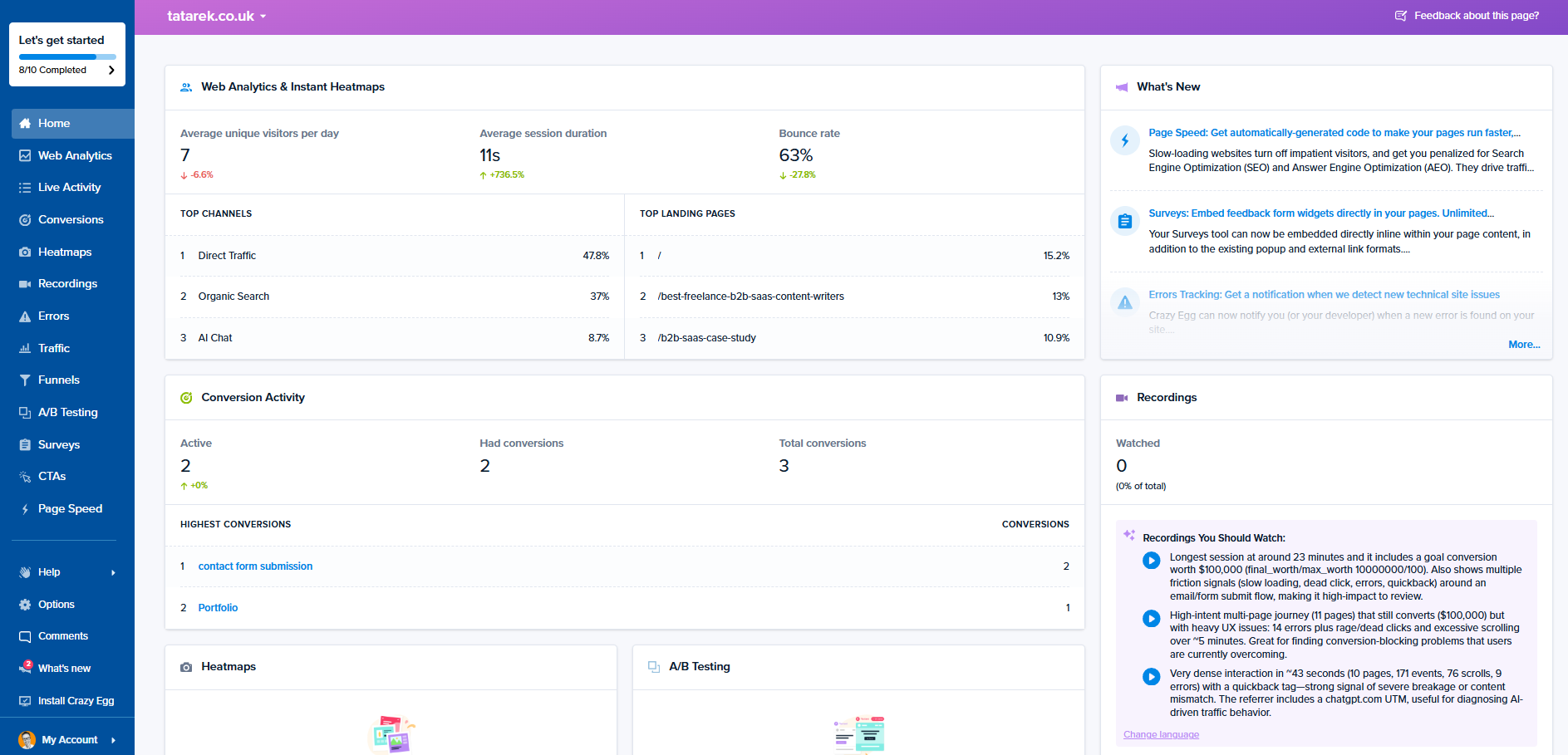
If you want a platform that already offers both web analytics and experimentation, try Crazy Egg. With free web analytics, surveys, A/B testing, and instant heatmaps, Crazy Egg’s suite of tools is easy for any team to get up and running within minutes.
Sign up for free today or do our lowest-tier plan for just $29 a month.