If you need a way to track your users’ behavior across both websites and mobile apps, UXCam and Smartlook are both excellent options with different strengths.
Today, we’ll explore these strengths and take a look at a few weaknesses, too.
UXCam vs. Smartlook: A Quick Snapshot
The table below offers a quick overview of the main points for this comparison between UXCam and Smartlook.
| Feature | UXCam | Smartlook |
|---|---|---|
| Session Recordings | ✅ Full session replay across web and mobile ✅ Records taps, scrolls, clicks, navigation, transitions ✅ Advanced filters ✅ AI agent (Tara) summarizes sessions and finds most important recordings ✅ Integrates recordings with crash and performance logs ⚠️ AI summaries might require verification | ✅ Full session replay across web and mobile ✅ Records taps, scrolls, clicks, navigation, transitions ✅ Powerful filters to identify key sessions ⚠️ No AI-driven session analysis tool (manual review required) |
| Heatmaps | ✅ Heatmaps for web and mobile ✅ Shows taps, clicks, scroll depth, and engagement overlays ✅ Filter by date, events, and user properties ✅ Linked directly to session recordings and funnels | ✅ Heatmaps for web and mobile ✅ Built from aggregated session data ✅ Automatically updates with new data ✅ Segment by user characteristics ✅ View multiple heatmaps side-by-side (gallery view) |
| Funnels | ✅ Custom funnels based on tracked screens and events ✅ Define required order or allow flexible paths ✅ Calculates step-by-step conversion rates ✅ Lets you go directly into session recordings from funnel steps | ✅ Funnels built from retroactive data ✅ No need to wait for new data collection ✅ Define order and time windows for completion ✅ Filter by browser, device, location, UTM source ✅ Links to session recordings for context |
| Error & Issue Analytics | ✅ Automatic crash and UI freeze detection (strongest for mobile) ✅ Connects issues directly to session recordings ✅ Captures device info, OS version, and affected users ✅ Filter by crash type, frequency, and screen ⚠️ Website error tracking is very limited | ✅ Crash and error monitoring for web and mobile ✅ Captures JavaScript errors (web) ✅ Links errors directly to session recordings ✅ Filter by type, browser, device, URL, and frequency ✅ Balanced support across web and mobile |
| Integrations | ✅ SDK-based integration ✅ APIs for exporting and making custom connections ✅ Direct integrations (Segment, Amplitude, Mixpanel, Intercom, Salesforce, etc.) ⚠️ Requires engineer-led setup (not plug-and-play) | ✅ SDK (mobile) + tracking snippet (web) ✅ APIs for custom tracking and export ✅ Native, plug-and-play integrations ✅ Simple authentication-based setup ✅ Integrates with Slack, Survicate, Optimizely, Mixpanel & more |
Feature Breakdown: UXCam vs. Smartlook
1. Session Recordings
UXCam
UXCam records the entire user session so that your team can watch actual user behavior happen from start to finish. These session replays show you everything the person does in your mobile app or on your website.
Every tap, scroll, navigational movement, click, and transition from one screen to another is recorded.
Once you’ve accumulated sessions, you can use filters to narrow down specific types of recordings. For instance, if you want to see every session in which a user rage-clicked a button, you can direct UXCam to show you each one.
You can also build funnels and generate heatmaps based on user data, and from there, you can click on various moments to see the recorded sessions that represent key moments. UXCam’s AI agent, Tara, will even watch the session recordings for you, summarize them, and tell you which ones are the most important to watch.
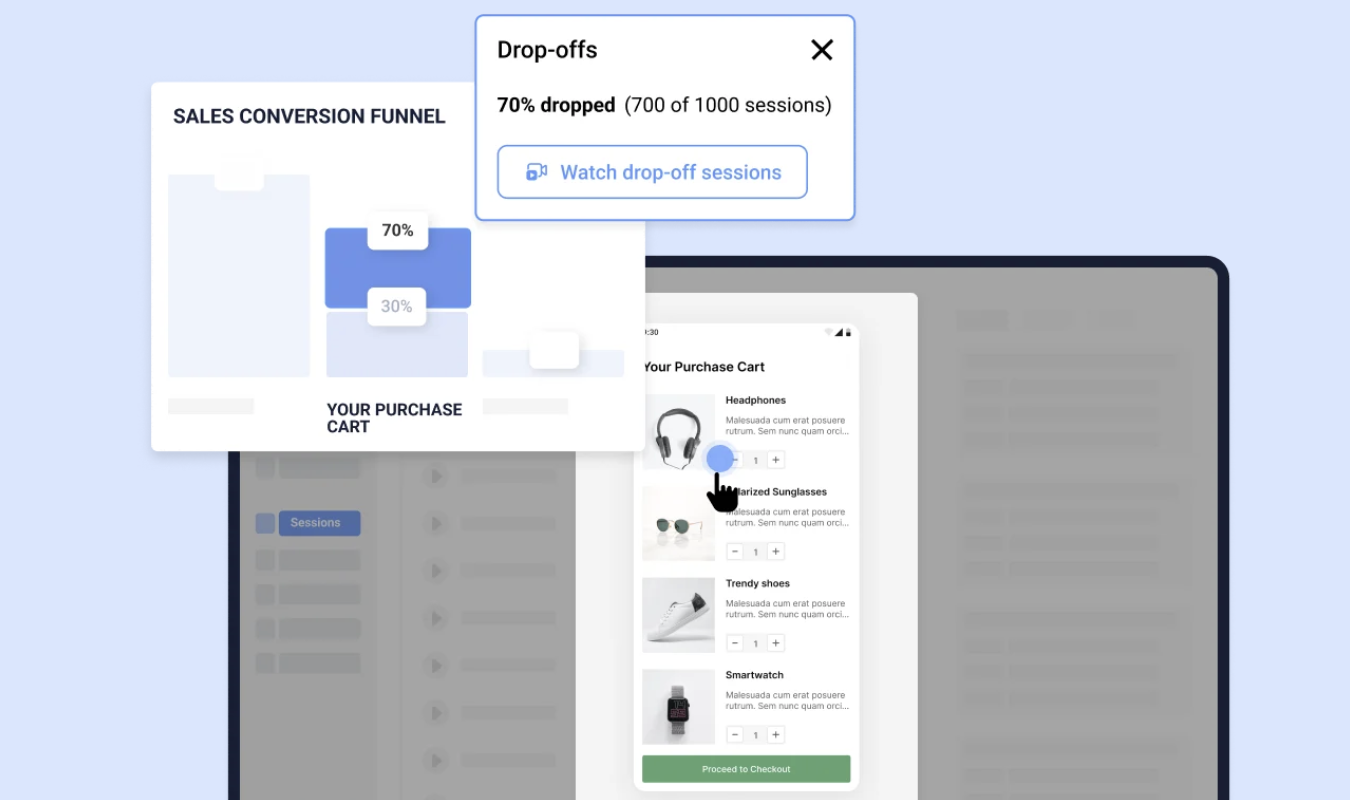
UXCam also integrates session recordings with crash logs and performance logs. Because of this, UXCam is particularly useful when you need to debug your mobile app.
Smartlook
Like UXCam, Smartlook captures full session recordings across both web and mobile apps. These recordings show the same types of things that UXCam does: taps, scrolls, clicks, navigation choices, and the like.
And as with UXCam, Smartlook offers powerful filters that help you locate and study the sessions that matter the most to your team. You don’t have to watch every single session.
Despite its name, though, Smartlook doesn’t currently offer an AI-driven session analysis tool that compares with UXCam’s Tara AI.
You’ll have to rely more on filters and, yes, manual review, to pinpoint key sessions. Could this be a good thing? Maybe. AI has been known to hallucinate important information, and perhaps Smartlook’s lack of such a tool is a way to avoid such issues.
2. Heatmaps
UXCam
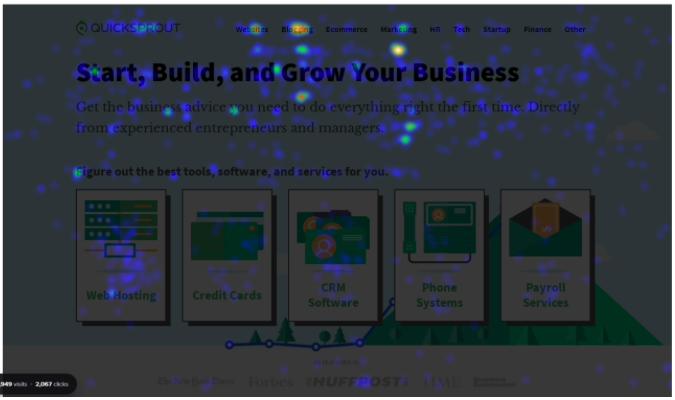
UXCam gives you heatmaps that show which parts of your website or mobile app get the most (and least) attention. It shows you this by presenting taps, clicks, scrolls, and other movements as splotches of color overlaid on your screens.
With these heatmaps, you can identify usability issues, see which elements of your page either attract users or go completely ignored, and compare user behavior across different versions of a page. Or across different user segments. (Learn how to read a heatmap to see how effective this tool is.)
UXCam lets you filter heatmaps by date, events, and user properties, and it also links heatmaps to relevant user sessions.
So, for example, if you notice no one seems to scroll more than halfway down your pricing page, you can watch user recordings to find out more about the circumstances surrounding this behavior.
UXCam supports heatmaps on both web and mobile platforms, and it integrates these heatmaps with other analytics, like funnels and user flows (and session recordings, of course).
Smartlook
Smartlook also offers heatmaps built from aggregated user sessions. These maps show where users move, scroll, and click across both web pages and mobile app screens, just like UXCam’s do.
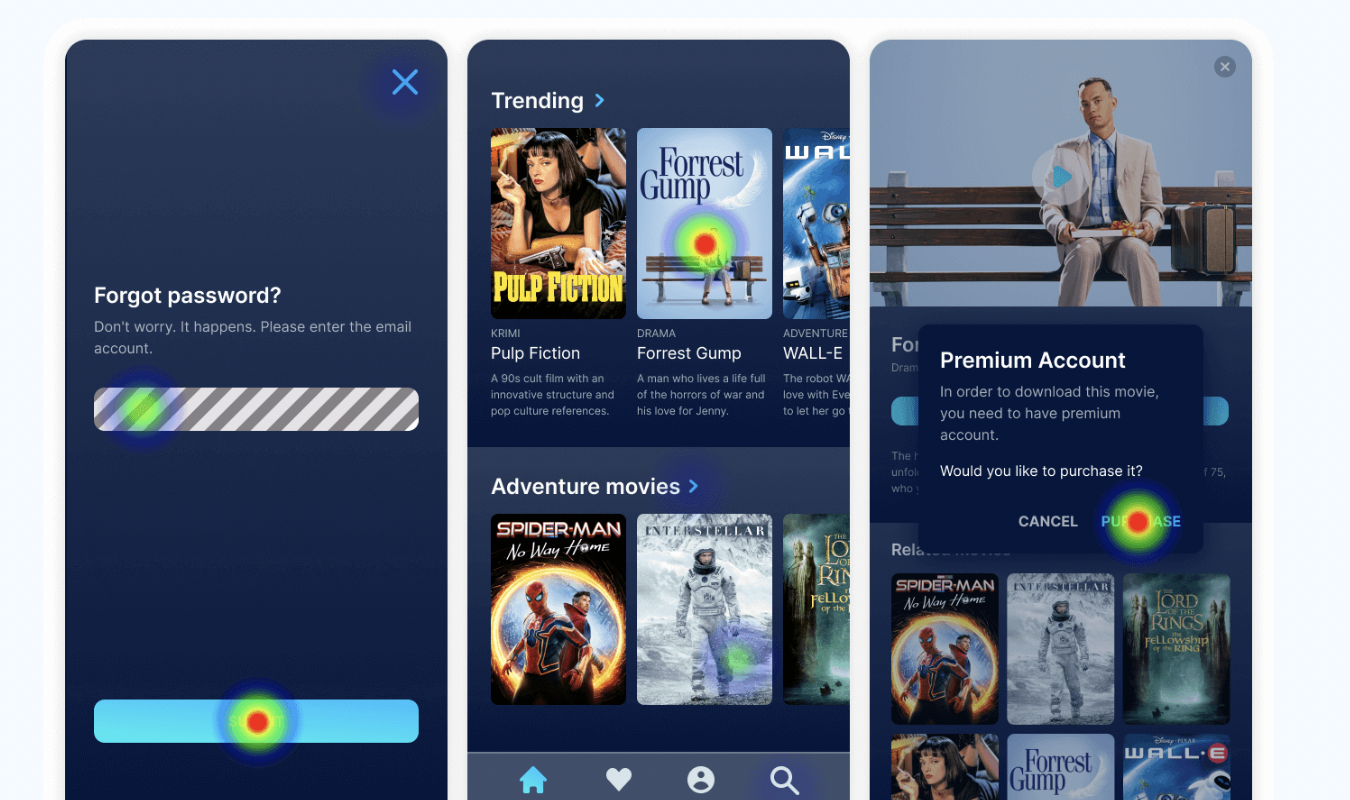
This gives you a clear picture of which parts of your user interface attract the best attention, and which parts get ignored completely.
Smartlook’s heatmaps automatically update as more user data pours into the system, and you can segment them to highlight differences in user behavior across various characteristics.
You can even view multiple heatmaps together at once, gallery style, to see how various pages or user segments compare to each other, which I love.
3. Funnels
UXCam
UXCam makes it easy for your team to build funnels based on the screens and custom events you’re already tracking within your app or website. To create a funnel, all you have to do is define the steps you expect users to take.
For instance, one conversion funnel might look like this:
- Viewed pricing page
- Started free trial
- Joined email newsletter
- Opted in to SMS
- Applied the discount code to purchase
- Completed purchase
On UXCam, you can decide whether users must complete the steps in an exact order to count as a funnel, or whether you’re OK with some bouncing around. Once a funnel is built and users start fitting into it, UXCam calculates the conversion rates between each step and spotlights the drop-off points.
From any step in the funnel, you can hop right into the session recordings to see what happened. In this sense, UXCam’s funnels are intertwined with data gathered from session replay.
But the funnels do depend on events and screens that are already being tracked in your app or site. If you want to create a funnel around specific steps and those actions aren’t currently being recorded as events or screen views, you’ll need to set that up before the funnel can measure them.
Smartlook
Smartlook has an edge over UXCam in that it allows you to build funnels from retroactive data. You can create a new funnel, plug in data gathered over the past weeks or months, and immediately analyze this behavior, even though it already happened.
You don’t have to wait to gather fresh data from new traffic.
Funnels are easy to build here, too: you simply choose the steps that best represent your conversion path, set whether the sequence needs to follow a set order, and define a time window for how long it should take to complete.
Once you create funnels and see the results, you can apply filters to segment them by browser, device, location, or UTM source. Like UXCam, Smartlook also calculates how many users move from one step of the funnel to the next one, and where the users drop off.
Smartlook also melds its session recordings with funnel steps, allowing you to open recordings to see the context behind specific points in a funnel.
4. Error and Issue Analytics
UXCam
As much as I love technology, especially when it’s working flawlessly, there are times when it breaks. This is where the importance of features like UXCam’s built-in feature-crash and issue tracking comes in.
UXCam automatically detects any crashes, user-interface (UI) freezes, and issues with app performance. Better yet, it connects these incidents directly to the session recordings in which they happened.
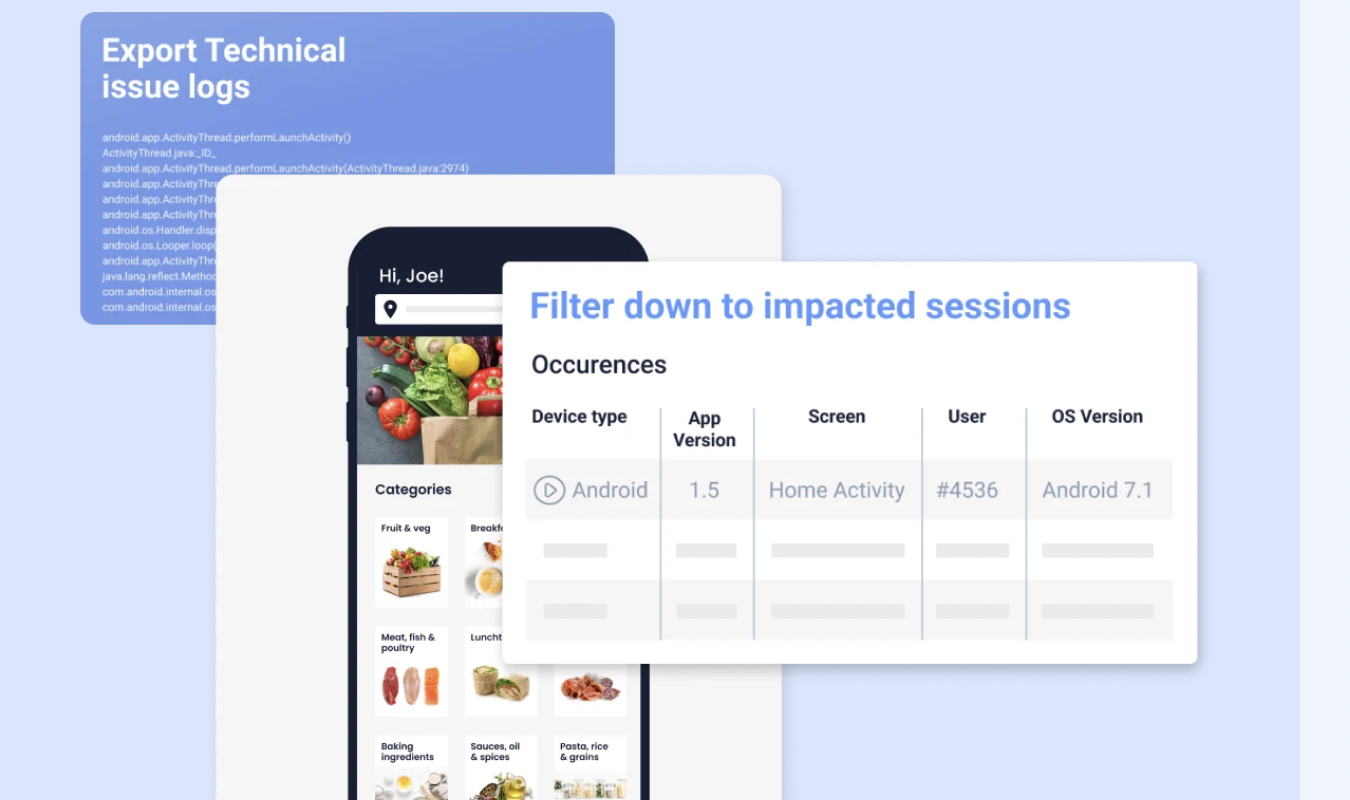
This means that when something breaks, you can see exactly what the user was doing all the way up until the issue snapped that smooth UI in two. UXCam also finds out device information, operating system versions, and the number of users affected. This gives your team a picture of how widespread or localized a problem is.
You can even filter UXCam’s session recordings by issue-related characteristics, like crash type, frequency, and affected screens.
That said, UXCam’s errors reporting is strongest for its mobile customers. If you don’t have a mobile app, you’ll find UXCam’s website errors tracking features sorely lacking.
There really aren’t any—you just have to rely on sussing out the errors yourself while you watch replays and look at heatmaps.
Smartlook
Like UXCam, Smartlook offers crash reporting and error monitoring, and like UXCam, it also links errors to session recordings that offer more context.
But unlike UXCam, Smartlook spreads its focus evenly across websites and mobile apps.
On the web side, Smartlook can capture JavaScript errors and tie them directly to relevant session recordings. You can see details about the error alongside the exact actions users were taking before it occurred.
You can filter errors by type, browser, device, URL, or frequency, which gives you a sense of how widespread the issues are.
Smartlook does the same thing for mobile apps: it collects crash data, connects it to specific sessions, and shows the device type, OS version, and number of affected users. As with the web-focused errors tracking, you can go straight from a crash report into the user session that triggered it.
5. Integrations
UXCam
UXCam connects to your app or website through its software development kit (SDK). This is how it collects session data, user events, and other user-related information.
It also offers application programming interfaces (APIs) that allow you to export your data or connect UXCam to other systems your team uses.
Along with these integration tools, UXCam offers direct integrations with tools like Segment, Amplitude, Mixpanel, Intercom, Survicate, and Salesforce.
But take note that none of these integrations are one-click, plug-and-play integrations the likes of which you might see on a SaaS tool like Smartlook. Instead, they require some engineer-led setup.
Smartlook
Smartlook also integrates through SDKs to connect with your mobile app and uses a tracking snippet for web apps. Like UXCam, it allows custom event tracking and data exportation using APIs.
But Smartlook makes it easier to integrate with third-party tools because these integrations are truly native—not just direct.
Smartlook’s integrations lean on three simple steps that anyone can do: authenticate the external tool, configure rules for the flow of data, and connect your session data, events, or user information to the app in question.
Basically, you just have to log in using your account on the app you want to integrate, choose what data to share, and decide where it should go. That’s all.
Smartlook integrates with a host of tools, from Slack and Survicate to Optimizely and Mixpanel.
Pricing Breakdown: Which Has the Best Value?
Now that you know how the main features compare when it comes to UXCam and Smartlook, I’ll share what I learned about how the tools compare, pricing-wise.
Unfortunately, neither tool is particularly open about its pricing.
| UXCam | Smartlook |
|---|---|
| Free plan available with up to 3,000 recorded sessions per month. Includes session replay, basic funnels, and analytics. | Free plan available with limited session recordings, heatmaps, and funnels, with limits on how the data can be retained. |
| No publicly listed paid plans—you have to reach out to sales to get a custom quote based on your anticipated session volume and the features you want. | Pricing begins at $55 a month and scales to mysterious heights according to tracked sessions and feature usage. |
| Best value for mobile-focused product teams that need extensive analytics and crash insights for their app. | Best value for web and app teams that want user-friendly session replay and funnels with transparent, predictable pricing. |
UXCam offers a pretty nice free tier, but it’s frustrating that you can’t see what costs you can expect if you grow beyond that free tier.
Smartlook keeps its pricing more transparent and starts at a clearly listed monthly rate, which makes budgeting easier for smaller teams.
Final Verdict: Is UXCam or Smartlook Right for You?
If your team is building and/or maintaining a mobile app and you need detailed crash tracking, performance insights, and session replays that integrate with the aforementioned features, UXCam is a stronger fit. It’s technically for both websites and apps, but I’ve found that it caters much more to mobile apps.
For a more accessible, user-friendly tool that offers equally strong features for both web and mobile, look toward Smartlook. It offers strong session replay, funnel analysis, and errors tracking without requiring as much technical know-how.
If you need a tool that’s engineered completely for websites and offers A/B testing, heatmaps, session recordings, surveys, funnels, and errors tracking, all under the same roof and with completely transparent pricing, check out Crazy Egg.
Learn more about Crazy Egg’s analytics tools, or explore pricing for Smartlook and UXCam.
Or, learn about these four top Smartlook alternatives for even more choices to pick from.