Wondering which behavior analytics tool to choose between Optimizely and VWO? Optimizely is ideal for deep and complex experimentation needs, but VWO is much easier to use and comes with more analytics features.
Here’s what you need to know.
Optimizely vs. VWO: A Quick Snapshot
Short on time? This table gives you a quick overview of what you need to know.
| Feature | Optimizely | VWO |
|---|---|---|
| A/B Testing & Experimentation | ✅ Web experimentation via client-side JavaScript ✅ Feature Experimentation for server-side tests and feature flags across web, mobile, and backend ⚠️ Strongly experimentation-first; supporting insights rely heavily on integrations | ✅ Web A/B testing, split URL testing on all plans ✅ Multivariate testing on higher tiers ✅ Feature experimentation with flags via SDKs for apps and server-side logic ✅ Experiment results connect natively to behavioral insights |
| Session Recordings | ❌ No native session replay ⚠️ Requires integrations (e.g., FullStory, Mouseflow, Microsoft Clarity) to view recordings ⚠️ Insights live outside the core platform | ✅ Native session recording and replay built in ✅ View recordings directly inside VWO ✅ Sessions can be filtered by experiment and variation |
| Heatmaps | ❌ No native heatmaps ⚠️ Available only through third-party integrations (e.g., Contentsquare) ⚠️ Heatmap insights are disconnected from experiment setup | ✅ Native click, scroll, and attention heatmaps ✅ Heatmaps can be viewed alongside A/B test results ✅ No external tools required |
| Form Analytics | ✅ Native form creation via CMS (single- and multi-step forms) ✅ Submission, conversion, and error metrics ⚠️ Field-level analysis requires manual event setup | ✅ Native form analytics out of the box ✅ Tracks time per field, drop-offs, corrections, and errors automatically ✅ No manual event setup required |
| Conversion Funnels | ✅ Event-based funnel analysis with detailed metrics (drop-offs, time between steps, segmentation) ⚠️ Requires upfront event and analytics setup | ✅ Funnels defined visually using URLs, goals, or actions ✅ Automatic tracking once saved ✅ Funnels integrate with recordings, heatmaps, and tests |
| Surveys & Feedback | ✅ Survey-style forms via CMS Forms ✅ Multi-step logic and validation supported ⚠️ Limited behavioral insight inside surveys | ✅ Native on-page surveys and feedback widgets ✅ Behavioral context via recordings and heatmaps ✅ Form-field-level insight into survey interactions |
Feature Breakdown: Optimizely vs. VWO
1. A/B Testing and Experimentation
Optimizely
Optimizely supports A/B testing through two tools:
- Optimizely Web Experimentation for websites, which runs tests in the user’s browser after you install a small JavaScript code snippet.
- Optimizely Feature Experimentation for apps—includes feature flags to help roll out products and updates with care.
The Web Experimentation side of things is ideal for teams that need to test changes to a page’s design or copy. You can easily split traffic between variations and measure the resulting conversions (or lack thereof) without messing with your site’s underlying code.
If the changes improve conversions, you can then alter your code to match.
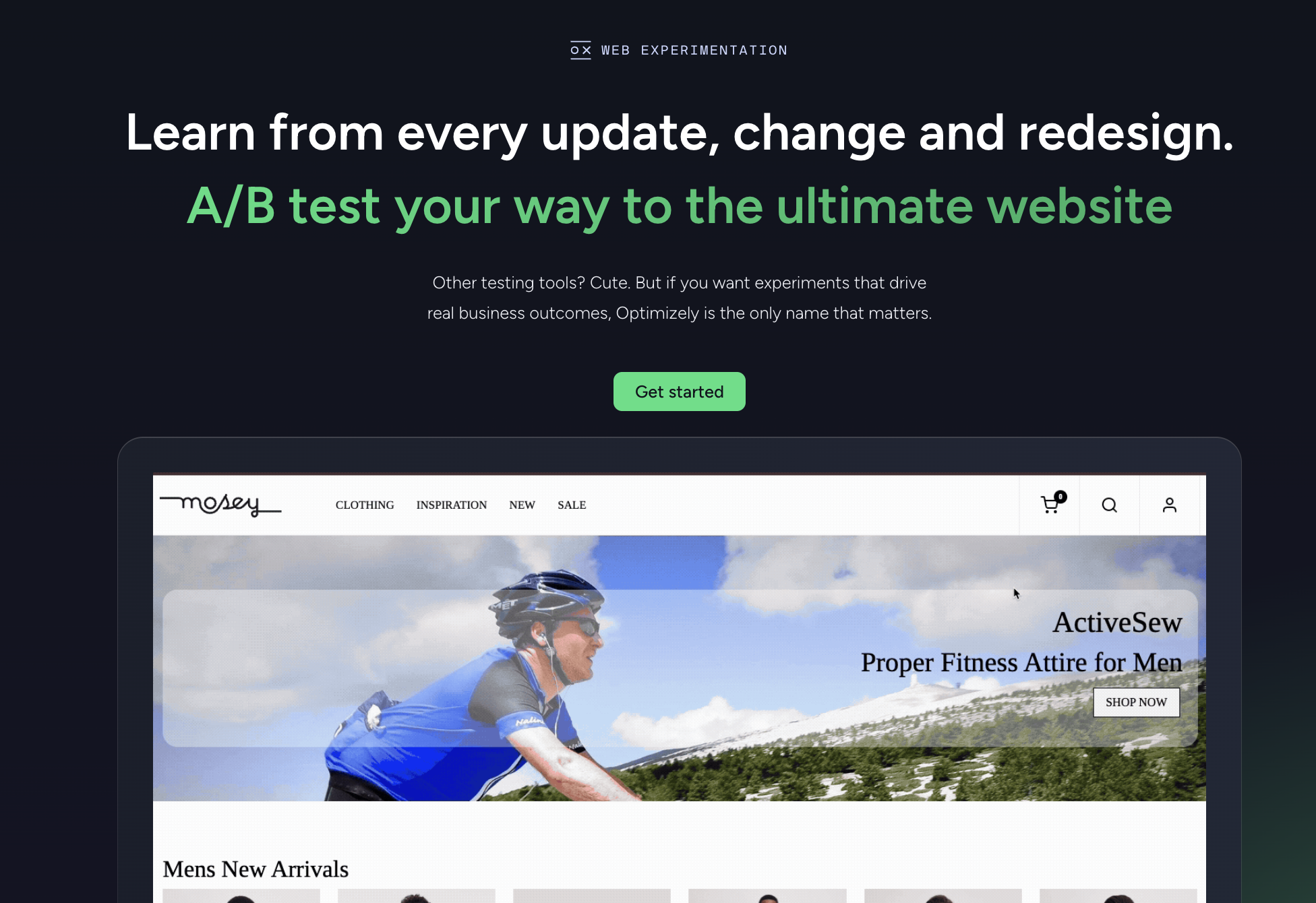
For product teams, Optimizely Feature Experimentation offers a way to safely introduce new product features or updates. You can test them on small portions of your audience and, if you like the way your key metrics look, apply the updates globally.
Here’s the thing, though: Optimizely is so focused on experimentation that it fails to offer tools that competitors like VWO offer. Heatmaps, for instance, are offered through Optimizely’s integrations with Contentsquare, Fullstory, or Microsoft Clarity.
VWO
With VWO, A/B testing is just one core part of the platform’s optimization tools. And it’s a strong part, too. For websites, all plan types get AB testing and split URL testing, and higher-tier plans get multivariate testing too.
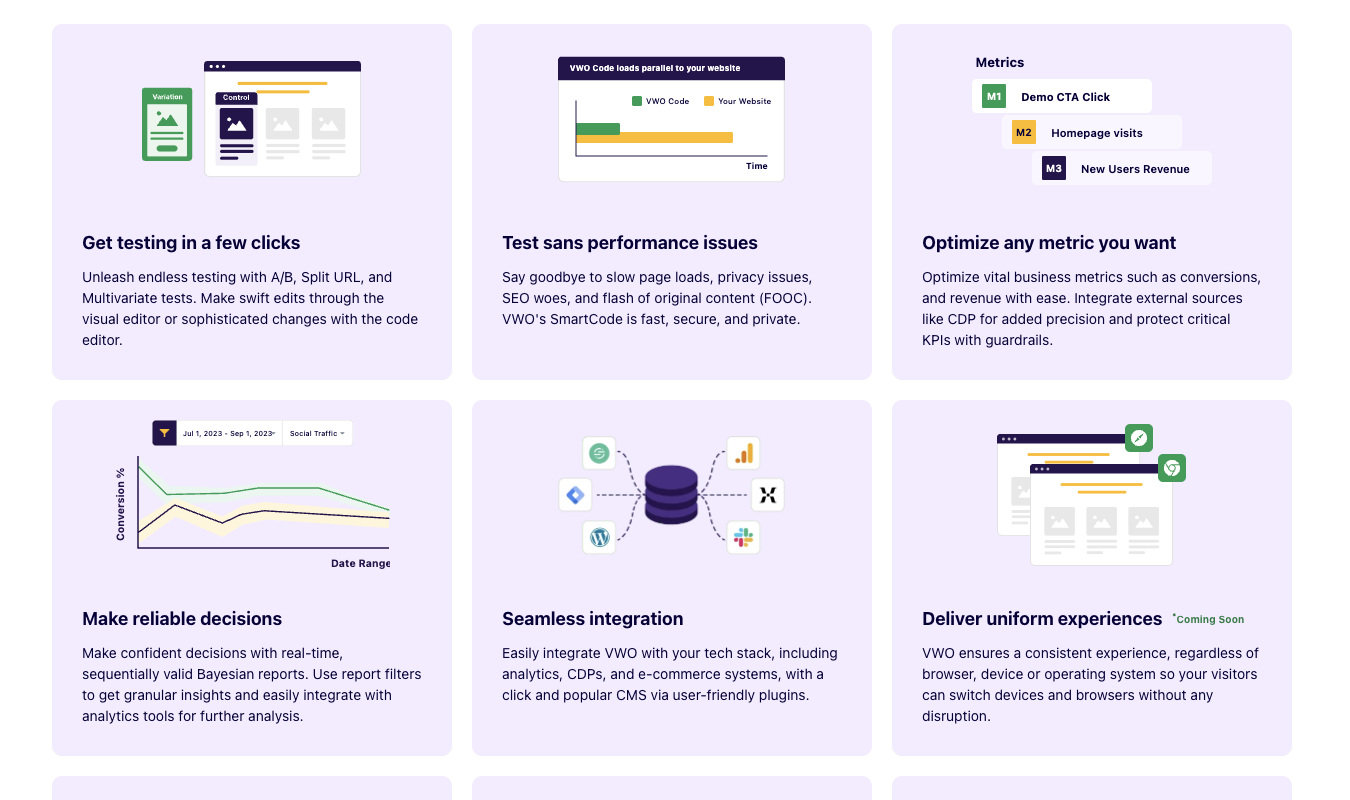
The no-code editor makes it easy to build different variations of your website and test them to see which ones perform the best. You can also integrate the results of tests with VWO’s heatmapping and session replay features, making for a more well-rounded set of insights.
Because Optimizely doesn’t offer native session replay or heatmaps, the insights are less interconnected.
VWO also offers experimentation for app-based products, complete with feature flags and A/B testing. The experimentation is facilitated through software data kits (SDKs) and allows you to run server-side tests within your iOS or Android app.
I like that VWO houses all these features under one roof. In Optimizely, the experimentation features run deep, but they’re also so central that they push other, helpful features to the integrations-based back burner.
2. Session Recordings
Optimizely
Welp—Optimizely doesn’t offer any built-in session replay or recording feature. Instead, you have to use integrations. Optimizely’s FullStory integration lets you record sessions, as does Mouseflow and Microsoft Clarity.
Since they’re integrations, these tools can relay data back to Optimizely, but they don’t make up for the lack of a native session recording feature.
VWO
Unlike Optimizely, VWO does include native session recording and replay features as part of its optimization toolkit. This means you can watch actual user sessions directly within the VWO interface—no integrations to mess with.
VWO records user interactions like mouse movements, clicks, scrolling behavior, page navigation, and interactions with forms (like newsletter signups or checkout pages). Even better, the session recordings can be tied to specific A/B tests or other experiment variations within VWO.
You can look at the results of an experiment and then watch session recordings that took place during the experiment to see how users behaved while using that variation of your site.
3. Form Analytics
Optimizely
When it comes to analyzing form fields in crucial conversion points of your website, Optimizely scrapes up a bit more competitive energy. VWO still takes the cake with form field analytics, which I’ll touch on in a moment, but here’s what Optimizely offers:
- Native form creation within Optimizely’s content management system (CMS) tool. You can build both single-step and multi-step forms with elements like text fields, dropdowns, and checkboxes.
- Performance metrics for forms, including form submissions, conversion rates, and completion rates for forms with multiple steps.
- Error tracking to help you see where users have issues submitting forms or bump up against stubborn, individual form fields that cause issues.
- Integration with experimentation so your team can include form submissions in your A/B tests and other experiments.
- Field-level analysis, as long as you’re willing to take the time to set it up manually. (VWO does not make you set form field analytics up manually.)
Optimizely’s form field analytics are more customizable, but the tradeoff is that they’re much more complex to set up. This is fine for enterprise teams with lots of resources, but for others, it’s too much work to be worth it.
VWO
Unlike Optimizely, VWO offers form field analytics that are ready to use right away. You don’t have to manually set anything up. VWO will automatically track and record user behavior at the field level. You can track:
- Time spent on each form field
- Drop-offs
- Corrections
- Errors
It’s much easier to spot friction points on your important forms and make immediate changes, all without having to depend on support from an engineering team.
4. Conversion Funnels
Optimizely
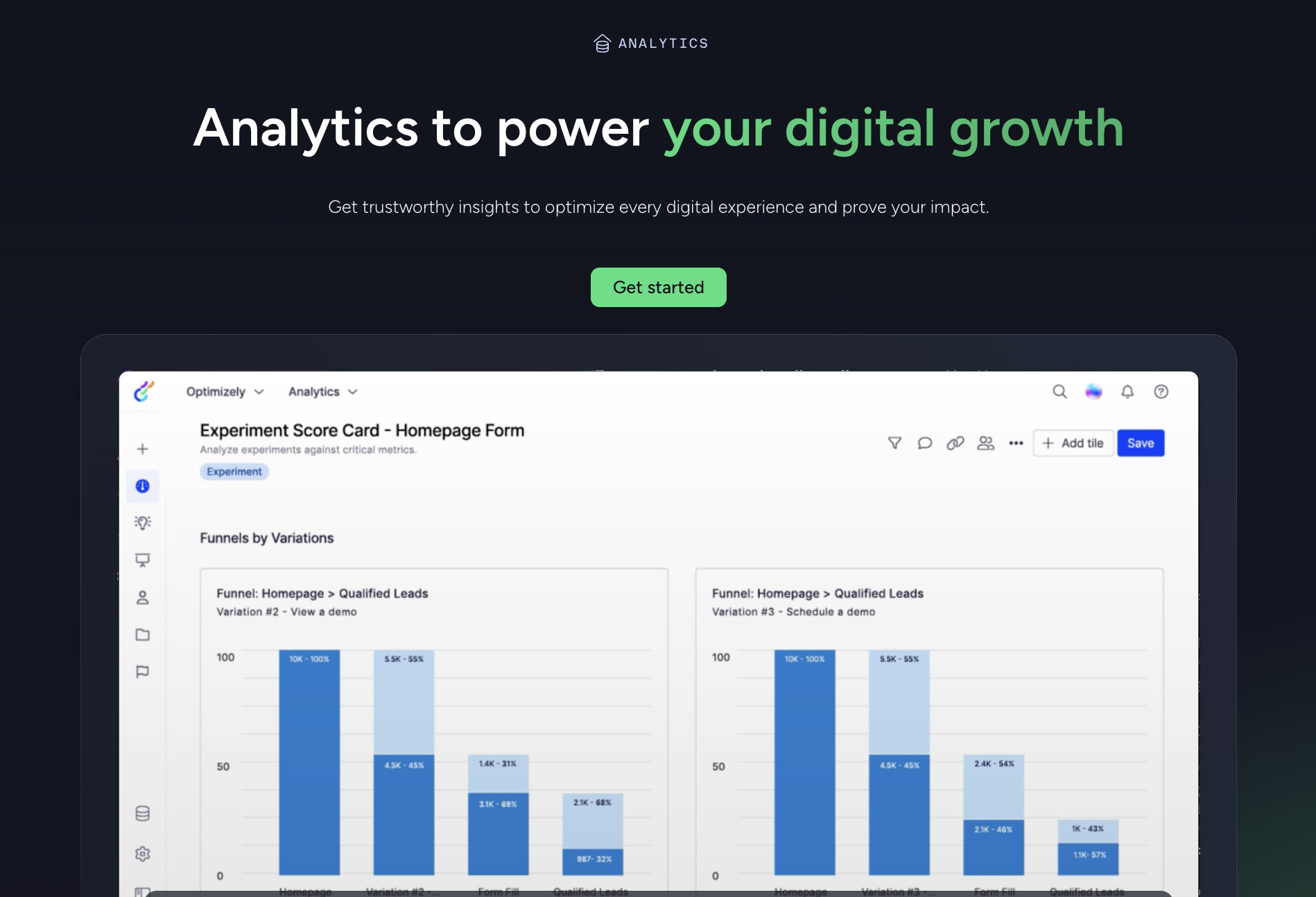
With Optimizely, you can make conversion funnels by defining a sequence of user actions you want the platform to track, and then measuring the number of users that go through every funnel step.
Once you’ve configured your funnels, you can turn the results of completed funnels into conversion charts. These show you fairly precise data, such as:
- How many users converted at each stage of a funnel
- The percentage that converted in between various stages
- How much time it took a user to go from one stage to the next
- How many people (users) in a dataset (ie, iOS users vs desktop users) converted at a particular stage
But as with most features in Optimizely, you have to do a bunch of work to get things set up before you can actually use the funneling feature.
VWO
The pattern of VWO offering out-of-the-box solutions continues with the platform’s funnel analysis features. Funnels are easy and fast to set up—here’s how the process works:
- Define funnel steps by choosing pages or actions (like page URLs, goals, and buttons) straight from the VWO dashboard.
- Save the steps in the order you want them, and then VWO will start tracking who’s in the funnel and capturing all the relevant data. As it starts flowing in, you’ll see the progress in real time.
- If you need to reorder the steps, it’s a simple, drag-and-drop edit. You can also preview steps before you publish them to make sure everything’s in the right place.
- Check your funnel reports to see conversion rates, who drops off at which step, and the overall performance of your funnel.
Because VWO handles the tracking logic for you, your team can get set up with a full funnel in just a few minutes. You don’t have to manually use code to tell the program what counts as a funnel step.
For non-techy teams, VWO funnels are a lot more accessible.
5. Surveys and Feedback
Optimizely
When it comes to surveys and user feedback, Optimizely offers a more old-fashioned platform. Through Optimizely Forms, your team can create survey-ish forms like satisfaction questionnaires and feedback forms. I say survey-ish because these forms aren’t necessarily true surveys. Yes, you can create multiple types of questions and design multi-step flows using step logic.
But Optimizely’s focus here is on giving you forms as a CMS feature. You don’t automatically get insights about the behaviors inside the form.
You won’t see how long it takes users to complete a step in the form. Or whether they hesitated in between sections. Or what their heatmaps and session recordings look like as they enter answers into the form fields.
For insights that deep, you’ll want VWO.
VWO
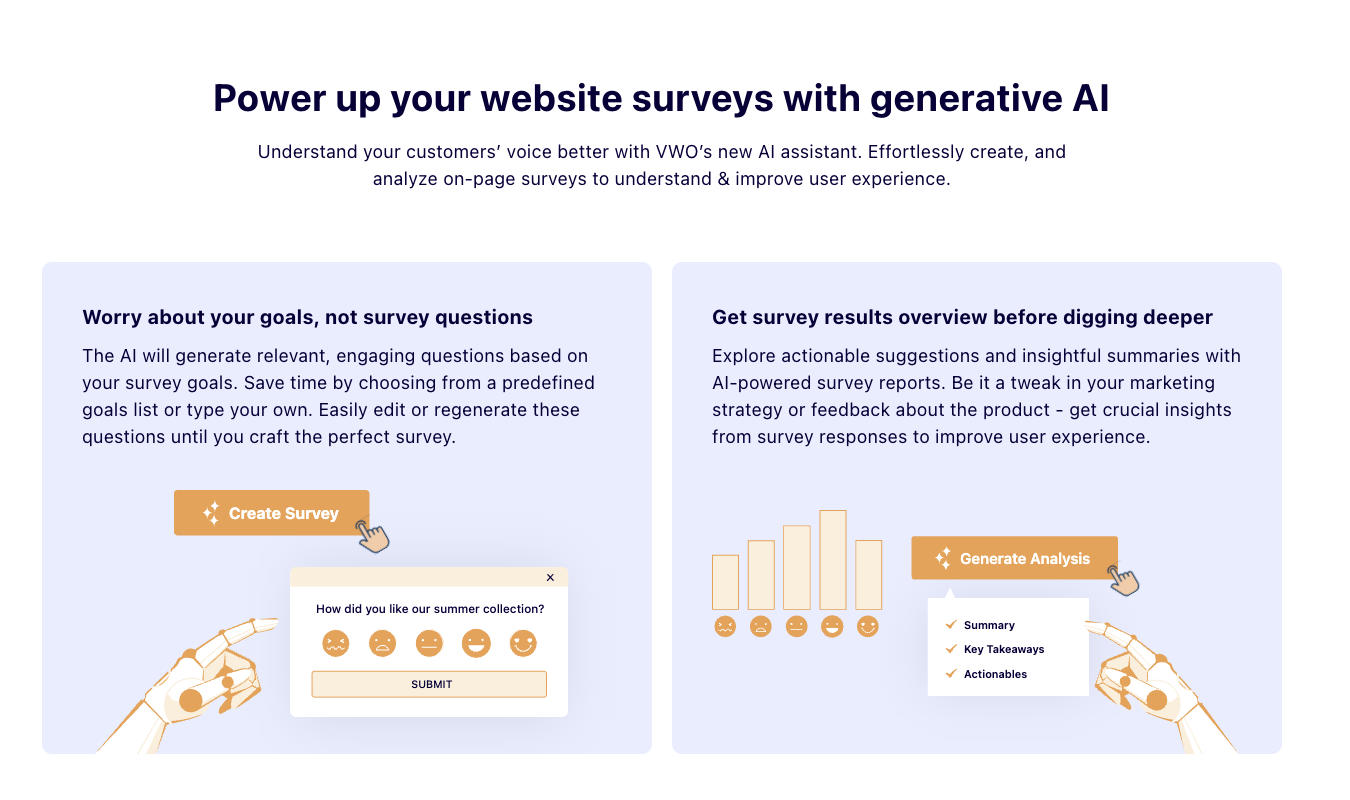
VWO’s survey and feedback features are a lot more insight-focused than Optimizely’s. Instead of just giving you a way to gather feedback from your users, which is what Optimizely does just fine, VWO also gives you direct, form-field-level insights on those surveys.
Because of this, I have to give VWO the upper hand in the survey department as well as just about everything else.
VWO also employs its AI assistant, confusingly called Copilot (yes, just like Microsoft’s AI assistant), in helping create and publish surveys. You can tell VWO Copilot the goal of your survey, and it’ll generate questions designed to draw out the best possible feedback from your users.
To be fair, Optimizely’s Opal AI assistant could hypothetically also do this. You could, for example, tell it your goals and ask it to create survey questions that’ll gather the information you need.
But unlike with VWO, Optimizely doesn’t explicitly integrate the AI assistant with the survey feature, and the survey feature with analytics.
Pricing Breakdown: Which Has the Best Value?
Let’s take a look at how Optimizely and VWO compare when it comes to pricing.
| Optimizely | VWO |
|---|---|
| No free plan or trial available. | Limited free plan for basic experimentation; 30-day free trial of entire suite, no credit card required. |
| No published pricing plans—everything’s enterprise-oriented. Exact prices are likely based on traffic volume, features, and usage. | No published pricing plans—everything’s enterprise-oriented. Prices vary primarily with website traffic. |
| Best for teams that want deep experimentation tools and tight control over every aspect of their testing. | Best for teams that need out-of-the-box insights, including heatmaps, session recordings, form analytics, funnels, and surveys, all with a minimal setup burden. |
Because neither tool offers clarity into its pricing process, it’s hard to know which tool provides users with the best value. I do appreciate that VWO, at least, gives users a way to test the waters with a basic free plan and a month-long free trial.
Final Verdict: Is Optimizely or VWO for You?
If you’re part of a large and complex product team and want deep, customizable experimentation across your website, mobile apps, and backend tools, Optimizely is probably the better option. Just make sure your team has the engineering resources and know-how to effectively set up and continuously monitor the platform.
If you need CRO insights yesterday and don’t have the resources or desire to set everything up manually with help from your engineering teams, go with VWO. The built-in heatmaps, session recordings, form analytics, funnels, and feedback allow for easy insight-gathering. Visual editors, drag-and-drop funnels, and other user-friendly features round out VWO’s offerings.
Now, if you want a tool that offers many of the same features VWO does but with clear, upfront pricing, try Crazy Egg. Pricing starts at around $24 a month, and the tool is super-easy to set up and start using. Explore Crazy Egg’s generous free plan to see if it’s a good fit for your team.