


A recent Semrush study found that 70% of marketers use AI to create content faster at a lower cost. Only 19% use it to improve content quality.
I’ve always been in the 19% camp. My main motivation for using AI isn’t to save time, but to write better blog content. That said, I understand the constraints that force marketers to use AI for speed.
With that in mind, I designed the article to serve two purposes.
I will show you my exact process for writing high-quality content with AI. You will learn where I lean into AI a lot and where I prefer to do things by hand — and why.
I will also explain what I would do to get the best results if I were to automate the whole process.
Step 1: Build the client context before anything else
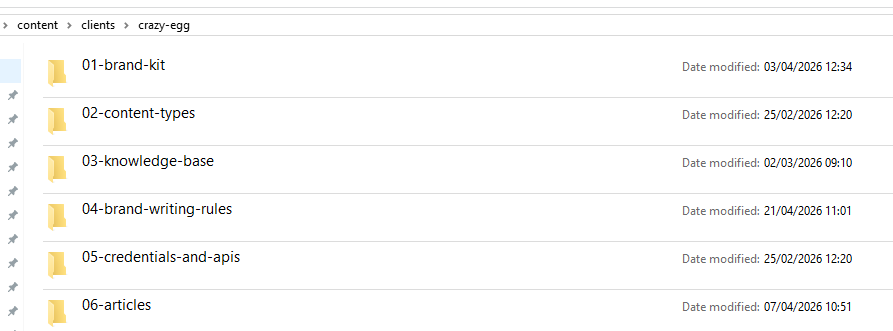
The quality of AI output throughout the writing process depends on the context you share. So when I start working with a new client, I always build a comprehensive brand profile (brand kit). And I use AI to help me.
What does the brand kit contain?
The brand kit I generate covers:
- General brand information (product name, category, website, maturity)
- Key competitors
- Content templates (outlines, article samples, titles)
- Features, benefits, and use cases
- Positioning and unique selling propositions
- Case studies (more about it later)
- Target audience
Based on content samples, Claude also creates:
- Brand voice and style guidance
- Outlining and drafting rules
- Internal linking rules
I store it on my hard drive, and every later AI task uses the files for reference.
Without it, AI tools revert to the generic writing tone and style, and the content fails to connect readers’ pain points with the solutions the product offers.
How do I collect the client information?
I start with anything the client sends me. Brand guidelines, style guides, positioning docs, guidance for freelancers. That’s the most reliable way to gather the information.
I have also built a client research skill in Claude Code, which scrapes their:
- Homepage
- Product pages (features, personas, use cases)
- Case studies
- Recent blog posts — multiple samples across formats
- Pricing page
- Review pages
- Support docs
Claude saves the raw pages in relevant folders and can access them when performing tasks. It also extracts relevant information to build the brand kit and prepopulates an onboarding form I share with the client. Which they can check for accuracy and add relevant details.
Pro tip: If you don’t prompt Claude Code to scrape the page, it will usually summarize its content. The summaries aren’t always complete or accurate.
Step 2: Research With AI Tools Across Multiple Sources
Research is where AI makes the biggest impact. It doesn’t shorten my research time — it always takes more or less the same, whether I use AI or not. But it allows me to access more sources and gather more insights, so the content is deeper.
Get a general topic understanding with NotebookLM Audio Overviews and Mindmaps
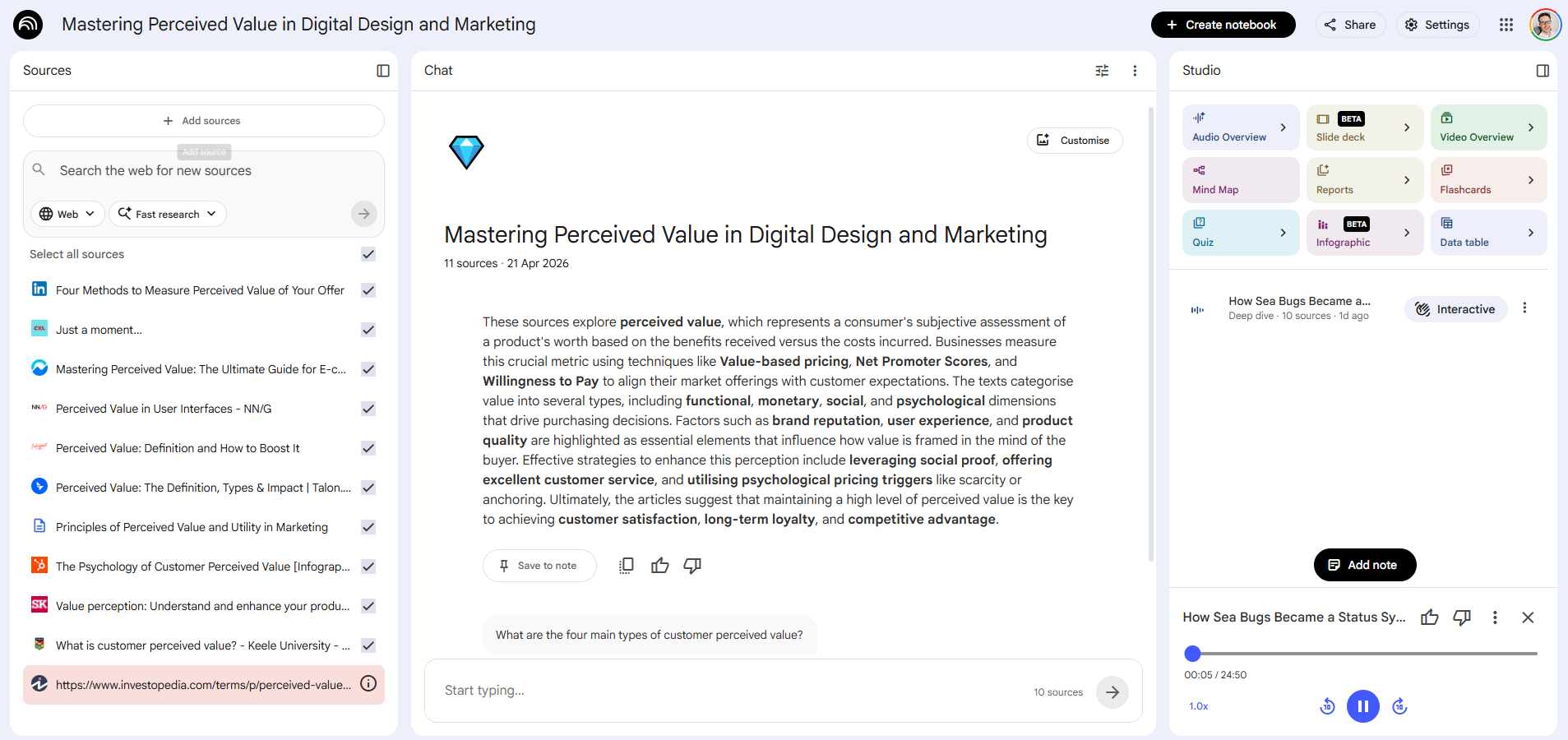
I start research by uploading the top-ranking articles to NotebookLM, the free AI notetaking tool from Google, and creating an Audio Overview.
The audio overview sounds like a podcast where two folks discuss the topic. Something I can listen to while mowing the lawn, running, or driving. And it helps me get a general understanding of the topic before I start research.
The best part?
It’s based on the sources I give it. So I can control the quality, focus, and scope. This beats regular podcasts for this specific use case.
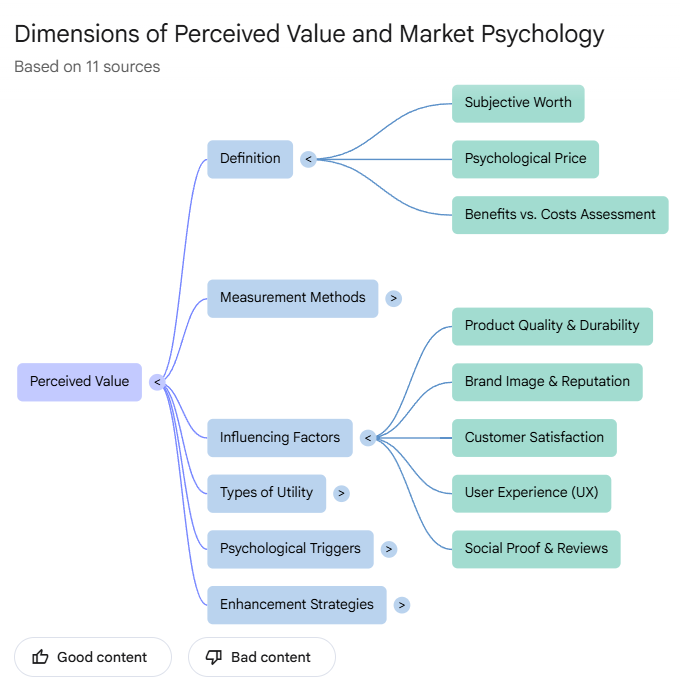
Another NotebookLM feature I usually use is the mindmap, which gives me an overview of the key concepts and how they’re related to each other.
Analyze SERP with Claude Code
While NotebookLM is generating the Audio Overview, Claude Code runs the SERP analysis.
It uses a custom skill which:
- Pulls the SERP results and PPA questions for the keyword from DataForSEO
- Analyzes the type of content that ranks and the search intent behind the keyword
- Selects and scrapes all blog posts
- Summarizes them section by section
- Extracts core problems, pain points, and questions the ranking articles address
- Identifies common patterns, assumptions, notable elements, and possible missing perspectives
- Analyzes the article’s structure and formatting
- Pulls and dissects relevant Reddit threads to find questions and pain points not covered in the ranking articles and suggests opportunities.
- Suggests an angle that allows showcasing the client’s product (grounded in the brand kit)
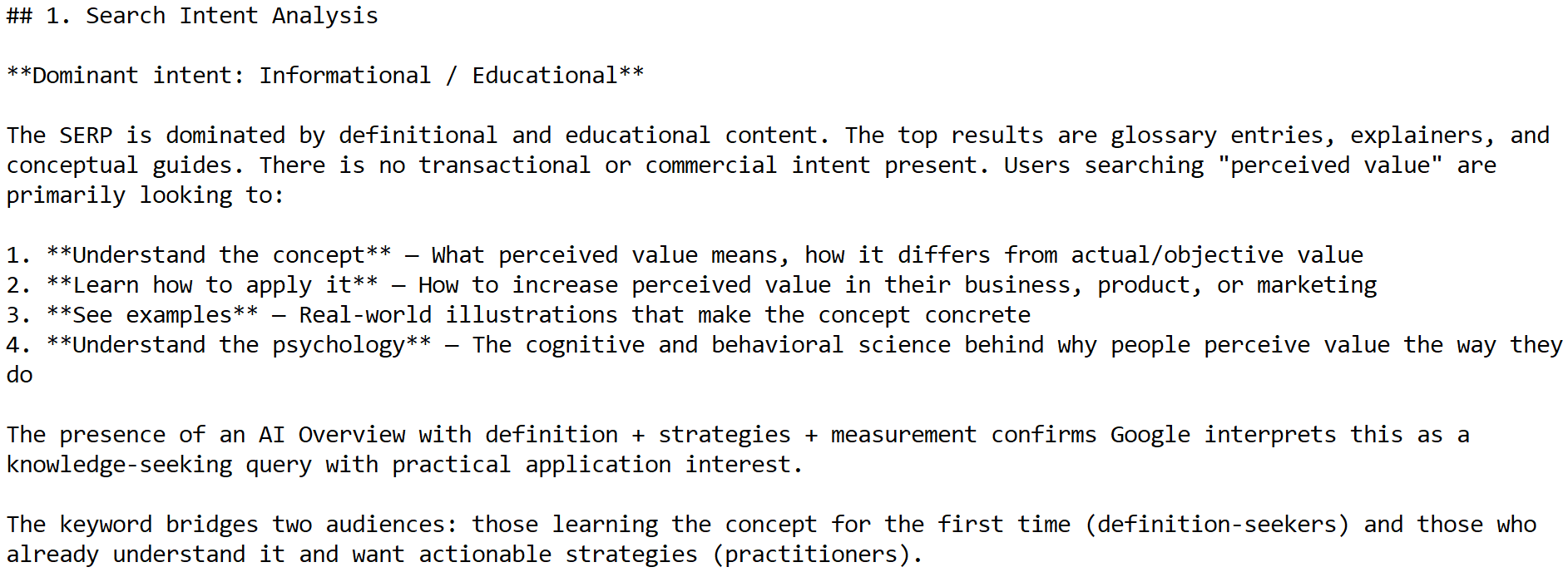
Here’s what the section of the report looks like for a recent Crazy Egg article about perceived value:
Gather data with Deep Research
I use Claude and the SERP analysis report to create a deep research prompt.
The prompt can easily be 2000+ words long. Here’s what a section of it looked like for the perceived value article:
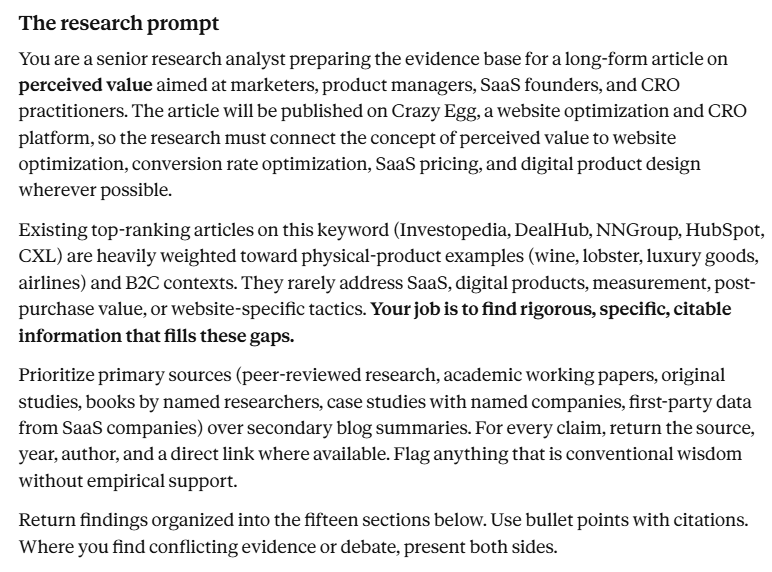
I use Perplexity and ChatGPT in Agent mode for deep research, and I run two searches: one searches my trusted sources (I build a list for each client) and a wide, unrestricted one.
Deep research results are plagued with hallucinations, so I’ve embedded a fact-check loop in the process. It scrapes every source cited in the research reports and checks if the source exists, if it’s of the right quality (recent, primary research), and if the information was cited accurately.
I still manually check all data and sources I use in an article, but this process leaves fewer to comb through, and the list is generally of better quality.
Find peer-reviewed sources and cross-reference ideas with Consensus
Consensus is an AI-powered platform for academic research. Ask it a question, Consensus looks for sources and provides a summary. It also assesses the quality of the sources and estimates how confident you can be in the search results.
I use it to test claims and assumptions.
For instance, when working on the perceived value piece, I came across the common belief that high NPS scores are linked to repeated purchases. But Consensus found that the correlation isn’t strong, and it depends on context, so I chose not to include it in the article.
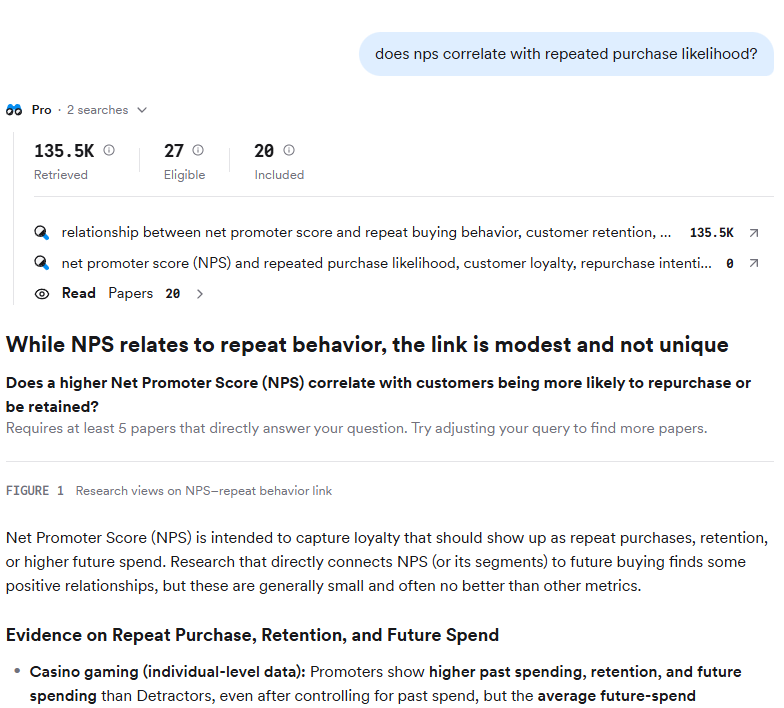
Pro tip: Claude offers a Consensus connector, so you can run searches directly from your terminal or desktop app.
Search podcasts and videos with Gemini or NotebookLM
Podcasts and videos were traditionally hard to analyze. You either had to listen to the whole recording or transcribe it with a 3rd-party tool and work with the transcript. Both required time and/or resources.
AI has made them more accessible.
Gemini, which powers NotebookLM, is good at multimodal processing, and this includes extracting ideas from audio-visual content, so I use it to find relevant episodes or videos.
You can do either manually, by pasting the link into the Gemini chat or NotebookLM, and use Claude with the Gemini API. Here’s a section of a video summary about perceived value.
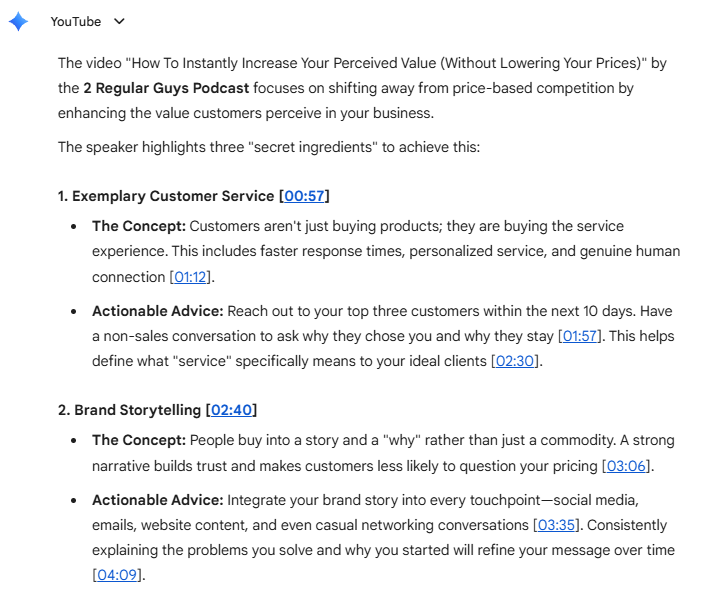
Two caveats:
First, I’ve seen Gemini hallucinate. Badly. When it can’t extract the information you need, it doesn’t tell you, just invents it. So once I have the video or podcast I want to use, I still transcribe it — or listen to it. But now only the relevant ones.
Second, LLMs can choose relevant quotes from a transcript, but I’ve found they aren’t always the best ones. So, I always prompt them to list all relevant ones, and I make the final call.
Pro tip: Claude can also find relevant YouTube videos and pull their subtitles with DataForSEO MCP.
Tap into internal sources
Using clients’ sources, like case studies or internal data, is the easiest way to differentiate content because competitors don’t have them, or can’t use them without citing you.
I used to create a NotebookLM file with all clients’ assets, so I could query them when researching.
Now, they all live in .md files in the client’s knowledge base — along with industry reports and competitor profiles — ready to use for Claude.
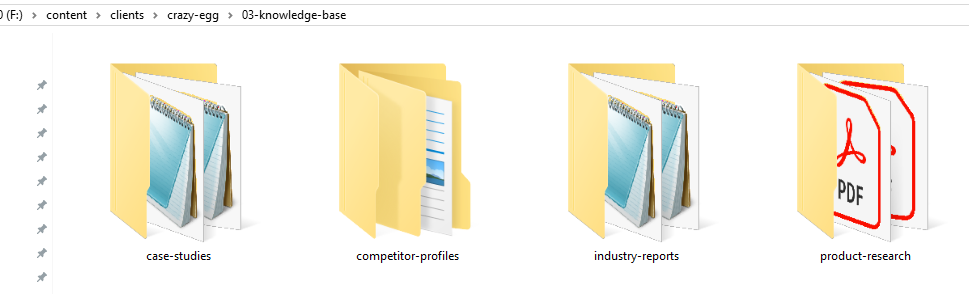
Pro tip: Storing client resources and research in a vector database, like ChromaDB, makes them easier for LLMs to search.
Automate the research pipeline
You can automate the research process by chaining individual research workflows into one master research workflow.
I’ve built such workflows in AirOps, but you can do it in Claude Code (it’s just harder to keep track of progress without the visual interface)
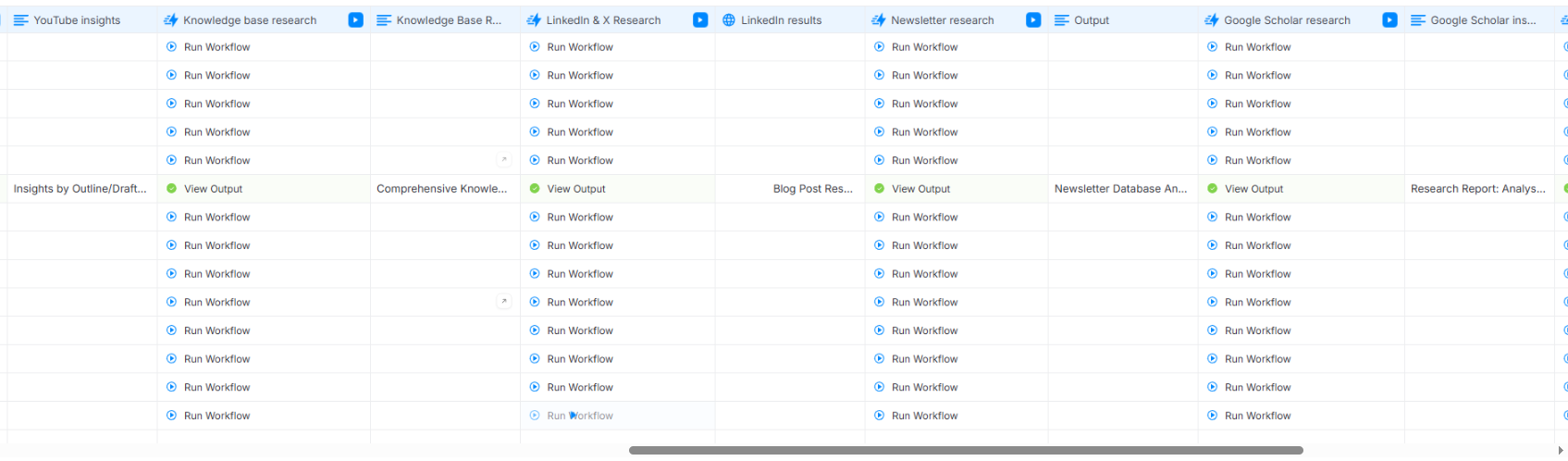
Thanks to this, I can run all the steps at once for multiple keywords.
This speeds up research, which matters when creating content at scale, but comes with a trade-off: you can’t chase unexpected threads that you discover, so the depth and nuance suffer.
Step 3: Outline the Article Manually With AI Assistance
With all the research in place, I build a granular outline.
Manually, with AI assistance.
And not the other way round. Which is just the opposite of what a lot of content creators seem to be doing.
Why not use AI for outlining? Here are a few reasons:
- The outline is the single most important part of the process. It makes or breaks the article, so I want maximum control.
- The outline is my opportunity to give the article a unique, personal angle. AI-generated outlines follow the same structure as everything else in the SERP.
- AI isn’t great at using the research outputs to build logical arguments. For example, it fails at transitive relevance (paragraph A logically leads to paragraph B, B logically leads to C, but C has nothing to do with A or the main article premise).
Also, outlining is the most intellectually satisfying part of writing for me, and I don’t want to give it up. Especially, if there’s a real risk of losing the skills in the process, as research shows.
Use AI for feedback
Interestingly enough, AI is pretty good at spotting logical flaws, gaps, and inconsistencies, so I use it for feedback.
My structural outline edit skill checks if the outline:
- Includes only relevant ideas
- Is MECE (Mutually Exclusive, Collectively Exhaustive): no overlaps between sections which cover the topic comprehensively
- Follow the pyramid principle/BLUFs? Key idea up front, supporting information later.
- Uses data to logically support the argument
- Has appropriately weighted sections
- Delivers on the promises in the title/section headers
- Has concept-dense, grammatically parallel headers
It offers suggestions, but I never let it implement them. I fix everything manually.
If you really must use AI for outlining
If I still want to build an outlining workflow, here’s how to get better outputs:
- Provide outline samples (extract outlines from existing articles)
- Prompt it to build the outline based on all the research findings, not just SERP.
- Instruct it to include all relevant stats it found; don’t let it pick. Make it explain how each one is relevant.
- Stay in the loop — check the AI output thoroughly
Step 4: Draft the Article Manually (Unless the Outline Is Airtight)
If the outline is strong and it has enough context, AI can produce a decent draft. And yet, I still write all high-impact content manually.
Let’s break it down.
Provide context and detailed instructions
The quality of LLM output depends on the context and detailed instructions. So the brand kit we built in Step 1, plus granular writing rules.
I have two sets of rules:
- General writing rules that apply to all content I draft. For example, “Don’t restate the same idea in different words within a section.”

- Brand-specific rules. For example, ” Write short paragraphs. Two to three sentences is the target. One-sentence paragraphs are fine for emphasis. Never write paragraphs longer than 5 sentences.”
I’ve built the rules based on samples of good content and general writing principles. And hours of developmental feedback on specific draft sections.
Pro tip: When your LLM doesn’t follow the rules, check for conflicts between different sets of rules or prompts. Removing conflicting instructions often works better than adding more exceptions.
Why I draft manually
There are a few reasons why I write all drafts by hand:
- Plagiarism risk: I’ve seen AI copy the arguments, paragraph structure, examples, or analogies from other articles. Not something a plagiarism checker would pick up, but you know immediately when you see the two side by side. Writing manually is the only way to avoid it.
- Audience perception. AI aversion is a well-documented concept. Readers devalue AI-written content regardless of its quality. And it’s not difficult to get accused of it these days.
- AI writes without personality, which is becoming a key differentiator.
- Finding factual or logical errors in AI content is hard without subject-matter knowledge. I don’t write things I don’t understand thoroughly first, so I won’t make such errors.
So even if my clients didn’t insist on 100% human-written drafts, I would still be reluctant to let AI do the work.
Step 5: Edit With AI, Sign Off Manually
AI helps reduce my editing, often by 70-80%, and is more consistent than I am, but the final pass is always mine.
I have built three editing workflows:
- High-level edit. Checks alignment with the outline and brief, flow of ideas, section structure. Flags fallacies, unsupported claims, factual inaccuracies — things a skeptical reader would question.
- Line edit. Removes clichés, tautologies, unnecessary passive voice, fluff, repetition.
- Humanizer. Strips language patterns associated with AI, like contrasting pairs or participial clauses (because I sometimes use them myself).
I update these regularly based on client feedback.
For consistent performance, I’ve built feedback loops into each step. Agent A does the edit, Agent B checks its work, fixes what A missed, and passes it back to A. Rinse and repeat until they tick all boxes.
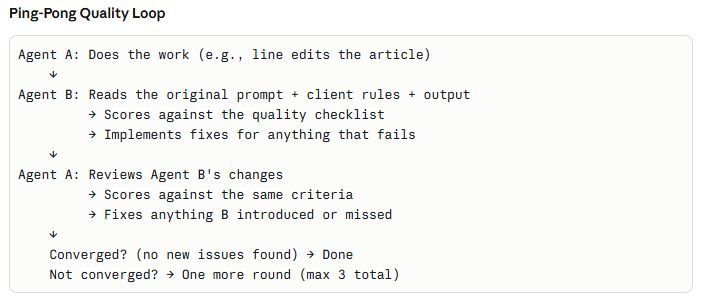
Speaking of box-ticking: All these tasks are simple checklist items, and AI is good at following checklists.
However, an experienced editor often makes calls based on their personal judgement — or taste. AI has no taste, and it’s impossible to code it into the writing rules. Which is why I do another pass and make the final edits manually.
Final Thoughts
You can use AI for all stages of blog writing: from research, through outlining, through drafting, through editing.
If time and budget matter, you can run the whole pipeline with a single click, but be ready for subpar quality.
If quality matters, use it for research and editing, but don’t let it outline or draft without close supervision from a professional writer or editor.


