You can now target A/B Tests to specific audience segments in Crazy Egg.
This can help you find which page designs perform best at converting each visitor segment. Or personalize your website based on campaign/traffic source, and where visitors are in your conversion funnel.
Available targeting options vary by plan:
- Plus Plans – Device type only
- Pro Plans – Device Type, Country, New/Returning, Conversion Status, Clicked CTA, Answered Survey, Conversion Value, Referrer, UTM Parameters
- Enterprise Plans – All audience segments
Early users are already using A/B Test targeting for:
- Ad campaign personalization – Maximize conversions from ad traffic. Match headlines & messaging to the campaign creative that the visitor clicked.
- Localization – Change language and copywriting based on the visitor’s country.
- New vs. Returning – Hook new visitors and educate them on your brand/product. Push returning visitors to convert or log in.
- Conversion funnel stage – Push middle-of-funnel visitors to take action (example: if they viewed a product page but didn’t add to cart, recommend that product again).
- Previous converters – Make it easy for repeat customers to convert again.
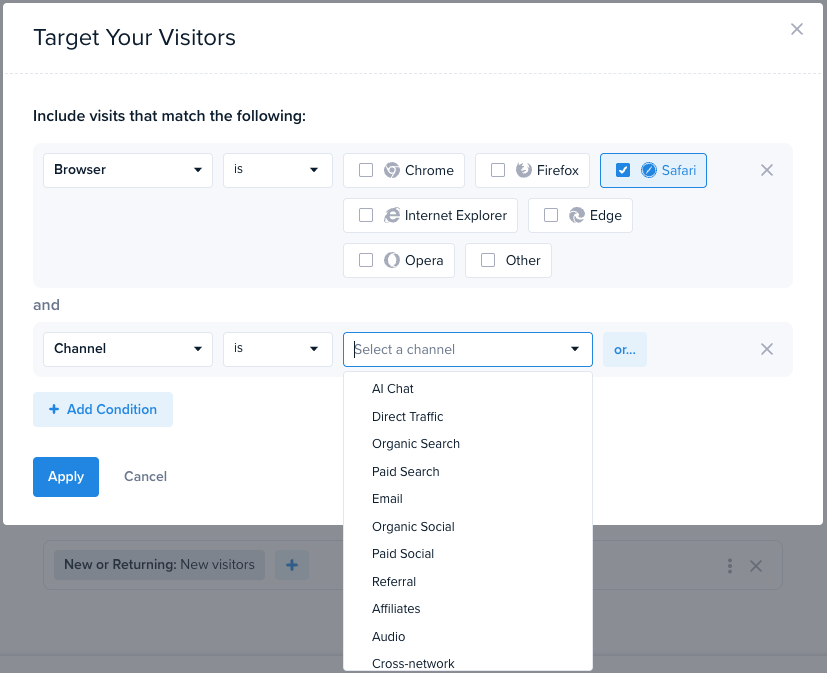
Launching targeted A/B Tests in Crazy Egg is easy. First, create a new A/B Test as usual. Choose Page Editor or URL Redirect, and select the URLs you want to test. You will then see your available targeting options for a new experiment.
On a Plus or Pro plan, but want full targeting options? Contact [email protected] to add this to your account.