Segment and Mixpanel can both help you understand your web visitors and the actions they take on your site. But which tool is best? It all depends on what you need.
Segment excels at gathering and unifying customer data from your entire tech stack. Mixpanel, on the other hand, prioritizes analyzing data that’s collected from a few key places.
Let’s explore the ins and outs of both tools so you can make the best decision for your team.
Segment vs. Mixpanel: A Quick Snapshot
Scan this overview of Segment and Mixpanel to get a quick idea of how the tools stack up.
| Feature | Segment | Mixpanel |
|---|---|---|
| Multi-Platform User-Action Tracking | ✅ Collects user data from many sources (websites, apps, email, CRM, etc.) ✅ Centralized data collection layer across the stack ⚠️ Not designed to deeply analyze behavior itself | ✅ Event-driven analytics across web and mobile apps ✅ Built-in reporting tools (funnels, insights, cohorts) ⚠️ Data typically comes from apps or tracking tools rather than multiple systems |
| Data Management | ✅ Collects and organizes data from multiple platforms ✅ Tracking plans standardize events and properties ✅ Validates data against schemas and governance rules ✅ Pushes clean data to other tools as directed | ✅ Data standards enforce event naming conventions ✅ Lexicon data dictionary organizes events and properties ⚠️ Data governance mainly applies inside Mixpanel’s analytics platform, not outside of it |
| Ongoing User Profiles | ✅ Builds unified customer profiles across multiple platforms ✅ Connects interactions from different devices and systems ⚠️ Profiles are mainly used to power external analytics tools | ✅ Profiles store activity history and user properties ✅ Used directly for behavioral analysis ✅ Supports funnels, retention analysis, and session replay |
| User Segmentation & Cohorting | ✅ Build audience cohorts from traits and behaviors across all data sources ✅ Send cohorts to marketing, analytics, and CRM tools ⚠️ Segmentation mainly supports other tools | ✅ Event- and property-based cohort creation ✅ Segments used directly inside analytics reports ✅ Visual interface for exploring behavioral cohorts |
| AI-Assisted Analytics | ✅ Predictions tool estimates likelihood of actions (purchase, churn, engagement) ✅ AI supports personalized customer experiences ⚠️ AI focuses on activating data, not deep analytics | ✅ Spark AI answers natural-language questions about product data ✅ Automatically generates reports and insights ✅ AI highlights important moments in session recordings |
Now for the full feature breakdown!
Feature Breakdown: Segment vs. Mixpanel
1. Multi-Platform User-Action Tracking
Segment
Segment—or, as it’s now called, Twilio Segment, having been acquired by Twilio in 2020—is a customer data platform (CDP). It focuses on gathering customer data from anywhere and everywhere your users engage, whether that’s your website, mobile app, email newsletter, or customer relationship management (CRM) platform.
It’s essentially a way for you to automate the exhausting and overwhelming task of collecting, sorting, slicing, and dicing customer data.
But while Segment excels at preventing valuable data from falling between the cracks, it’s not much of a data analyzer itself.
This is its first big distinction from Mixpanel.
Where Segment works to collect and clean data so you can easily send it to your favorite analytics software, Mixpanel is the analytics software you might send it to.
The two tools play functionally different roles in customer behavior tracking and management.
You can build user profiles on Segment and create specific audiences or segments, but these features exist in the context of prepping your data to be activated in an analytics system.
Mixpanel
By contrast, Mixpanel is first and foremost a product analytics platform. Its goal is to capture user interactions using its own data collection system. It then immediately turns the data it collects into visually appealing insights, including:
- Funnels
- Insight reports
- Session replay
- Campaign analytics
- Behavioral cohorts
Mixpanel collects user clicks, sign-ups, purchases, and other events and links them to identifying details, like a timestamp or user ID. From there, Mixpanel builds the reports and visualizations that help teams understand how users act on their website or mobile app.
If you need a way to collect data from a variety of sources so you can send it to an analytics tool, Segment is ideal. If you want a unified way to track user actions on one platform and then perform analytics on them within that same platform, Mixpanel is the better choice.
2. Data Management
Segment
First and foremost, Segment is a data management layer in your tech stack. Its core purpose is to:
- Collect customer data from multiple sources.
- Create a tracking plan that standardizes event names and properties—and therefore your data.
- Validate all incoming data against multiple rules/protocols/schemas to make sure you only collect data that matters to your team.
- Define and enforce naming conventions and rules for data governance.
- Control which data points get forwarded to which other tools in your tech stack.
- Connect all the actions a user takes in different places, so they’re recognizable as the same user.
So basically, Segment absolutely shines at data management. ‘Nuff said. No clapbacks allowed.
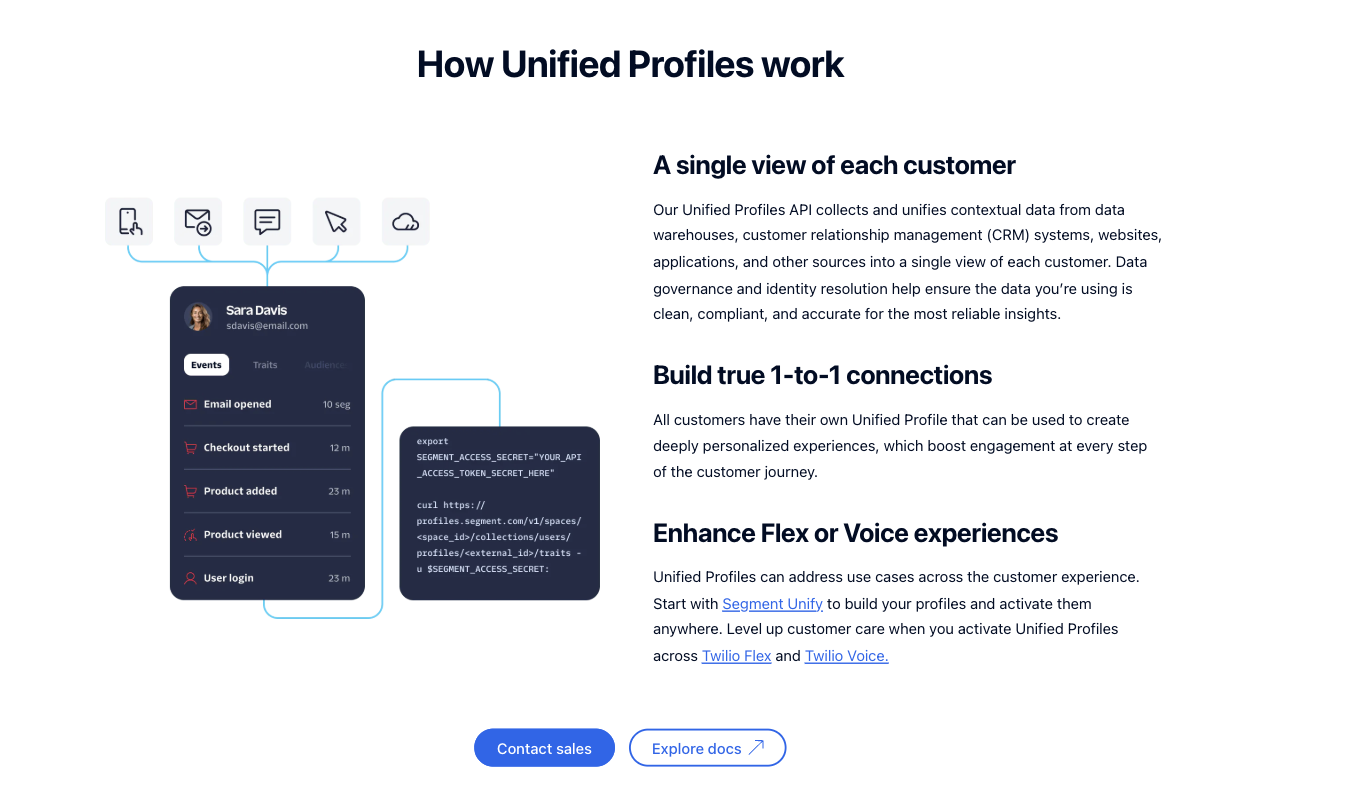
Plus, Segment offers various AI tools that can analyze the data and help you unearth the insights you need from within it. Compared with Mixpanel, though, Segment does focus more on organizing and distributing it than on facilitating deep behavior analysis.
Mixpanel
Mixpanel historically focused far more on supporting data analytics rather than serving as a central data hub for your team’s tech stack.
This is still mostly true. Segment blows Mixpanel out of the water when it comes to acting as a gatherer, cleaner, organizer, and distributor of data.
But Mixpanel now offers more data governance tools than it once did.
With Mixpanel, teams can:
- Set data standards to enforce event-naming conventions across your platform
- Create rules that require specific fields, like owners or event descriptions, to help keep data organized
- Organize and document events using Mixpanel’s data dictionary, Lexicon
- Use special tools to detect events that aren’t compliant with the set standards
So, the goal is to help users ensure that all data used for analytics is clean, trustworthy, and easy to analyze. But Mixpanel does not function as a central data collection and routing agent the way Segment does.
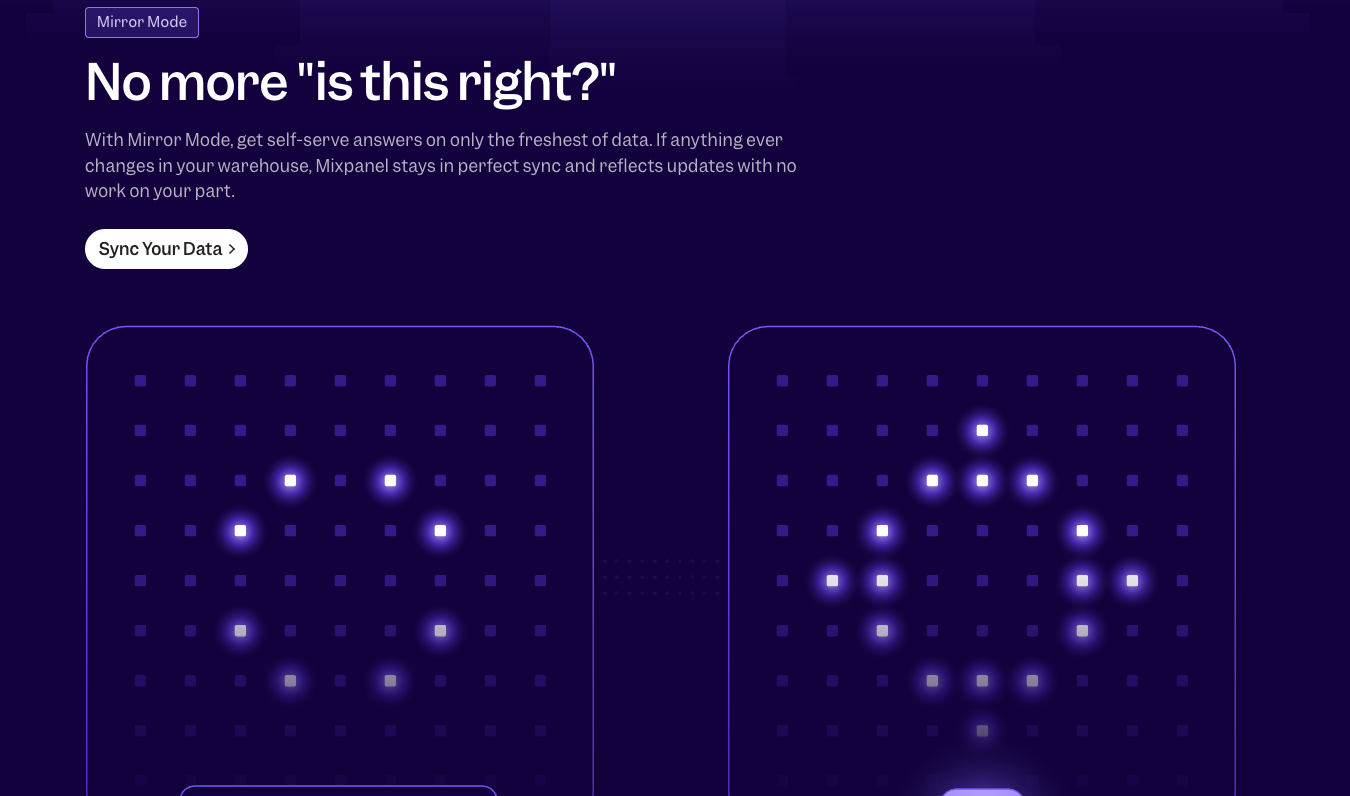
Instead of ingesting data from multiple sources and distributing it across your tech stack, Mixpanel’s focus is to analyze the behavioral data that your apps or tracking tools send over.
3. Ongoing User Profiles
Segment
One of Segment’s strengths is that it helps you build customer profiles tied to the data it collects. If it identifies a common user across multiple platforms, it can link that user’s data under one identifier.
Then, as these customers continue to visit your website, open your mobile app, make a purchase, or do whatever other meaningful events you’ve decided to track, that data gets added to their individual profile.
This makes it easier for your team to understand the customer journey on an intimate, user-by-user level. At the same time, it also acts as a single source of truth—of customer data—for every tool in your tech stack.
The profiles can, for instance, be used to run segmentation, personalization, and analytics across the rest of your tools. It’s important to note that you can’t perform the actual analytics from within Segment.
This is, however, something you can do with Mixpanel.
Mixpanel
Like Segment, Mixpanel builds user profiles that update over time. But that’s where the similarity ends, as far as ongoing user profiles go.
Instead of serving as a central customer database for your whole tech stack, Mixpanel makes it easy for you to use these profiles to run behavior analysis. Unlike Segment, Mixpanel offers specific tools to help you do this.
You can use Mixpanel user profiles to build funnels, measure user retention, study conversion charts, and analyze session replays.
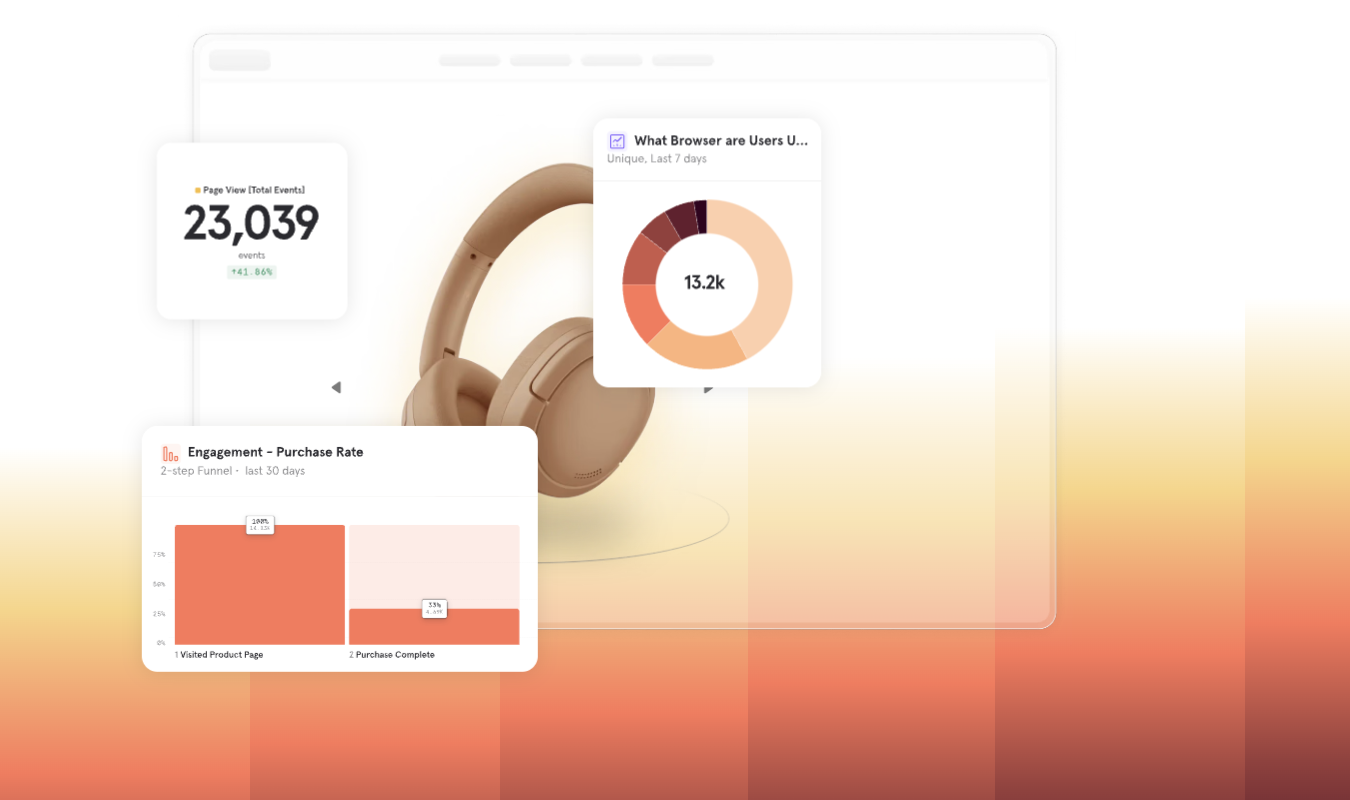
If you’re a business that needs to continuously monitor product performance and test new features, Mixpanel has all the tools you need for that. Segment does not—but it does an excellent job gathering highly detailed and comprehensive data points so that you can use them with tools like Mixpanel, should you choose to.
Or, if you already have a behavior analytics tool you love—like Kissmetrics, Google Analytics, and Keen IO.
4. User Segmentation and Cohorting
Segment
With Segment, you can build audience cohorts based on user traits, behaviors, and events that Segment collects from all your data sources. For example, you could create a group of users who signed up within the past 30 days. Or a group of users who visit a specific page more than twice a week. Or visitors who all purchased the same product.
This is the cool part: once you create these audiences, Segment can send them to other tools in your tech stack, including marketing platforms (Mailchimp, Braze, Intercom), analytics tools (Mixpanel, Kissmetrics, Google Analytics), and CRMs (Salesforce, HubSpot, Gainsight).
Pretty awesome, right? Segment essentially makes it so that you don’t have to segment users on each of these platforms individually. Because of this fact alone, it’s got the potential to save you hours of time.
Mixpanel
Mixpanel supports user segmentation and cohort creation, but instead of funneling these out to other platforms, it uses them for behavior analytics within its own platform.
If you exclusively use Mixpanel as your behavior analytics tool and have a limited tech stack, this is just fine. But if you want something that reduces your cohort-creating workload on the ten billion other tech tools you use, Segment is probably what you want.
And of course, Segment does feed into Mixpanel, so you can technically use both and just skip segmenting on Mixpanel altogether.
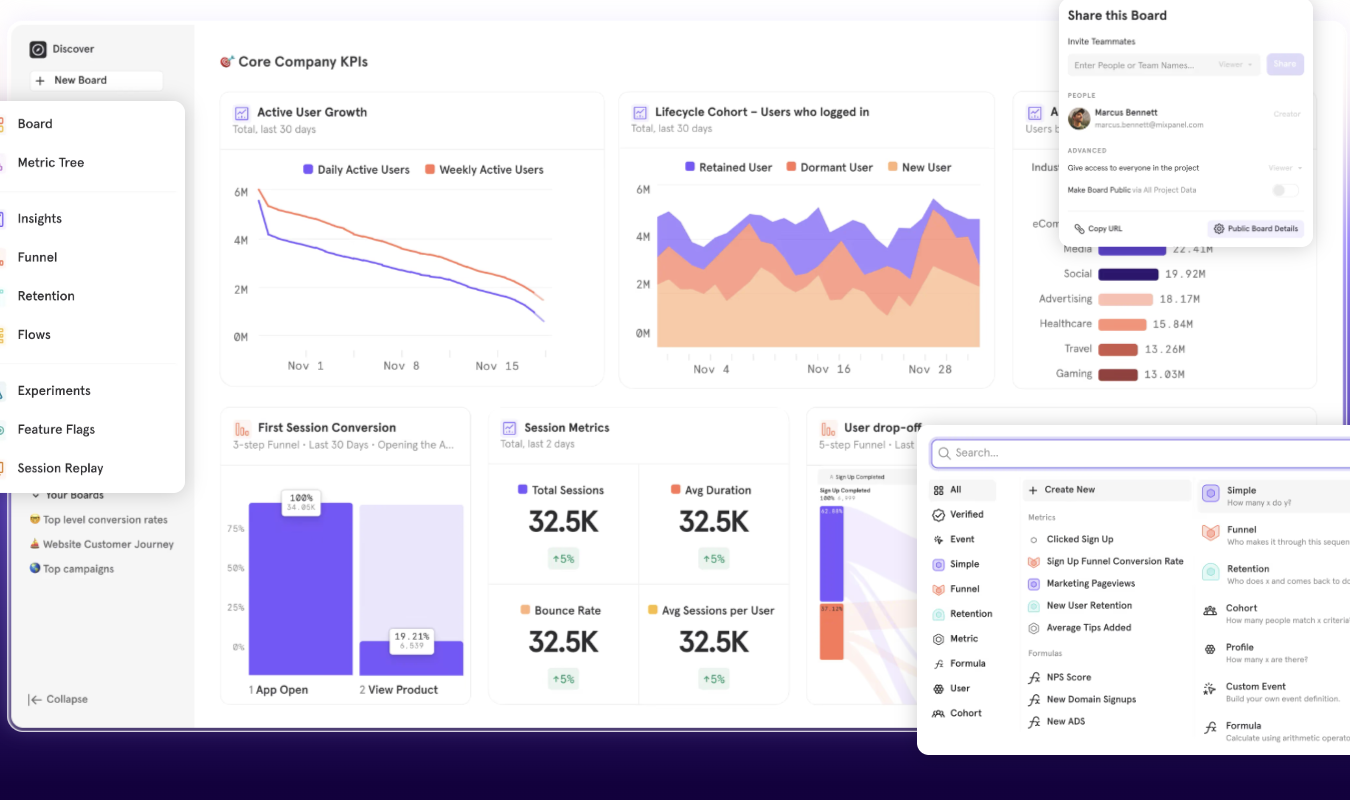
But Mixpanel does have a very attractive, beautiful interface that makes it easy to quickly absorb the insights you gather. User groups are color-coded, for example, to make it easy to identify which ones are which.
5. AI-Assisted Analytics
Segment
While generative AI shouldn’t—in my opinion—write things for you (or create videos or images, for that matter), one of its great strengths is in summarizing. As in, looking at your user cohorts and data and spotting the important points.
Even better if the generative AI offers next steps for you to pursue in your user analysis or research.
Segment does all this and more. Plus, I’m really impressed with its Predictions tool. Predictions uses machine learning to estimate the likelihood that a customer will perform a specific action—like buying an item, churning, or engaging with your next campaign.
You can use these predictions to build new audience cohorts or segments within existing cohorts. From there, you can funnel those users into the areas of your platform most likely to connect with them.
Segment also offers AI tools that power personalized customer experiences. You can connect those customer profiles we talked about earlier to large language models (LLMs) so that AI systems (like customer service chatbots) can generate relevant responses.
In short, Segment’s AI features are focused mainly on predicting customer behavior and helping you personalize the customer experience.
Now, let’s see how Mixpanel uses generative AI to strengthen its offerings.
Mixpanel
In keeping with its trend of focusing more on analyzing than gathering data, Mixpanel’s AI tools help you build reports and ask questions about the data you’ve collected.
For instance, its Spark AI assistant lets you ask whatever question you want about your data. You could say something like, “What’s our brand’s retention rate for free trial users this month?” and Spark would look through your data and create a report based on what it finds.
This is what AI is for, folks. Getting rid of some of the busywork, like manually building charts or sorting through endless mountains of data, so that we can analyze and improve our products more quickly.
In a similar vein, Mixpanel has an AI tool that watches session recordings, highlights the key moments in each session, and presents them to you. You don’t have to sit through hours of sessions just to glean nuggets of insight here and there.
It’s pretty magical if you ask me.
Pricing Breakdown: Which Has the Best Value?
With the table below, let’s examine how Segment and Mixpanel compare on the pricing front.
| Segment | Mixpanel |
|---|---|
| Free plan available with limited usage. Includes up to 1,000 monthly tracked users (MTUs) before requiring an upgrade. Designed mainly for testing or small implementations. | Free plan available with up to 1 million monthly events, core reports (Insights, Funnels, Retention), and limited session replay. |
| Paid plans scale based on tracked users and data volume. For example, Segment’s “Team” tier starts around $120/month and increases as monthly tracked users and features grow. | Paid plans scale based on events tracked. The first 1M events are free, and then pricing is roughly $0.28 per 1,000 additional events, with volume discounts at higher usage levels. |
| Good fit for teams that want a centralized customer data platform. Pricing reflects its role as infrastructure for collecting, standardizing, and routing customer data across many tools. | Good fit for teams that want straightforward product analytics. Costs scale up or down with product usage and analytics volume, not by user seats. |
| Best value for: companies that need to unify customer data and send it to a cornucopia of analytics, marketing, and data warehouse tools. | Best value for: product and growth teams that want scalable behavioral analytics without paying per seat. |
So, between Mixpanel and Segment, which offers the best value?
It completely depends on what you need.
Final Verdict: Is Segment or Mixpanel Right for You?
If you need to create a single source of truth for your customer data, Segment is worth the money. If you don’t need that type of central hub and just want to run product analytics within the same platform used for gathering data, Mixpanel is probably worth more to you.
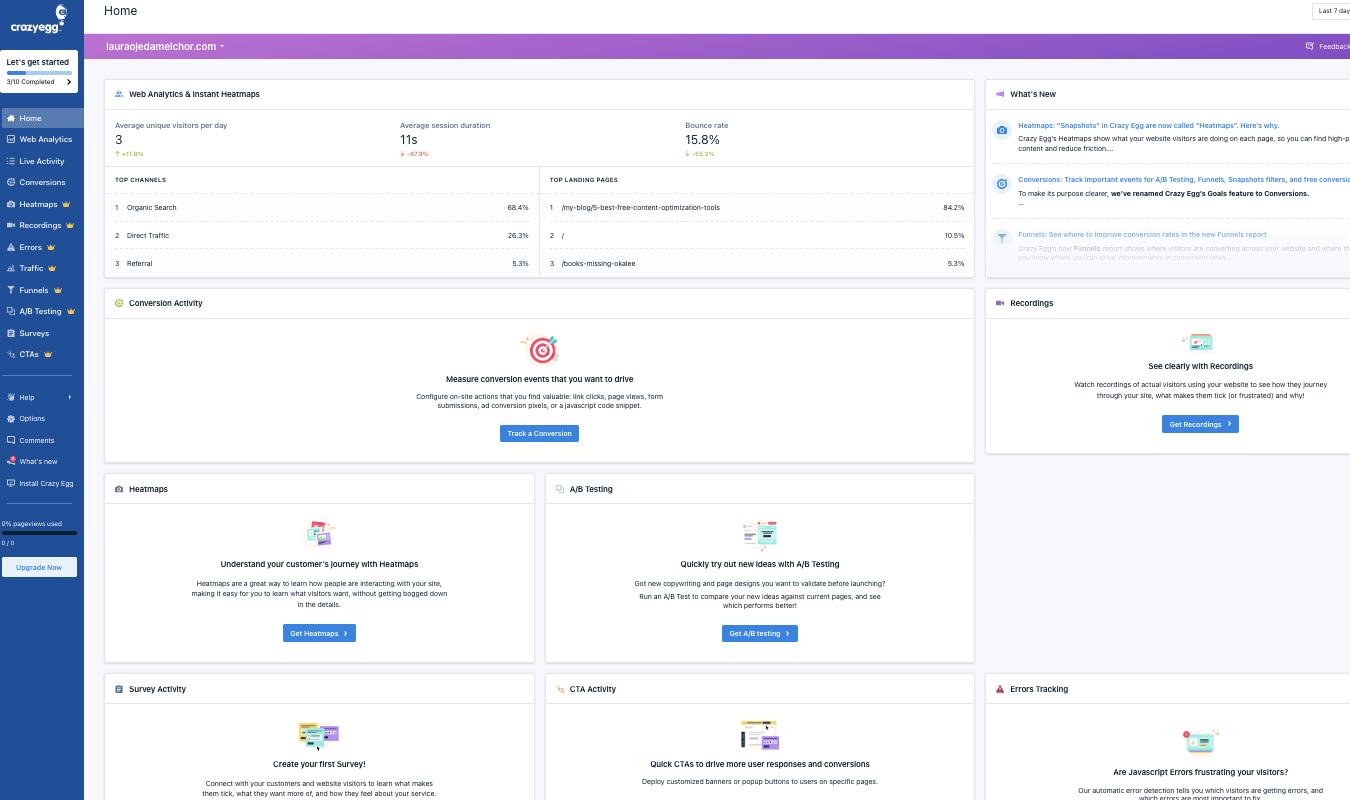
For a platform that offers many of the same things Mixpanel does and then some, try Crazy Egg. This behavior analytics tool offers session replay, heatmaps, web analytics, surveys, conversion funnels, A/B testing, and generative AI summaries, all in one affordable platform.