What you'll discover
Crazyegg is trusted by
And 50,000 + small businessand entrepreneurs worldwide!
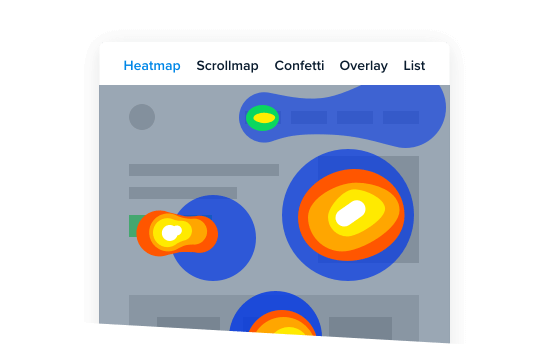
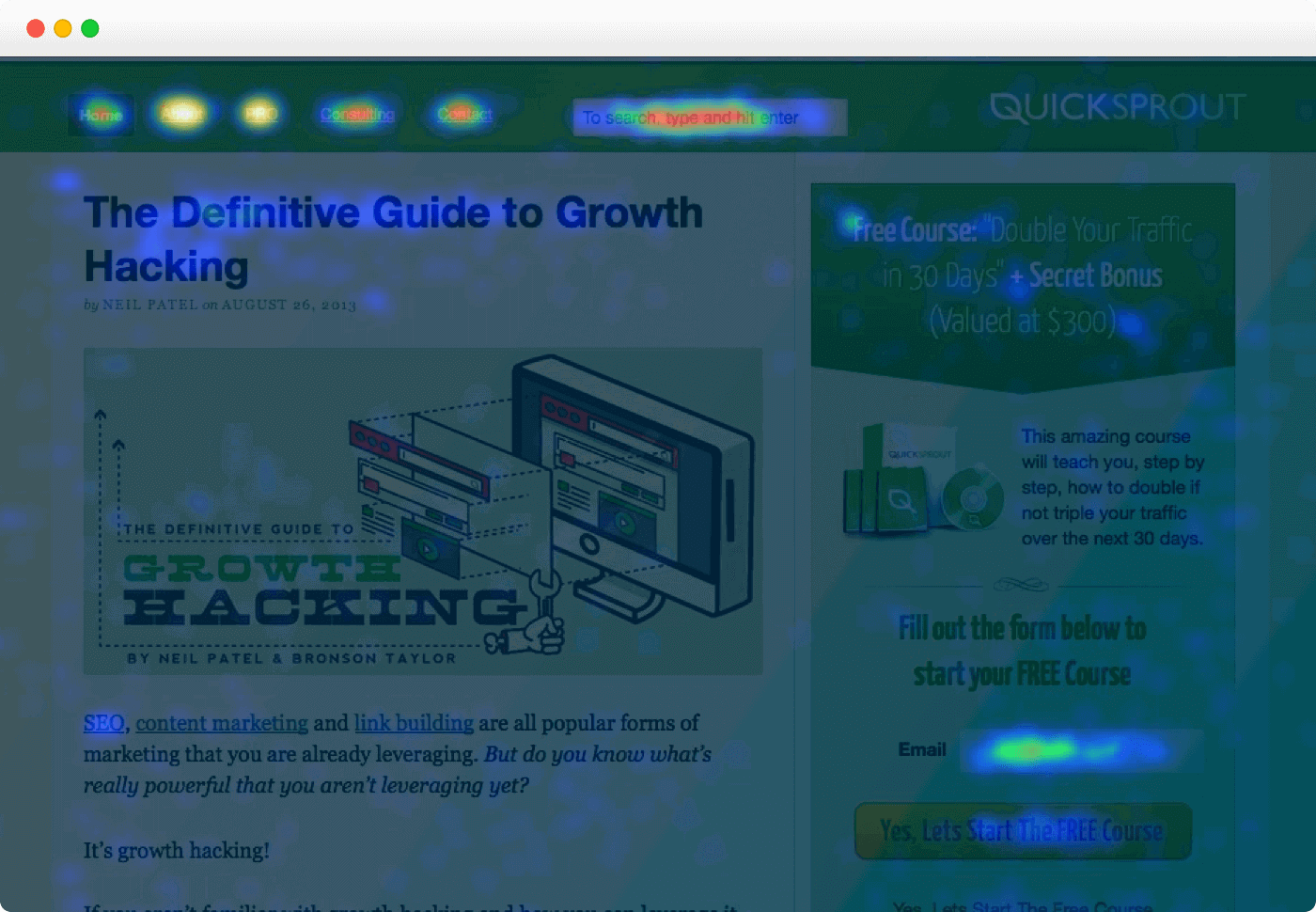
And 50,000 + small businessA Heatmap is an easy way to understand what users do on your site. It’s a visual representation showing you where users click and what they do.


In 1879, French scientist Lous Emile Javal discovered that people pause on some words and move very quickly through others.
Edmond Huey built the first device able to track eye movements during reading. This breakthrough initiated a revolution in scientific research, but the equipment was very intrusive -- readers had to wear special lenses with a tiny opener and attached pointer.
In 1931, Carl, James, and Earl Taylor developed the ophthalmograph and the metronoscope, which were the first instruments to be used in reading instruction in more than 300 colleges in the United States.
In the 1980s, eye tracking was used to see whether people were reading or noticing advertisements in magazines.
But because of the equipment and engineers required to calibrate the machinery, such tests were available to only an elite group who could afford to pay hundreds of thousands of dollars for a single test, which took months to complete.
Before Crazy Egg Web Analytics, you needed ultra-expensive equipment to record Heatmaps for your website pages. That’s why such tests were reserved to an elite group of advertising agencies. The good news is you can now have Heatmaps for your website starting from just a few dollars. Start using Crazy Egg now


But if you aren’t absolutely delighted...if you aren’t increasing your website’s revenues within 30 days, you’re protected by...
You are fully protected by our 100% No-Risk Double-Guarantee. If you don’t increase your website’s conversion rate or revenues over the next 30 days, just let us know and we’ll send you a prompt refund. No questions asked.
On oDigger.com, we actually did a full site redesign based on the information collected from our Crazy Egg Heatmaps.
Gal Zhovnirovsky, oDigger.com
In a nutshell, Heatmap reports allow you to:
- Optimize layout of site elements
- Find the leaks in landing pages
- Test the effectiveness of landing pages
- Monitor visits and increase conversion
- Make the most out of your marketing dollars
What elements of your pages aren’t used and what to do to change them.
Visually identify the most popular areas of a given page.
Crazy Egg helped us distinguish which links our customers were clicking on.
Nathan Decker, evo.com
See what Google Analytics is not telling you.
Understand how users are consuming the website and enable design improvements based on this.
Easy-to-understand data to inform design decisions.
Pinpoint underperforming content.
It helps you to see which parts of your pages are working and which ones are not.
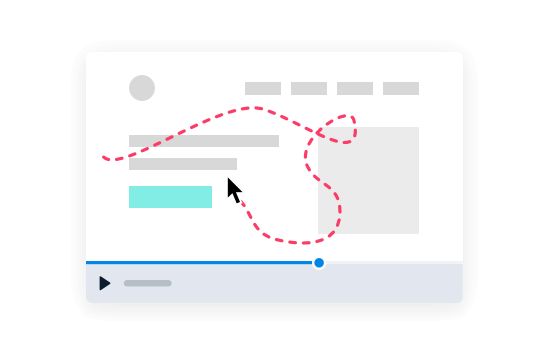
See how far your visitors are scrolling down.
Seeing what content is the hottest right away helps you to know what future content to develop.
Monitor site activity and add or alter content according to the findings.

Gain greater insight as to what your users are doing on your pages, both mobile and full sites.
More accurate analytics on user activity than Google Analytics.
See where users are clicking on your website.
Find out what features and areas are important to your users and mapping out their journeys throughout your website.
See what portions of your site are the most active.
Track customers’ actions and improve conversions.
See how people interact with your site in a more granular way.


Google Analytics doesn’t have a heat map, a confetti report or a scrollmap.
Google Analytics just has overlay... but wait, there’s even more.
Here is the problem with Google Analytics overlay:
Let’s say you have two links that go to the same place and one of them gets 15 clicks and the other one gets 25 clicks. In Crazy Egg you’ll see 15 and 25... whereas in Google Analytics you’ll see those two links with 40 clicks each.
Why?
Because Google Analytics uses your page-level data to track click maps, which is grossly inaccurate.
For a long time Google Analytics has had this deficiency. In fact, that deficiency on the overlay is one of the main reasons we built Crazy Egg.
When you start using Crazy Egg, you specify your page and consider it as a piece of real estate on your site, and all you have to do is to track data only for a limited amount of time. With Clicktale, you can track all kinds of not-so-useful data that can distract you... and could cause "Analysis Paralysis which stops you from taking action to improve your site.
We are strong believers that "Simple is Better." This is our philosophy and we applied it to Crazy Egg.
What about the price compared to Clicktale?
Crazy Egg is a simple, focused and affordable tool and we don’t try to do everything else; that would lead to a very expensive price...that is not our plate.
Yes, we know that it sounds too good to be true but you can do the math:
Results speak for themselves, using Clicktale your cost per Heatmap is $24.75 and using Crazy Egg the cost is only $0.90 per Heatmap... this is more than a 2760% difference.
No, your visitors or customers will not experience a difference in site speed or performance. The Crazy Egg JavaScript is asynchronous, so it does not slow down the page load time.
Yes, you can track multiple domains with one account.
Yes, we support secure sites. The tracking script can automatically detect if the page is secure and uses a secure version of the tracking script.
Yes, Flash clips and iframe objects such as AdSense are tracked.
Crazy Egg is great at tracking clicks on ads like AdSense. You can track where on the ad they click, test ads in different positions and of different designs (run one test for a few days, then make a change and run another one).
Crazy Egg is like X-Ray vision for your site! By using it, we were quickly able to see where people are clicking on our landing pages. The reports Crazy Egg generated allowed us to make the changes accordingly, which helped us drastically increase the click-through rate.
There is nothing in Google Analytics that can replace the functionality Crazy Egg provides -- Google Analytics have the site overlay report, this tells you what percentage of people clicked through to what page -- but it can’t tell you which part they clicked. Crazy Egg shows you where everyone has clicked, whether it was on a link or not -- this highlights usability errors and often areas that could result in an improvement in conversions.
By using Crazy Egg, I was able to find metrics that were really worth measuring, like "where people click." Also, I was able to segment the visitors that came to my site into multiple categories. These types of visitors had distinctly different behaviors, and I was able to enhance our site to improve the experience for the various types of visitors by presenting content that was relevant to the visitor's needs. Conversion optimization can be direct or indirect, in our case Crazy Egg has helped us find small indirect interaction treasures otherwise hidden from us.
I have used many analytics tools in my career, but Crazy Egg is pushing the envelope. If you want to understand consumer behavior on your web site in an effort to increase conversions and engagement, Crazy Egg is the tool to use.
We have used Crazy Egg extensively on a number of different projects. In each case, Crazy Egg was able to illuminate not only how our users were interacting with our site, but also what content they were looking for. This allowed us to optimize our pages so that our users would stay on the sites up to 30% longer leading to higher SEO rankings as well as higher sales. On oDigger.com, we actually did a full site redesign based on the information collected from our Crazy Egg Heatmaps.